How To Purchase the Host Security Professional Version and Flagship Edition?
How To Disable Host Security Professional Protection or Flagship Protection Service?
Go to the Authorization Management Page to view authorization details. You can perform the following operations on the authorized hosts:
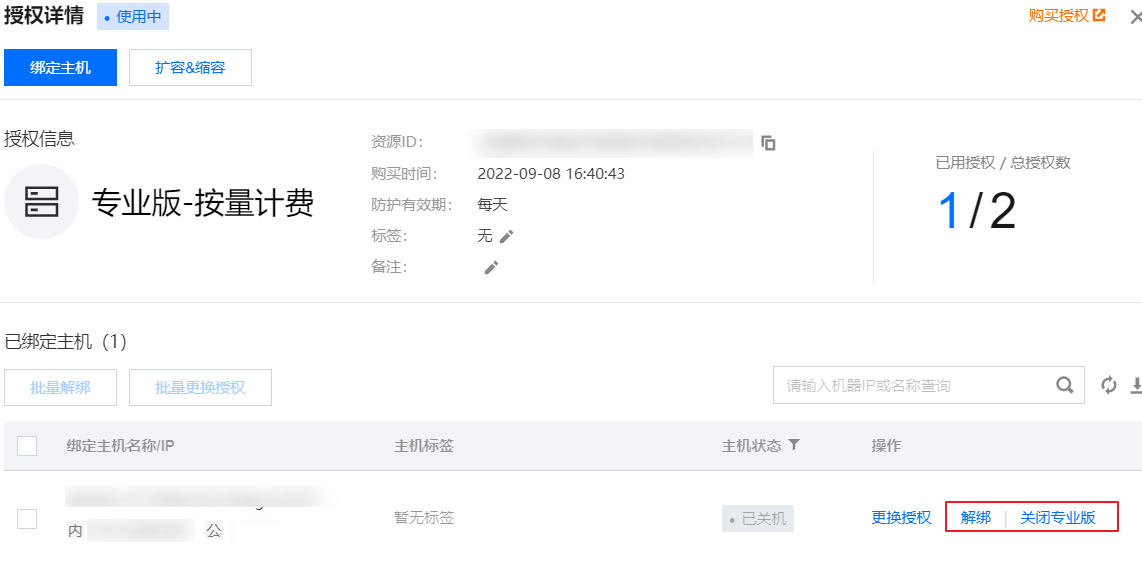
Professional Version - Pay-as-you-go: You can unbind or turn off the Professional Version. Unbind: Each host can only be unbound once per month; Turn off Professional Version: The number of licenses will decrease by 1 after turning off (if there is only one license, turning off the Professional Version will directly destroy the license order).
Note:
Due to the adjustment in the billing mode, CWPP will discontinue the pay-as-you-go mode for the Professional Version starting from November 30, 2023. After the adjustment, new purchases of the Professional Version in pay-as-you-go mode will no longer be supported. Existing old pay-as-you-go orders can still be used and scaled out normally.
If the related old pay-as-you-go orders are terminated, it will no longer be possible to scale out on the old orders in pay-as-you-go mode.
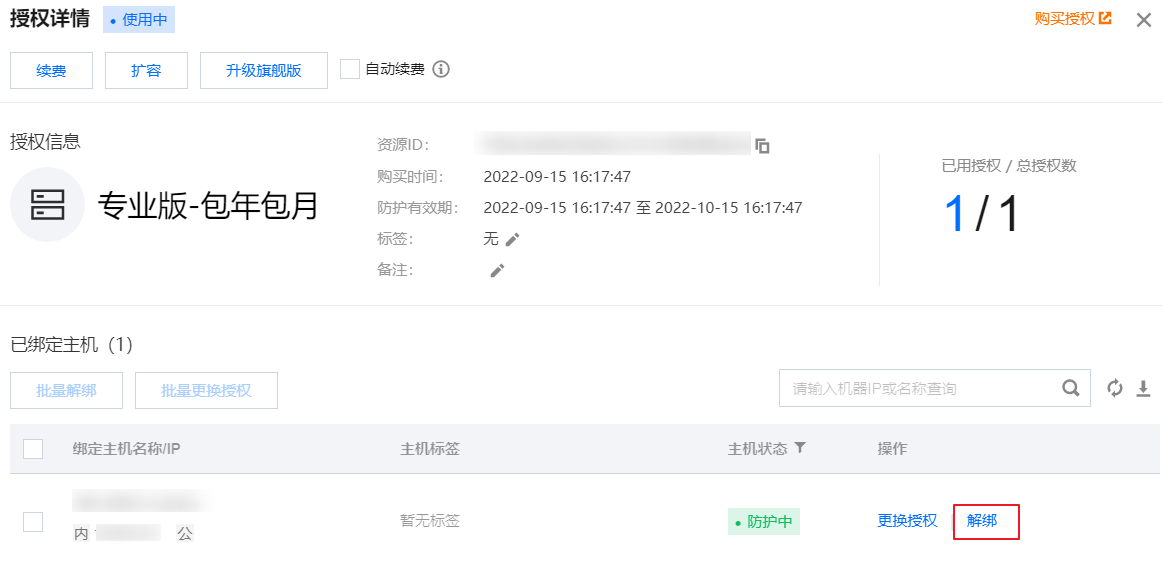
Professional Version - Annual/Monthly Subscription and Ultimate Version - Annual/Monthly Subscription: You can perform the unbinding operation. Unbind: Each host can only be unbound once per month.
Note
After the Cloud Virtual Machine (CVM) expires or is manually terminated, the CWPP Professional/Ultimate protection licenses will be automatically unbound. The freed licenses can be bound to other servers.
After disabling the CWPP Professional and Ultimate protection services, high-risk vulnerability monitoring and warning services for the server will no longer be provided.
The fee for CWPP is deducted based on the actual number of licenses purchased, regardless of whether the license is bound to a host or whether the host is powered on.
Will Purchasing the Security Protection License Automatically Bind It To the Host?
According to the actual situation, it is divided into the following three types:
If the user chooses to bind the host when purchasing the protection license, the host will be automatically bound after the purchase.
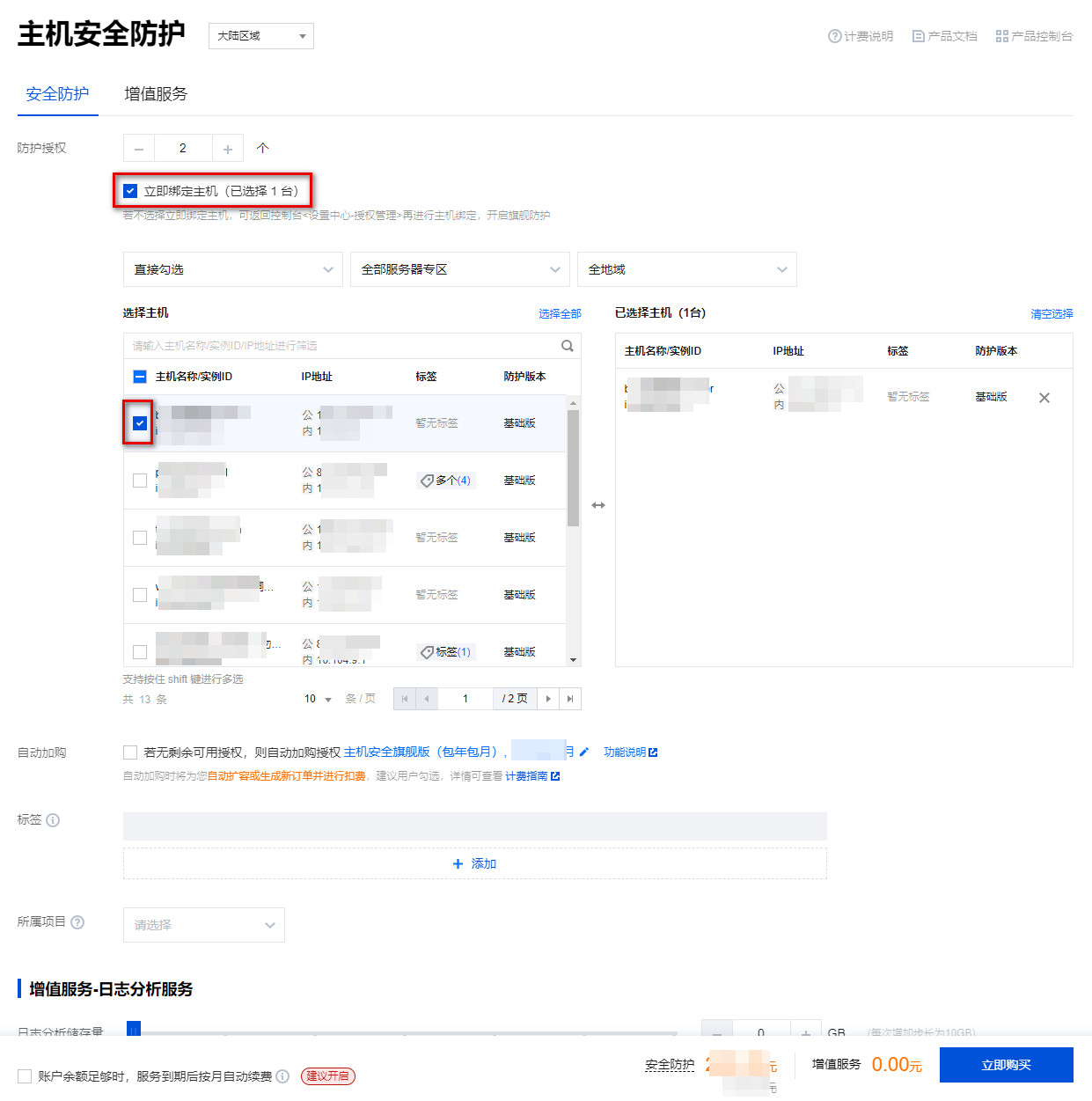
If the user does not choose to bind the host when purchasing the protection license, they need to go to the Authorization Management page to bind after the purchase.
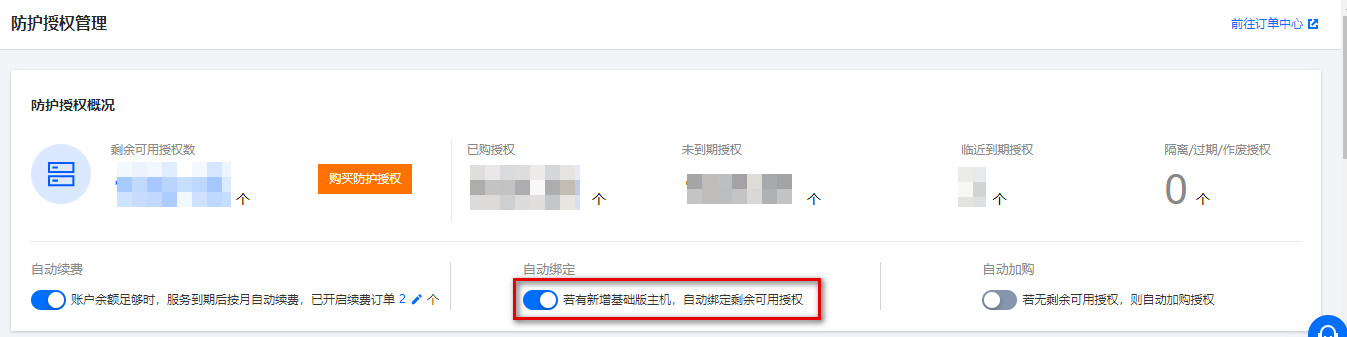
If the user has enabled the auto-binding switch, the host will be automatically bound if there are remaining licenses.
Why Does a New Purchase Of CVM Automatically Generate a Sub-Order For CWPP Professional Protection?
If you turn on the Automatic Upgrade Protection switch in the Authorization Management of the Host Security console, newly added cloud servers will automatically upgrade to the professional protection edition, and a sub-order for purchasing Host Security professional protection will be automatically generated in the order.
How To Handle Issues With Tencent Cloud Account Real-Name Authentication?
If you encounter any Tencent Cloud account issues while using Host Security, please refer to the Account Document for details.
Does the Host Security Product Conflict With Other Security Products?
CWPP does not conflict with other security products and belongs to different protection dimensions, providing security capabilities at different levels to ensure user safety.
How To Uninstall the Tencent Cloud CVM CWPP Client?
Log in to the CWPP Console, select Asset Management > Host List in the left navigation bar, find the CVM to be uninstalled in the server list, and click Uninstall, or open the installation directory and use the uninstallation program in the directory to uninstall.
Will Adding a New Protection Directory Consume the Web Tamper Protection License?
Authorization is calculated based on the machine dimension, meaning 2 machines consume 2 authorizations. Users can configure multiple protection directories on one machine, with a total file number limit of 10,000.
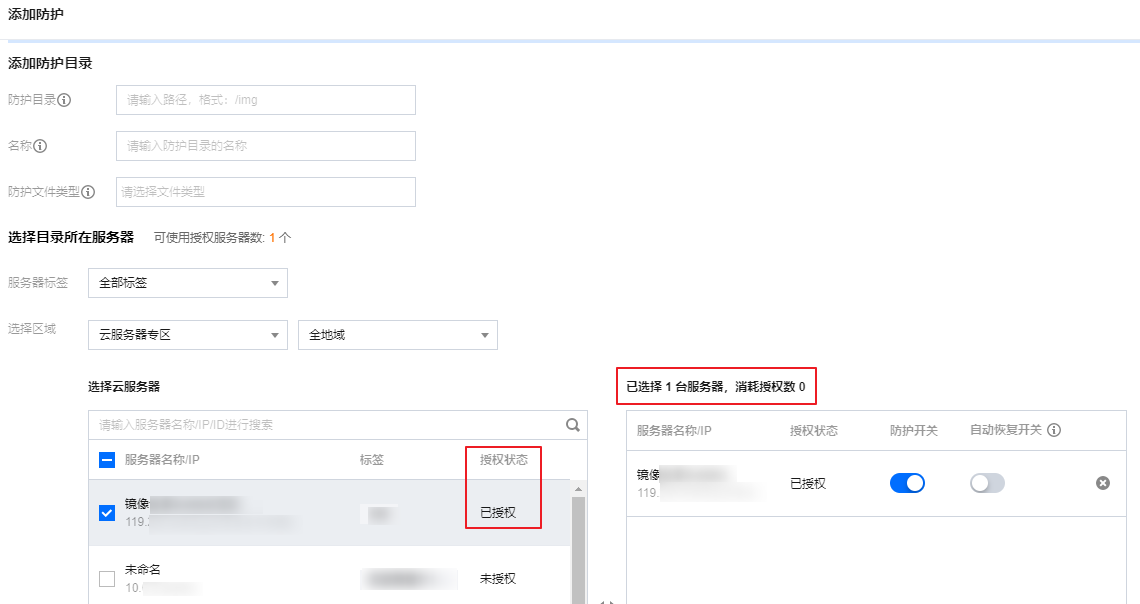
On the add protection directory page of Webpage Tamper-proofing, when selecting the server where the directory is located, you can view the authorization status on the right side of the server. If it is an authorized server, it does not consume authorization. If you select an unauthorized server, it will prompt that authorization will be consumed.