The content of this page has been automatically translated by AI. If you encounter any problems while reading, you can view the corresponding content in Chinese.
The rule engine supports users in configuring forwarding rules to forward eligible device-reported data to the cloud component TDSQL-MySQL. You can create a TDSQL instance and tables using the TDSQL console or TencentCloud API. Then, you can write specified fields from device messages into the corresponding TDSQL tables.
The following diagram shows the entire process of the rule engine forwarding data to TDSQL:
Configuration
1. Log in to the IoT Explorer console, click the target instance and project name, and select Data Flow > Rule Engine in the left menu bar.
2. Open the Rule Engine page, click the rule name that needs to be configured to enter the Rule Detail Page.
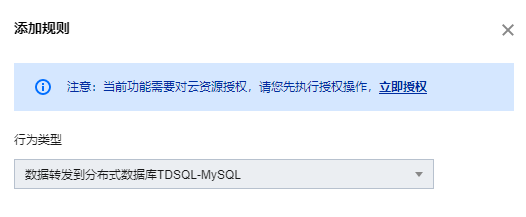
3. click Add Behavior Operation. If it is the first time you use it, you will be prompted to authorize user access to TDSQL. You need to click Authorize Now to continue creating.
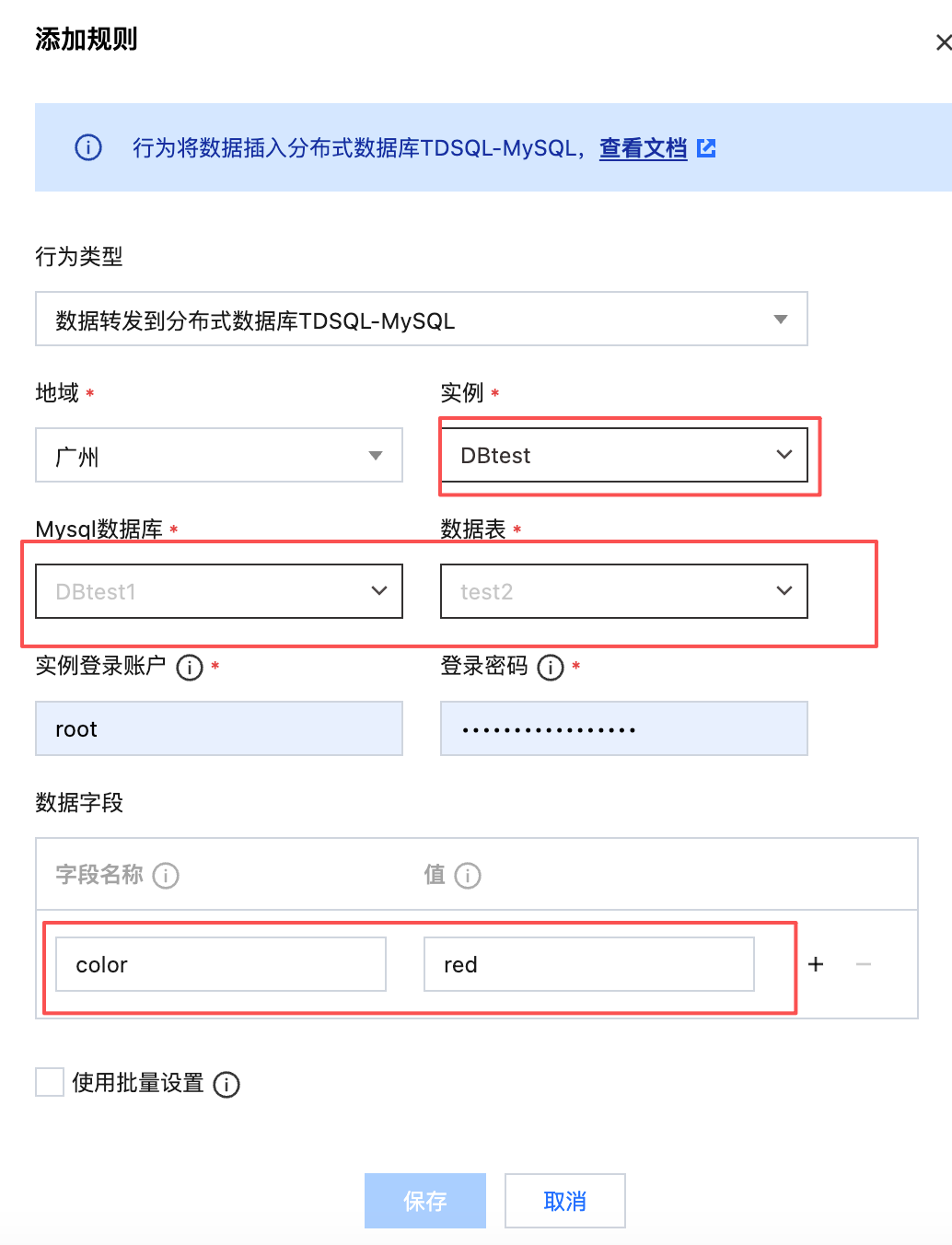
4. After successful authorization, in the pop-up "Add Rule" window, select "Forward Data to CloudDB TDSQL for MySQL". You need to configure the TDSQL-MySQL instance information and the field information to be written, as shown below:
5. Once configured, click Save just.
Configuration Instructions
The configuration is divided into the following steps:
1. Select a region and a TDSQL-MySQL instance.
2. Enter the userName of the TDSQL for MySQL instance you just created.
3. Enter the instance login password.
4. Select the name of the database to be written. If no database has been created under the created TDSQL-MySQL instance, please go to the TDSQL-MySQL console to create a new database.
5. Select the table to write to. If no tables have been created in the database, go to the TDSQL-MySQL console to create a new table.
6. Configure the fields to be written. There are two columns here: "Field Name" and "Value". The "Field Name" corresponds to the field in the database table, indicating the field to be written. The "Value" indicates the value to be written to the corresponding field. The source of the value can be the message body (warning: the message body must be in Json format to support value extraction), or a constant filled in here.
Note:
If the source is the message body, use "${}" to reference fields in the message body. If you want to specify a constant, directly enter the corresponding value, such as a number or a string literal like 5 or hello.
First, create a database, tables, and field names in the cloud component TDSQL-MySQL before you can successfully write data to the database.
Resend Mechanism
The resend mechanism is used to resend again in case of failure during the message forwarding process to achieve the purpose of receiving messages. Details are as follows:
If message forwarding fails, the system will perform forwarding retry. Retries are performed sequentially with time intervals of 1s, 3s, and 10s. If all three retries fail, the message will be discarded.
If the user has configured "forwarding error behavior operation", after three retry failures, one more message forwarding will be proceeded with according to the configuration of "forwarding error behavior operation". If it still fails, the message will be discarded.