In the Tencent Meeting Official Website > My Meetings/Meeting Management > Conference Control > Member List in Meeting > Operations > More > Assign Layout for Members.
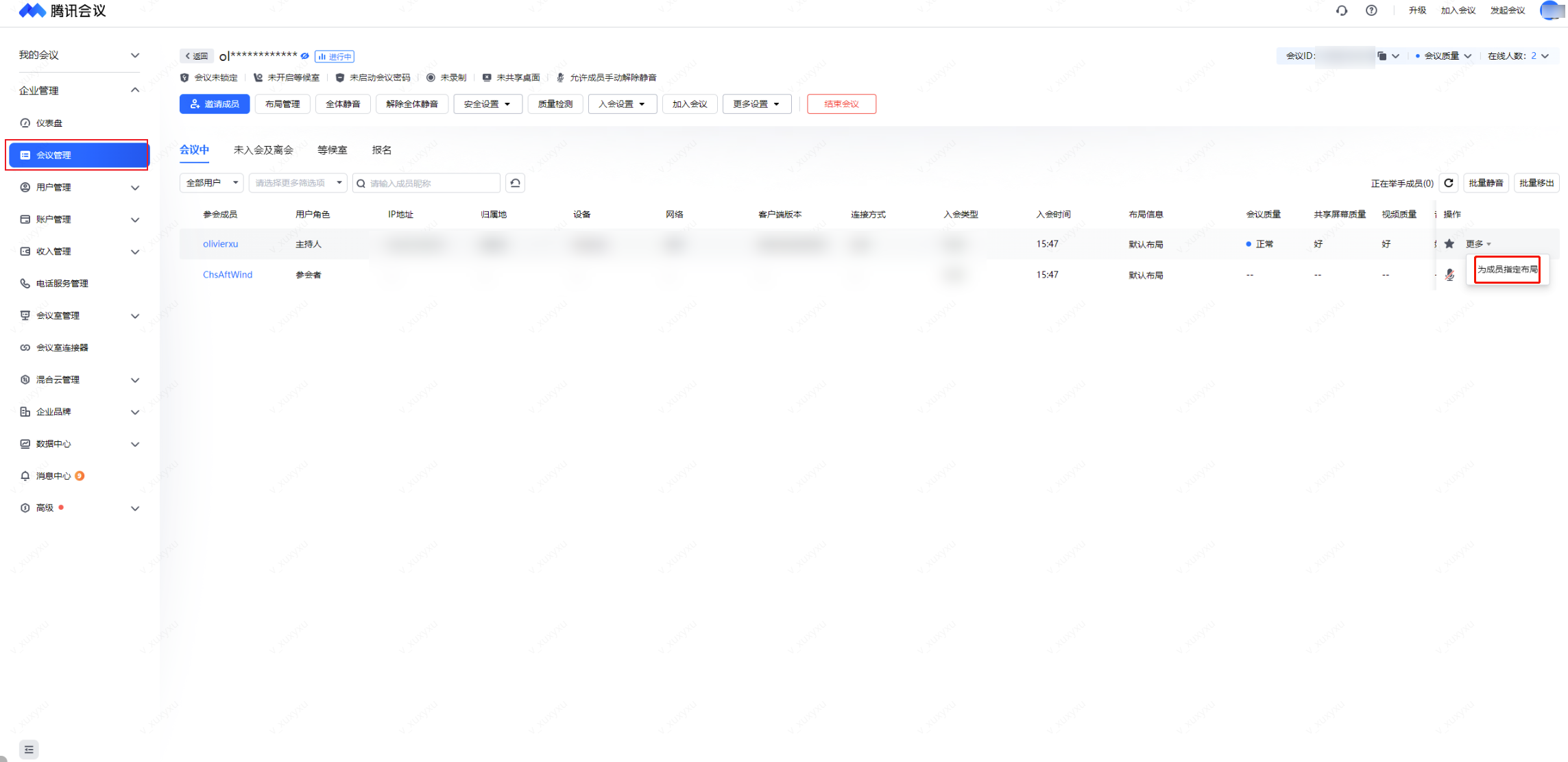
click Assign Layout for Members to enter the Set Layout Page.
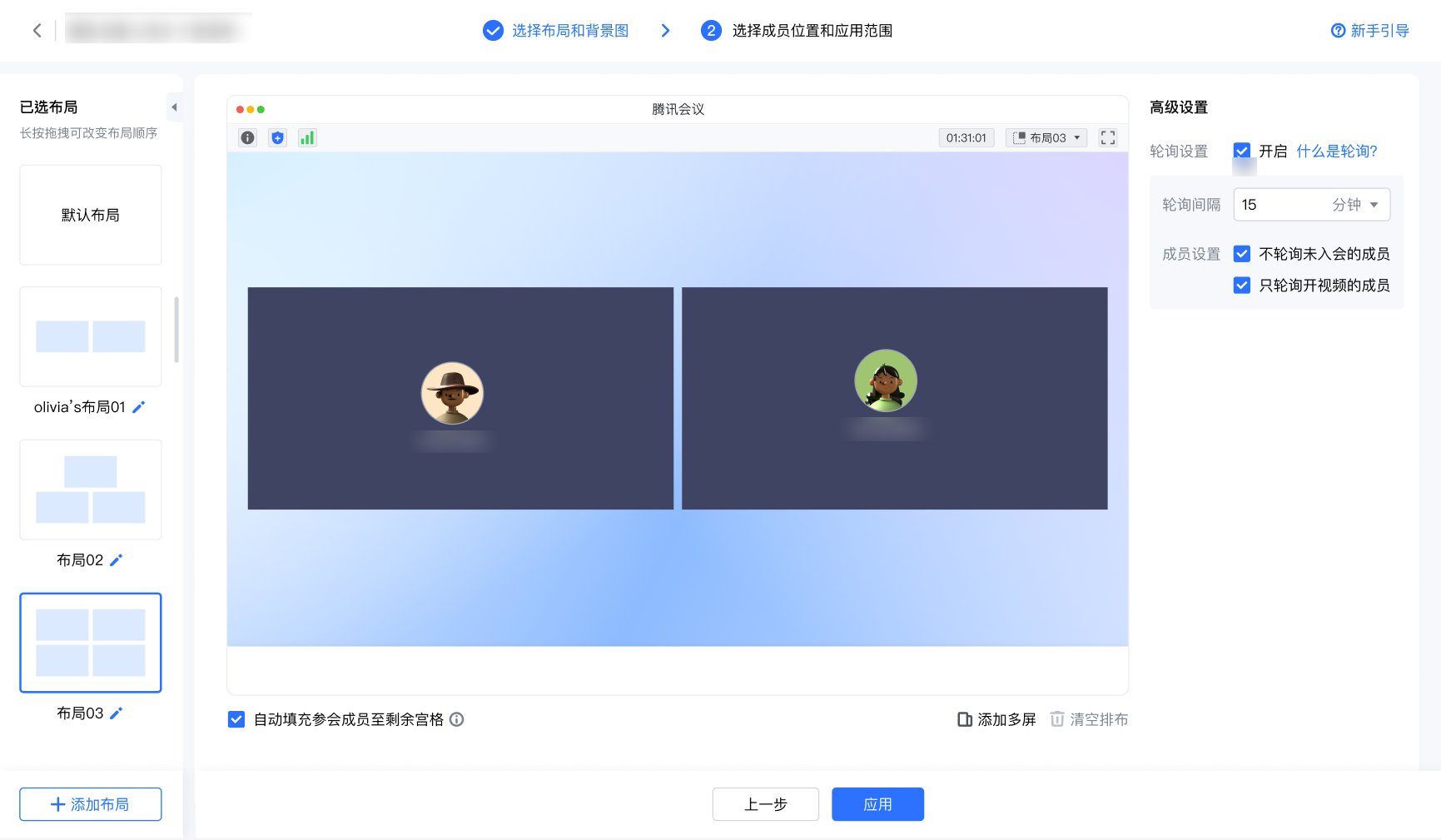
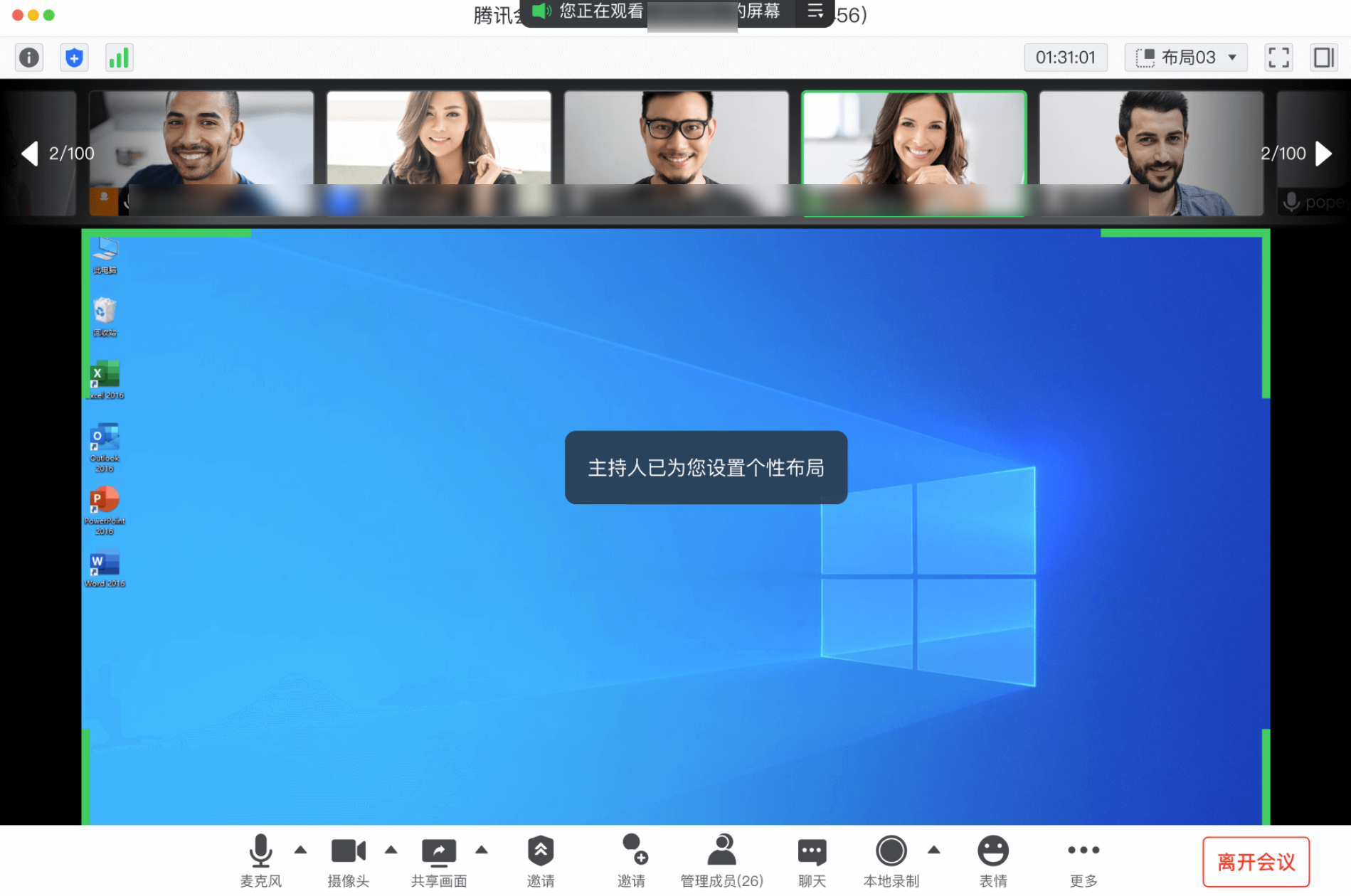
After assigning layouts for members, the layout on the Rooms side will follow the layout specified by the meeting host.
Note:
Android Rooms do not support this feature yet.