The content of this page has been automatically translated by AI. If you encounter any problems while reading, you can view the corresponding content in Chinese.
API authentication refers to the support for user identity and permission verification when using APIs. It is an important feature to ensure the security and stability of APIs. The data service platform supports identity verification by using AppKey and AppSecret as access tokens to sign API requests.
Operation step
To apply for and invoke the identified API, an application must be submitted when the API authentication method is "application authentication".
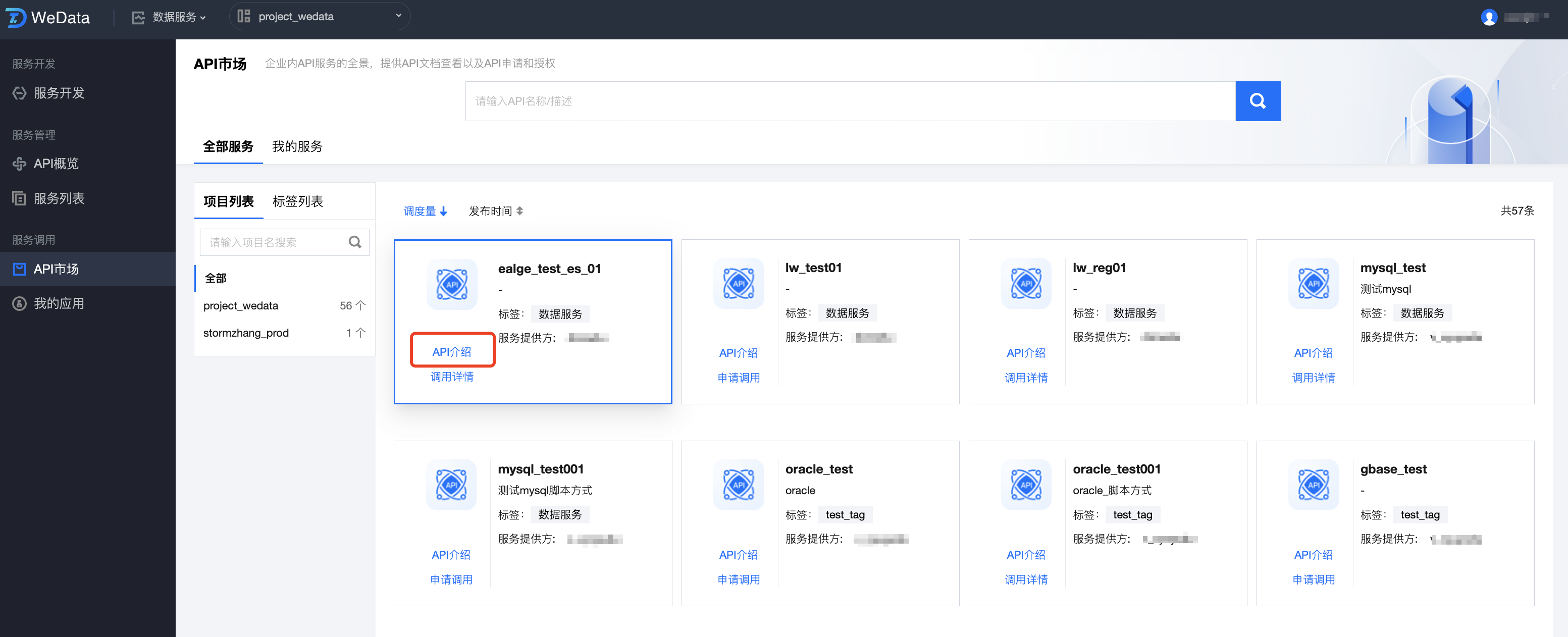
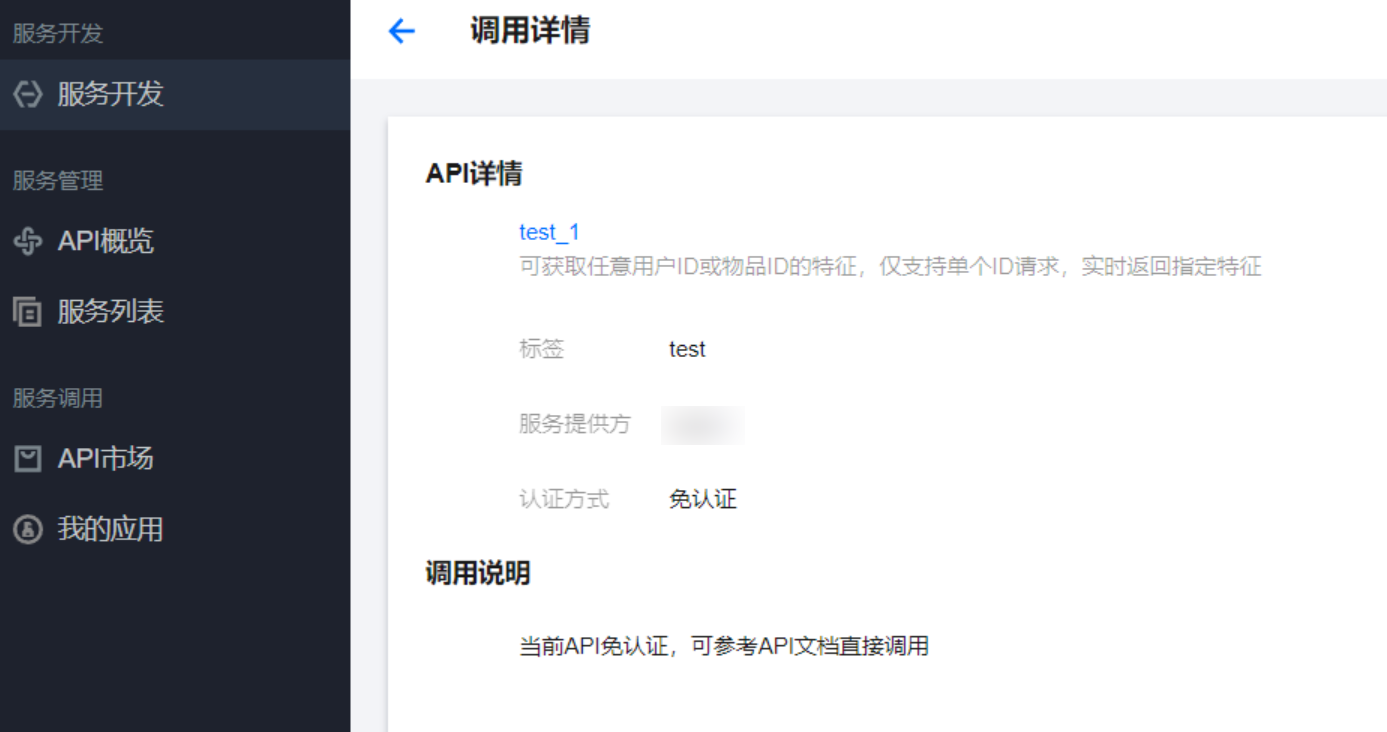
1. After identifying the API, click API Introduction to view the API documentation.
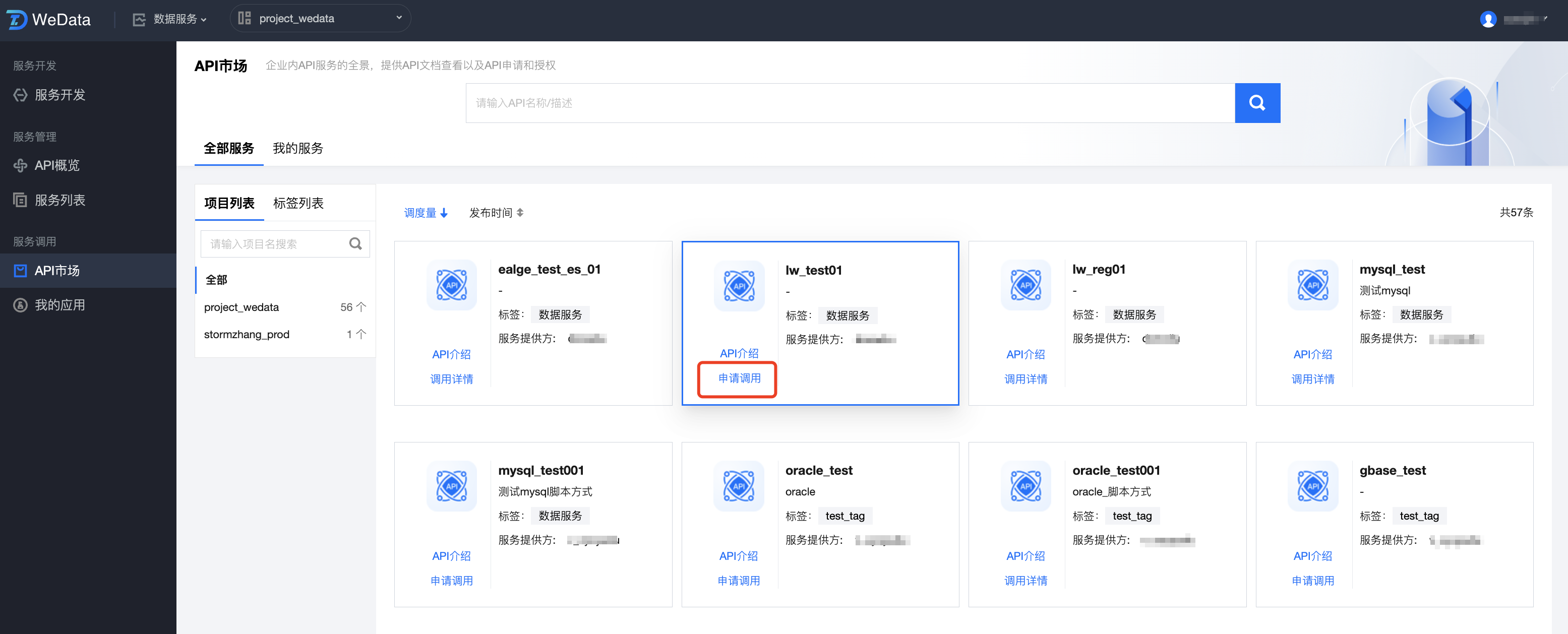
2. Click API Application for Invocation. There are two authentication methods: application authentication and authentication-free.
2.1 Method 1: For "application authentication" API application, follow these steps:
2.1.1 Click the application for invocation under the required data service.
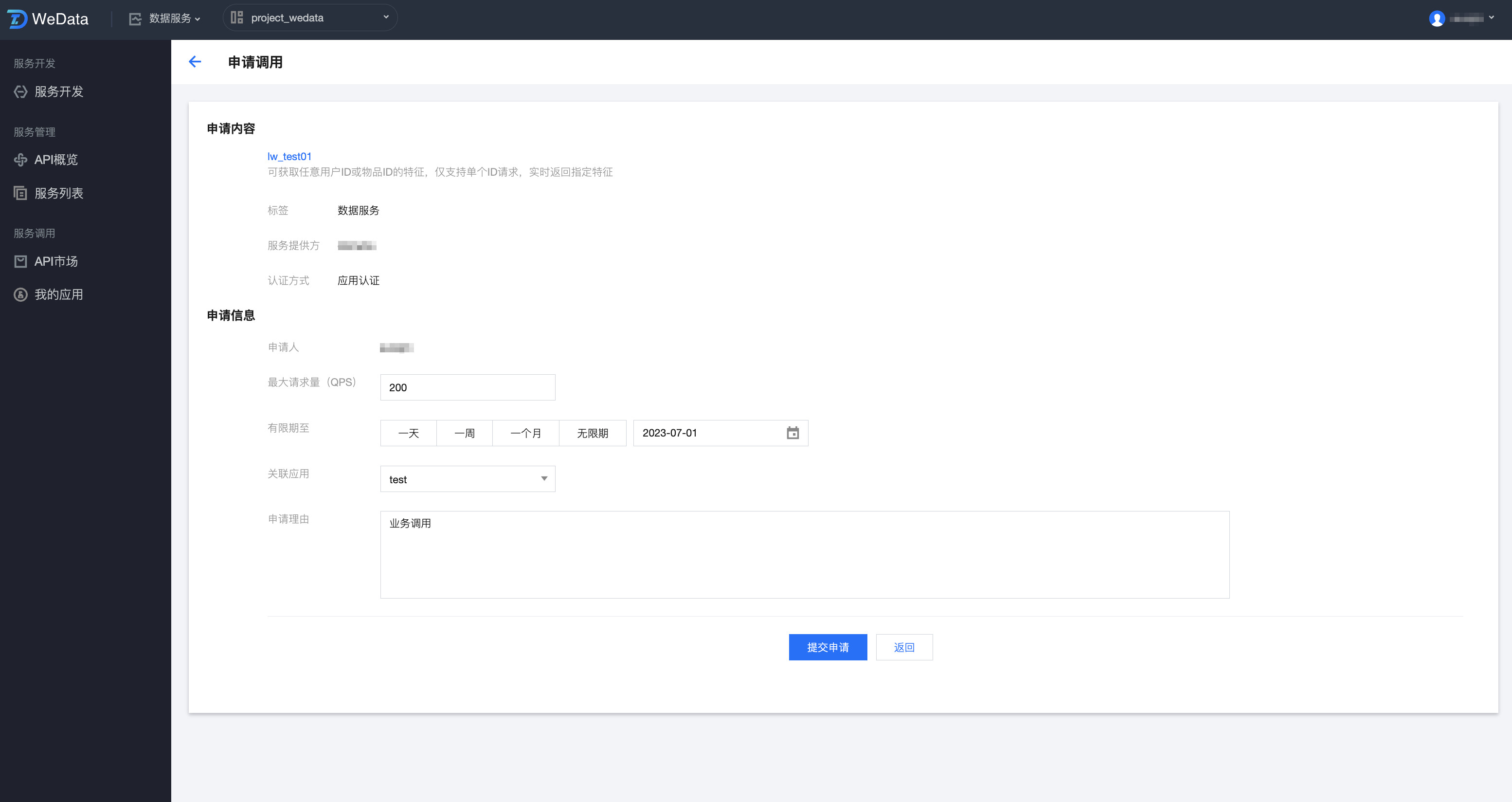
2.1.2 Configure the application information on the page.
Application Content: Confirm the API details, tags, service provider, and appropriateness of the authentication method.
Application Information: Confirm the applicant, configure the maximum number of requests, validity period, associated applications, and application reason.
2.1.3 After configuration, click Submit Application. For "application authentication" APIs, Wedata currently uses the application authentication method of the API Gateway itself.
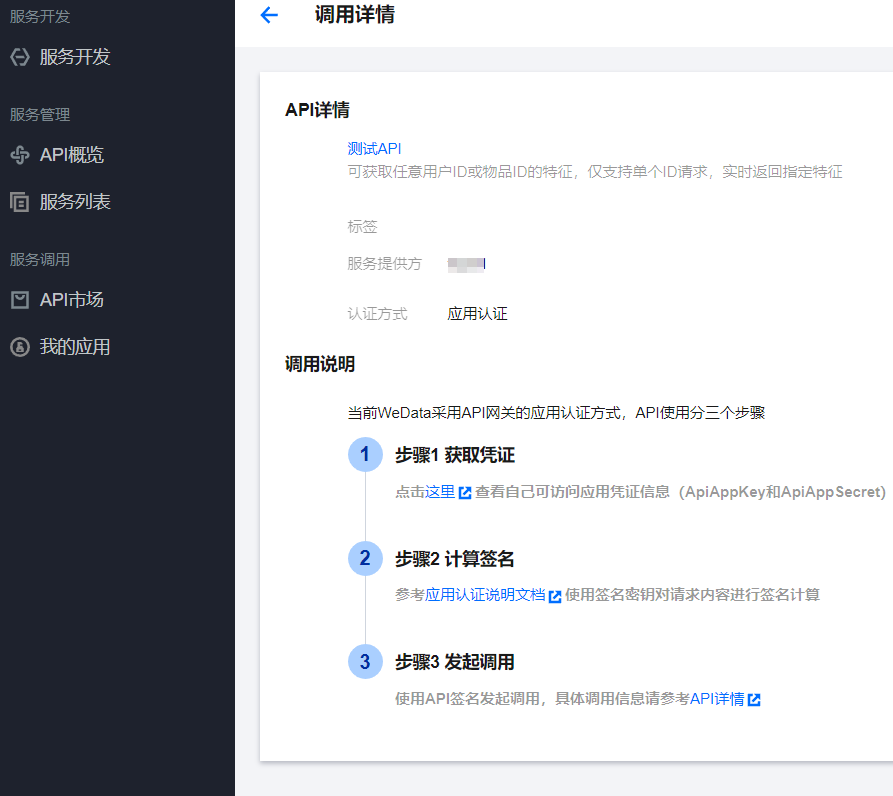
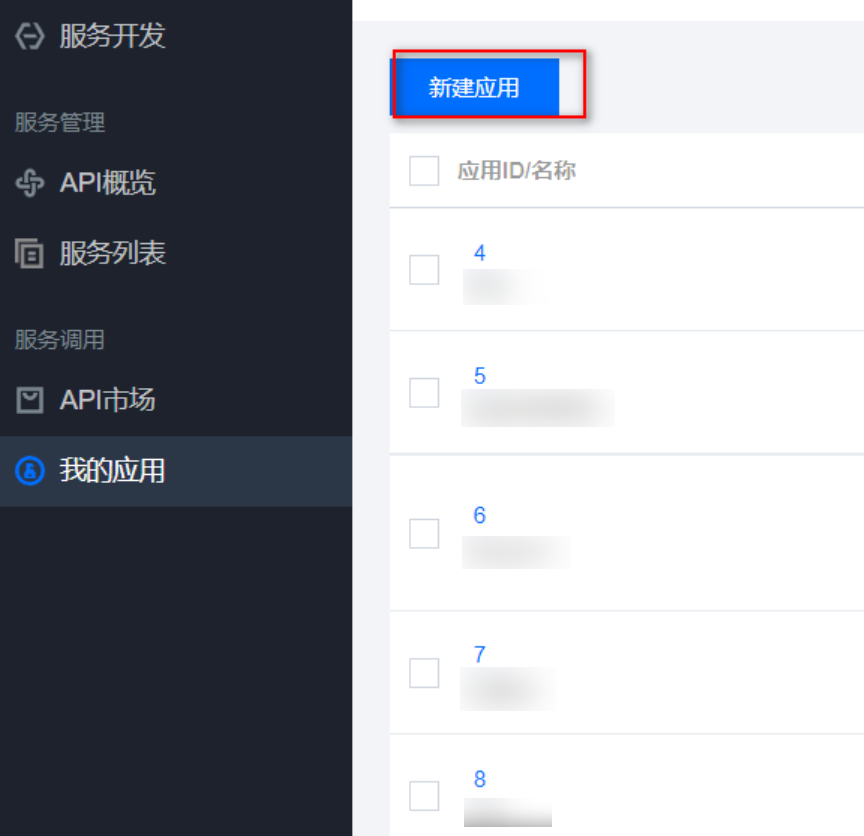
2.1.4 Application Credentials: After the applicant submits a request to the API provider, the API provider will issue App credential information (including Application ID, ApiAppKey, and ApiAppSecret) once the application is configured via My Applications > Create New Application > Application Configuration Completion.
Calculate the signature. The method to calculate the signature varies by gateway type: API Gateway or Cloud Native Gateway . Use the signing key to sign the request content.
Initiate the invocation using the API signature. For specific invocation information, refer to API Details.
2.2 Method 2: For "authentication-free" APIs, no application is needed; you can directly invoke them.
API key
Operation scenarios
Users create keys to provide AppKey, AppSecret, and other access tokens for the API service.
Operation step
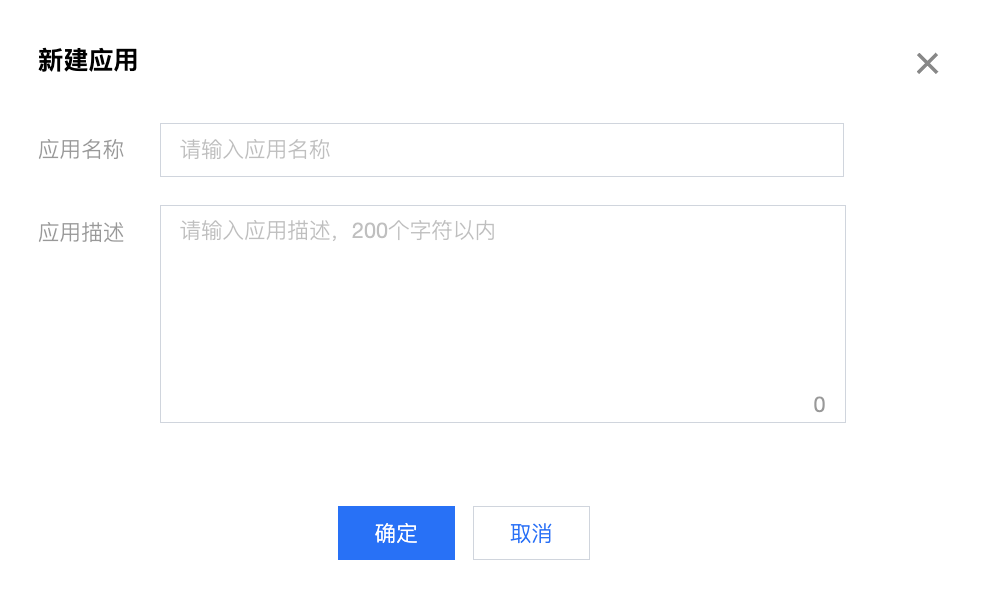
1. Click on the left side Service Invocation > My Applications, then click Create Application, configure the application name and description, to complete the creation of the application, automatically generating AppKey and AppSecret.
2. Enter the application name and description.
3. Application list.
The application list displays the information of the created applications, including application ID, application key, description, creation time, modification time, and provides functions to view callable APIs, update applications, and delete applications.
Parameter description:
Parameter
Description
Application ID/Name
Application ID number and English name
Application Key
ApiAppKey and ApiAppSecret need to be included as parameters in the Header during requests. The method for calculating signatures varies across different gateway types: API Gateway, Cloud Native Gateway.
Description
Application Description
Creation Time
Application Creation Time
Modification Time
Last Modification Time of Application Configurations
Callable APIs
Click to view the callable APIs under the application
Update
Updating the application AppSecret will affect the APIs called by the application, please operate with caution.