Elasticsearch Serverless service provides the feature to manage index configuration. You can quickly view the index configuration through the configuration management page. At the same time, you can modify the index configuration to quickly adapt to business development.
Checking Index Configuration
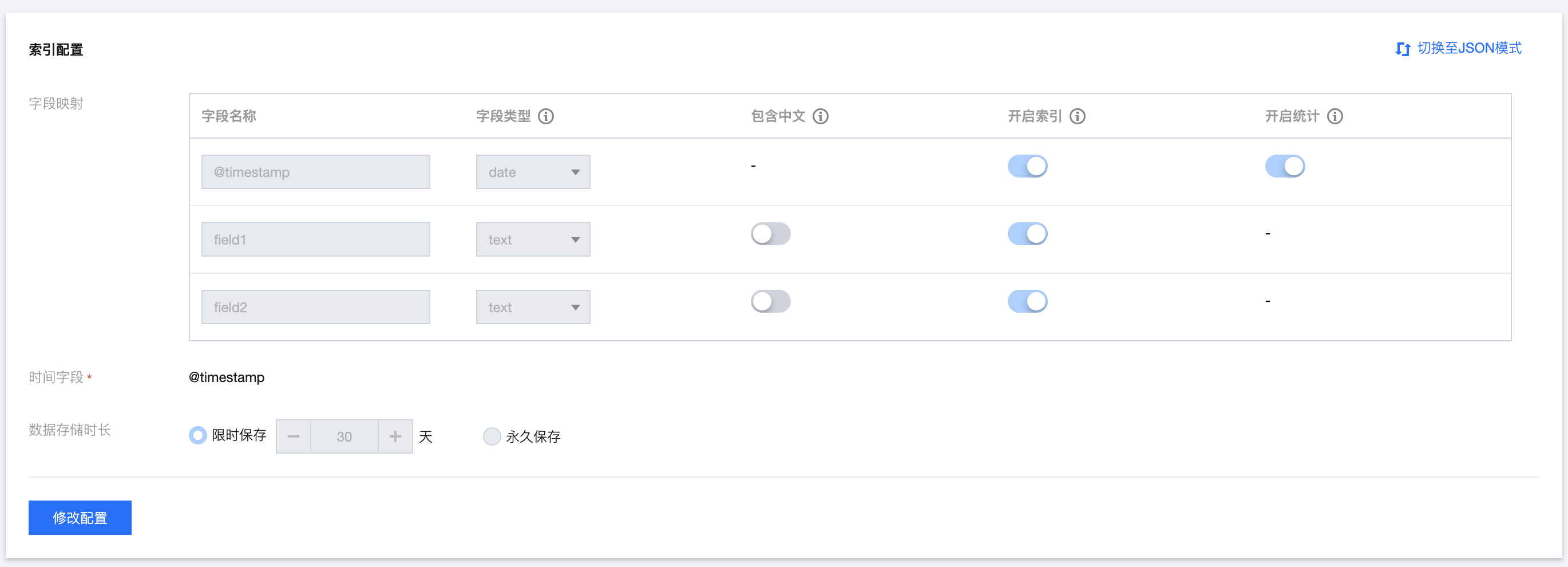
1. After entering this page, it defaults to View Mode, including Field Mapping and Data Storage Duration information.
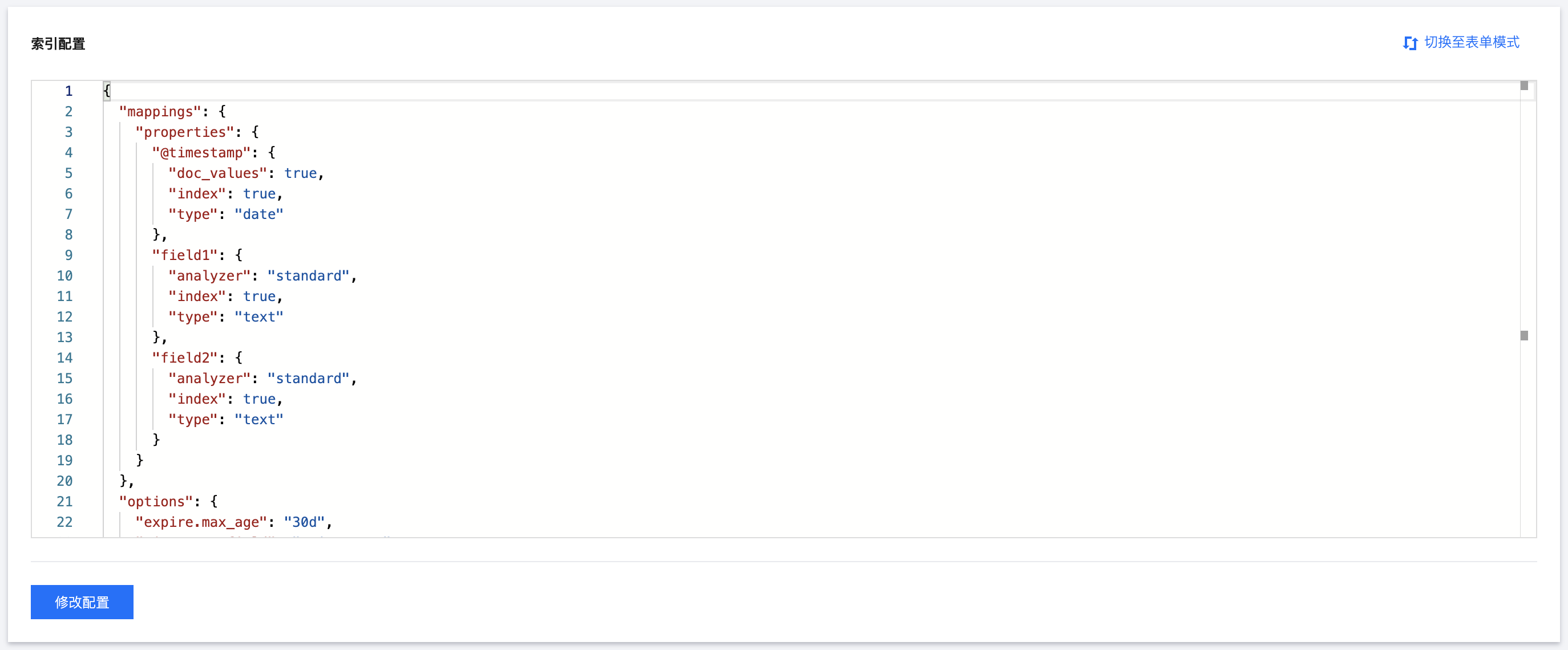
2. At the same time, you can click the top right to switch to JSON mode to view the current index configuration in JSON format.
Modifying index configuration
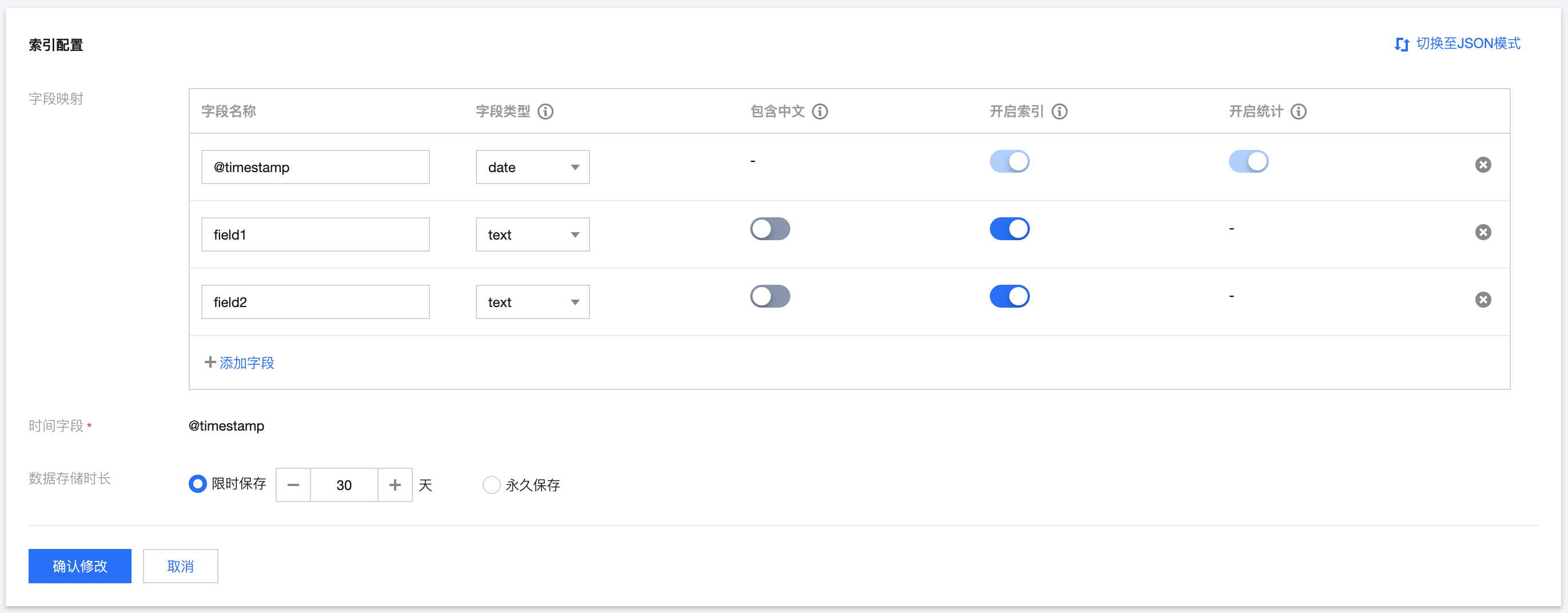
1. Click the bottom left Modify Configuration to enter the editing mode, where you can modify the index configuration information, such as editing field mapping or data storage duration.
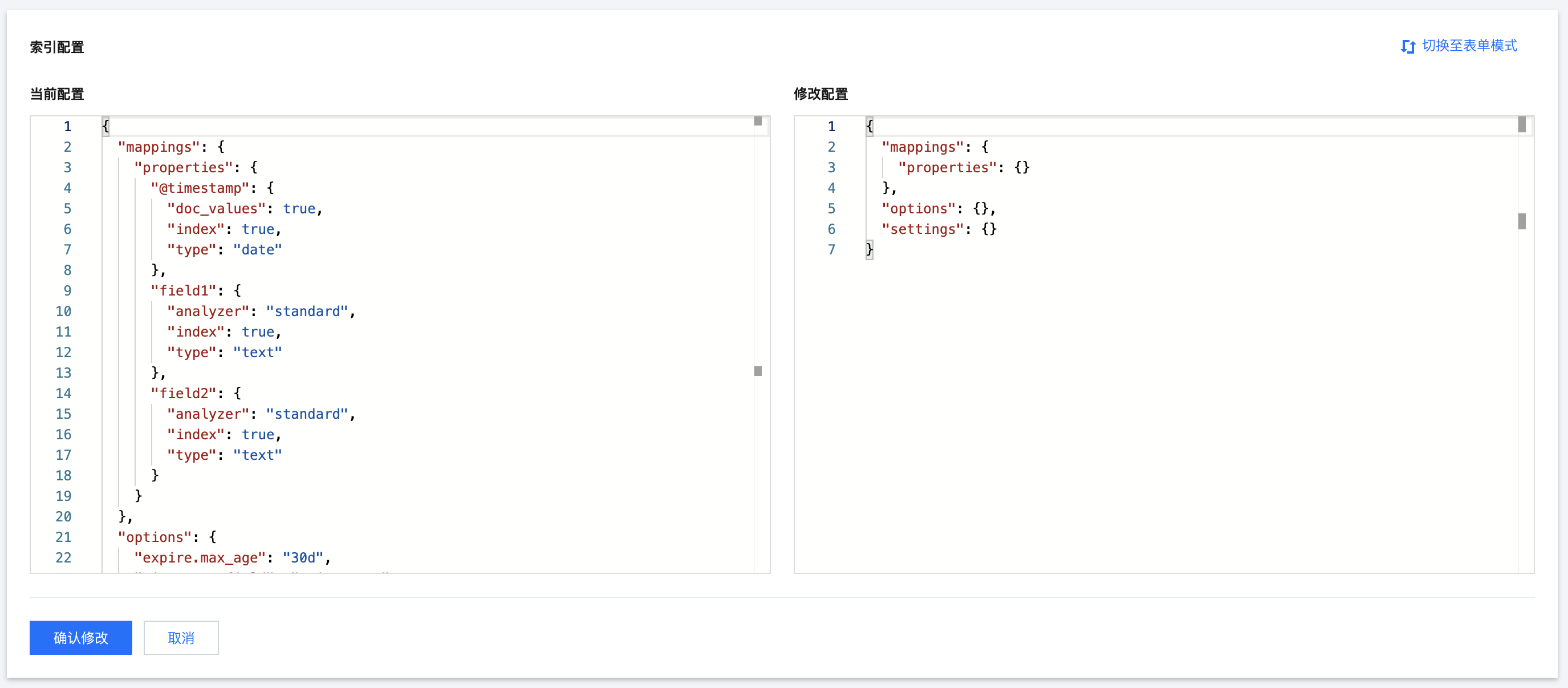
2. After switching to JSON mode, the left side displays the current configuration information, allowing you to view the config information of the index currently running online. The right side is the configuration input box. Enter the configuration information to be modified in the input box. After successful modification, the corresponding index configuration item will be updated.