The content of this page has been automatically translated by AI. If you encounter any problems while reading, you can view the corresponding content in Chinese.
Due to some enterprise information not being included in the third-party corporate industrial and commercial data information database. If you encounter interception during the enterprise information submission phase, and confirm that the submitted information is correct, you can submit enterprise information inclusion following the guide below. Once the inclusion application is approved, you can continue the enterprise registration and enterprise information change process.
Operation step
Step 1: Submit an Inclusion Application
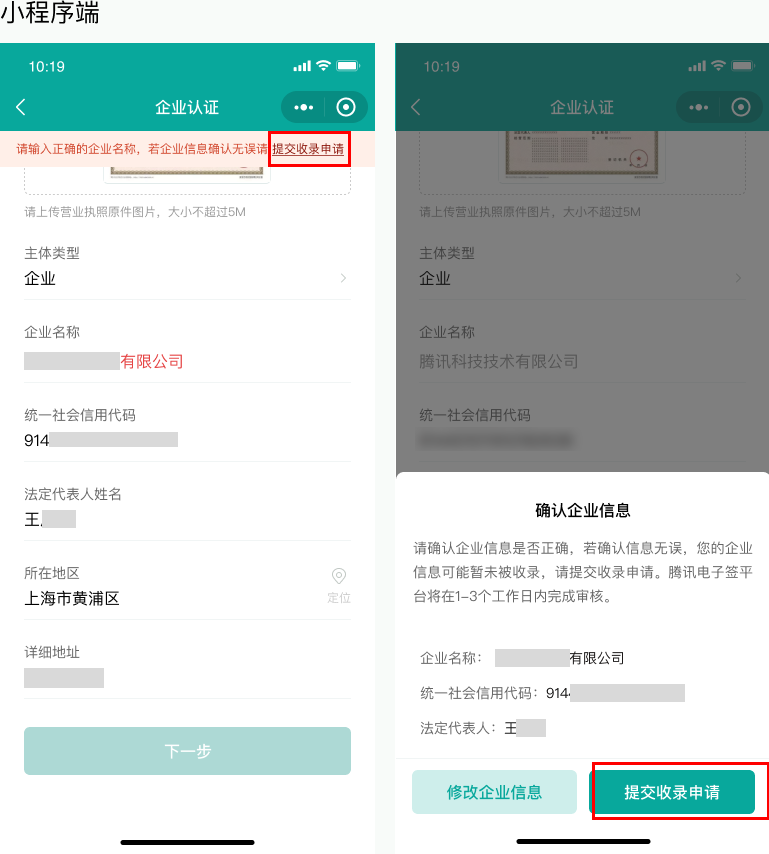
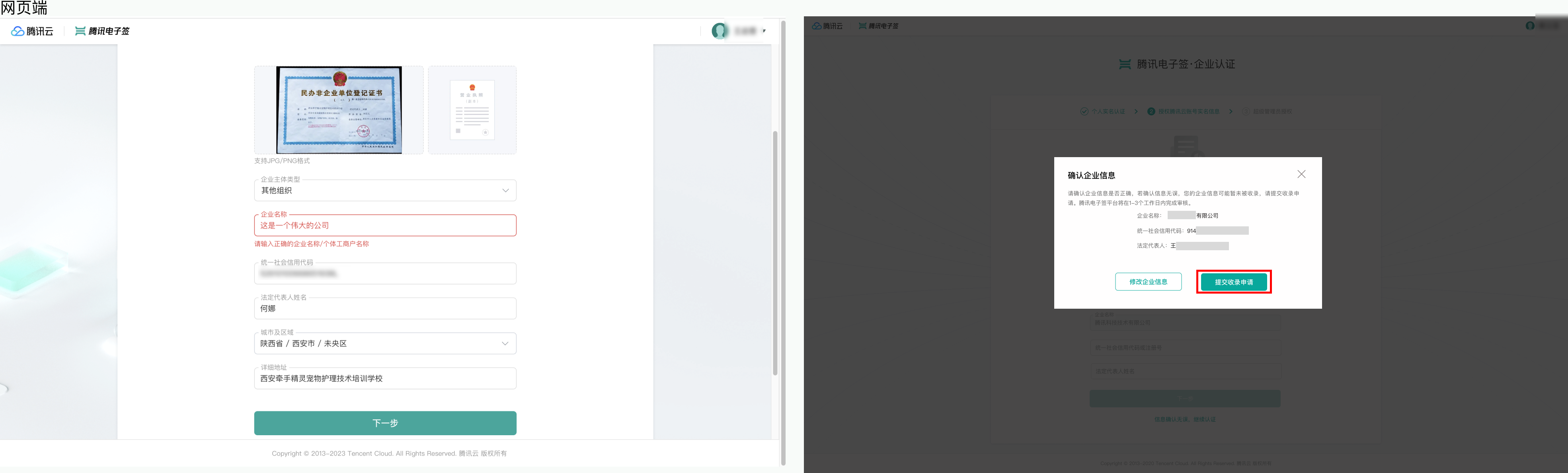
If your enterprise information submission is intercepted during enterprise authentication or basic information change, click Submit an Inclusion Application after confirming the information is accurate.
Mini Program Platform:
Web Version:
Note:
If your authentication entity is a property owners committee, select 'Other Organizations' as the type of enterprise entity. Due to legal compliance requirements, an electronic signature is needed for your entity's enterprise information inclusion. Please confirm the enterprise information and ensure you have uploaded relevant proof documents such as the Bank Account Opening Permit or Property Owners' Meeting Establishment Matters Filing Record.
Step 2: Wait for Electronic Signature Platform Review
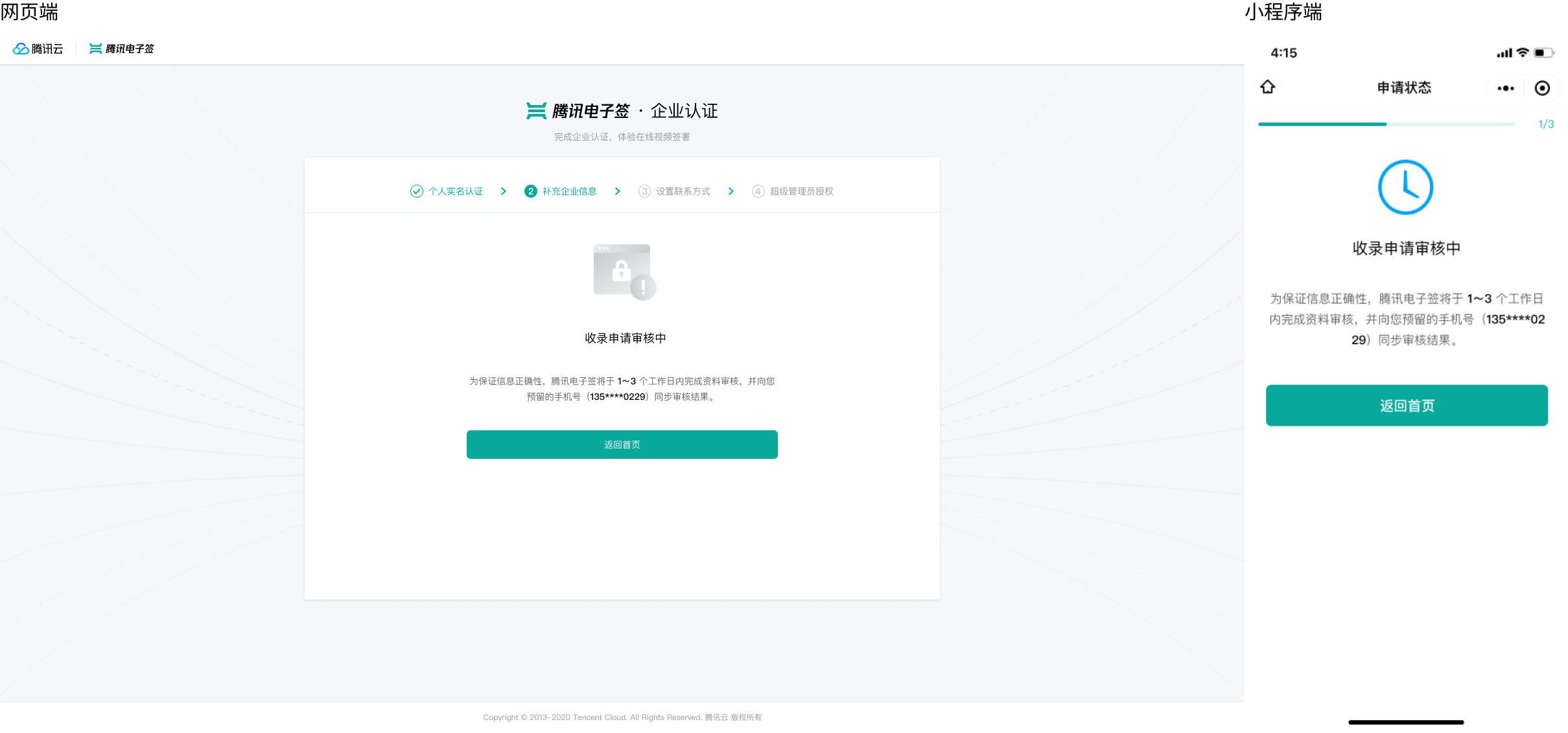
After submitting the inclusion application, please be patient. We will review your application within 1 to 3 business days, and the result will be notified via SMS. You can also check the review progress on this page through the enterprise authentication or enterprise information change entry.
Step 3: Review Pass
Once the review is approved, click Continue Authentication to proceed with the process.