This document elucidates how the alias domain name feature of EdgeOne can assist in conveniently replicating the security, acceleration capabilities, and configuration of one domain name to all other domain names in the business scenario of SaaS site construction, thereby achieving batch access of SaaS site domain names.
Objective of the Document
It may take you 10 minutes to read this document, which helps you:
Understand the challenges that the EdgeOne alias domain name scheme can help SaaS website service providers overcome.
Learn how to utilize alias domain names to alleviate the burden of maintaining and connecting SaaS website domain names.
Background
In the context of SaaS website building, SaaS providers offer site templates that customers can customize using preset templates via the backend, without the need for coding. This allows them to create their own corporate websites, e-commerce platforms, and educational websites. In this scenario, customers only need to focus on the site content, as the SaaS provider handles site operation and maintenance. The primary site requirements from the customer's perspective include:
1. Sites can support personalized use of exclusive domain names.
2. Enable HTTPS access to enhance the security and trustworthiness of the site.
3. Enable users to access their sites swiftly and securely.
Current Solution and Pain Points
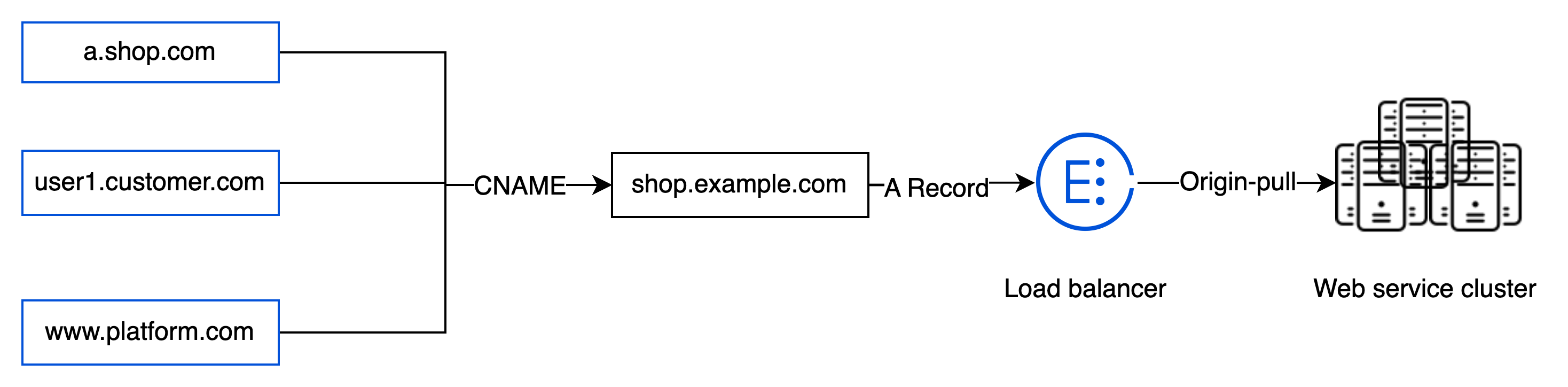
Given that the capabilities required for the sites built by users are essentially identical, barring the content, SaaS website service providers initially serve their customers through the following platform architecture for the sake of convenient operation and maintenance:
By leveraging the CNAME capability provided by domain name resolution service providers, customer-defined domain names can be associated with domain names provided by SaaS website service providers. The HTTPS certificate, deployed within load balancing servers and web service clusters, can distinguish origin sites responding to user needs via back-to-source SNI. However, this architecture presents the following shortcomings:
1. The access performance can be affected when the web service clusters fail to handle volumes of concurrent requests.
2. The absence of protective security measures can directly impact all site services when a customer's site is subjected to various types of network attacks.
3. The server clusters, tasked with maintaining customers' HTTPS certificates, struggle to ensure updates for a growing number of domain names, thereby creating a performance bottleneck.
Utilizing EdgeOne Alias Domain Name Service
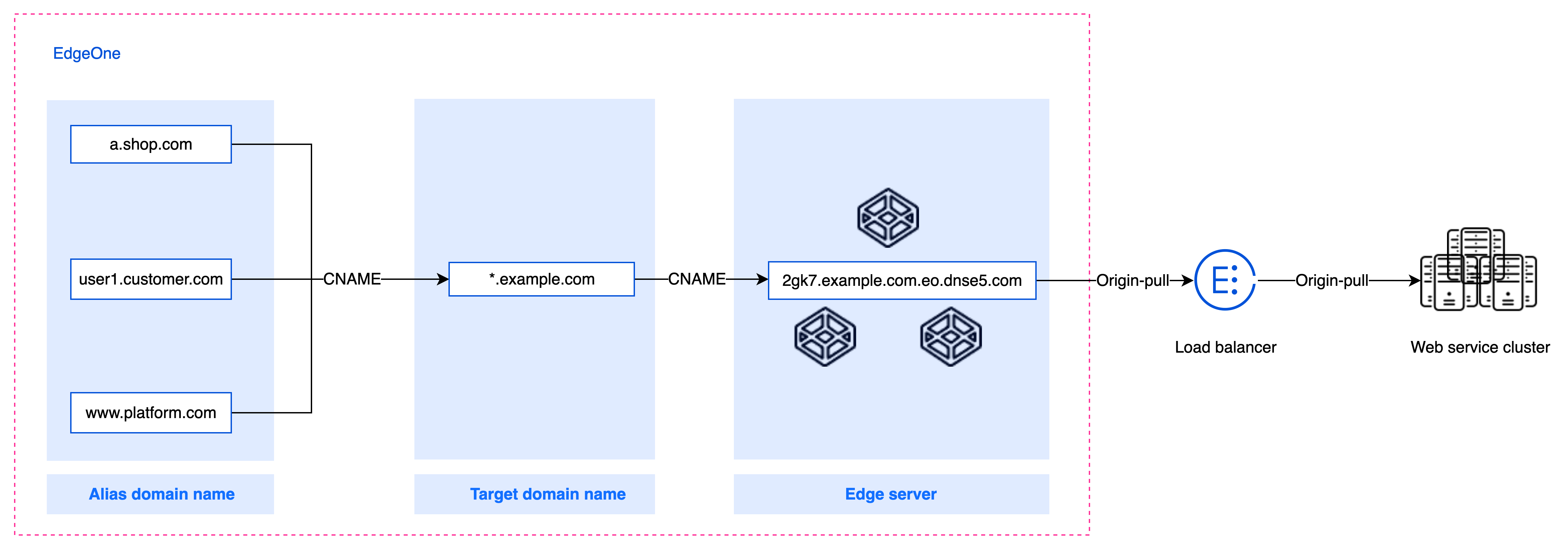
By employing the EdgeOne alias domain name scheme, users can more conveniently address this issue. SaaS website users only need to prepare a generic domain name to access EdgeOne's security acceleration services and use it as the target domain name. The customer's custom site domain name can access EdgeOne through the alias domain name. You can understand how alias domain names work through the principle of alias domain names. This scheme can assist SaaS website service providers in resolving the following issues:
1. Upon integration with EdgeOne, the target domain name is endowed with security protection and content distribution acceleration capabilities. Similarly, the alias domain name, when directed to the target domain name, acquires the same functionalities, thereby addressing the customer's site security acceleration needs.
2. SaaS website service providers only need to maintain the configuration of the target domain name, which can significantly reduce the cost of domain name maintenance.
3. Customers' bespoke domain names can be individually integrated into EdgeOne via alias domain names, offering the ability to apply for free certificates and automatic updates, thereby resolving the certificate renewal issues faced by SaaS website service providers.
Prerequisites
You have successfully procured the EdgeOne Enterprise plan for your current site while using the alias domain name.
Your site has been successfully added. For guidance on adding sites, please refer to the document Adding Sites.
Prepare
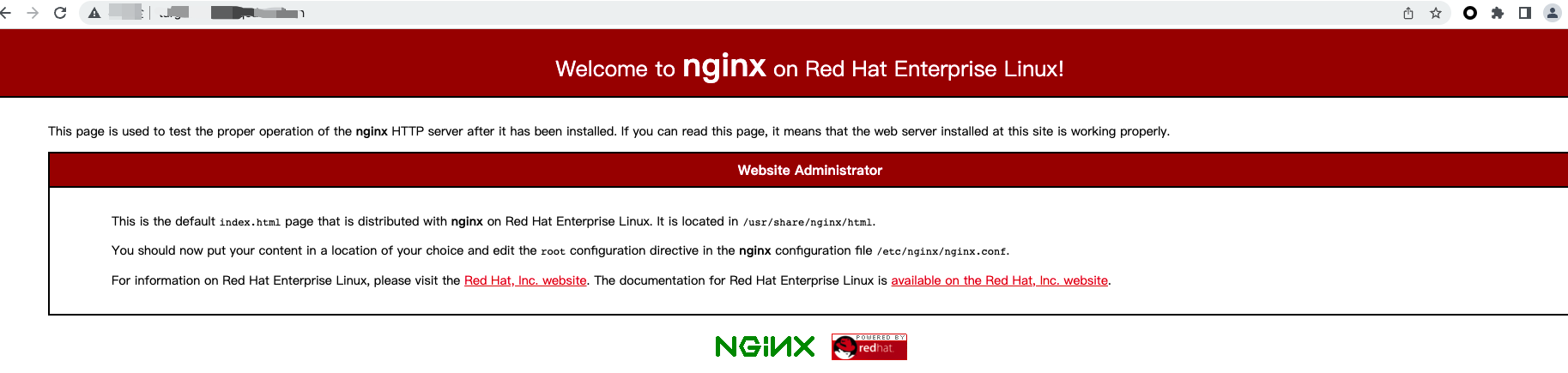
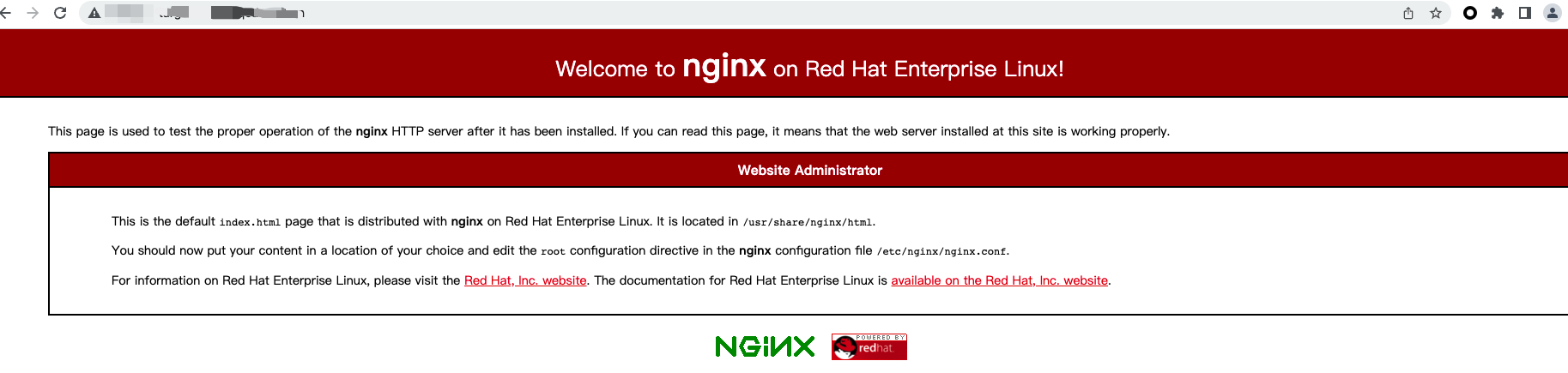
1. Successfully generated usable SaaS sites for users, such as site1.example.com, site2.example.com, site3.example.com; among them, the page effect of site1.example.com accessed through a browser is as follows:
2. Prepare a wildcard domain name and add it as an EdgeOne acceleration domain. All SaaS site domain names can match this domain name to implement secure acceleration capabilities. This domain name will be used as the target domain name. For instance, *.example.com.
Note:
Since alias domain names share the same configuration and cache as the target domain name, using a wildcard domain name as the target domain name is recommended. This allows different SaaS sites to create their own cached resources to avoid cache conflicts.
3. Prepare customer-specific SaaS website domain names for use, which are connected to EdgeOne through alias domain names. For instance:
Customer-defined domain names
Corresponding Sites
a.shop.com
site1.example.com
user1.customer.com
site2.example.com
www.platform.com
site3.example.com
Instructions
Step 1. Create a domain alias
1. Log in to the EdgeOne console. Click the target site in the site list to display second-level menus for site management.
2. In the left sidebar, click Alias Domain Names. On the page that appears, click Create.
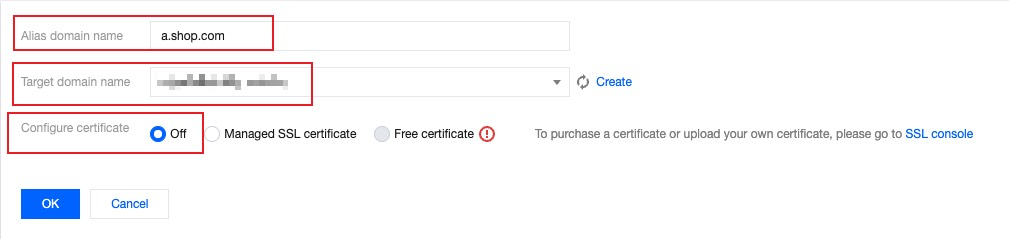
3. On the new alias domain name page, input the user-defined site domain name a.shop.com that is to be connected, select the already accelerated *.example.com as the target domain name, and temporarily choose Not Configured for certificate configuration. Click Confirm.
Step 2. Add the CNAME record of the domain alias that points to the target domain name
You must point the CNAME record of the added alias domain name to the target domain name to activate the alias domain name. Only active alias domain names support the application of free certificates.
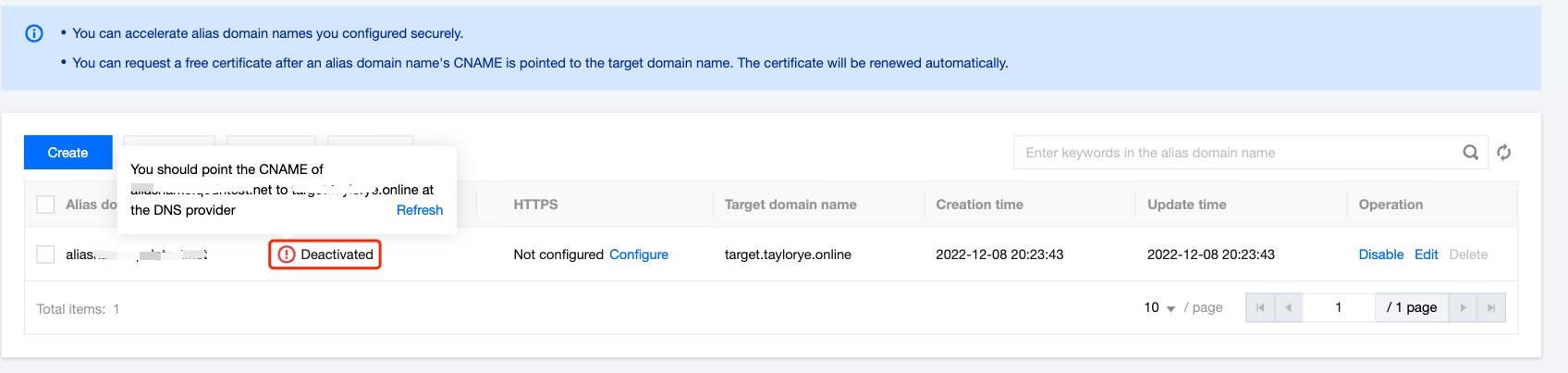
1. Upon successful addition of an alias domain name, its status defaults to inactive. To activate it, you must visit the DNS resolution service provider where the alias domain name is located and add a CNAME record for the current alias domain name pointing to the target domain name. For modifications to the CNAME, please refer to: Modify CNAME Resolution.
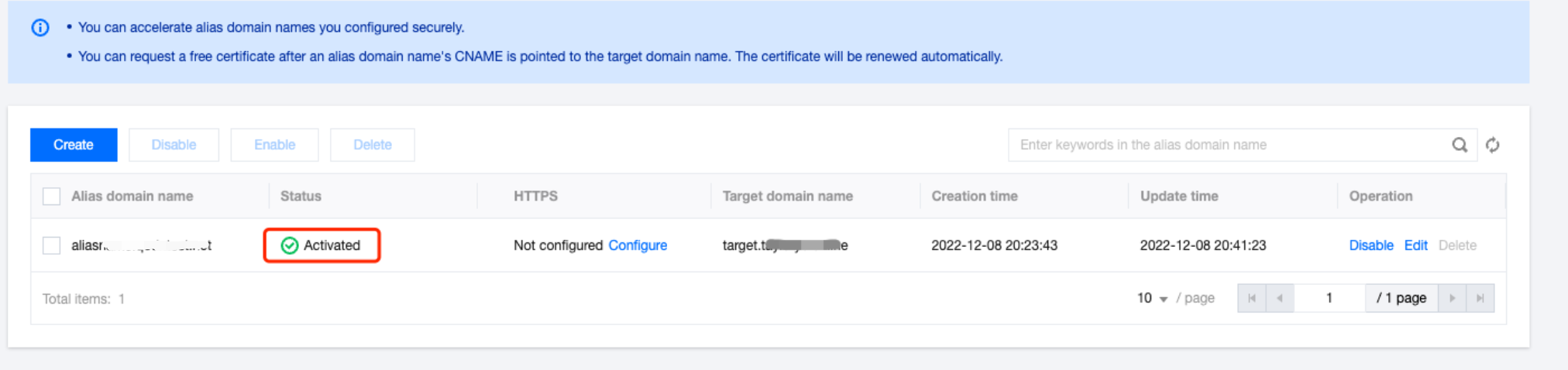
2. Upon the addition of the CNAME record, EdgeOne automatically conducts a check and adjusts the status of the alias domain name to "Activated", signifying that the current configuration has been successfully implemented.
Step 3. Verify the result
Access the alias domain name a.shop.com via your browser to verify whether it provides the same content as site1.example.com. This confirms that the current user's custom site domain name has been successfully connected.
Other alias domain names user1.customer.com and www.platform.com can be verified in the same way.
Step 4. Apply for a free certificate (optional)
After you configure the CNAME record for the alias domain name by following Step 2, apply for a free HTTPS certificate as follows:
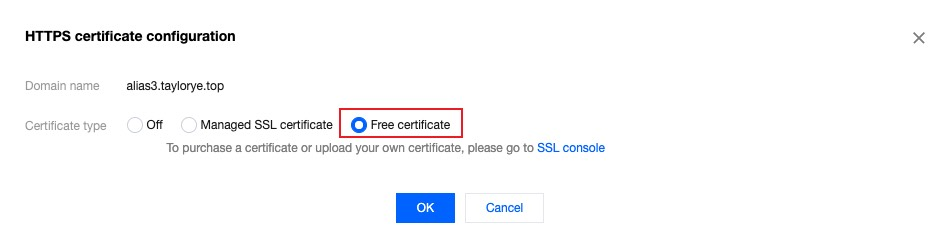
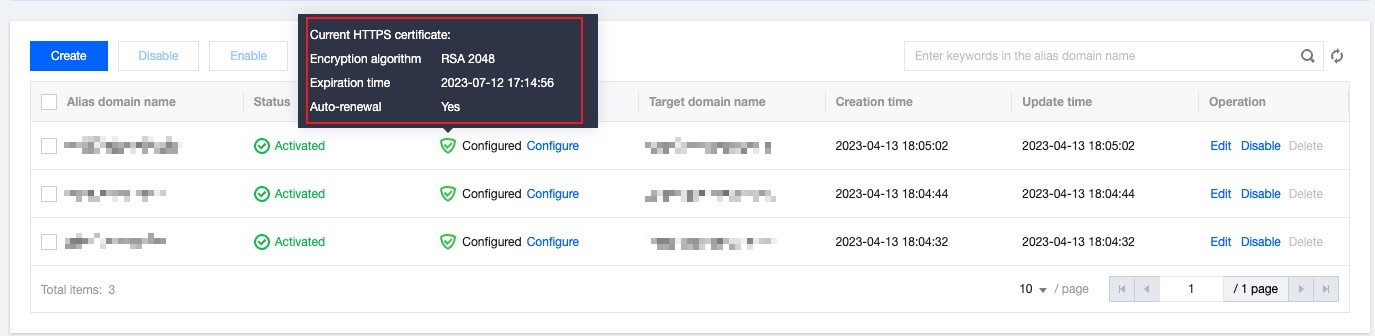
1. Navigate to the alias domain name management list page, click on Configure in the HTTPS column, select Apply for a free certificate, and click Confirm to apply and deploy a free certificate for the alias domain name.
2. On the alias domain name list page, move the pointer over