If you are applying for a certificate for the first time, it is essential to familiarize yourself with the various brands and types of certificates before selecting one that best suits your needs. This document primarily guides first-time applicants through the certificate application process.
This type of certificate is suitable for individual businesses such as personal blog.
OV certificate
OV
This type of certificate is suitable for industries such as education, government affairs, and internet, for example, Ministry of Foreign Affairs, JD.com, Tencent News, Shanghai Gold Exchange, State Grid, Yonyou, Inspur, and Tencent Cloud.
OV Pro
EV certificate
EV
This type of certificate is suitable for financial and banking customers, such as Bank of China.
EV Pro
Step 2. Issue a certificate in the SSL console
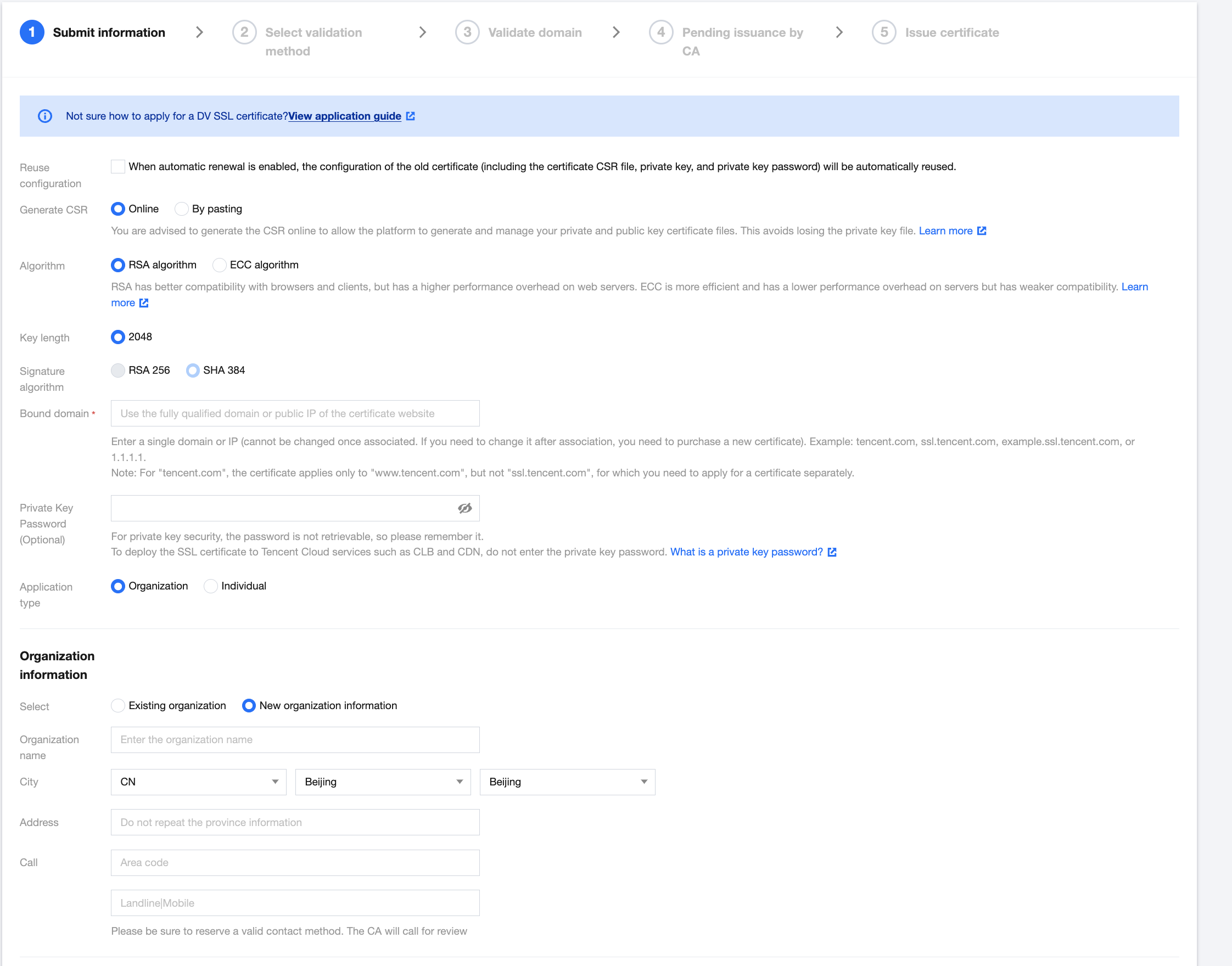
Log in to the SSL Certificate Service Console and follow the on-screen instructions to issue a certificate. (The screenshot shows the issuance of OV/EV type certificates; issuing a DV type certificate does not require company information.)
Step 3. Install and deploy an SSL certificate
Note
With the one-click HTTPS feature, you can upgrade from HTTP to HTTPS without the need for complex SSL certificate deployment. For more details, please refer to One-click HTTPS.
Before applying for a certificate, it would be beneficial to understand the specifics of each certificate type and potential issues that may arise during the application process. Refer to the following for specific issues.