Editing Tag

Last updated: 2023-08-24 17:14:54

This document introduces the process of editing tags for resources.

Usage Limits

There are corresponding restrictions on the usage of tag content (tag keys and tag values). For more information, please refer to Tag Usage Limits.

Instructions

1. Log in to the Key Management System (Compliance) console.
2. In the left navigation menu, click User Key Management under the HSM Exclusive Key Management menu, and select the key region and HSM cluster ID.


Edit Tag for an Individual Key

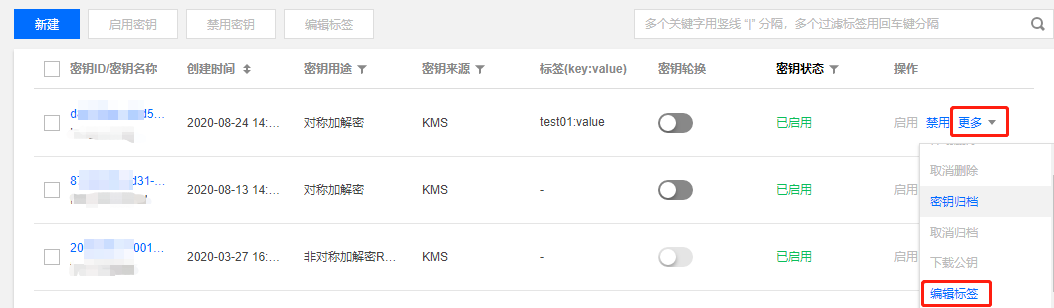
1. Select the key to which you want to add a tag, click More on the right side of the key, and then click Edit Tag in the expanded operation options.


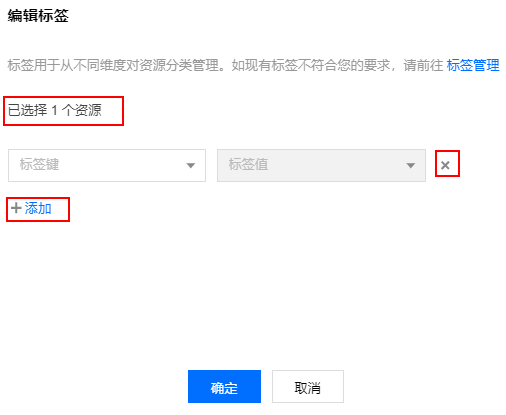
2. In the Edit Tags pop-up window, you can see that 1 resource has been selected. Based on your actual needs, you can add or delete tags.


Editing the tags of multiple secrets

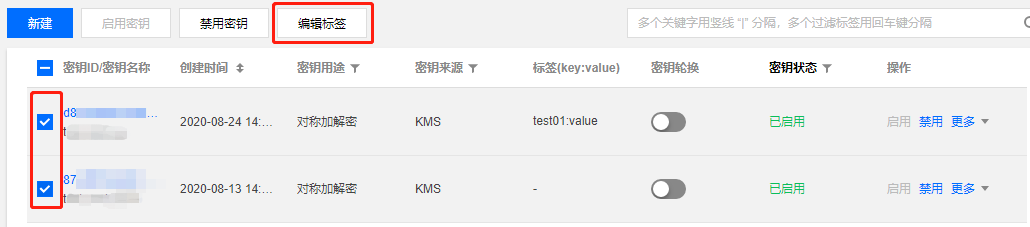
1. Select the key for which you want to edit the tag, and click Edit Tag at the top of the key.

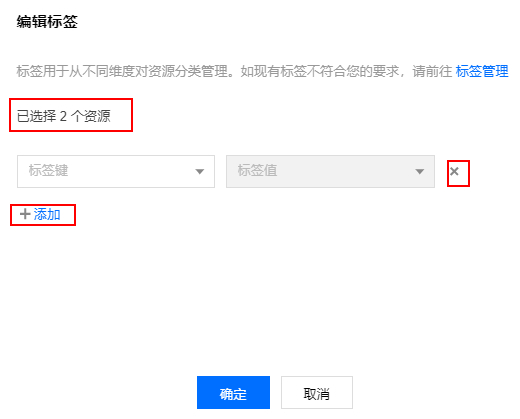
2. In the Edit Tags pop-up window, you can view the selected multiple resources and, based on actual needs, add or delete tags.

Note
For information on how to use tags, please refer to Using Tags to Manage Instances.