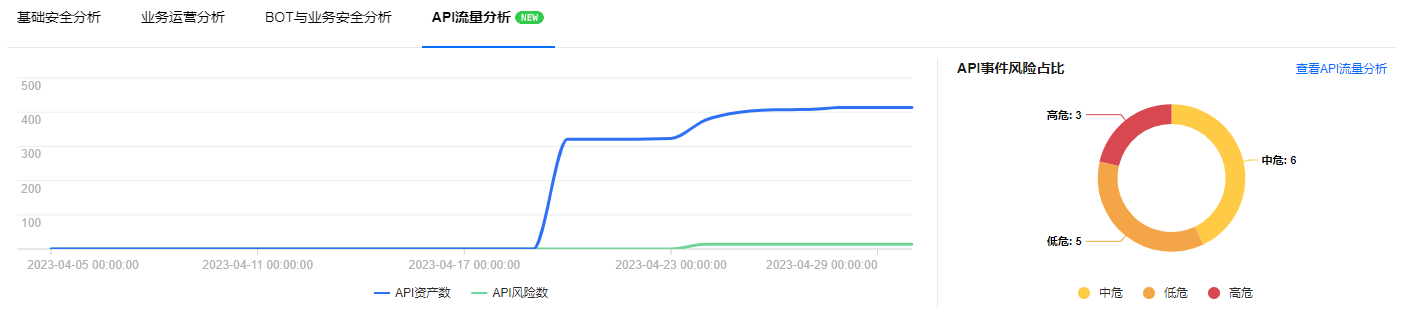
On the overview page, you can browse the WAF instance information, attack overview, security analysis, and other modules under your current account.
Quick Start Guide
This video introduces how to quickly get started with WAF.
Security Overview
1. Log in to WAF console, and from the left navigation bar, select Overview to enter the overview page.
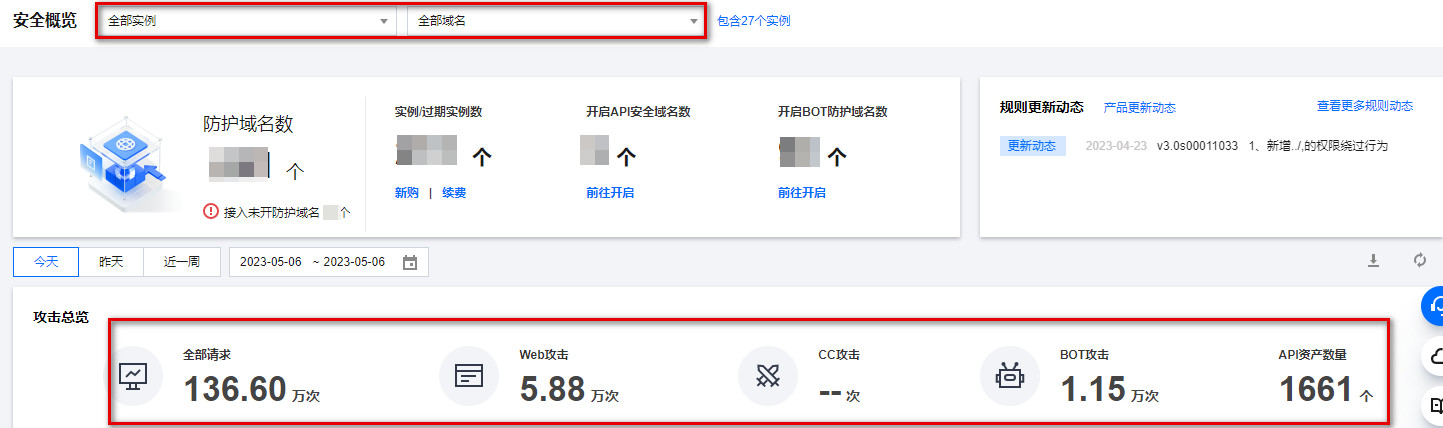
2. On the overview page, select the corresponding instance or domain name in the upper left corner to view its overview information.

Instance Overview
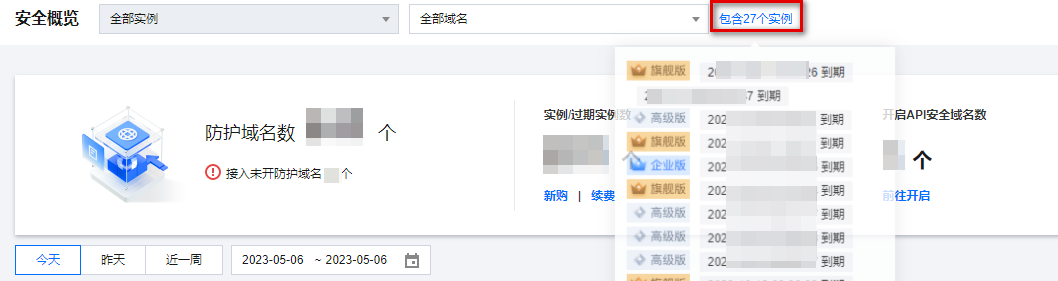
On the overview page, select the corresponding domain name at the top left corner, click Include x instances to view expired instance information under your account.
Rule Updates
In the Rule Updates section on the overview page, click See more rule updates in the top right corner to view the Web Rule Base supported by WAF.

Attacks Overview
All domain names
1. When the security overview includes all domain names, the global attack statistics are displayed. The statistical period can be selected through filtering.
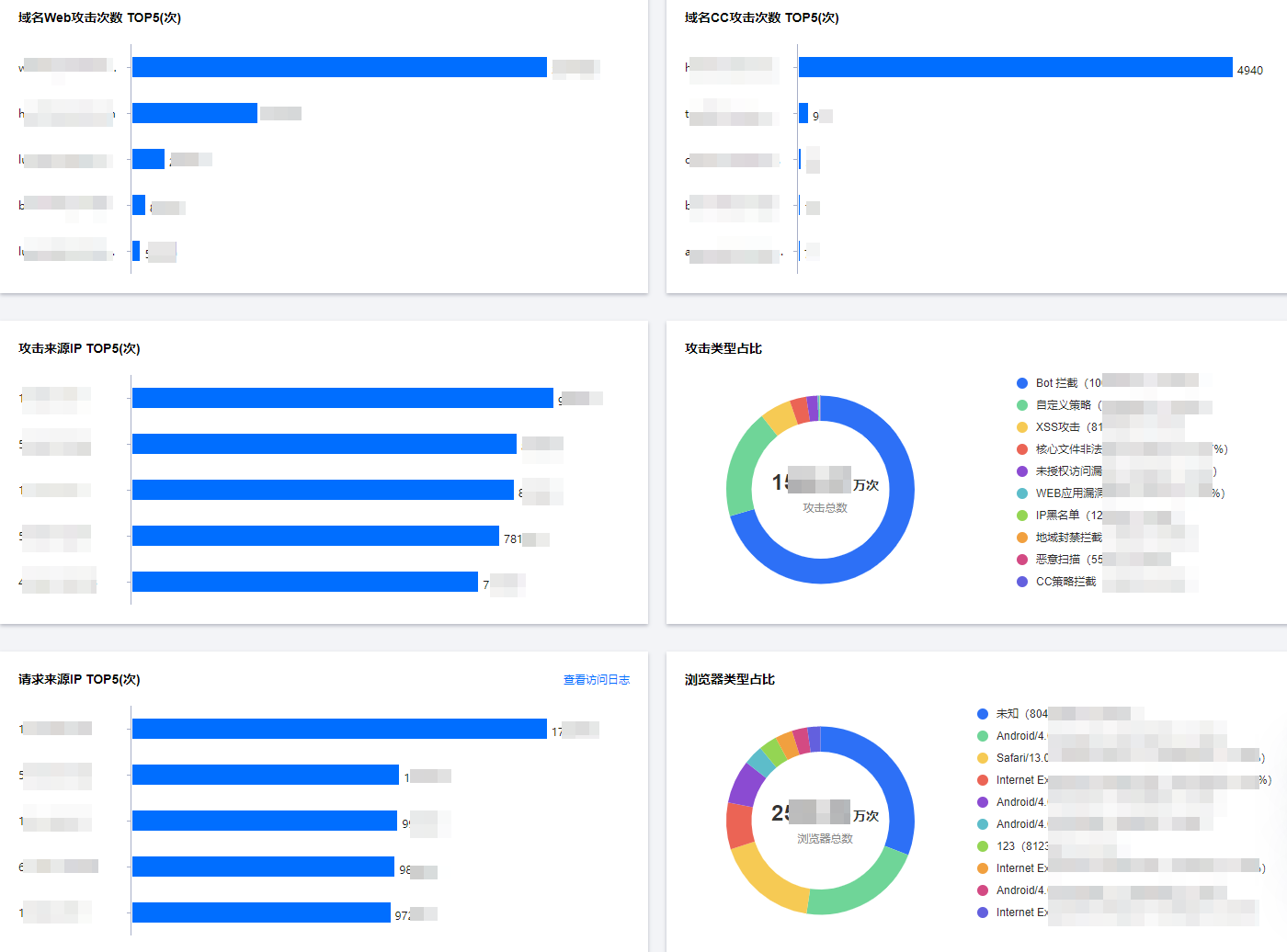
2. At the lower part of the page, you can view the following information including top 5 domain names by web attacks, top 5 attacker IPs, and top 5 domain names by CC attacks.
Field Descriptions:
Top 5 domain names by web attacks: It displays five domain names that suffer web attacks most frequently.
Top 5 attacker IPs: It displays five IPs that initiate attacks most frequently.
Top 5 domain names by CC attacks: It displays five domain names that suffer CC attacks most frequently.
Top 5 requester IPs: It displays five IPs that send access requests most frequently.
Distribution of attacker IPs: It displays how the attacker IPs distribute across regions.
Types of attacks (%): It displays the distribution of the attack types.
Types of browsers (%): It displays the distribution of the browser types.
Single domain name
1. When a specific domain name is selected, the attack overview statistics show the number of attacks on that domain. The statistical period can be filtered to display.

2. At the lower part of the page, you can view the following information including top 5 attacker IPs, top 5 requester IPs and distribution of attacker IPs.
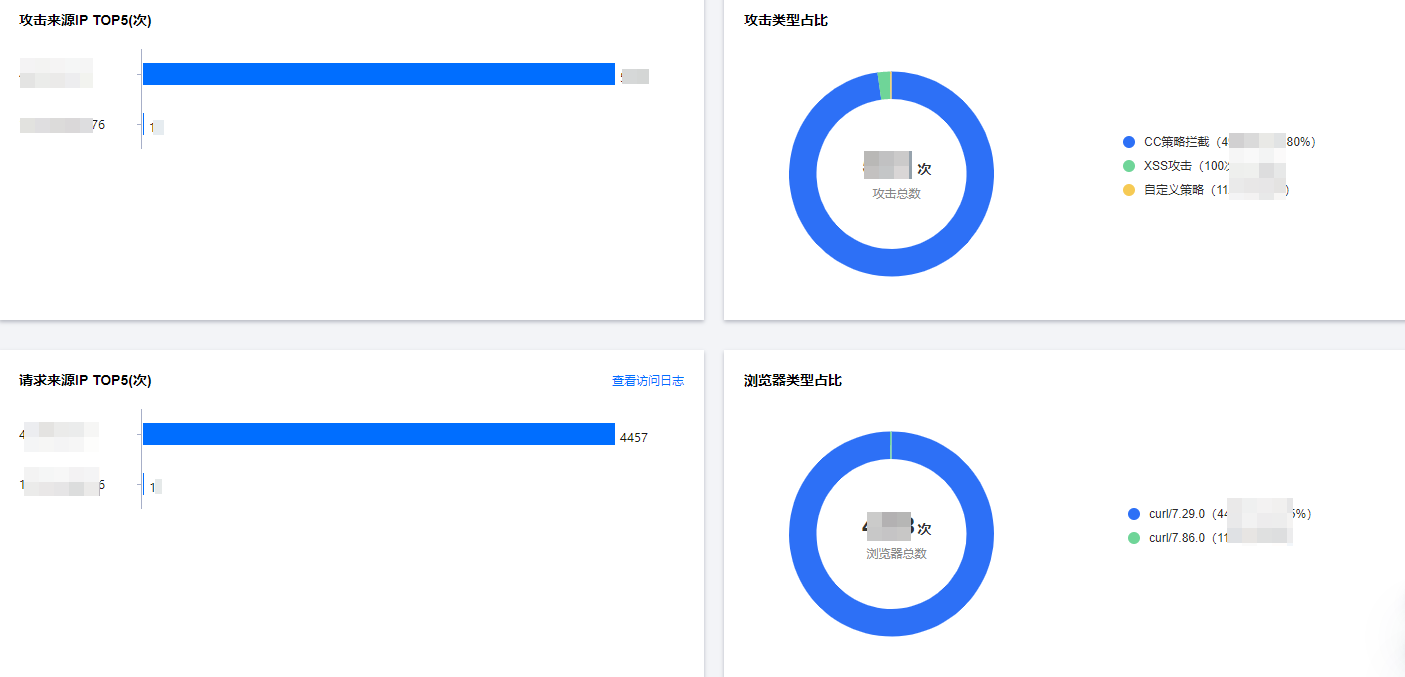
Field Description:
Top 5 attacker IPs: It displays five IPs that initiate attacks most frequently.
Top 5 requester IPs: It displays five IPs that send access requests most frequently.
Distribution of attacker IPs: It displays how the attacker IPs distribute across regions.
Types of attacks (%): It displays the distribution of the attack types.
Types of browsers (%): It displays the distribution of the browser types.
Overview of Security Analysis
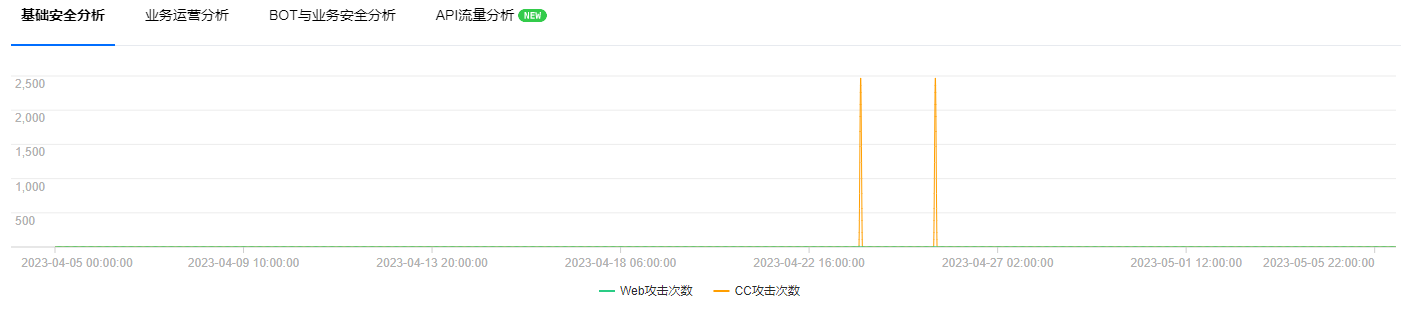
Basic security analysis: It displays the number of web attacks on the selected domain name during the specified period.
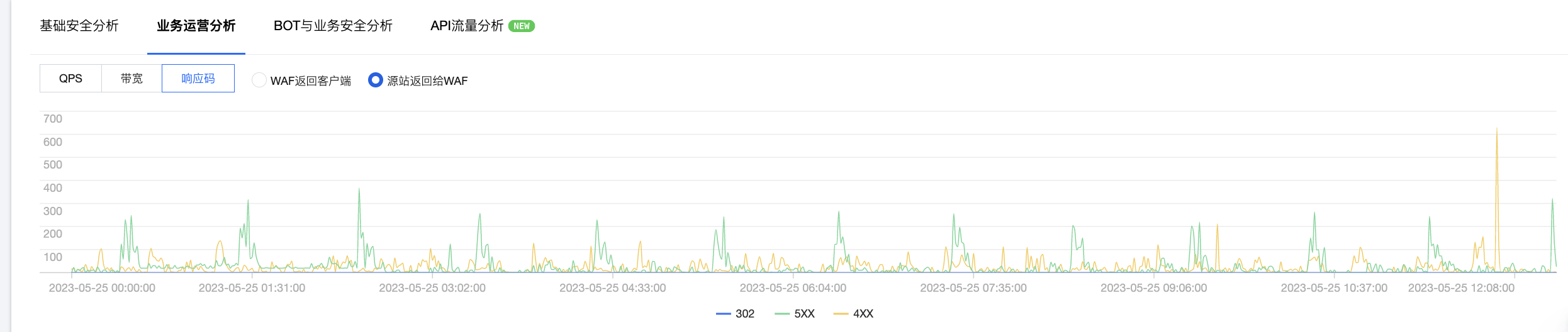
Application operation analysis: It displays the QPS, bandwidth, and response codes of the selected domain name during the specified period. The top response and visit counts for the domain are analyzed on the right.
Note:
No bandwidth display for CLB type WAF.
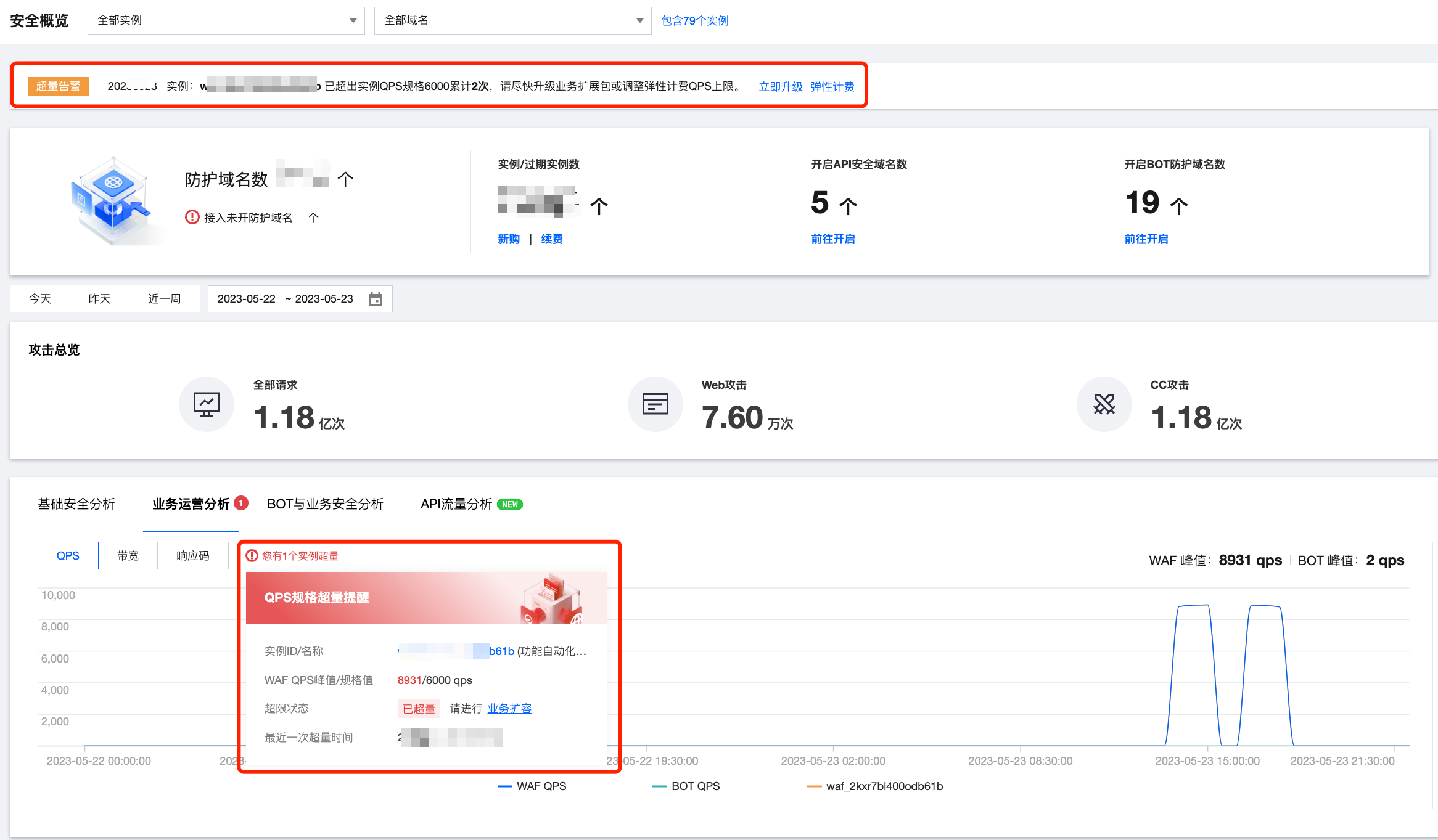
If the actual business QPS peak exceeds 80% of the user's instance specification value, the QPS trend analysis page will display the corresponding WAF instance specification value.
If all resources are selected, the trends of the 3 most excessive instances and their QPS specification values are displayed by default.
If a single WAF instance resource is selected, the instance specification value and the corresponding excess alert events are displayed by default. For detailed WAF instance QPS specification value calculation methods, please refer to Sandbox Isolation Status.
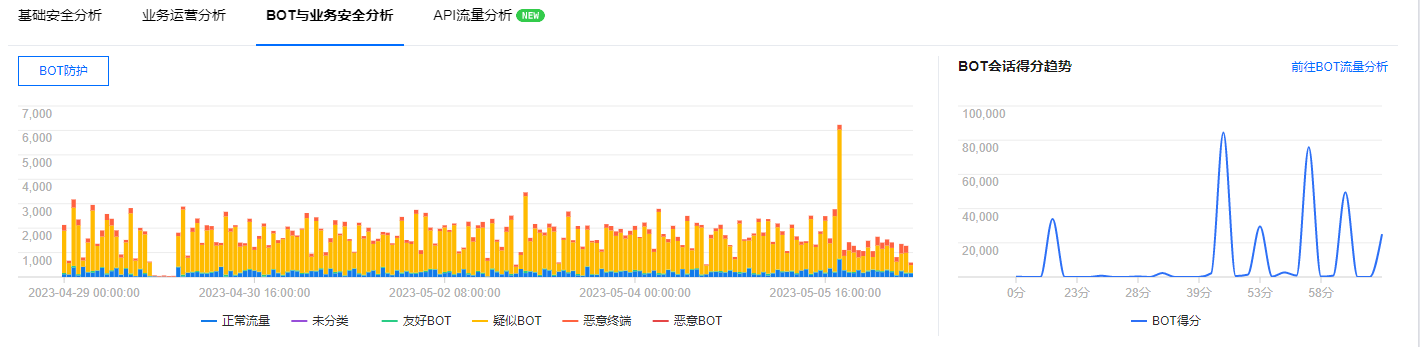
Application security analysis: It displays the bot information of the selected domain name during the specified period. Click to go to Bot Traffic Analysis to view bot and business security traffic information.
API traffic analysis: It displays the API assets, API risk details, and trends for the selected domain name during the specified period. The right side shows the proportion of API risk events of different levels. Click View API Traffic Analysis to view API security traffic statistics reports.