Create public network CLB
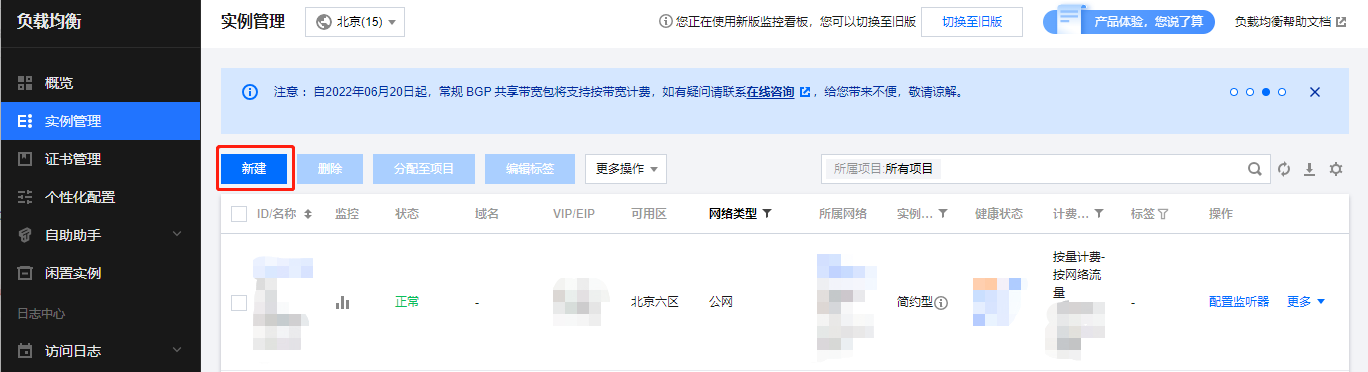
1. On the Instance Management page, click Create.


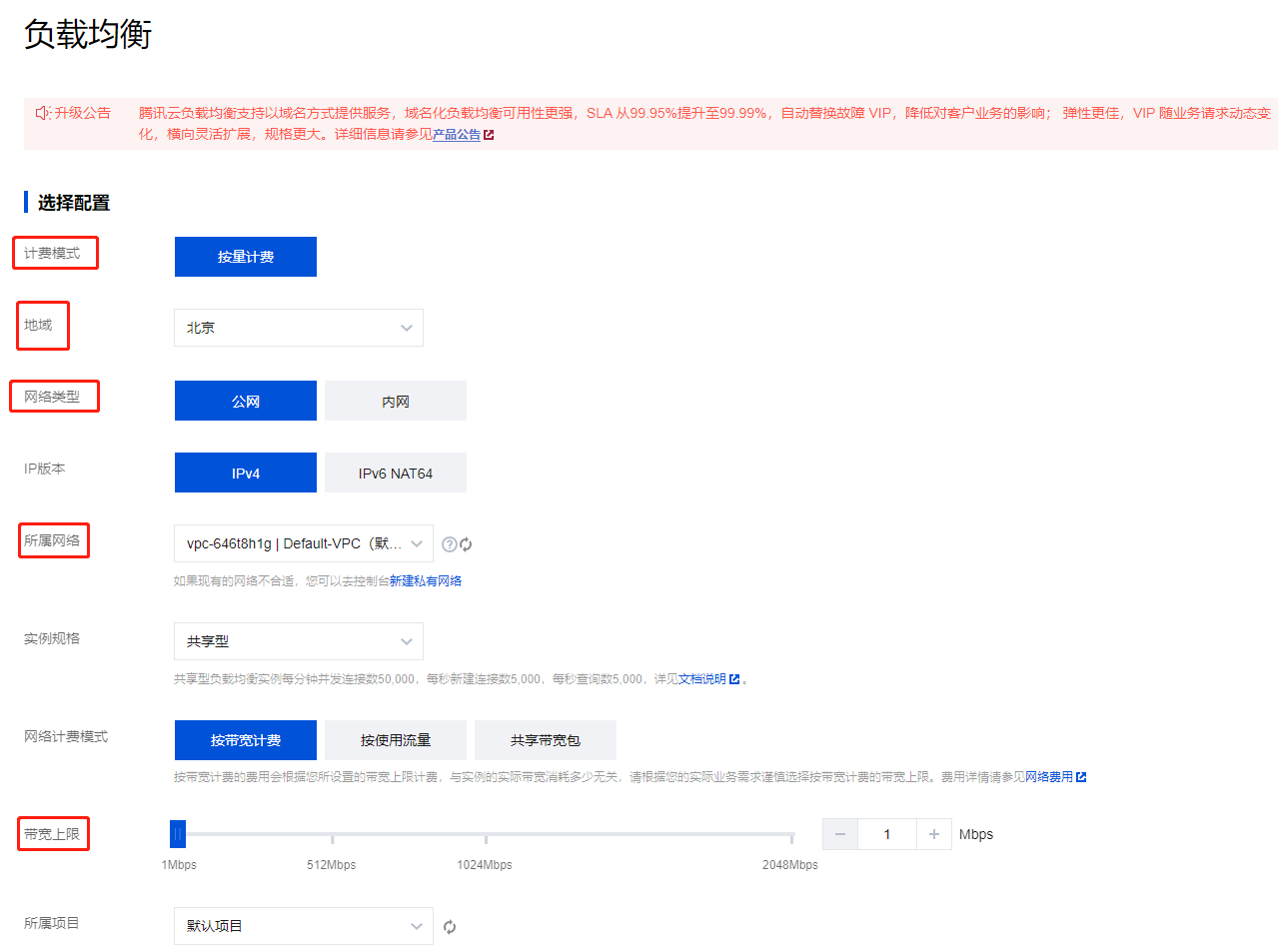
2. Select Billing Model and Region. Confirm the network type is "Public Network". Choose Network and Bandwidth Cap.


Create Listener
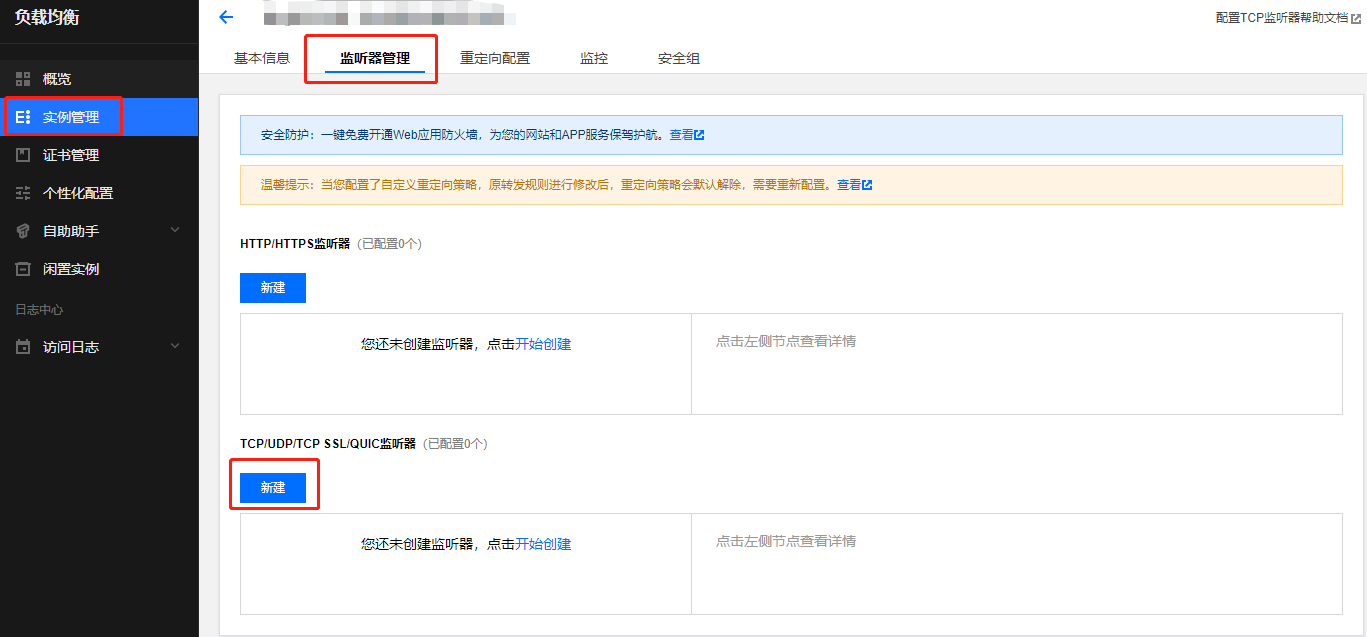
Enter the CLB control panel and select "Listener Management"


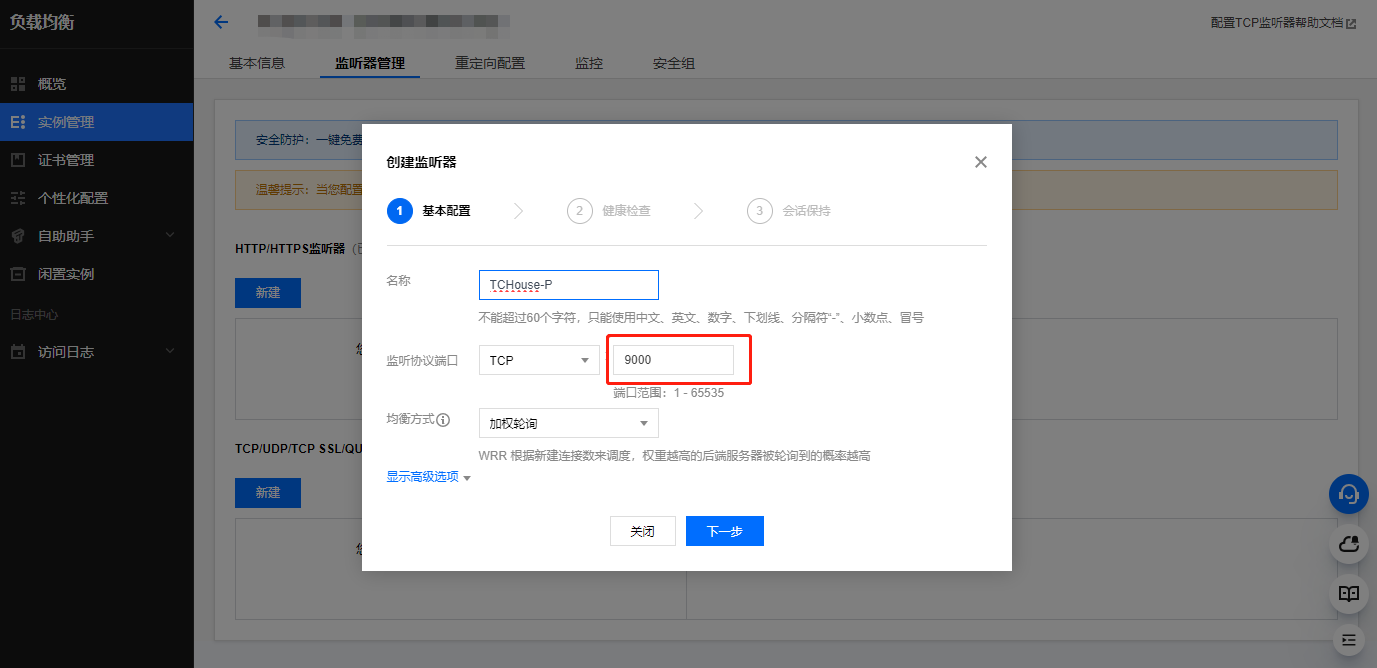
Click "Create", fill in the listening port, and click "Next"


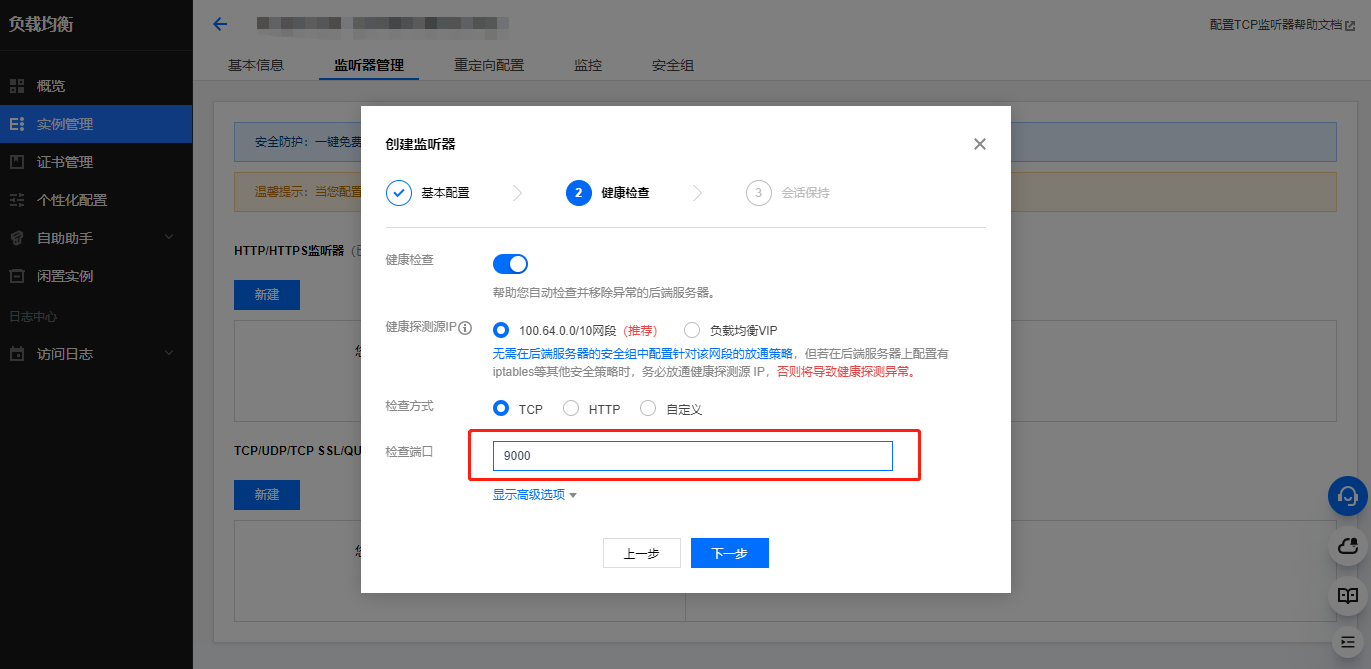
Set "Health Check", fill in the "Check Port", and click "Next"


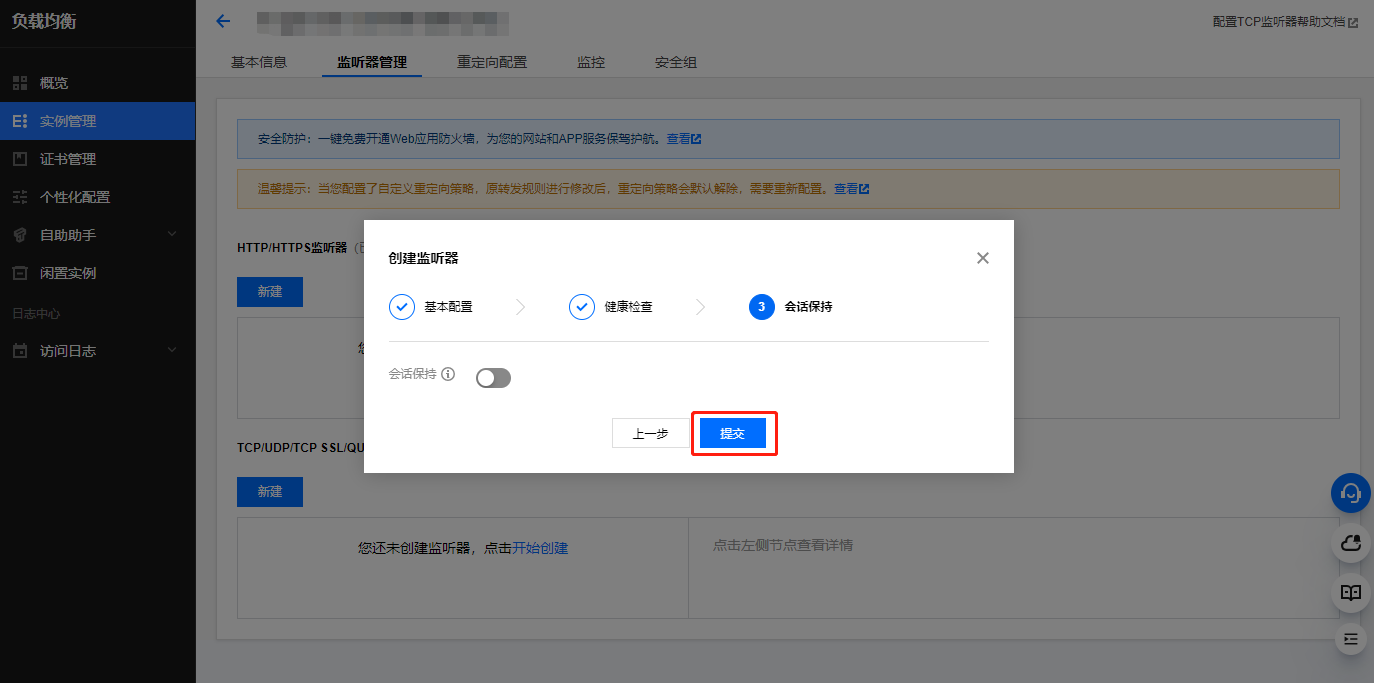
Click "Submit" to complete the listener creation


Bind Tencent Cloud TCHouse-P service
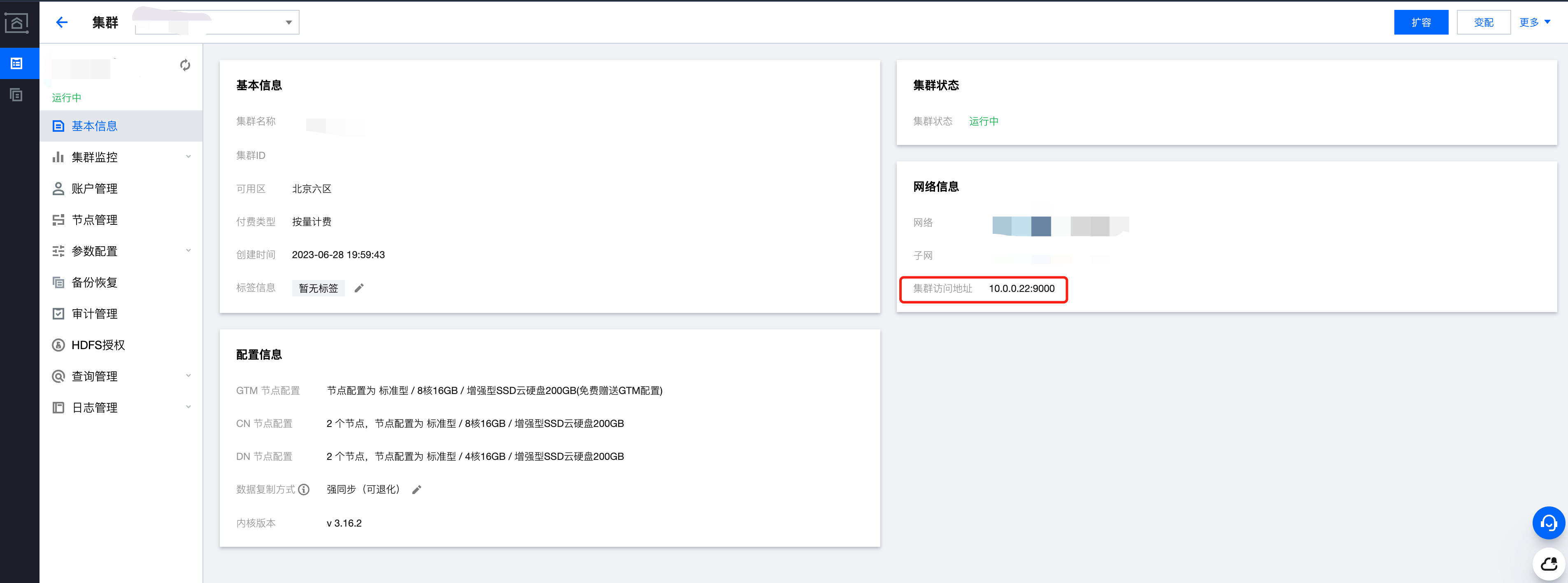
Enter the Tencent Cloud TCHouse-P control panel to view the cluster access address


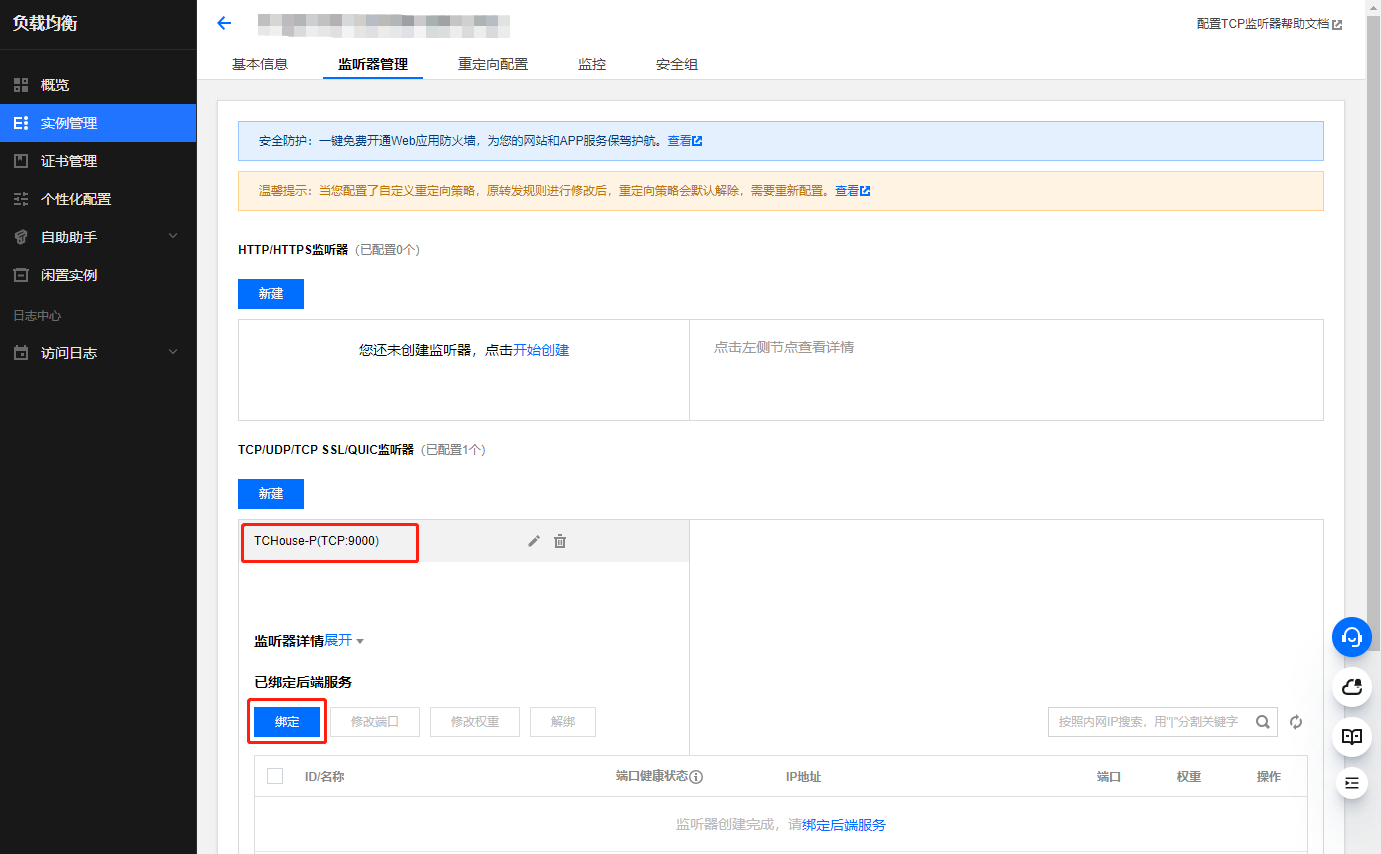
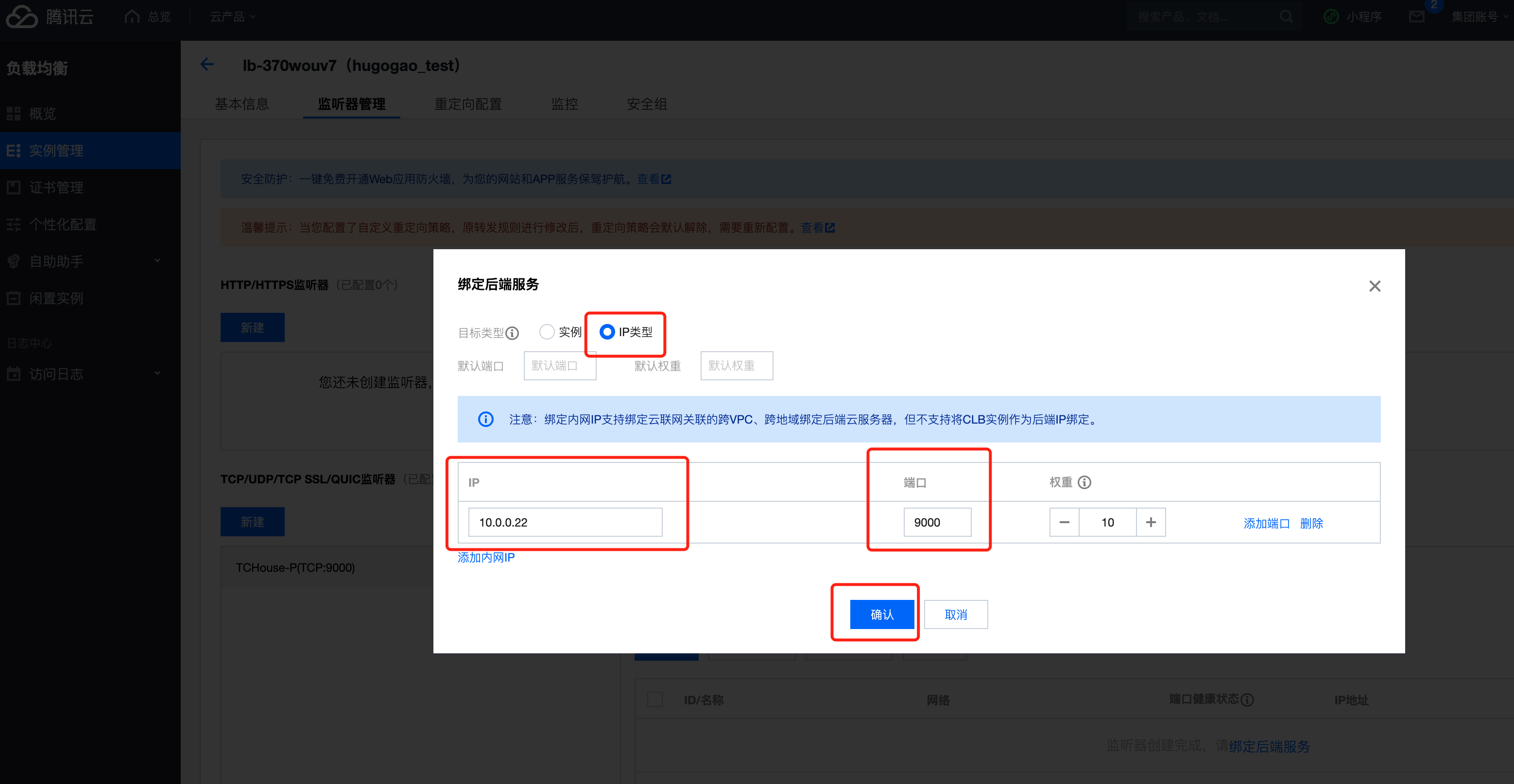
Enter the CLB control panel and click "Bind"


Bind Tencent Cloud TCHouse-P service
1. Select the target type as "IP Type".
2. Enter IP and Port.
3. Click "Confirm".


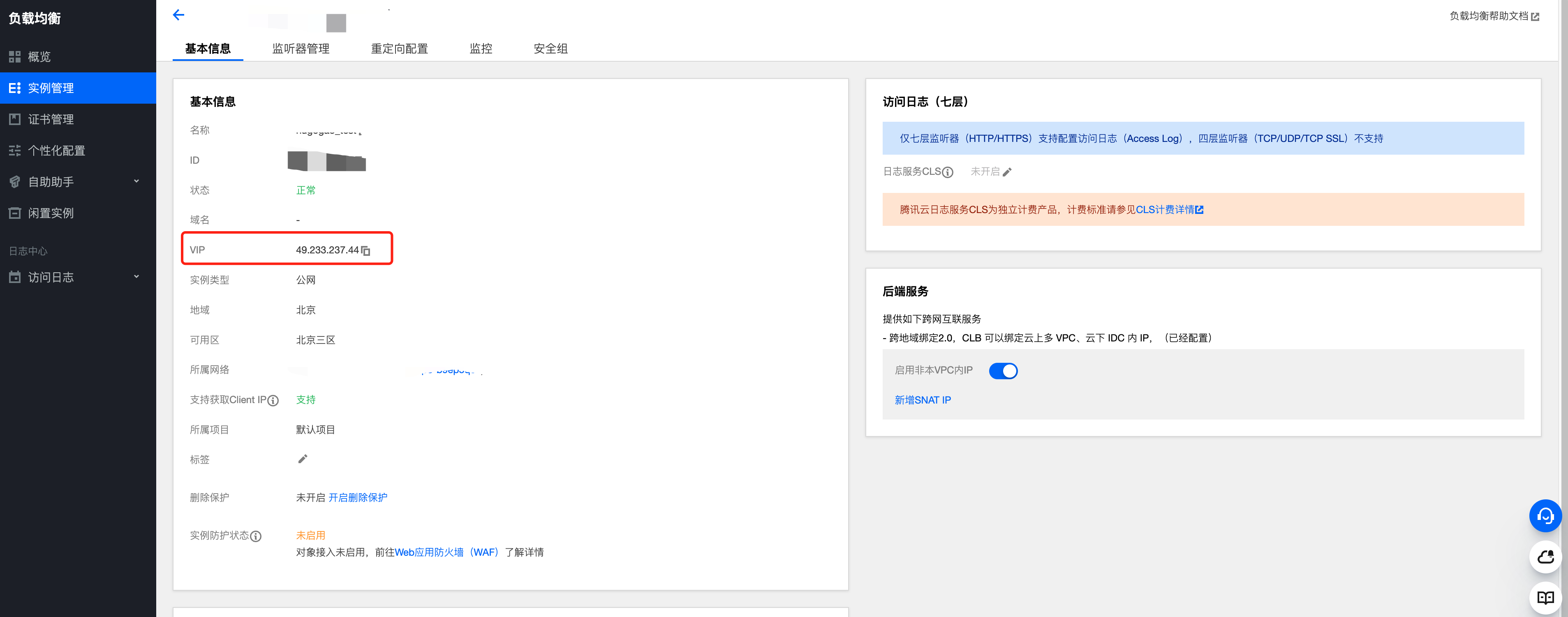
Access Tencent Cloud TCHouse-P via the CLB VIP