What Is the New Billing Model For Cloud Development?
The new billing for cloud development adopts a basic package + pay-as-you-go mode:
You can first purchase a basic package with a certain quota, and then pay for the excess usage based on actual consumption.
For details, see the new pricing documentation.
Is There a Free Period For New Users?
If you are using Tencent CloudBase for the first time, you can try the personal edition for free for one month.
When Will the New Billing For Cloud Development Take Effect?
The new billing for cloud development took effect on August 8, 2022. For details, see the pricing documentation.
How Can Existing Users Upgrade?
From the effective date of the billing mode upgrade (August 8, 2022), prepaid environments and pay-as-you-go environments with resource packages will continue to be serviced until the resource expiration date. You can upgrade to the new billing before the resource expires. For free environments and pay-as-you-go environments without resource packages, a buffer period of at least one month is provided, during which you need to actively upgrade to take effect under the new billing, and a voucher will be provided as a subsidy.
During the buffer period, reminders and a switch entry will be provided, allowing you to choose whether to switch to the new billing mode. If the switch is not made in time, the TCB environment will be suspended and released.
After the buffer period, the environment will first enter isolation, and will be released after 7 days of isolation. Data cannot be recovered after the environment is released. If you still need to use this environment, you can perform environment restoration during the isolation period.
After the Announcement, Is It Impossible To Purchase Resource Packages Other Than SMS or Prepayment For More Than One Month?
From the date of the announcement of the Cloud Development New Billing Package Upgrade, users who have already purchased prepaid plans and resource packages can continue to use the originally purchased resources until the original agreed package expires or is used up. Existing old prepaid plans will no longer support renewals for more than one month, and existing old resource packages will no longer support new purchases.
What Is the Estimated Cost After the New Billing Upgrade?
You can estimate the fees under the new billing based on your past usage according to the new pricing documentation. According to the estimation, the personal edition quota meets the needs of most developers. If your actual usage does not exceed the basic quota and you do not use extended features, the monthly fee is 19.9 CNY.
Can the Current Paid Environment Continue To Be Used?
After the new billing takes effect, prepaid plans that have been purchased can be used normally until the original expiration time, and pay-as-you-go environments with purchased resource packages can be used normally until the original resource package expiration time. There will be no direct invalidation or automatic refund. You can switch to the new billing before the prepaid plan expires.
Will Fees Continue To Be Deducted During the Grace Period or Isolation Period?
Before you upgrade to the new billing, both the grace period and the isolation period will still follow your previous billing mode. For details, see the old billing pricing.
Can the New Billing Be Automatically Upgraded After Receiving the New Billing Notification?
From the effective date of the billing mode upgrade (August 8, 2022), we will provide you with at least a 1-month grace period. During the grace period, you need to manually upgrade in the TCB Console. After the grace period ends, if you still need to use this environment, you can restore the environment within the 7-day isolation period.
Can the Previous Resource Package Still Be Used or Purchased?
During the grace period, you can continue to use or renew the resource package until the end of the grace period. After the new billing takes effect, the concept of the resource package will be canceled, and the basic package + pay-as-you-go mode will be used. Existing old resource packages will no longer support new purchases.
How To Upgrade To the New Billing?
From the effective date of the billing mode upgrade (August 8, 2022), we will provide you with at least a 1-month grace period. During the grace period, you need to manually upgrade in the TCB Console.
Only the primary account can claim this voucher; sub-accounts and collaborators cannot claim it.
2. After claiming the voucher, select the environment to upgrade and click Upgrade.
3.
Select
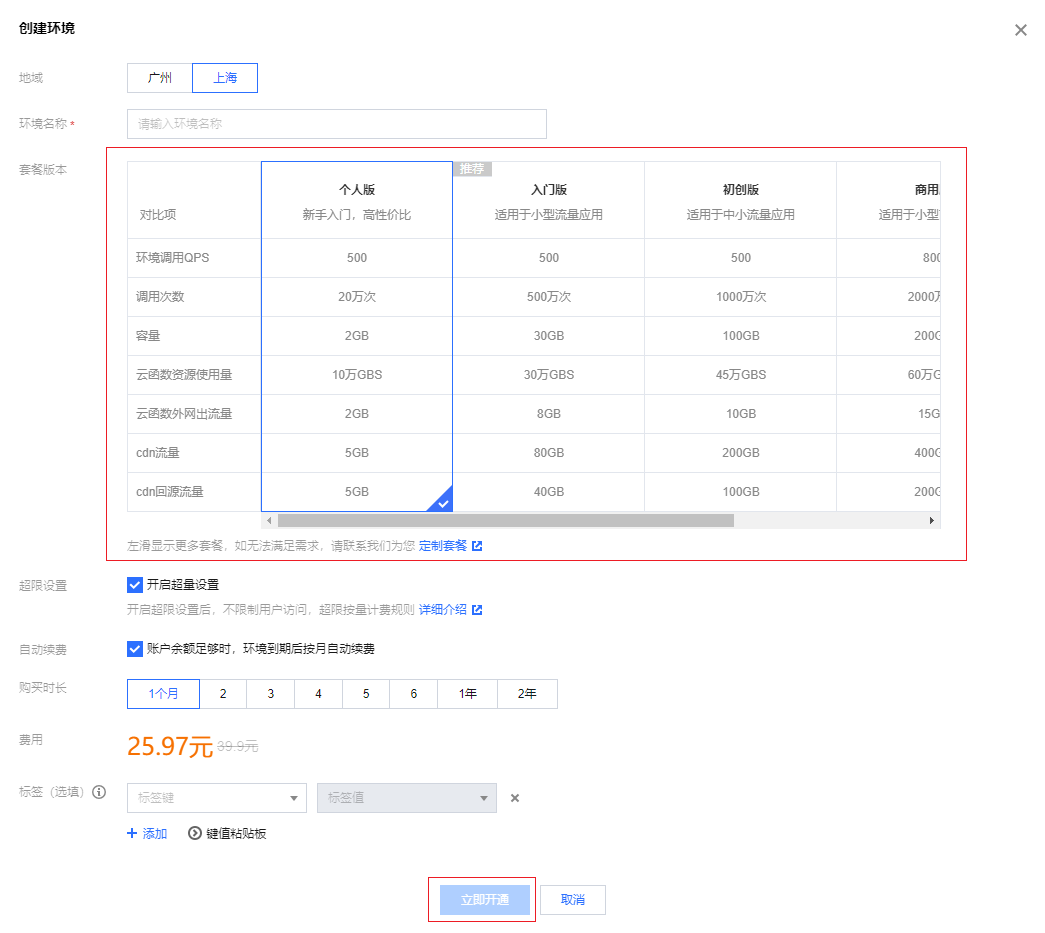
the package version, click Purchase Now to switch the package.
4. Use the voucher claimed in Step 1, click Submit Order, and confirm the payment.
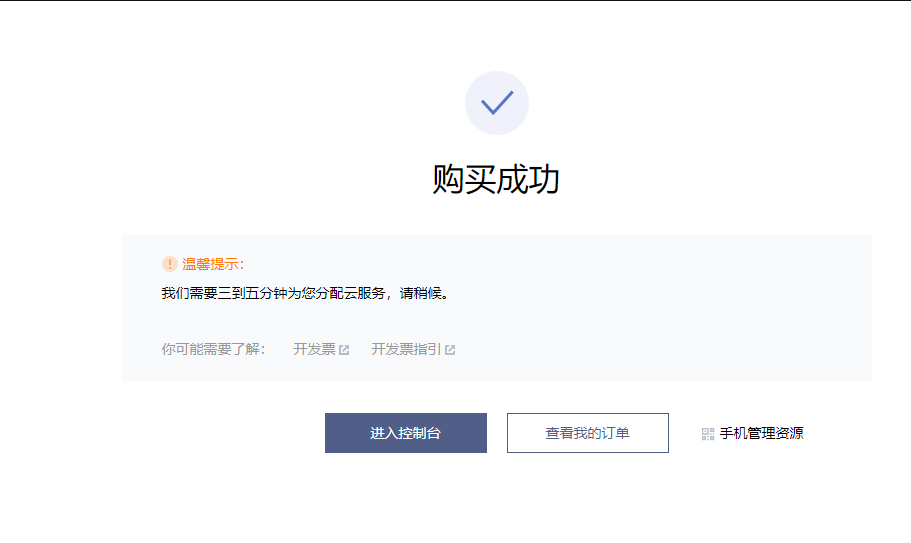
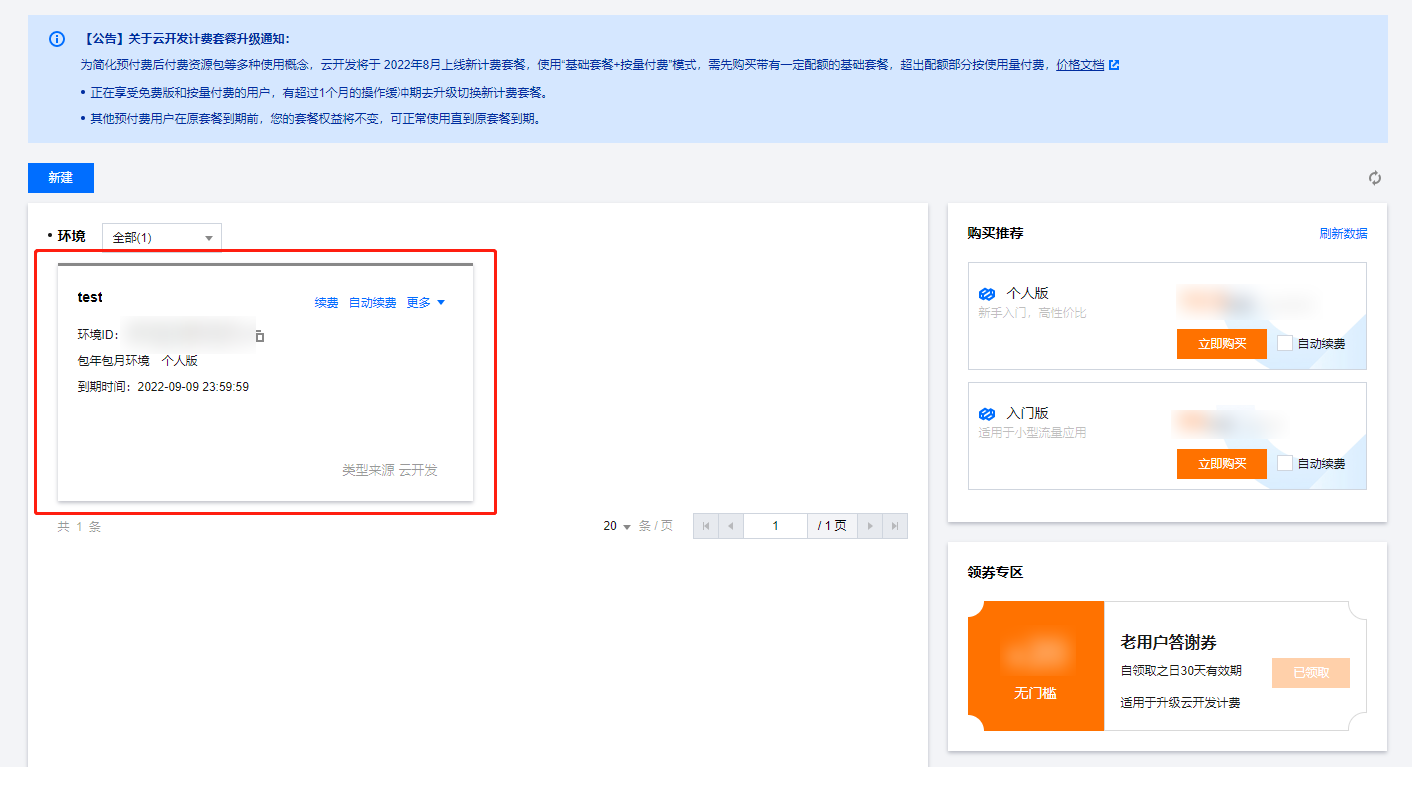
5. After a successful purchase, it takes three to five minutes to allocate cloud services. Click to enter the console to check if the upgrade is complete.
6. After a successful upgrade, your environment package will change to the package version selected in Step 3.
Note:
Prepaid old packages will be refunded based on the remaining time. The basic resource package will be refunded if it meets the refund conditions (unused within 7 days). SMS resource packages can still be used normally under the new billing package.
You can directly upgrade the billing package in the WeChat IDE (console version 1.4.96 or above).
Why Did the Order Submission Fail When Upgrading To the New Billing Package?
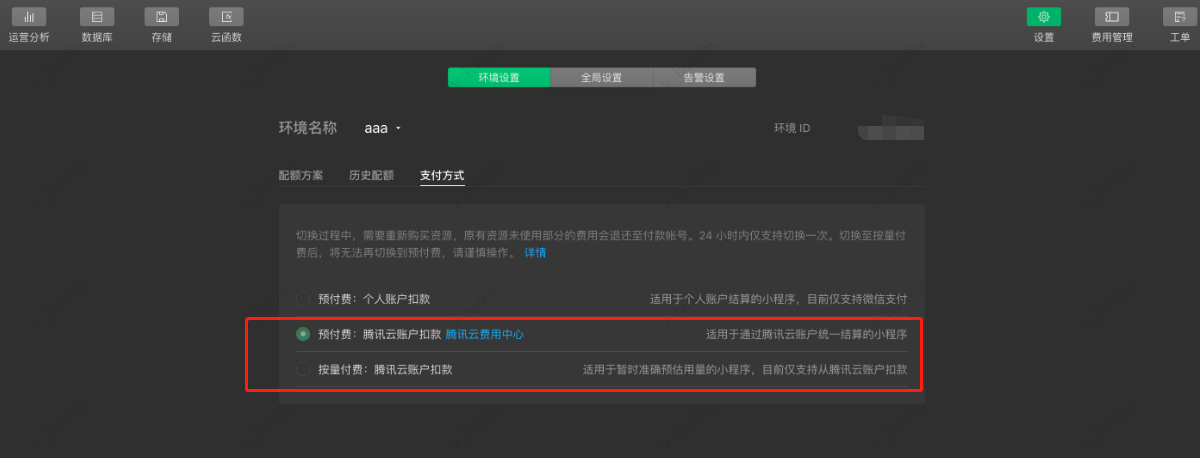
If you created the TCB environment using the WeChat Developer IDE, you need to switch the original payment method to Tencent Cloud Payment in the WeChat IDE, and then perform the package upgrade in the Tencent Cloud Console.
1. You can go to WeChat IDE, click Cloud Development to enter the Cloud Development console.
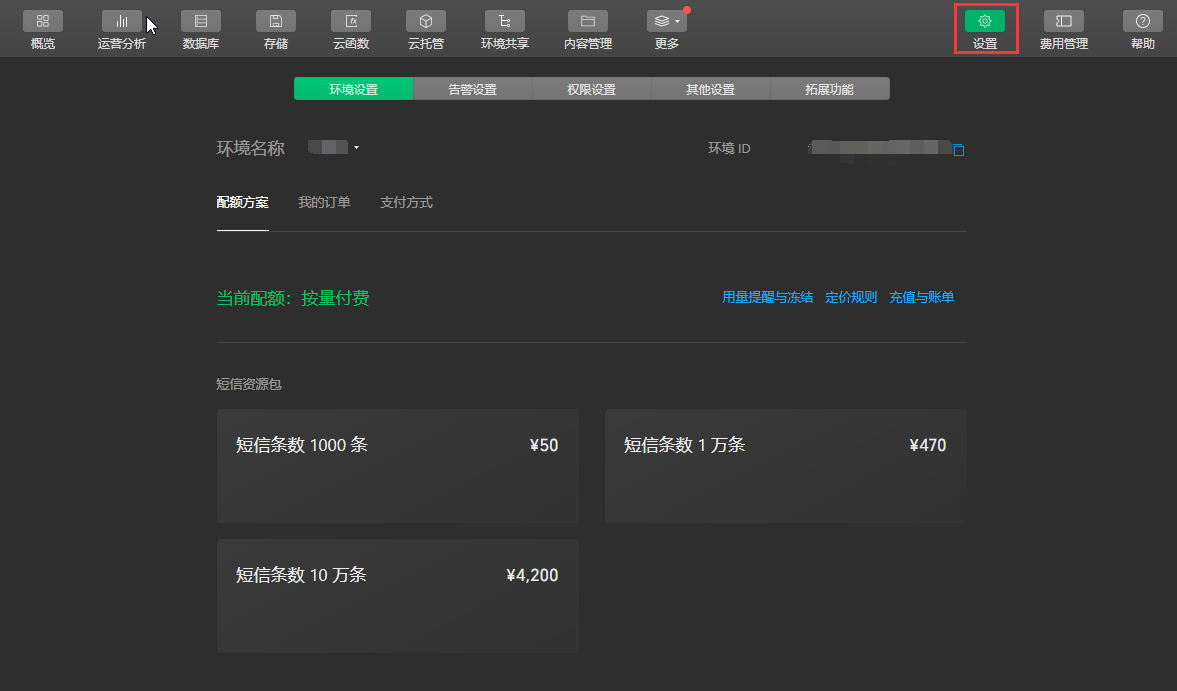
2. In the Cloud Development console, click Settings to enter the Environment Settings tab.
3. Switch to the Payment Method tab and select Tencent Cloud Payment.
If you are unable to switch the payment method to Tencent Cloud Payment, you can directly upgrade the billing package in the WeChat IDE (console version 1.4.96 or above).
How To Enable Logs?
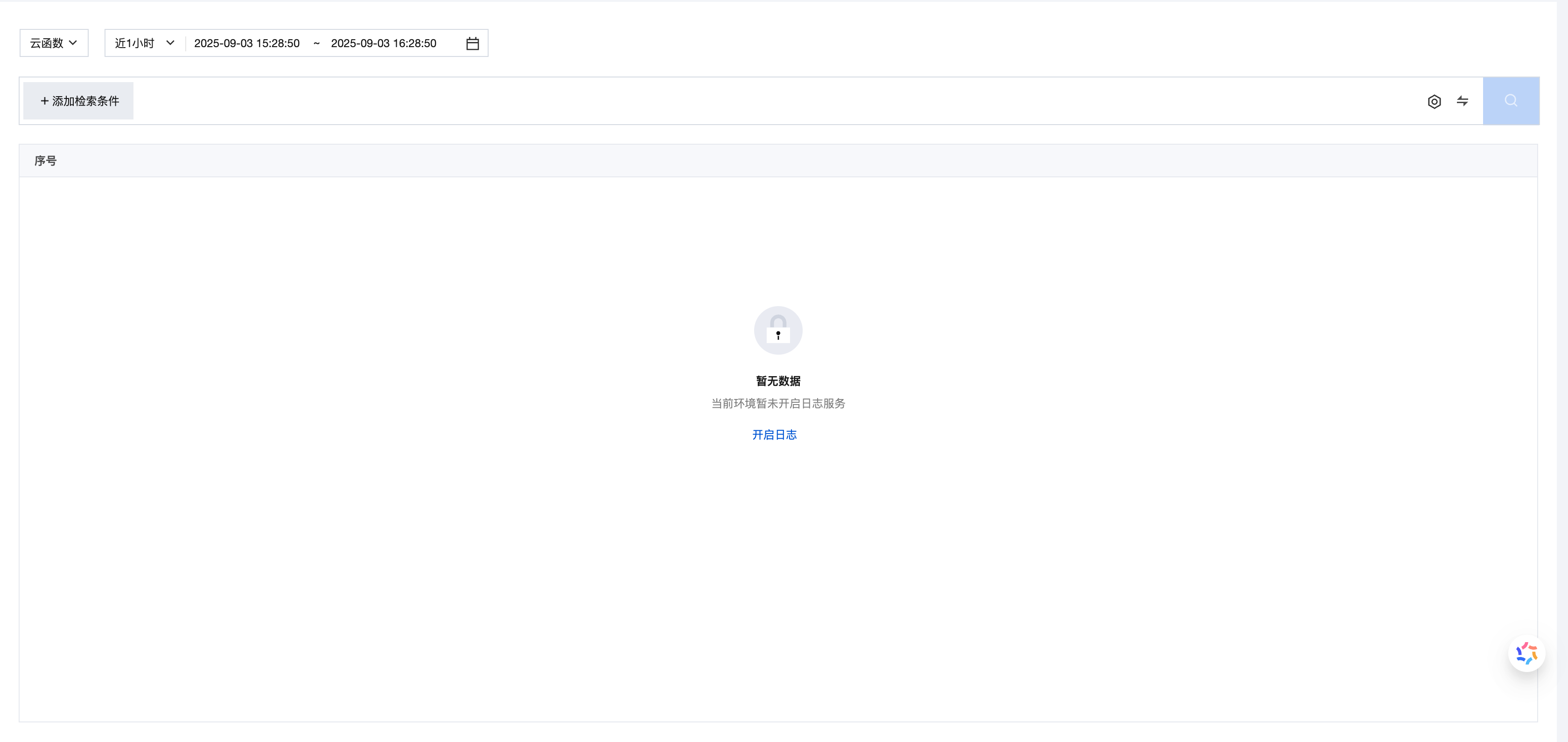
1. Click to enter the environment card, go to the Log Management page, and click Enabling Log Tracking.
The Maximum Log Retention Period
Starting from August 31, 2025, logs will no longer be charged on a pay-as-you-go basis. The log service will provide log storage duration based on the package. Detailed rules can be viewed in the Introduction to Billing Capabilities.
How To Delete Logs?
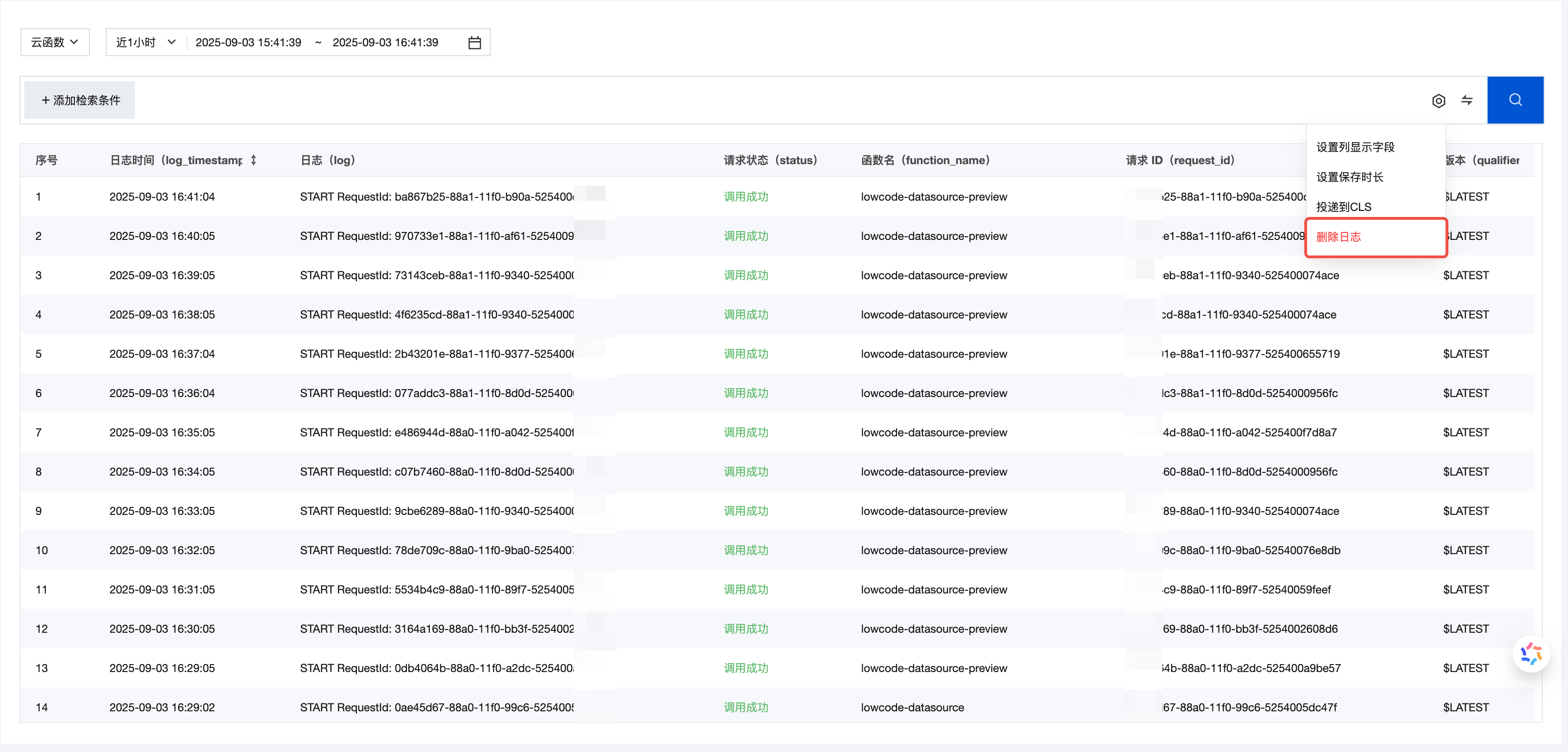
1. Access the TCB console, go to the Log Management page, and click Delete Logs.
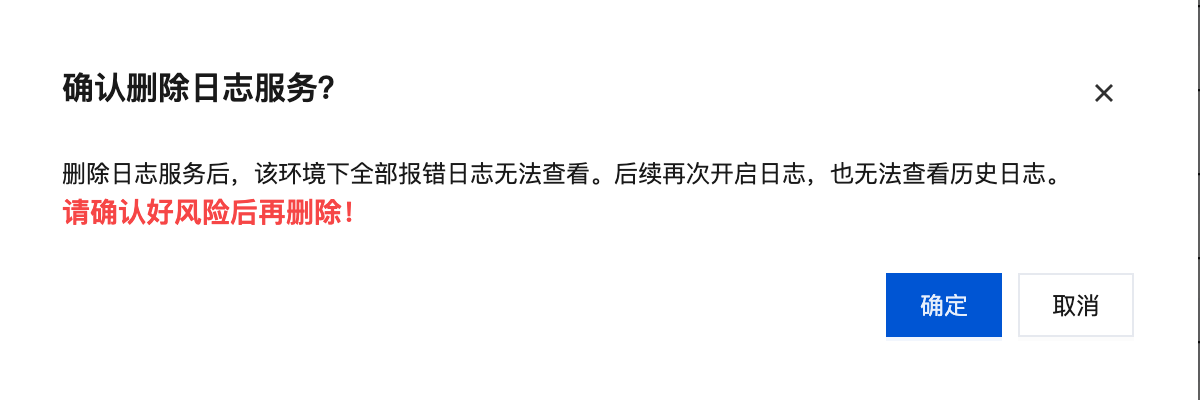
2. After confirming the risk, click the secondary popup OK.
3. After clicking OK, the log is successfully deleted. After deletion, you cannot set the storage period and one-click delivery. If users need to use the log feature, they can click Enabling Log Tracking to enable it.
How To Switch From WeChat Pay To CPay and Enable Auto-Renewal?
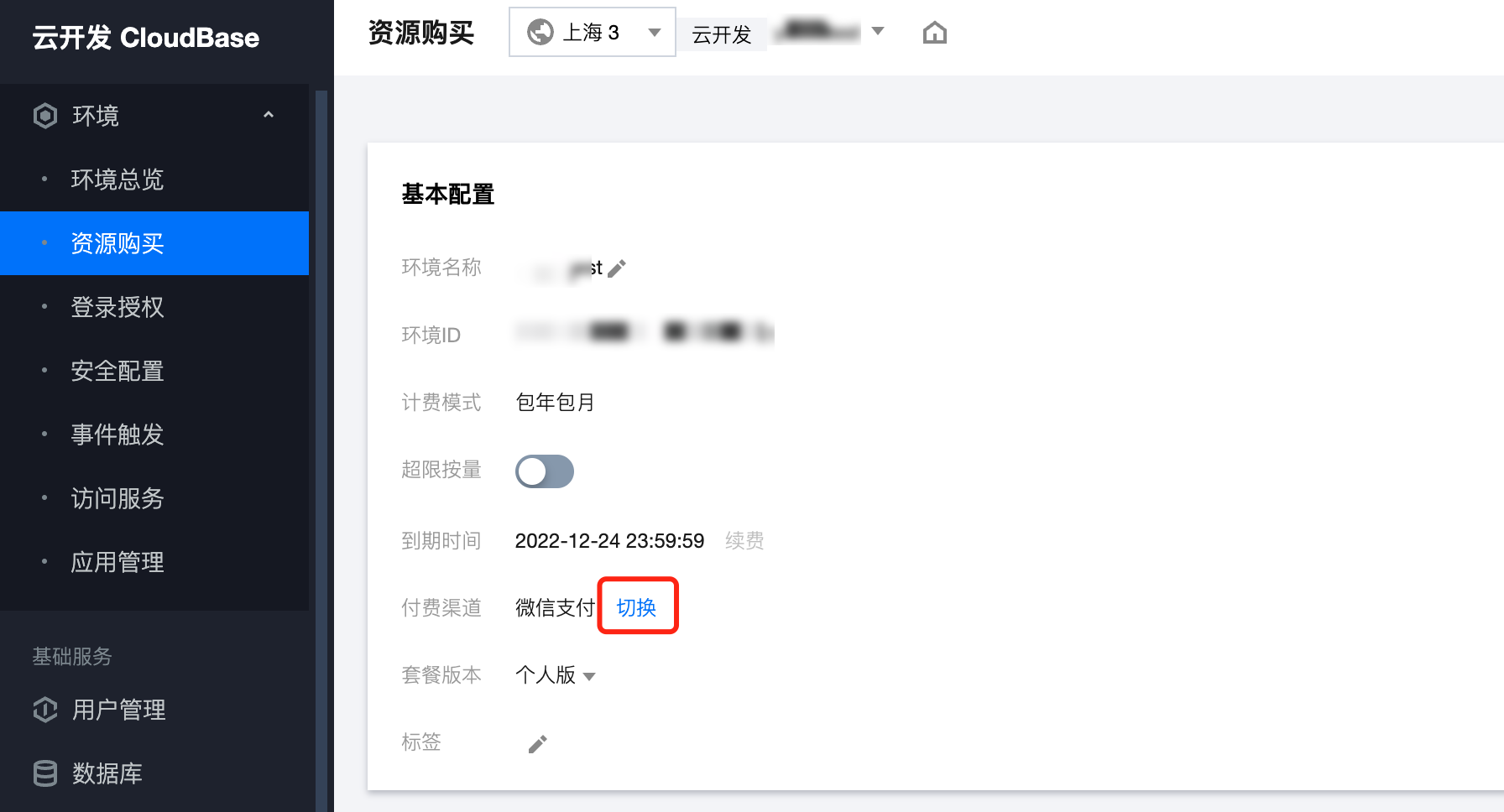
1. Log in to the Cloud Development Console, click the environment card to enter the environment Resource Purchase page, and click Switch for the payment channel.
2. After clicking Switch, there will be a secondary confirmation pop-up to switch to Tencent Cloud Payment. Please read the content and click Yes.
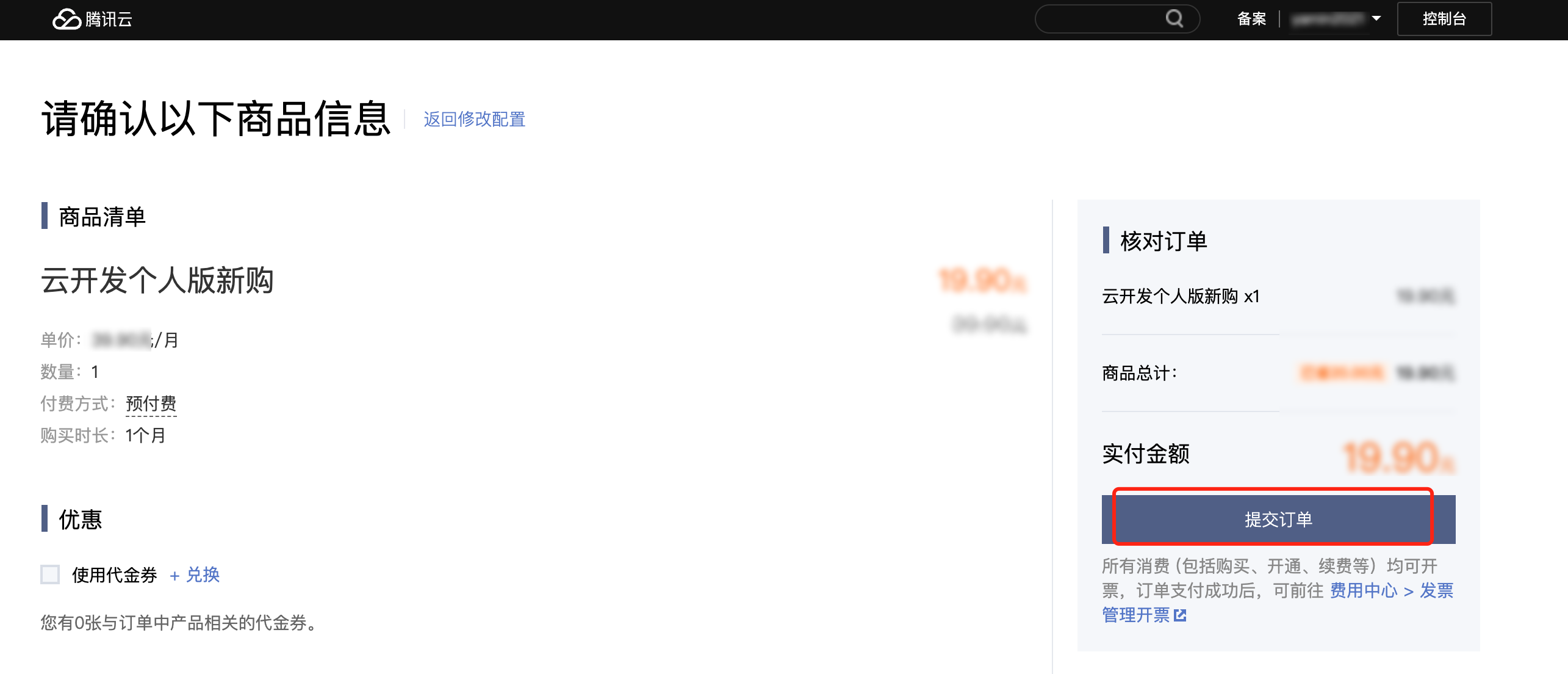
3. Confirm the Tencent Cloud order, click Submit Order, and then make the payment.
Note:
The remaining balance of the original WeChat Pay order will be refunded through the original payment channel. Only cash will be refunded, and vouchers will not be returned.
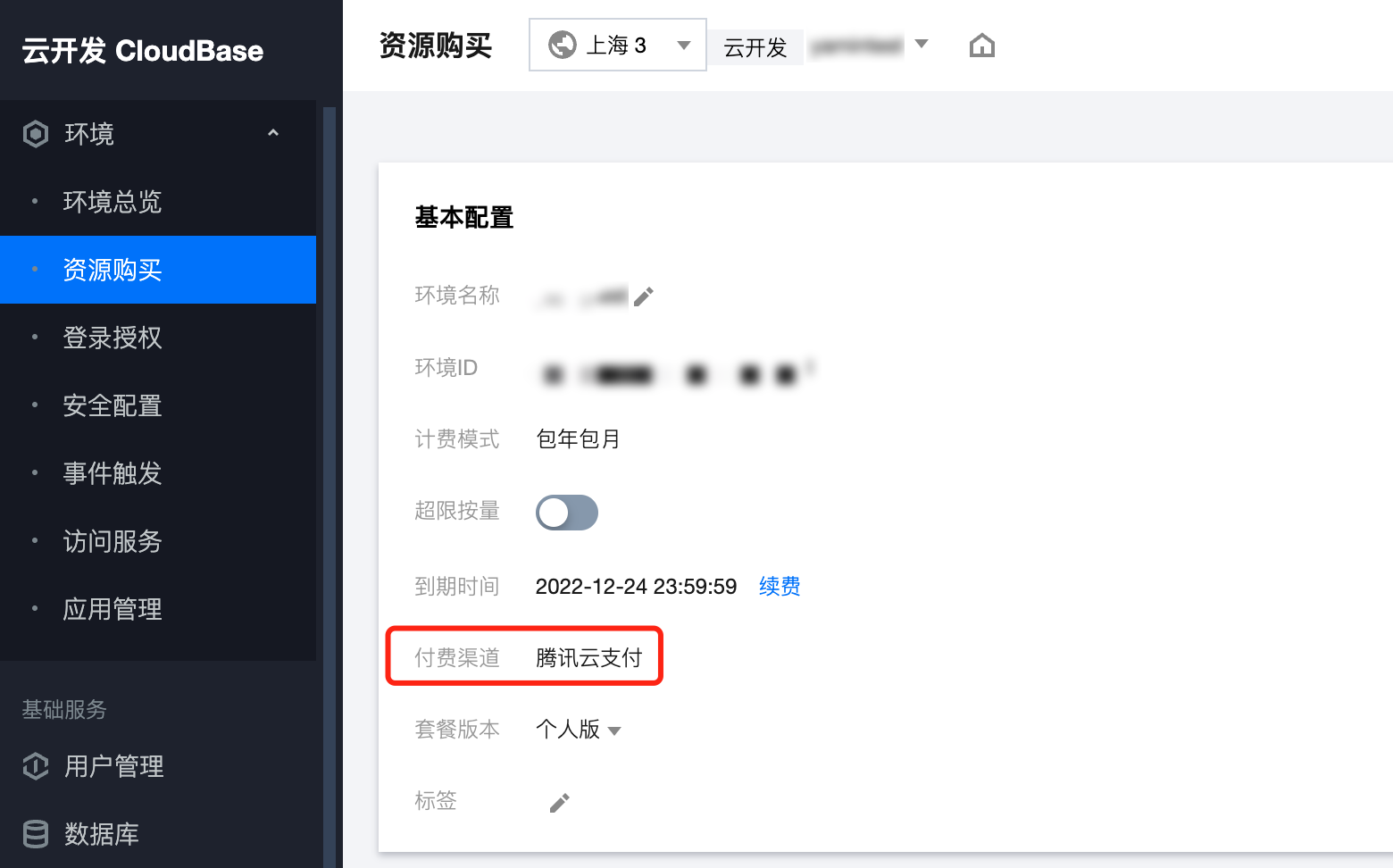
4. After completing step 3, re-enter the console. The payment channel for the environment has been changed to Tencent Cloud Payment, and you can set up auto-renewal.
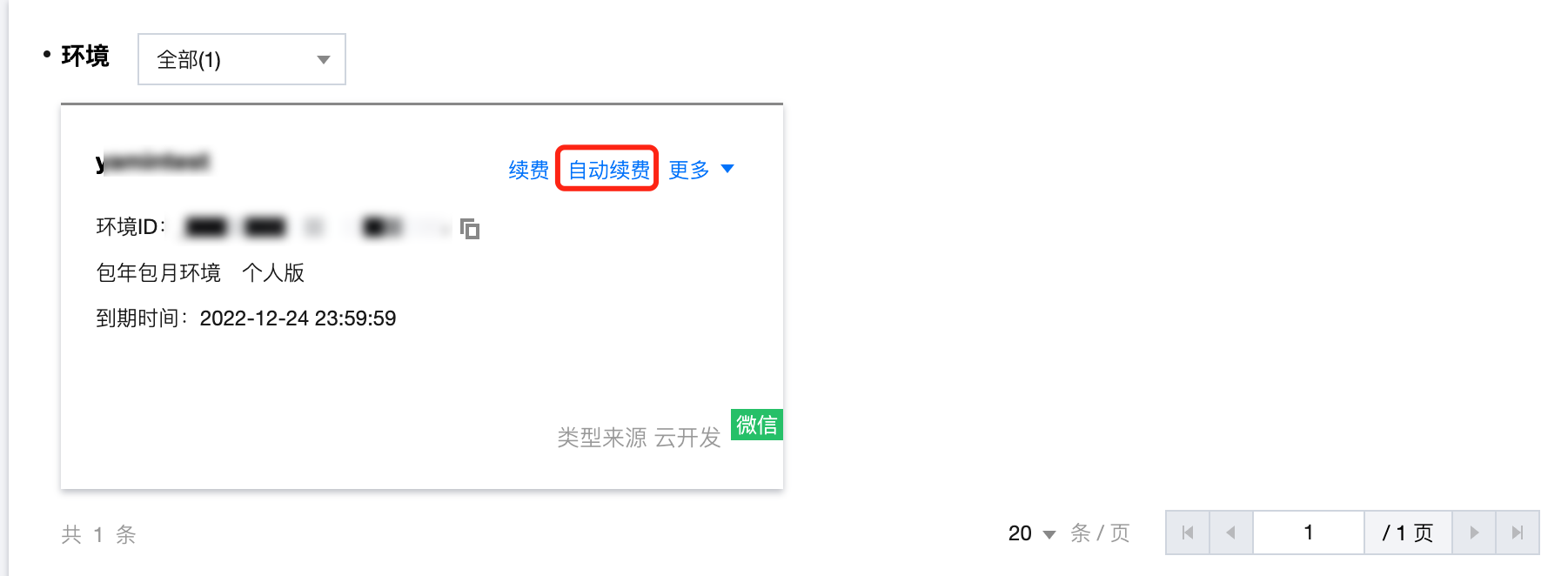
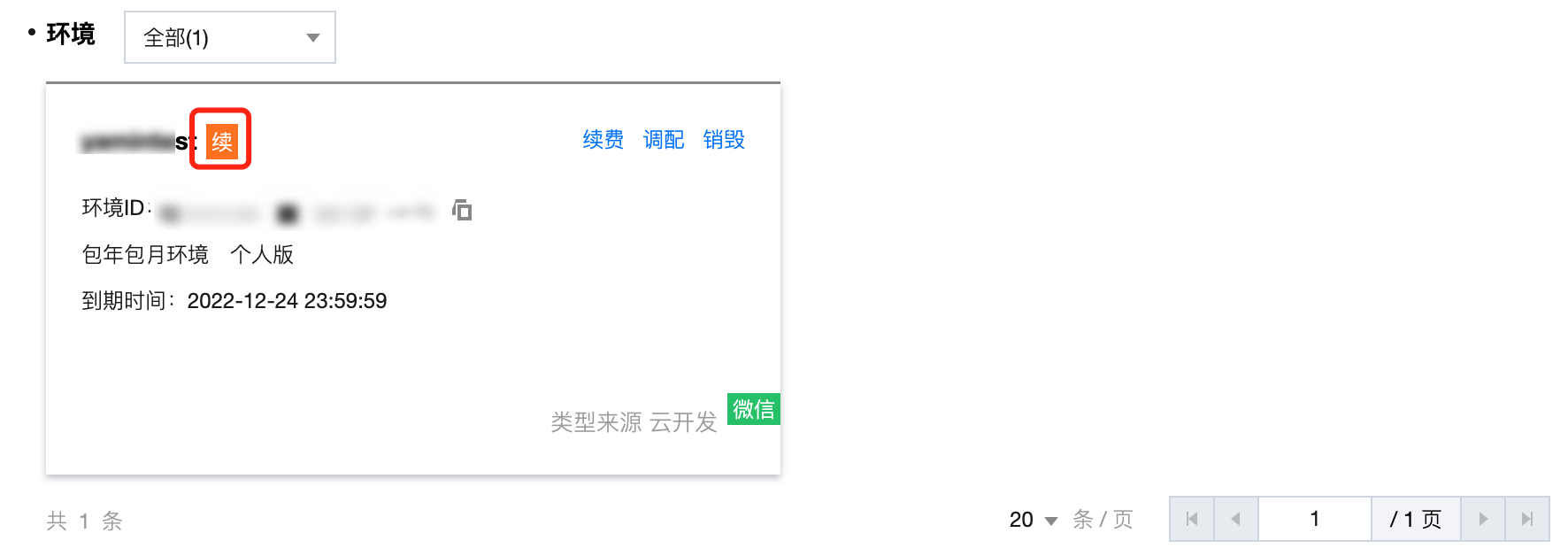
5. Click Auto-Renewal on the environment card.
When the yellow renew appears, the auto-renewal setting is completed.