The content of this page has been automatically translated by AI. If you encounter any problems while reading, you can view the corresponding content in Chinese.
You can delete a TDMQ for Pulsar cluster when the user no longer needs it.
The lifecycle of a TDMQ for Pulsar cluster refers to the states it goes through from startup to release. Proper management of the cluster from startup to deletion ensures that applications running on the cluster can provide services efficiently and cost-effectively. The cluster has the following states:
State
Status Attribute
Status Descriptions
Creating
Intermediate status
The state after creating the cluster and before running.
Normal
Steady status
The normal running status of the cluster indicates that metrics such as node conditions and disk utilization are within the normal range.
Deleting
Intermediate status
Clusters are deleted by the console or through the API.
Isolated
Intermediate status
The cluster is in arrears and has entered a 7-day isolation state. Instances in isolation cannot produce or consume, and the data and configurations stored in the cluster will not be deleted.
Shipment failed.
Intermediate status
The cluster is successfully charged by the console or through the API, but the cluster allocation fails. If this happens, please contact Online Customer Service for processing.
Deletion Failed
Steady status
The cluster is manually deleted or not renewed within 7 days after expiration, and the resource release of tdmq for pulsar fails.
Directions
Manual Deletion
For clusters that have not expired, you can choose to manually delete them. The steps are as follows:
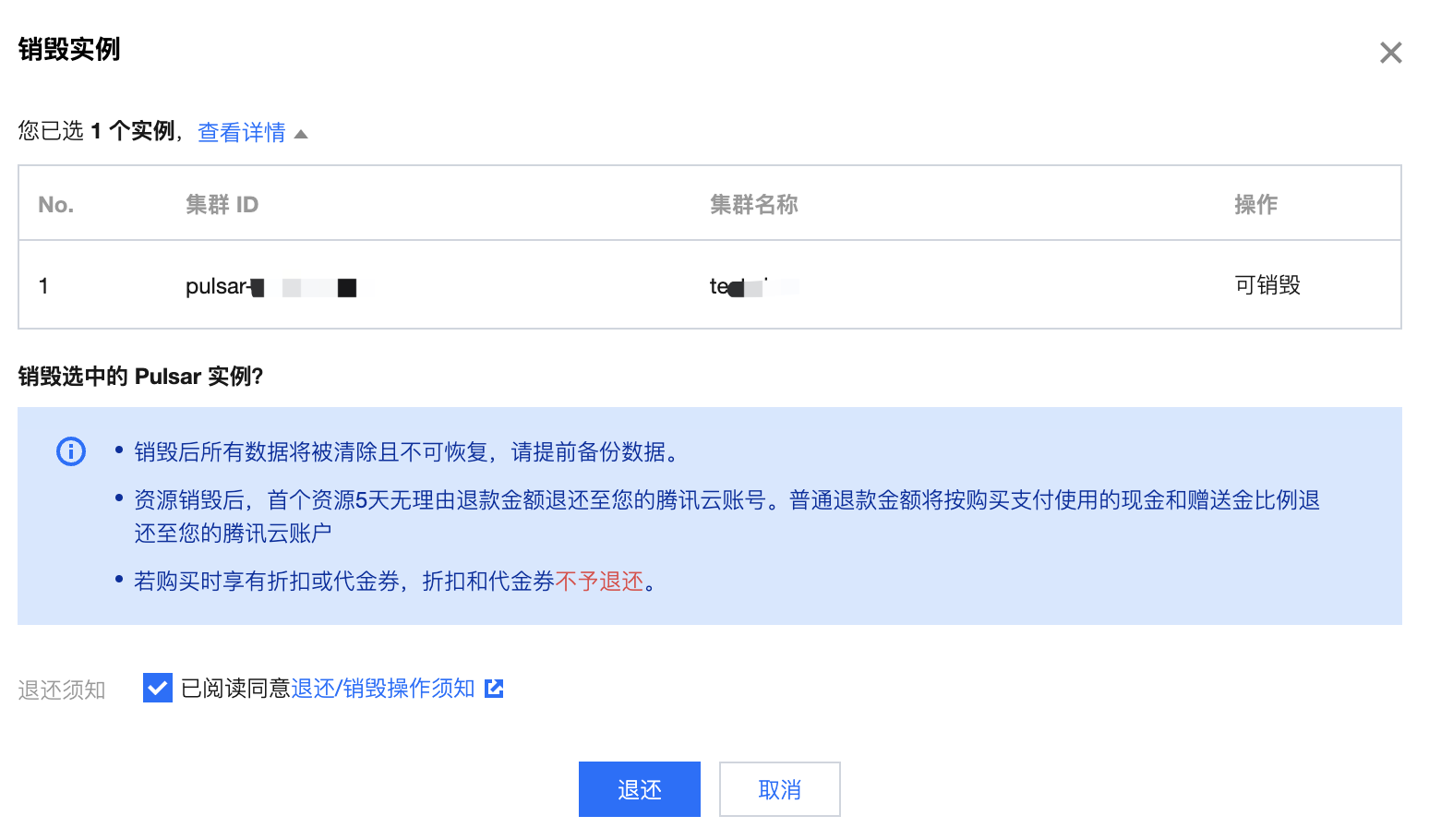
2. In the left sidebar, select Pulsar > Cluster Management. On the Cluster Management list page, click More in the operating column > Return.
3. In the confirmation popup for the destruction instance, check the return notice, and click Return to delete the cluster.
Note:
All data will be cleared and cannot be recovered after destruction. Please back up your data in advance.
Automatic Deletion Upon Expiration/Arrears
After an instance expires or enters into arrears, it will be retained in the console for up to 7 calendar days. If renewed within 7 days after expiration, it can continue to be used. For details, please refer to the Payment Overdue.
If your tdmq for pulsar cluster has not been renewed 7 days after expiration (including the 7th day), the system will begin to release the resources at 00:00 on the 8th day after expiration, and the data in the expired instance will be deleted and cannot be recovered.
Note:
Clusters in isolated status cannot produce or consume, and the data and configurations stored in the cluster will not be deleted.
For clusters that have isolated status within 7 days, you can click Renew in the operation column on the cluster list page of the console. After the renewal is successful, the cluster can be restored to the running status and can be used normally.