The content of this page has been automatically translated by AI. If you encounter any problems while reading, you can view the corresponding content in Chinese.

Login Exception

Last updated: 2025-05-20 10:01:52

This article will introduce the features and operations of unusual logins.

Overview

When a server login that does not meet the allowlist (common source IP, common username, common login location, common login time) is detected, an unusual login alarm will be generated. If the source IP of the unusual login is an IP address outside Chinese mainland (including Hong Kong (China), Macao (China), and Taiwan (China)) or a malicious IP in threat intelligence, it will be marked as "high risk"; otherwise, it will be marked as "suspicious".


Restrictions

Hosts with the Cloud Workload Protection Platform (CWPP) client installed (client online) will monitor abnormal login behavior in real time.
The host security console only retains abnormal login events for the last 6 months, and the expired event data will no longer be displayed.

Operation Guide

1. Log in to the CWPP Console.
2. On the left sidebar, select Intrusion Detection > Unusual Login. The fields and operations related to the feature are described as follows.

Alarm List

On the Alarm list page, you can view and handle unusual login risks detected by the host security monitoring.

Field Description:
Hostname/Instance ID: The server with abnormal login.
Source IP: The IP address from which the login originated, usually the enterprise network egress IP or network proxy IP.
Source location: The region where the source IP of the login is located.
Login username: The username used to successfully log in to the server.
Login time: The time of successful login to the server (timezone of the server).
Risk level: Suspicious/High risk.
Status
Abnormal login: This login has an abnormal region, username, login time, or source IP.
Added to allowlist: The source IP of the login has been added to the allowlist (the combination of login source IP, login username, login time, usual login location, and effective scope constitutes the allowlist determination rule).
Processed: The user has manually handled and marked the event as processed.
Ignored: The user has ignored this alarm event.
Operation
Mark as Processed: If you have manually handled the risk event, you can mark the event as processed.
Add to Allowlist: After adding to the allowlist, the same event will not trigger an alarm again. Proceed with caution.
Ignore: Only ignore this alert event. If the same event occurs again, an alert will be sent again.
Delete Record: Once deleted, the event record will no longer be displayed on the console, and cannot be recovered. Proceed with caution.

Allowlist Management

On the Allowlist management page, you can add/delete items to/from the allowlist of unusual logins, or check and edit the allowlist.

Field Description:
Server IP/Name: The server on which the allowlist takes effect.
Source IP: The login source IP added to the allowlist.
Usual Login Location: The login location added to the allowlist.
Login Username: The username added to the allowlist.
Login Time: The login time period added to the allowlist.
Creation Time: The creation time of the allowlist.
Modification Time: The last modification time of the allowlist.
Operation
Edit: You can re-edit the login source IP, login username, login time, common login location, effective scope, etc.
Delete: You can perform deletion operations on the allowlist.

Hot Issues

How To Handle an Abnormal Login Alarm?

Determine whether the login operation was performed by yourself.
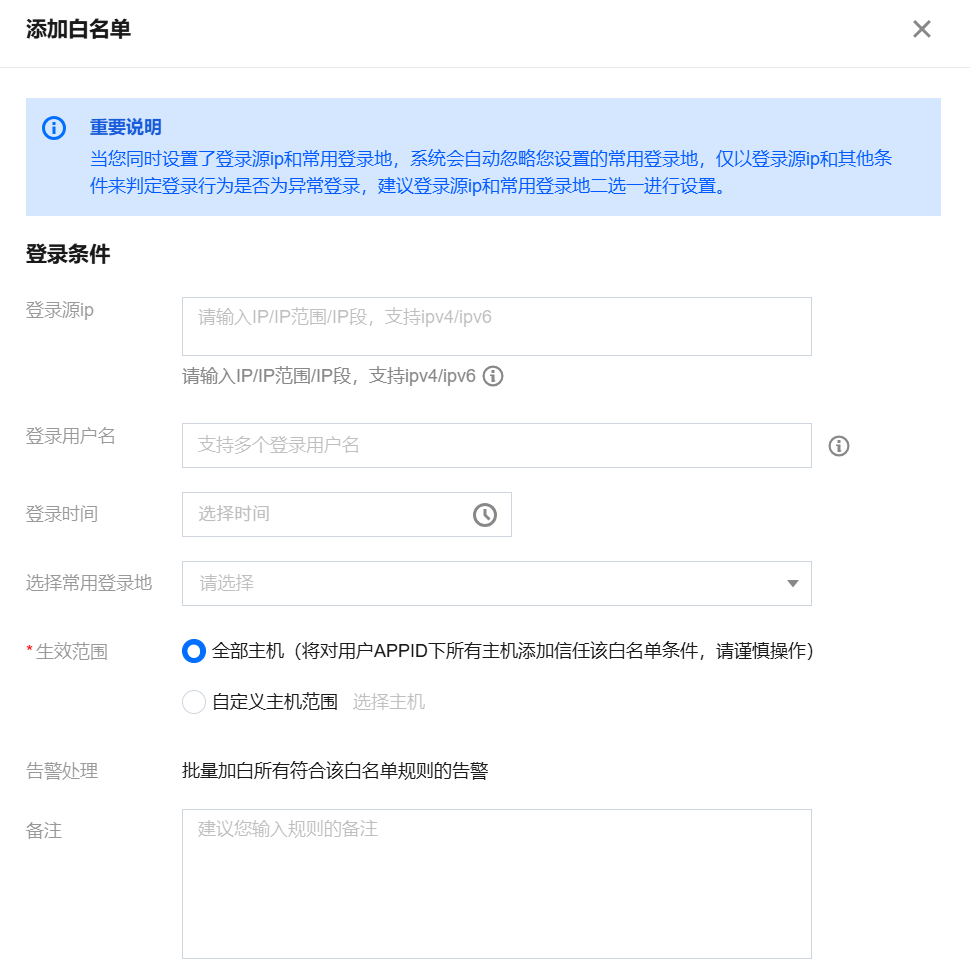
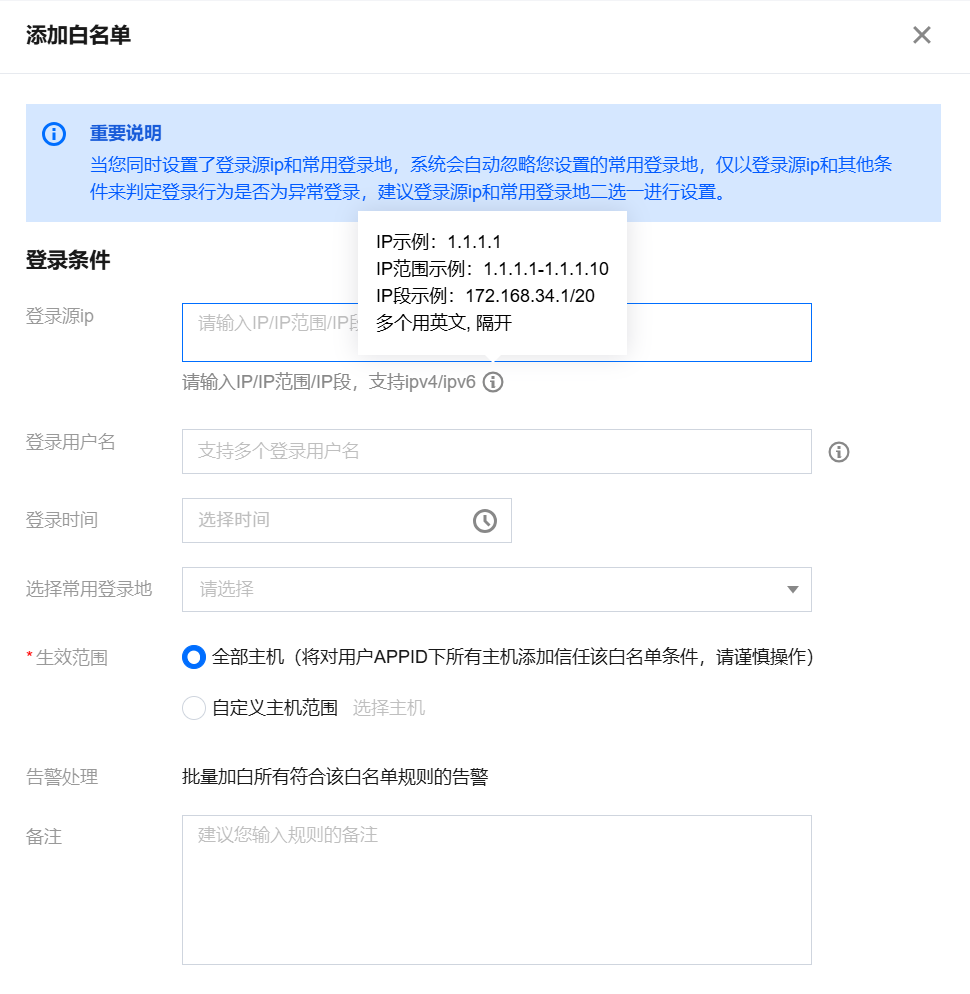
If it is your own login behavior and you do not want to see the alarm again, please click handle and select add to allowlist to set common login source IP, login username, login location, login time, and effective scope.

Field description:
Login source IP is empty: It means that no alarm will be generated for any source IP logging into the server.
Login username is empty: It means that no alarm will be generated for any username logging into the server.
Login location is empty: It means that no alarm will be generated regardless of the login location.
Login time is empty: It means that no alarm will be generated regardless of the login time.
Note:
The login source IP, login username, login location, and login time cannot all be empty.
If it is not your own login behavior, please immediately change the server login password (it is recommended to change to a strong password with more than 10 characters, including uppercase and lowercase letters and special characters). If the server is logged in abnormally, the intruder may have already compromised your server and left malicious files. It is recommended to immediately perform file detection and elimination, vulnerability detection, and baseline detection to enhance your server security.

How To Set the Allowlist To Meet Most User Needs?

Scenario 1: A fixed IP range login source can use any username to log in to the server without generating an abnormal login alarm. You can enter the IP range in the login source IP and select the effective server range.


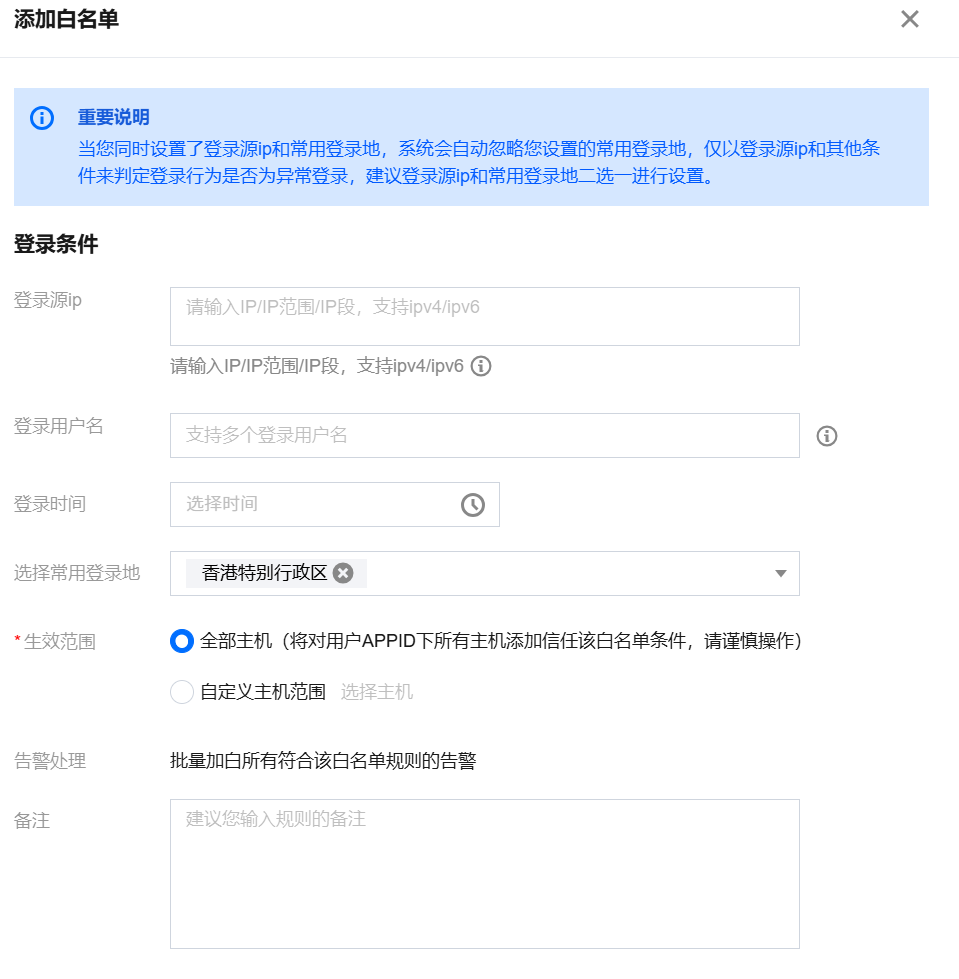
Scenario 2: The login source IP is dynamically changing, and it is necessary to support IPs from Hong Kong (China) to log in to the server at any time using any username without generating an abnormal login alarm. You can select Hong Kong (China) in the common login location and choose the effective server range.


Note:
Login conditions support composite.

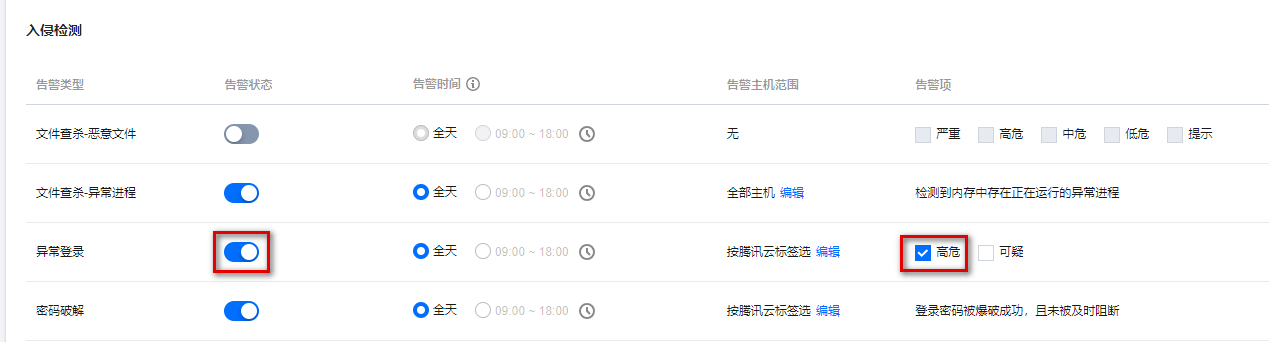
How To Disable an Abnormal Login Alarm?

Go to Alarm Settings to turn off the alarm switch for unusual logins. If you keep the alarm switch on, it is recommended to select the high-risk option to only alarm for high-risk unusual login activities.