Automatic signing means that the initiating company can complete the stamping without manually selecting a seal and Face Recognition. For example, if a company initiates a labor contract (signed between an individual and the company), and this contract is set for automatic signing by the company, the company will automatically stamp it once the individual completes their part.
Activate automatic signing service
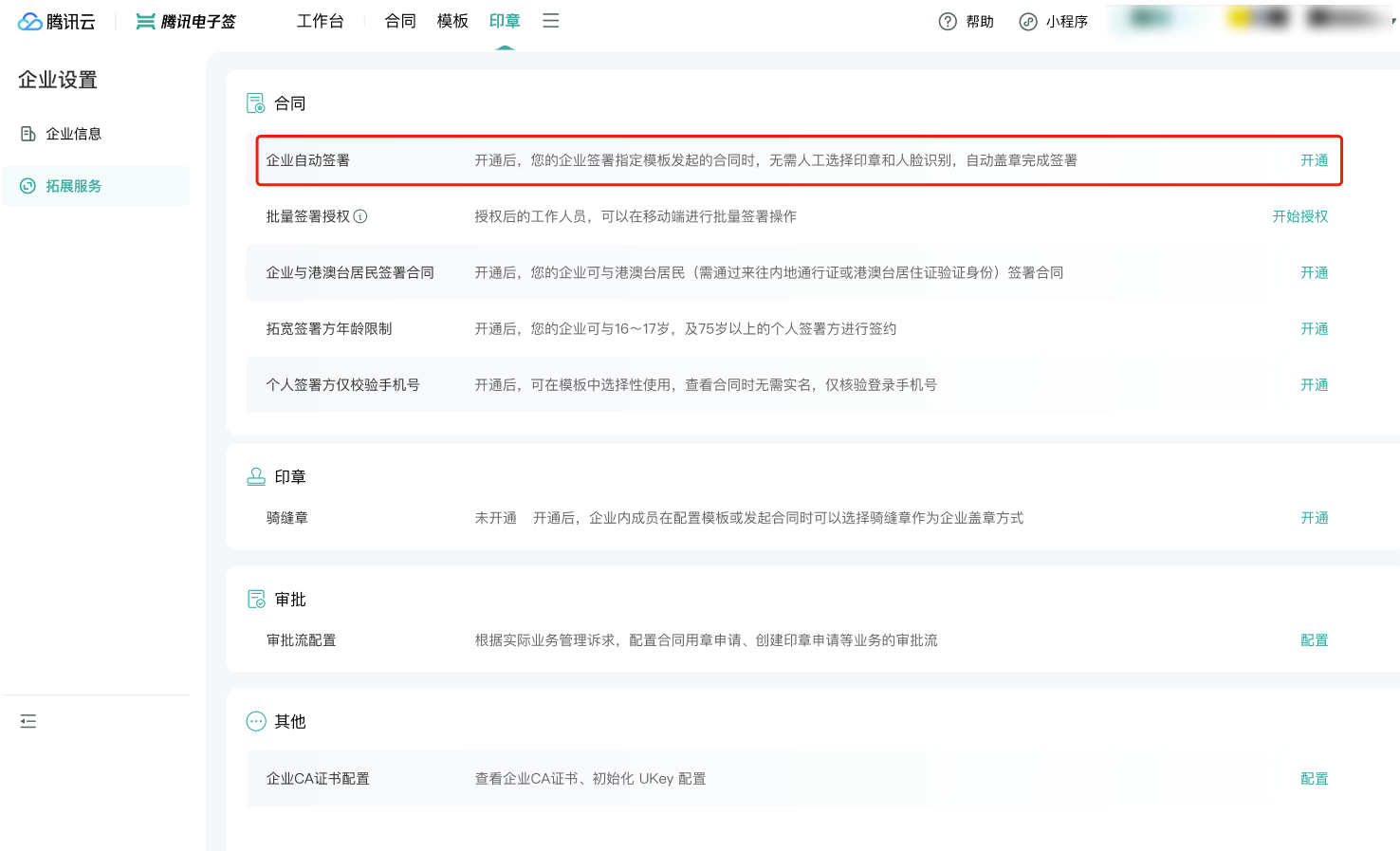
1. In Enterprise Settings > Extended Services, select Automatic Signing by Enterprise service to activate. A super administrator/ legal representative can directly click to activate. Non-super administrators/ non-legal representatives will need to apply for Extended Services > Automatic Signing by Enterprise permissions to activate and manage the service.
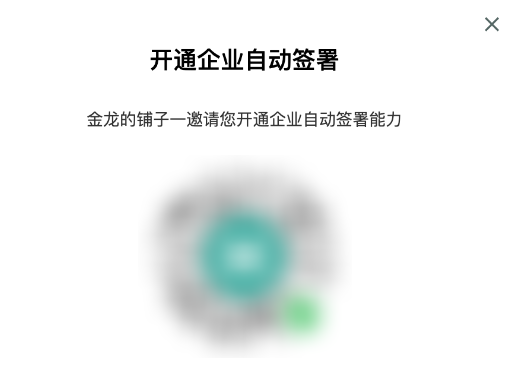
2. Click Activate, and scan the code using WeChat.
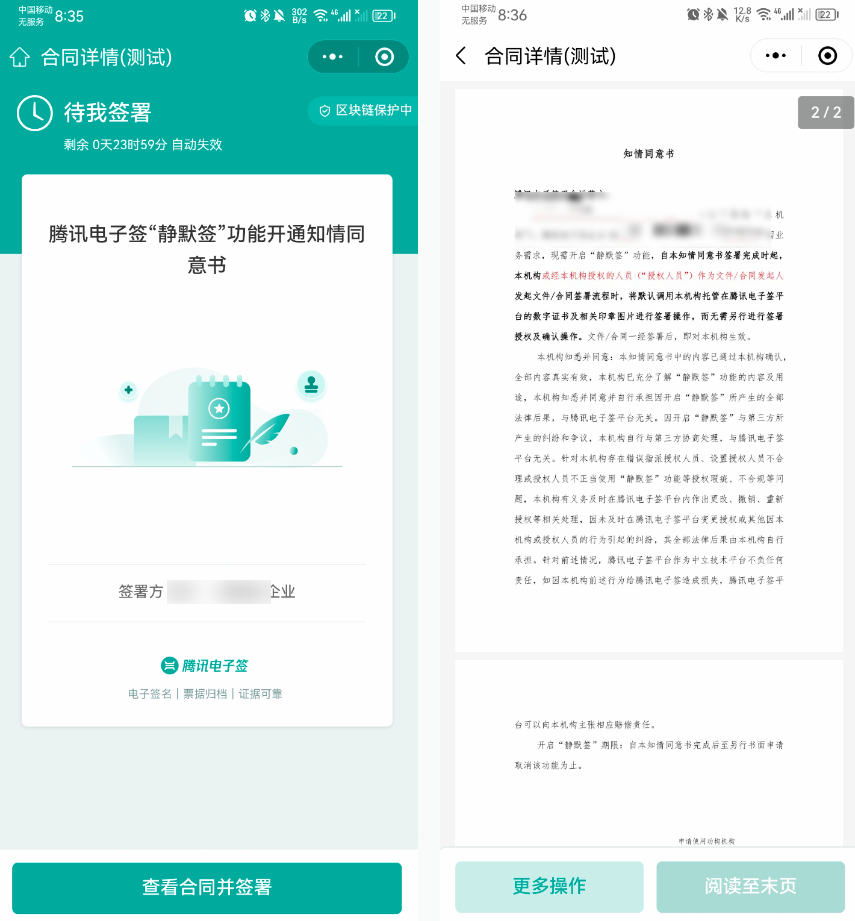
3. Complete agreement signing and activation on the mobile terminal.
4. This Automatic Signing by Enterprise is marked as Activated and can be managed.
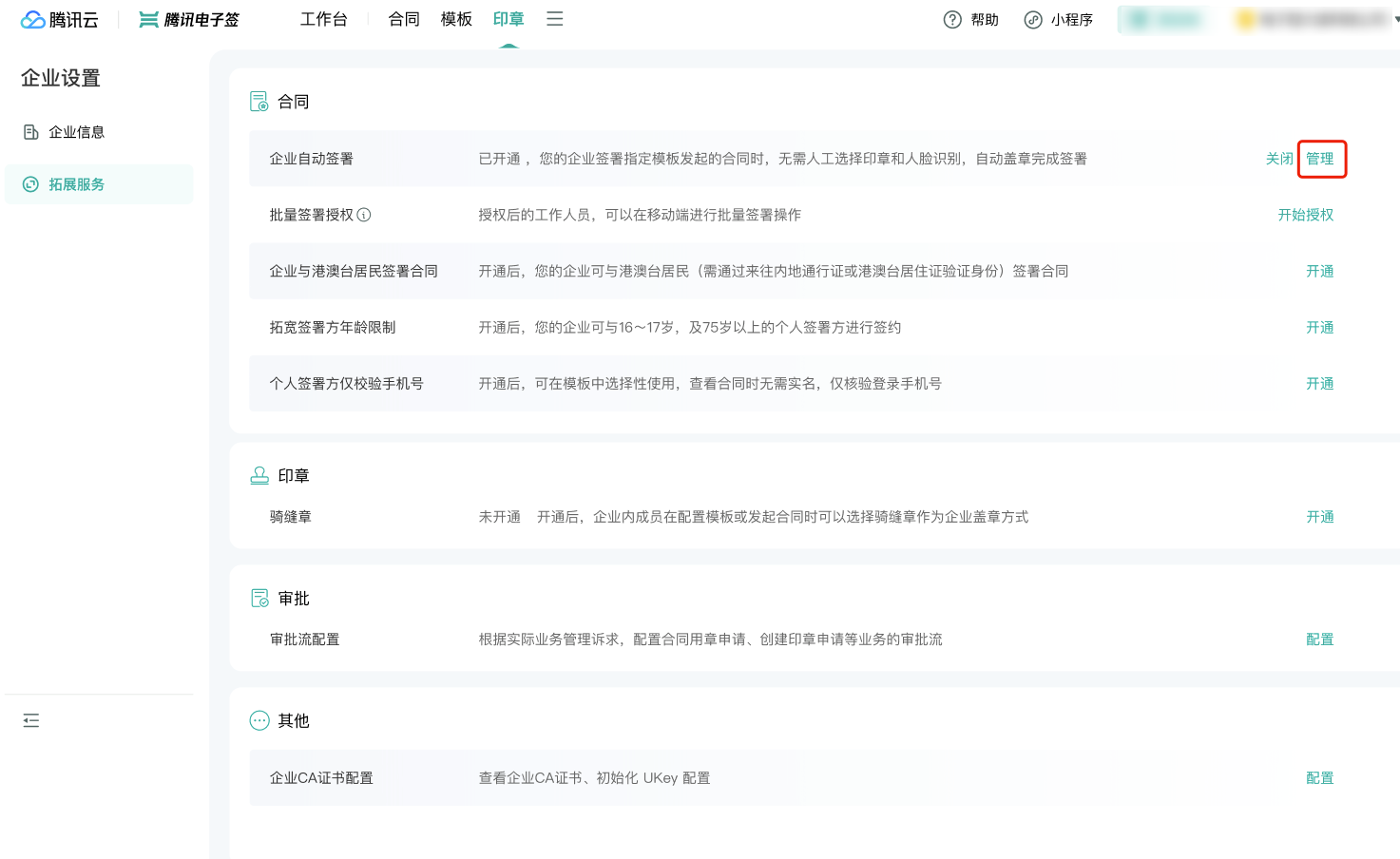
Authorized use of automatic signing
Automatic signing authorization for this company
You can perform the following operations for this company:
Add/Cancel automatic signing template.
Add/Cancel automatic signing authorization for employees.
Automatic signing template
Use the added automatic signing template to initiate a contract, and our company will automatically sign it.
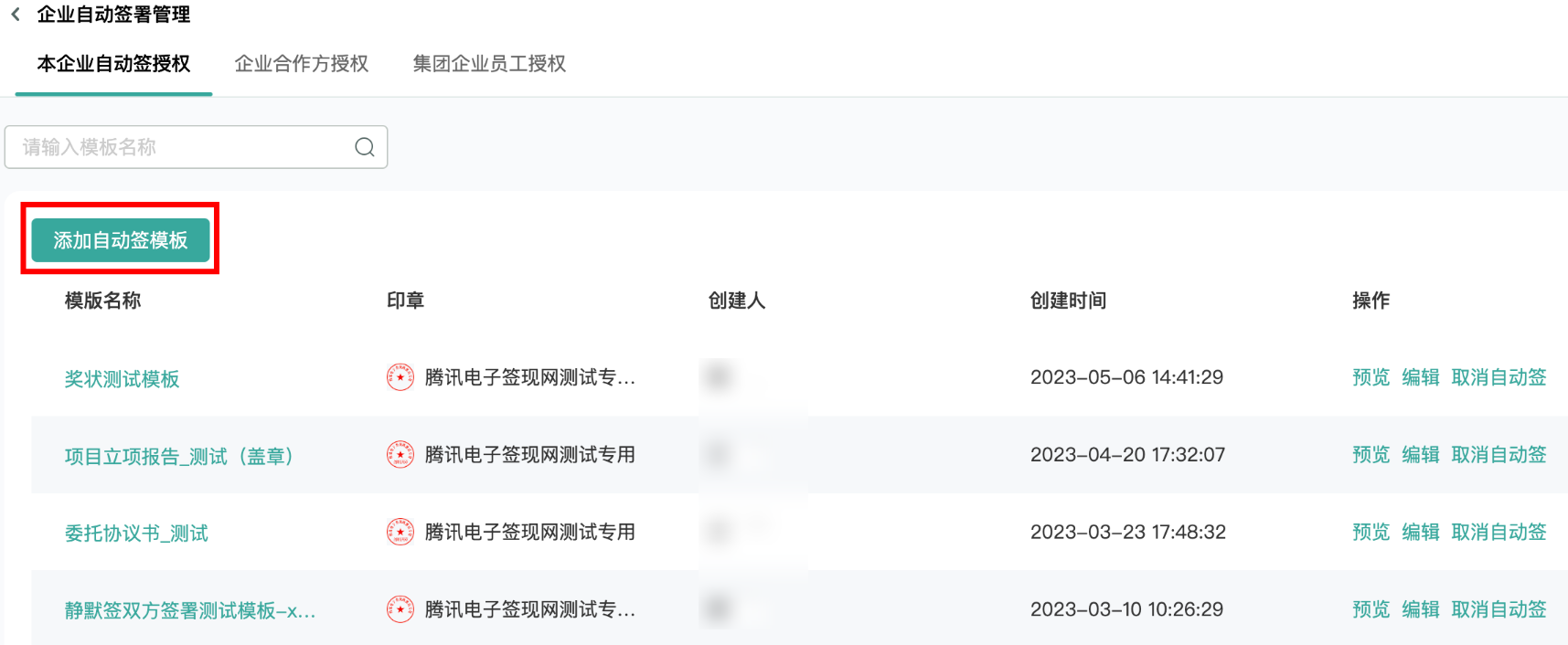
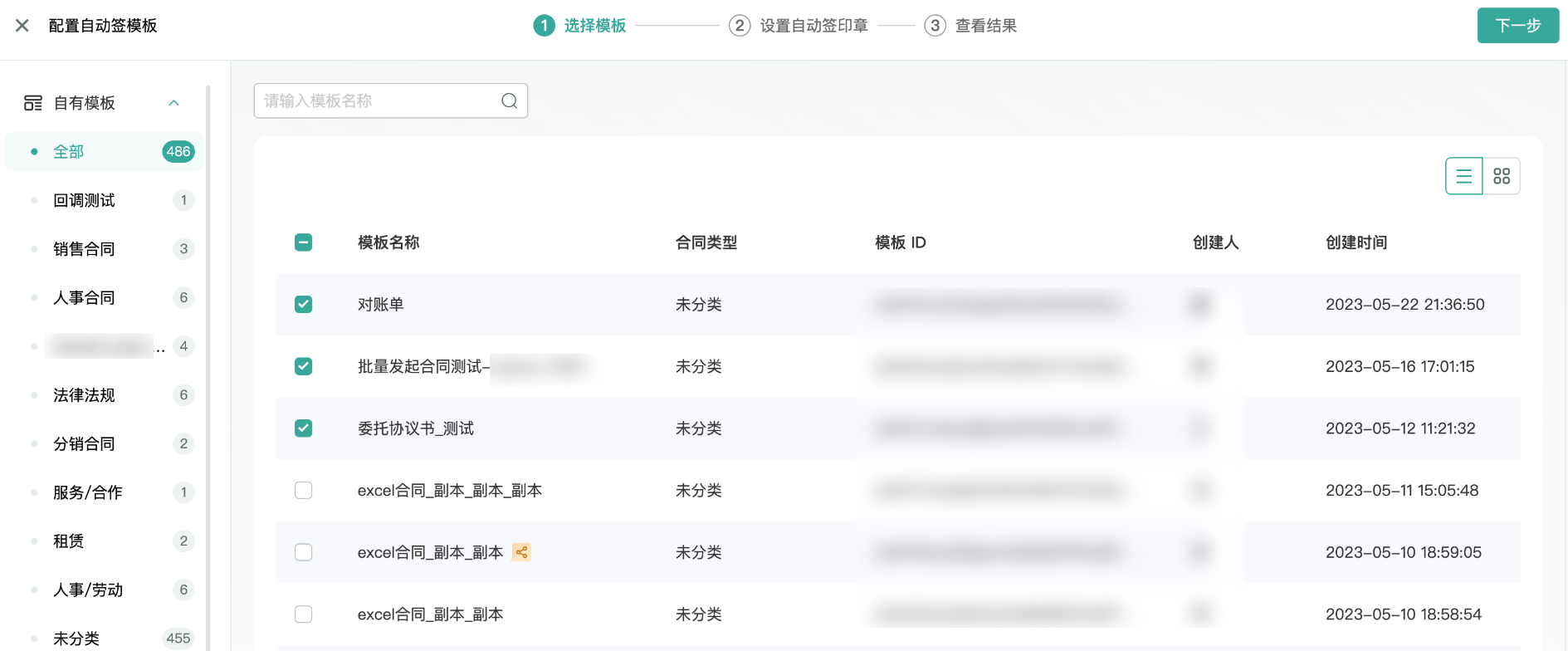
1. Select template.
2. Set automatic signing seal.
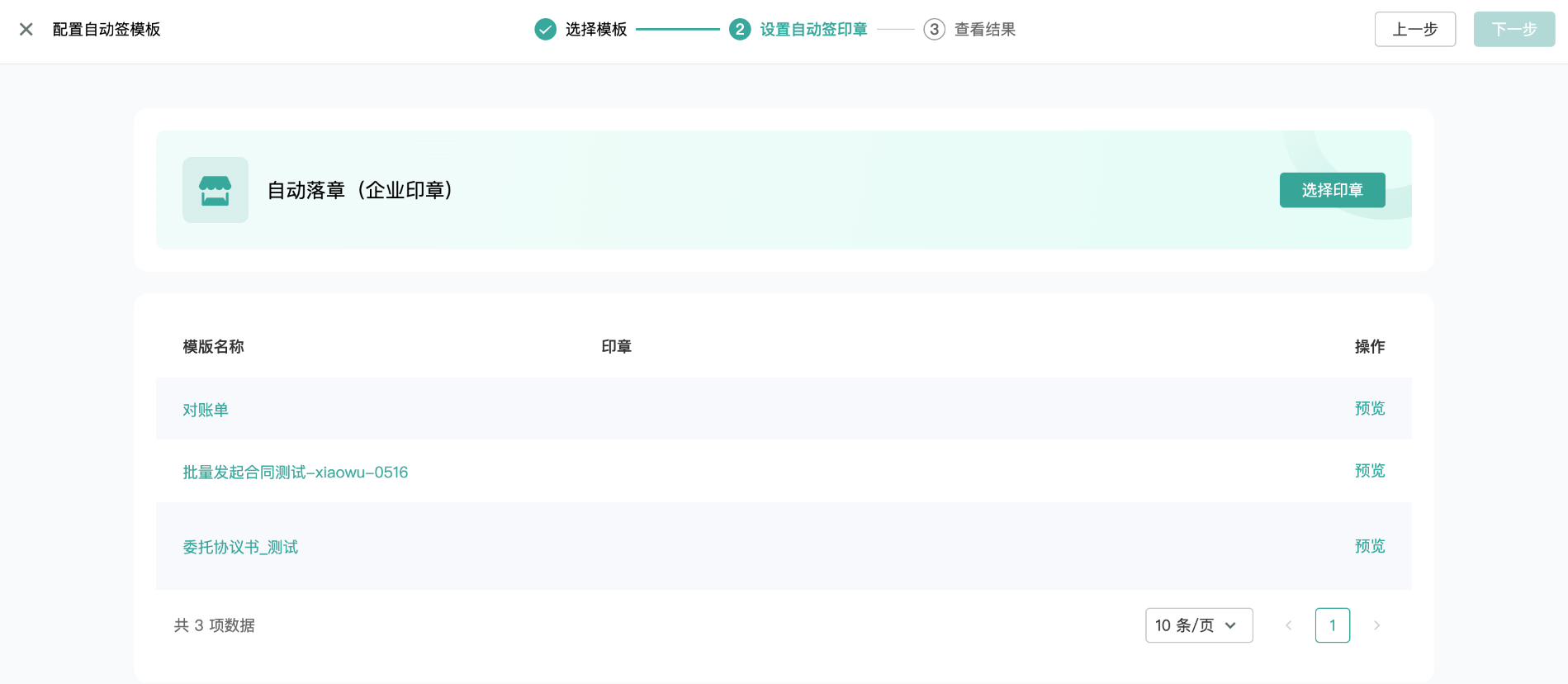
Select a seal.
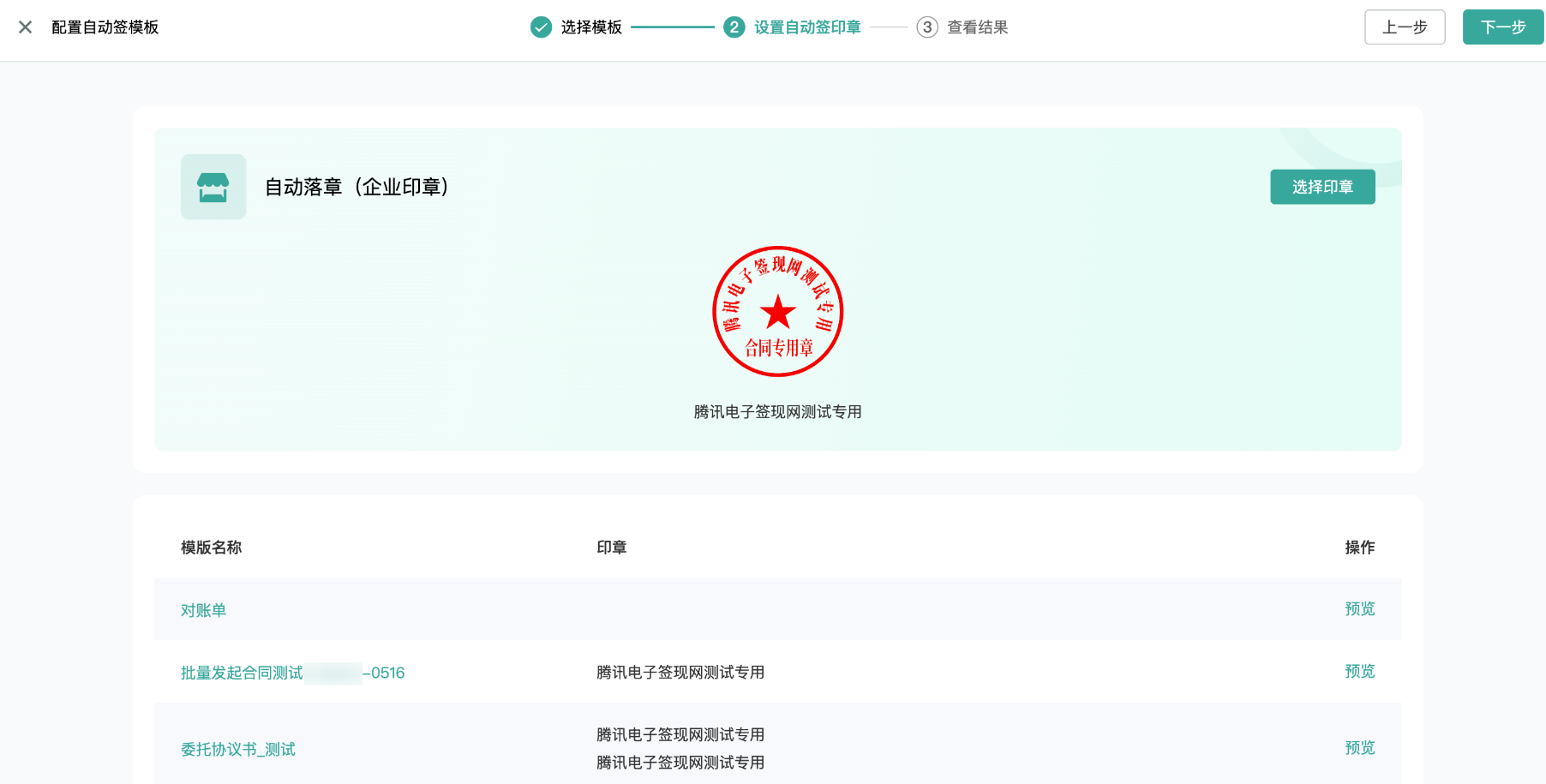
3. Viewing the Result.
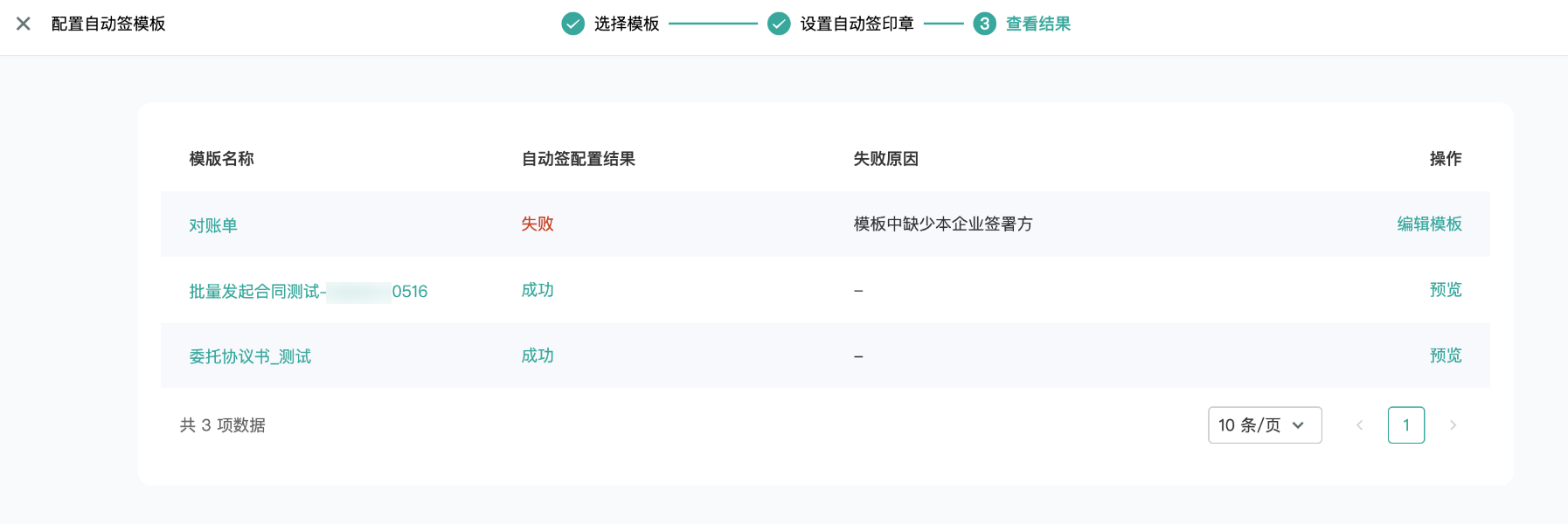
Employee Auto-Sign Authorization
Only employees with auto-sign authorization can initiate auto-sign contracts or configure auto-sign templates in template management.
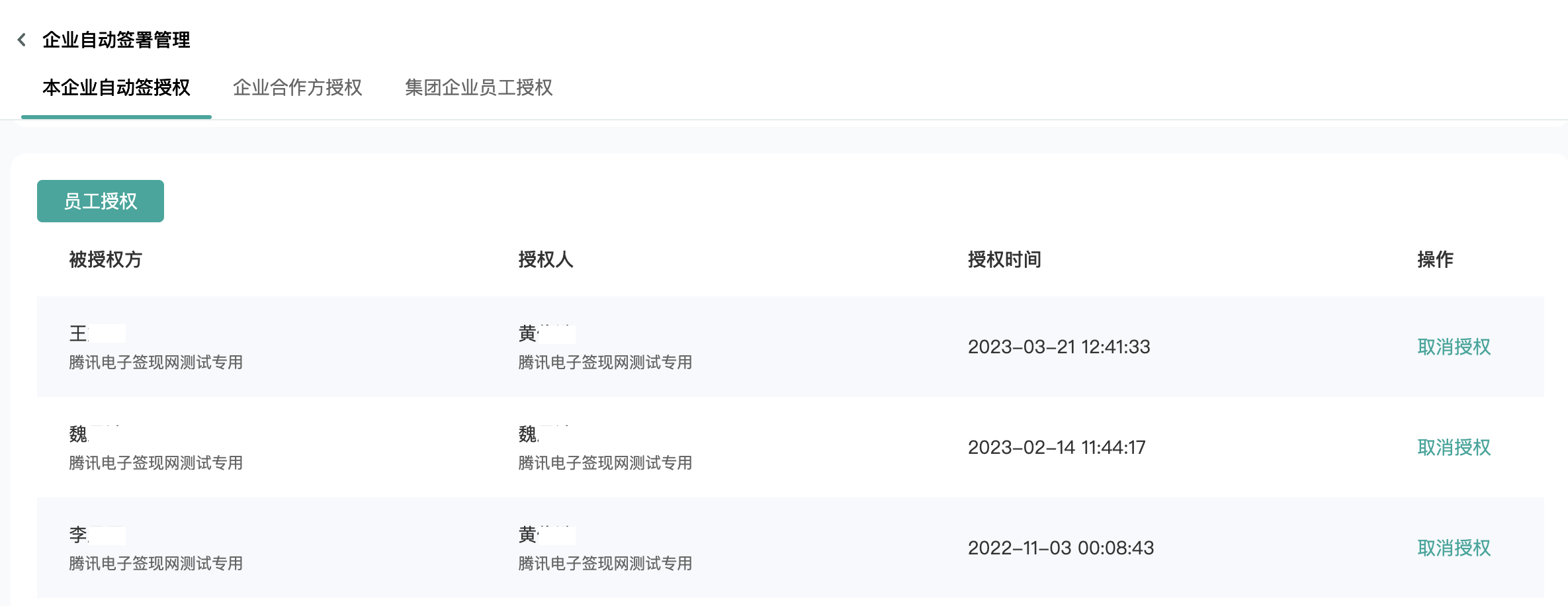
Enterprise Partner Authorization
Note:
Enterprise Partner Authorization can only be operated by a legal representative/super administrator. Employees with Scalability Service > Enterprise Auto-Signing permissions can only manage auto-sign authorization within their own enterprise.
Option 1: Invite the partner to authorize me
If you frequently sign a certain agreement with a partner, you can choose to invite the partner to authorize auto-sign based on a template.
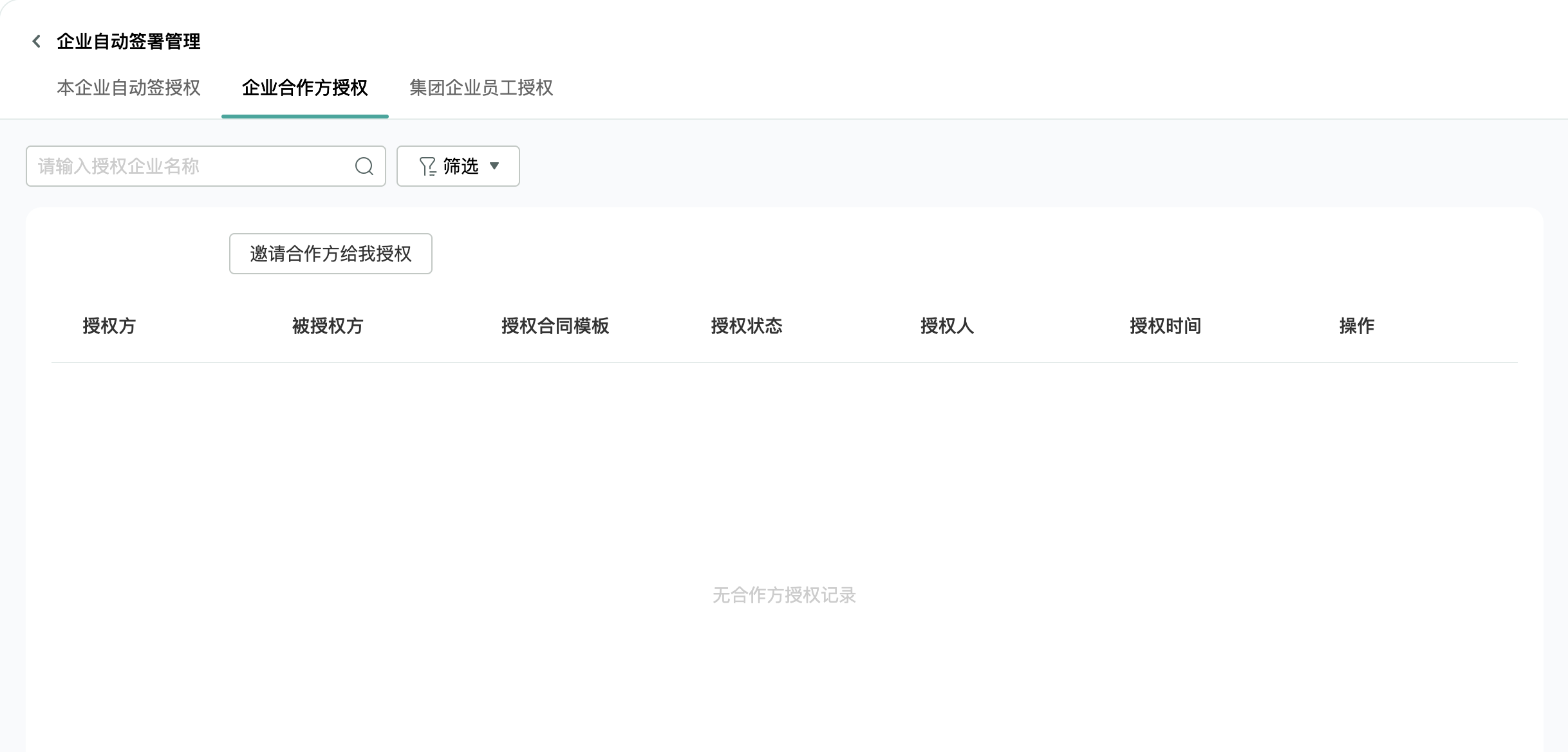
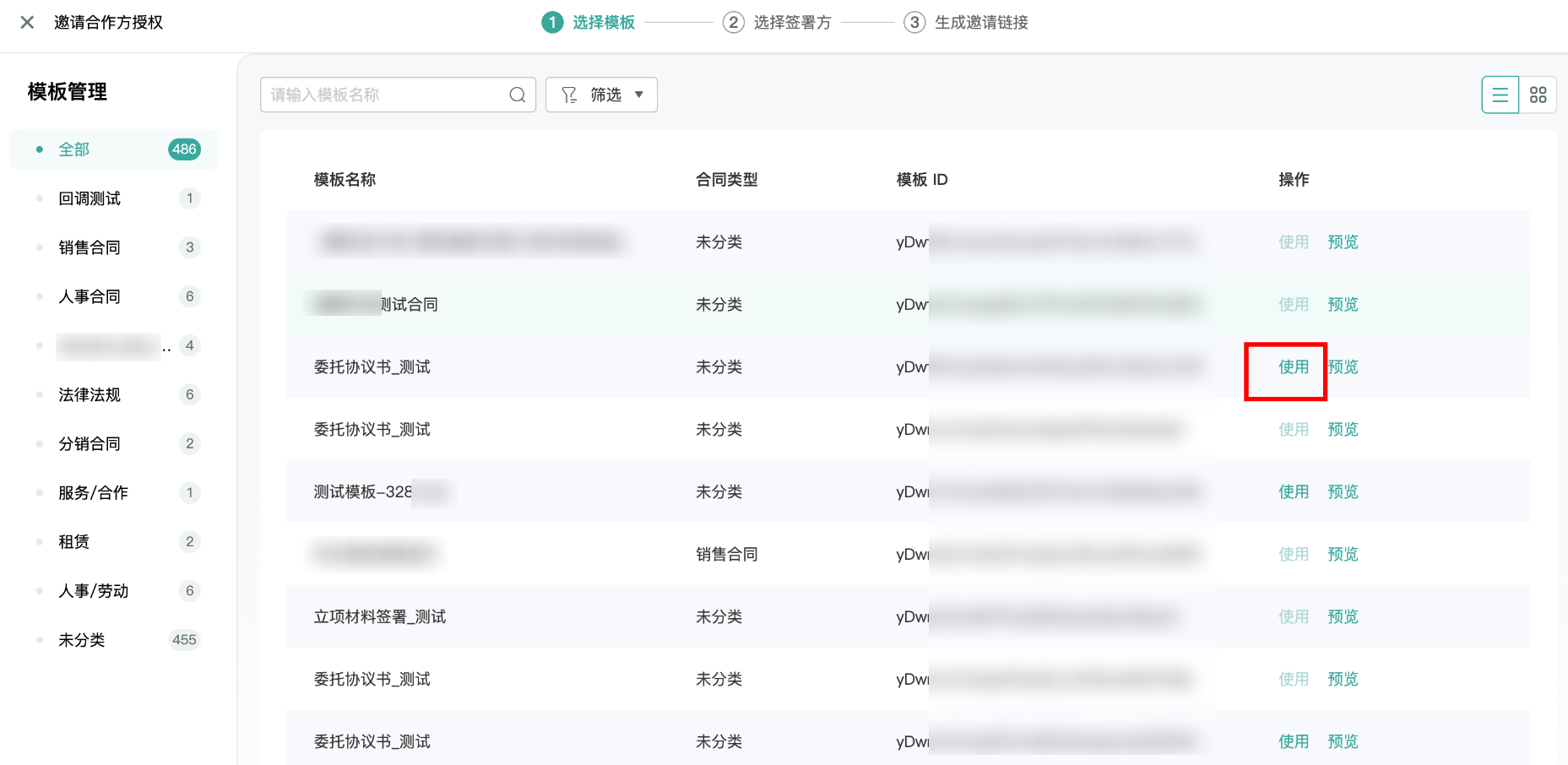
1. Select template.
Note:
If the corresponding operation Usage is grayed out, hovering the mouse over it will display the reason for the inaccessibility.
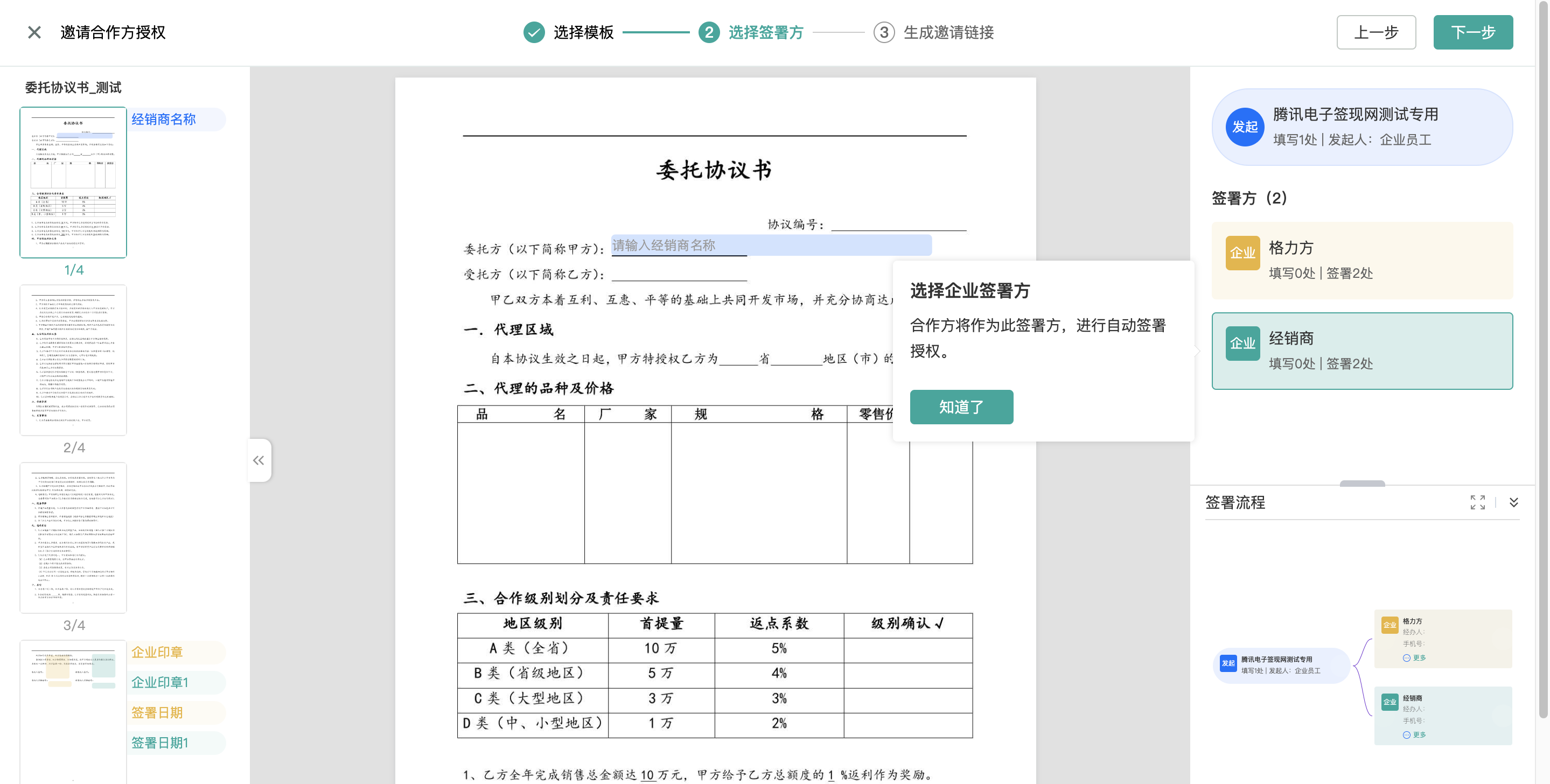
2. Select the signing party.
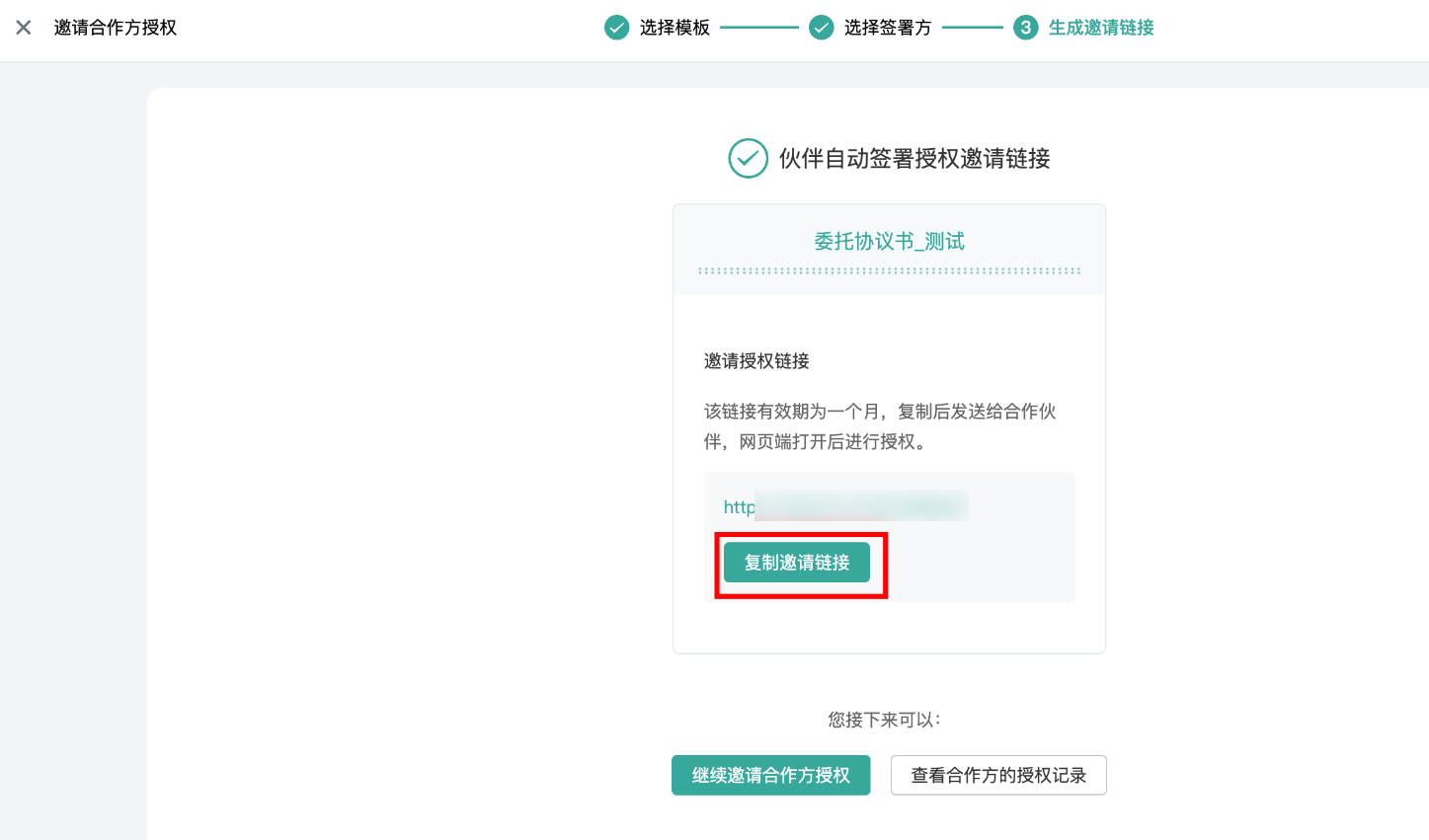
3. Generate an invitation link.
Note:
Send the auto-sign authorization invitation link to different partners for authorization.
The partner must be a super administrator to perform the authorization operation.
The invitation link is valid for one month.
4. Partner Authorization.
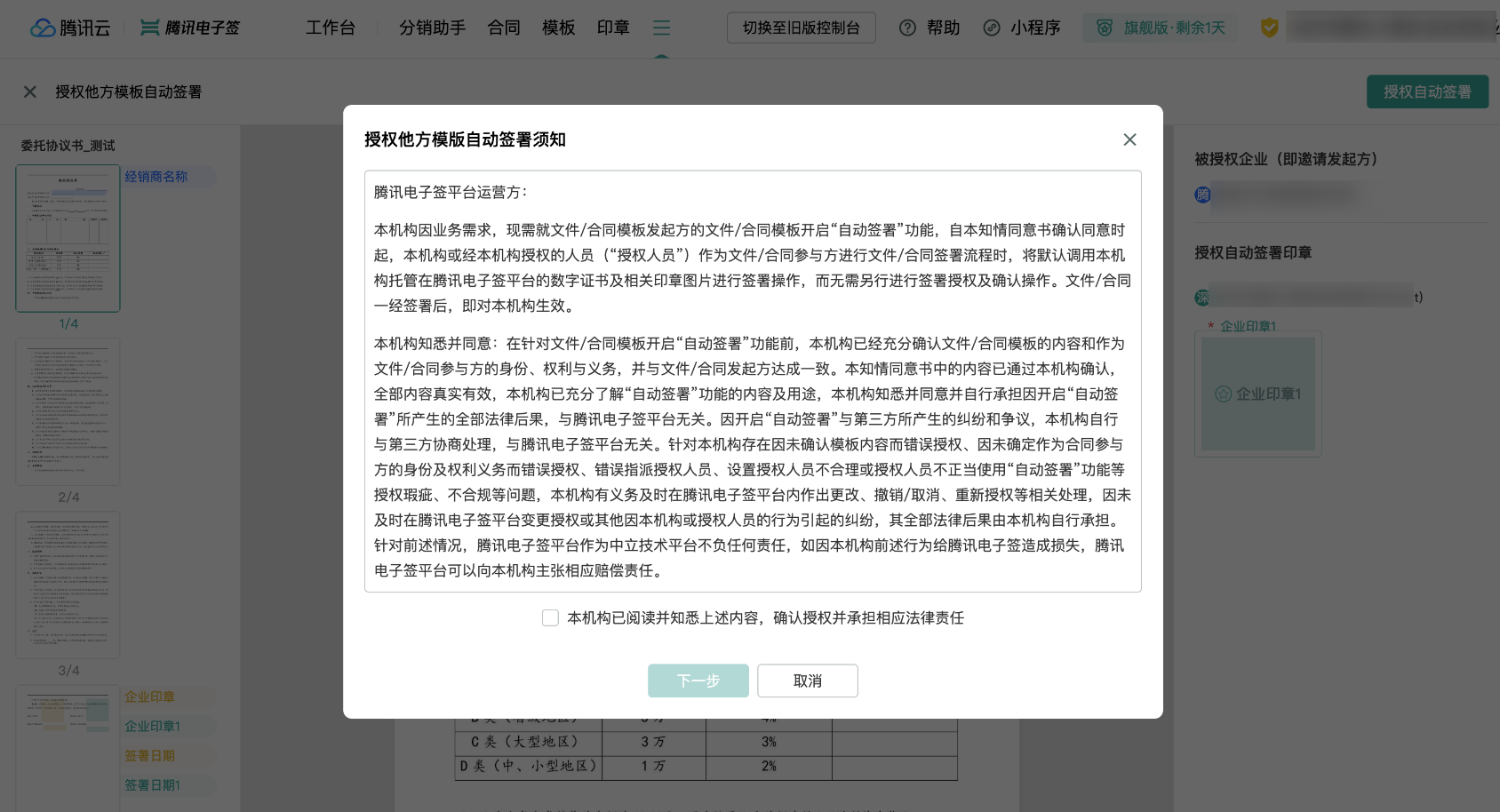
click Next .
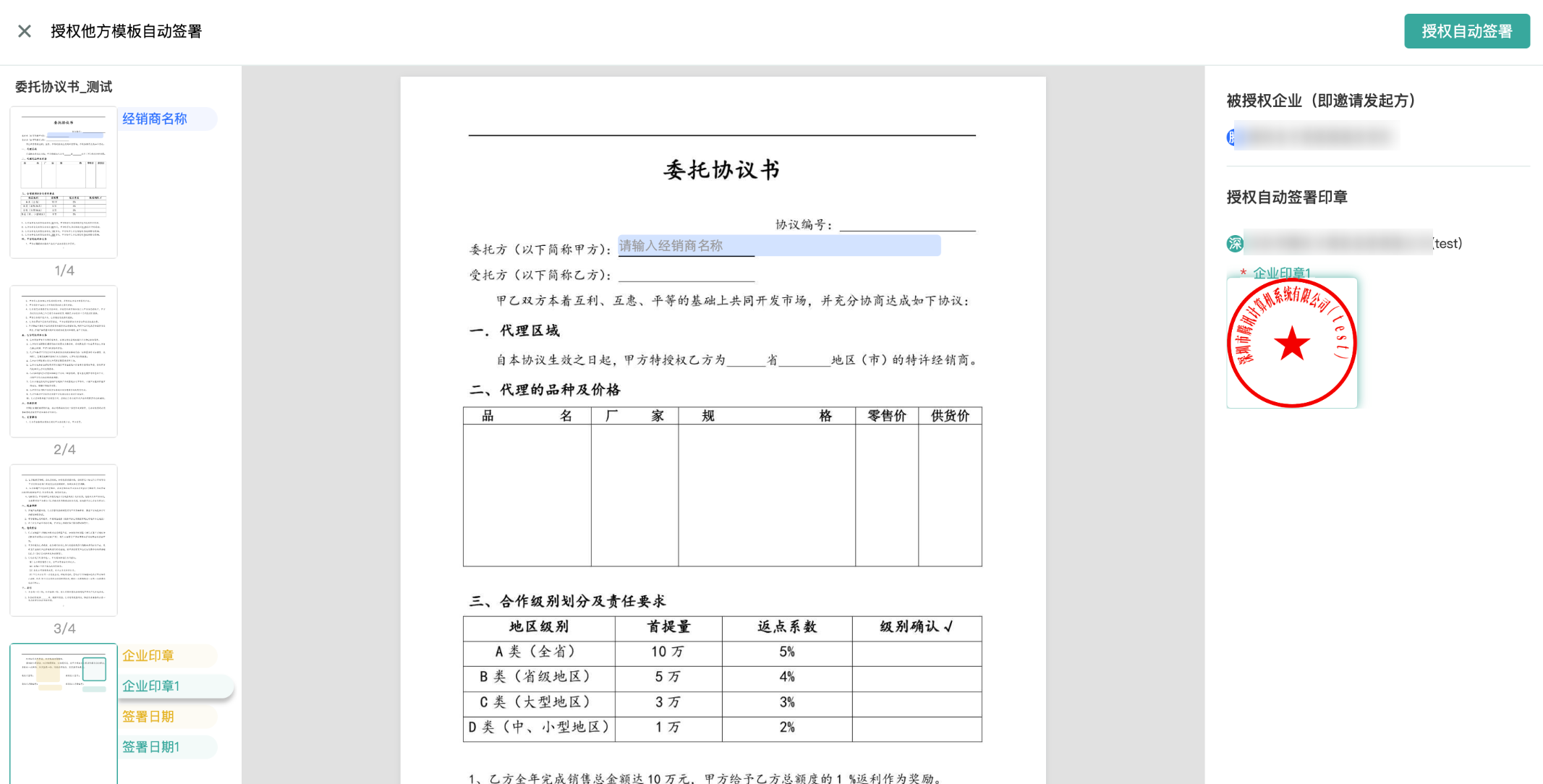
5. View Authorization Records.
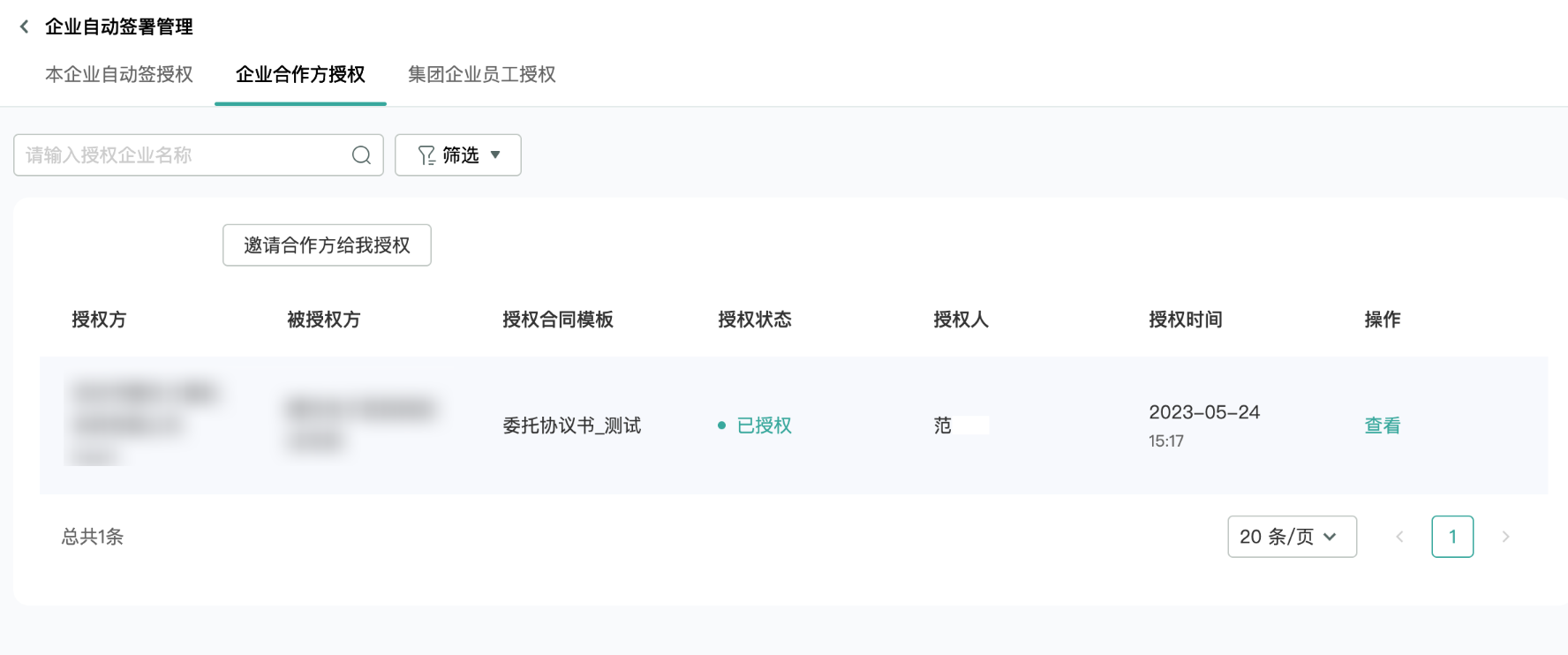
Note:
The authorized party may cancel or reauthorize the seal at any time.
6. The authorized party initiates this template contract to the authorizing party, who then automatically signs.
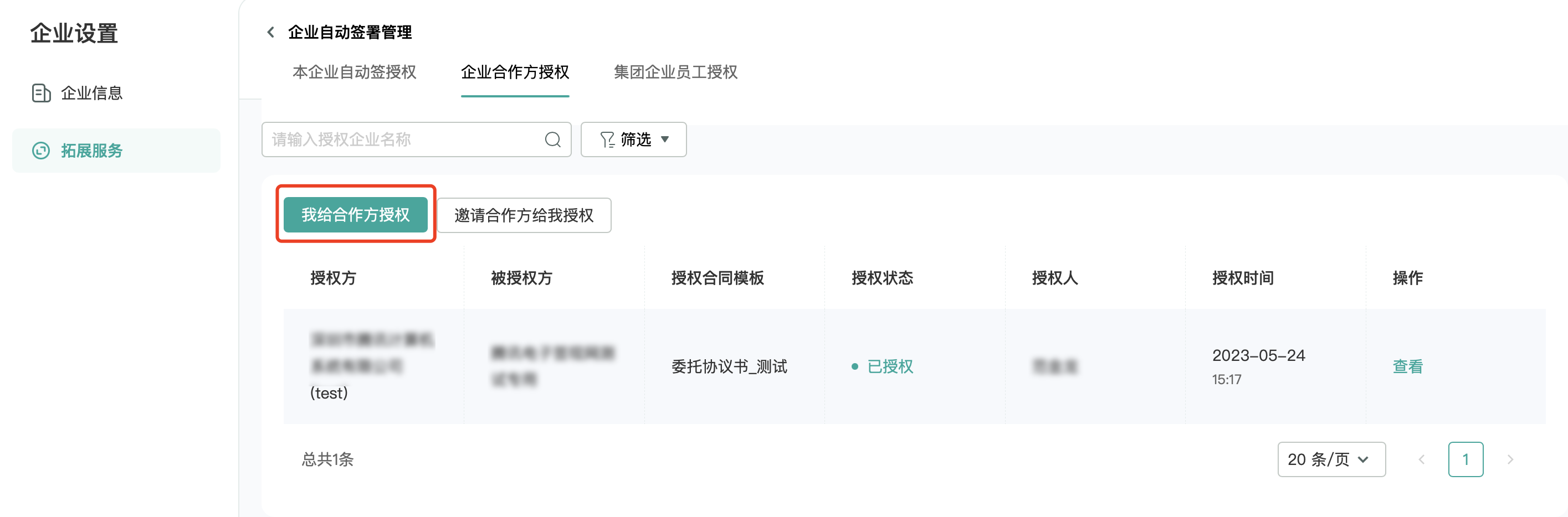
Option 2: Let the partner directly authorize me
If you do not want the partner to authorize by template individually, you can opt for direct authorization from the partner. However, this feature carries some risks and requires clear communication with the partner, who must voluntarily authorize. After authorization, the authorized party can initiate the contract through the interface by uploading the file and specifying auto-signature by the authorizing party.
1. Partner Authorization.
Enter the electronic signature account of the authorized enterprise and select the corporate electronic seal for auto-signature authorization.
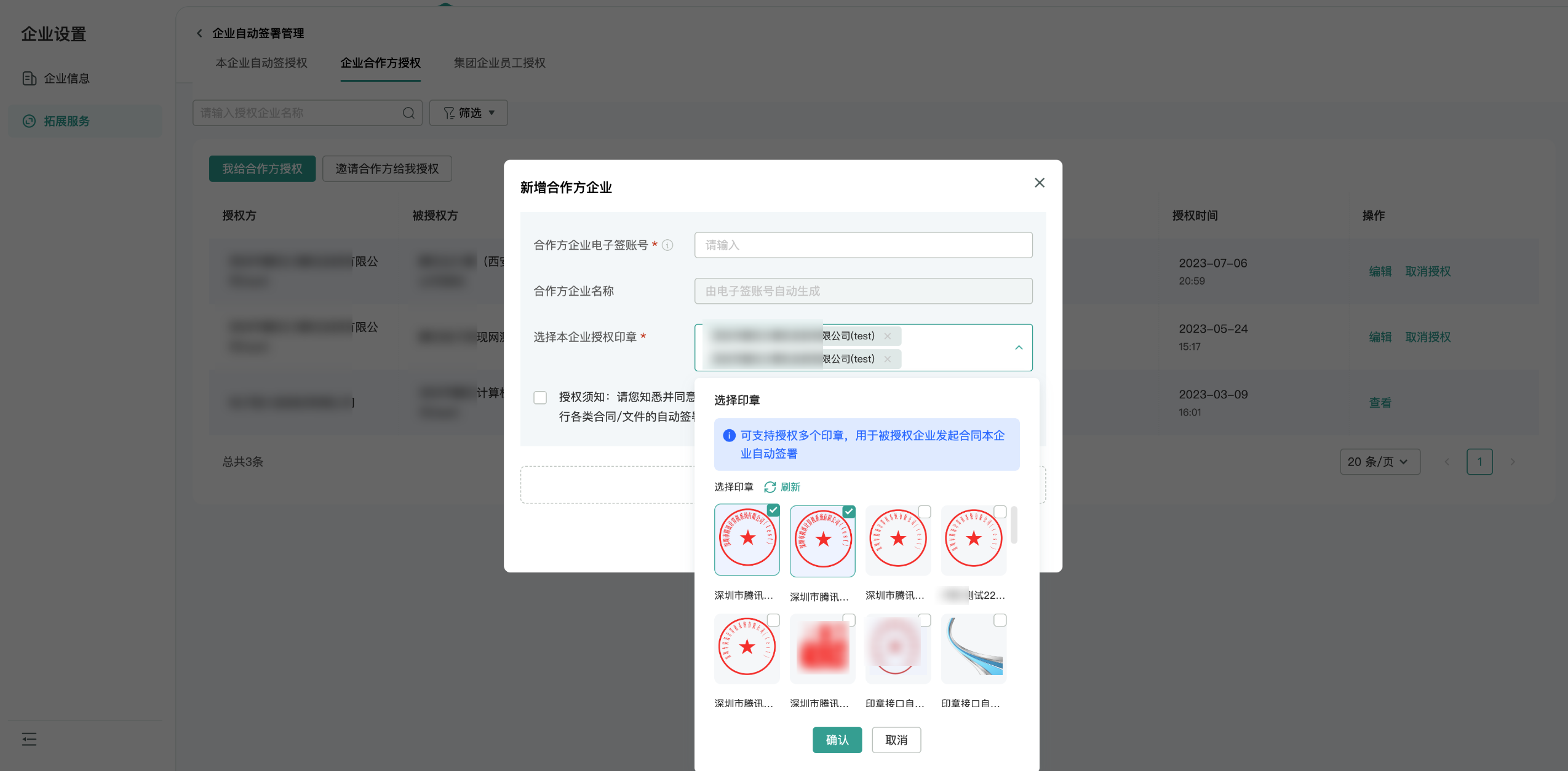
Note:
Multiple seals can be authorized to the authorized enterprise.
The authorized party can generate an invitation authorization link through the interface and provide it to the authorizing party. The interface can specify the types of seals to be authorized (multiple types can be specified).
2. The authorized party initiates the other party's auto-sign contract through the interface.
Note:
To initiate the other party's auto-sign contract through the interface, you must first contact Tencent E-Sign Service Operations to enable this capability. Your enterprise information, relationship with the authorizing enterprise, and business scenarios will be reviewed.
Group Enterprise Employee Authorization
Note:
Group Enterprise Employee Authorization can only be operated by a legal representative/super administrator. Employees with Extended Services > Automatic Signing by Enterprise permissions can only manage Automatic Signing Authorization for the Enterprise.
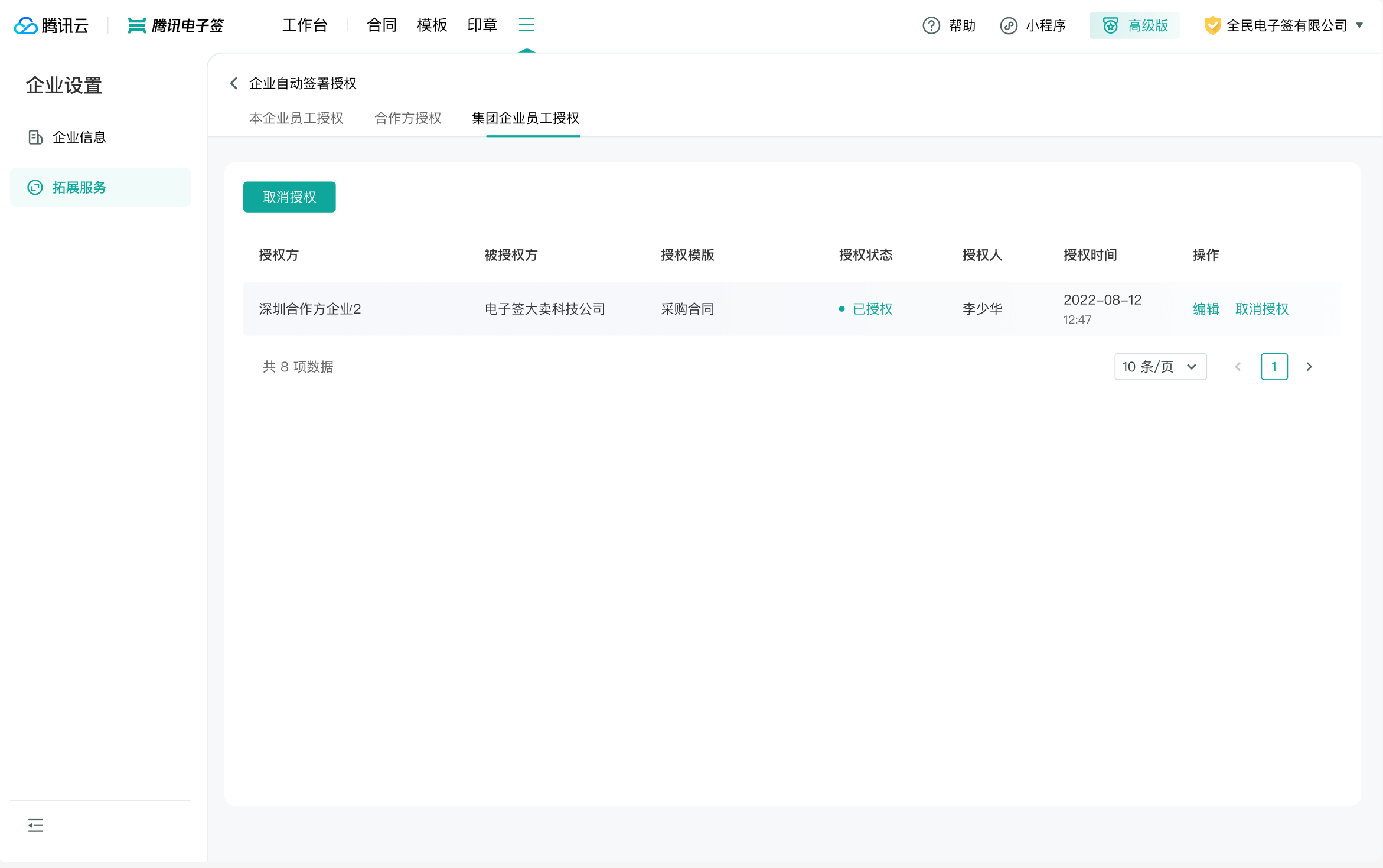
In Group Management Mode, the parent enterprise needs to initiate and automatically sign contracts on behalf of the sub-enterprises. This requires sub-enterprises to authorize the parent enterprise employees. The authorization records will be displayed here.