Only the Chinese version of this page is provided currently. The English version will be provided soon.

Account Issues

Last updated: 2025-02-12 11:51:14

How Do I Know Which Mini Program Is Associated With My Tencent Cloud Account?

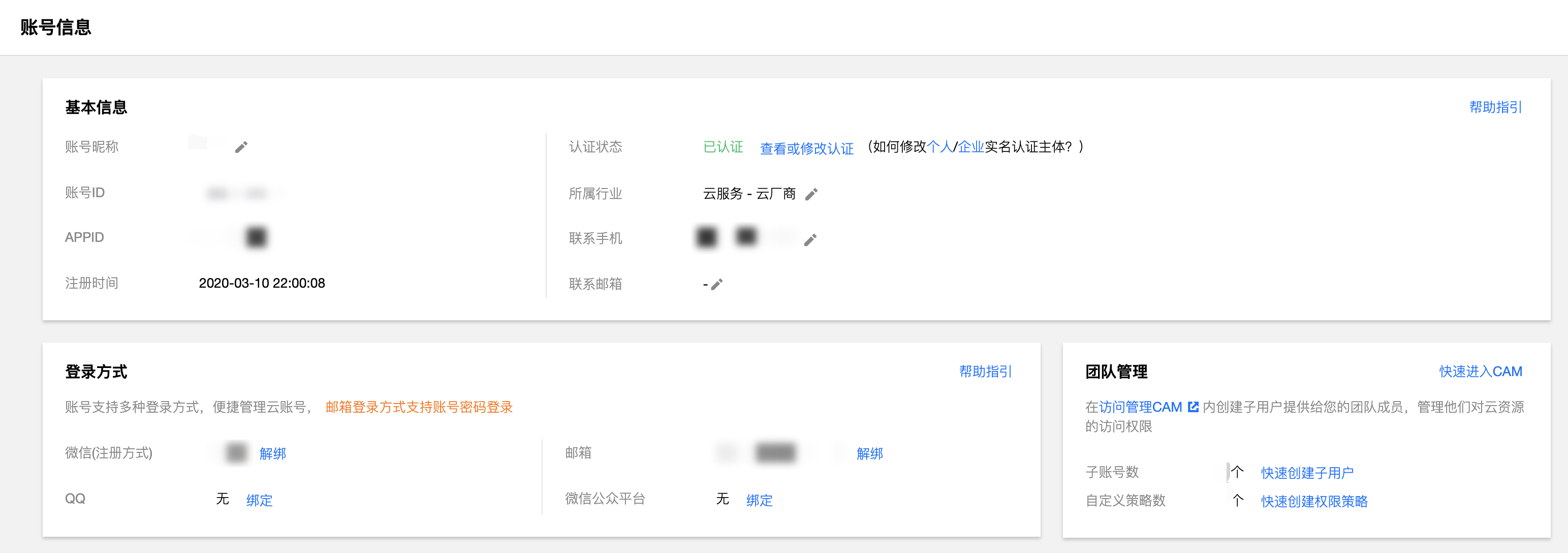
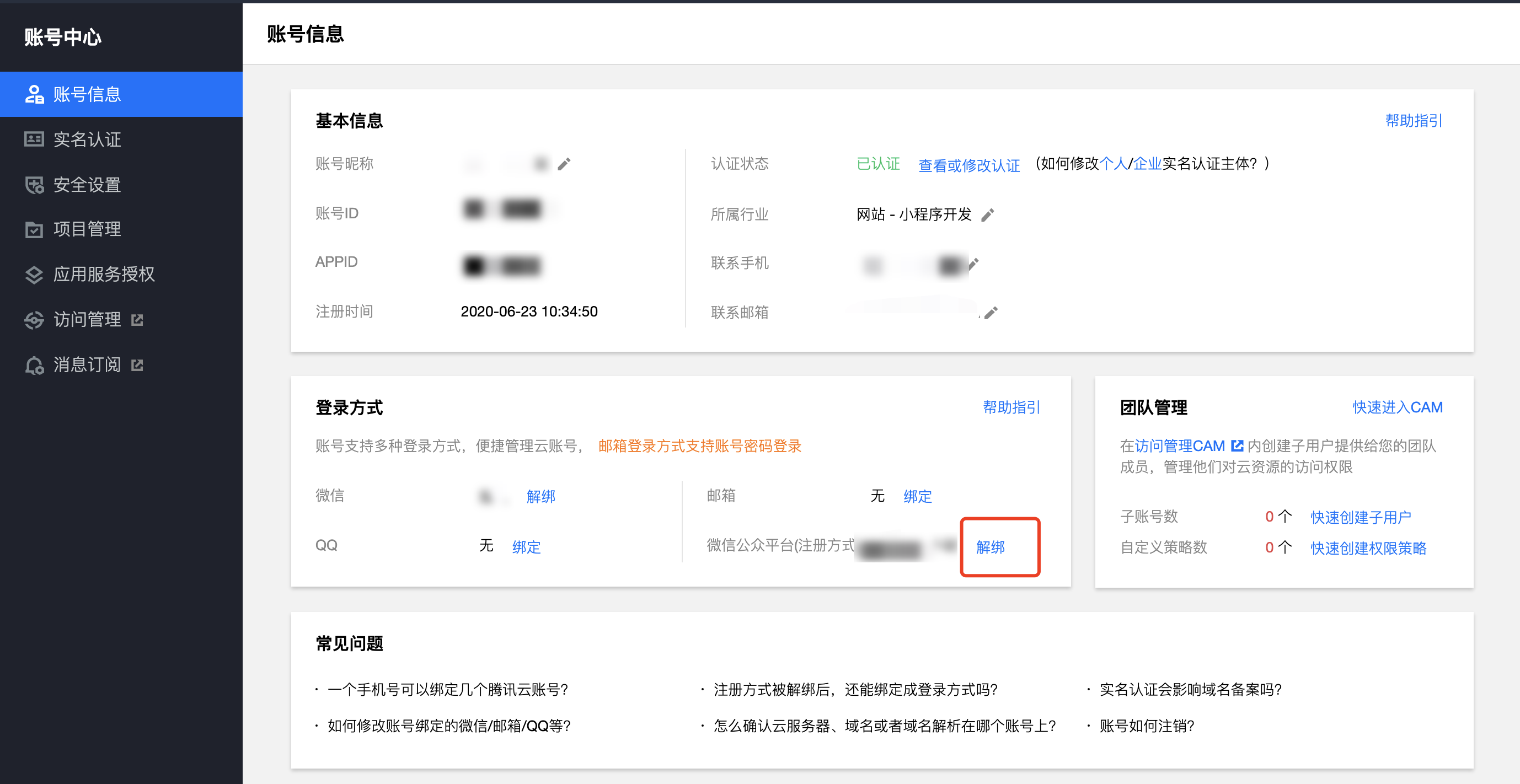
Please go to the Tencent Cloud Account Center to view the mini programs associated with the Log in Method > WeChat public platform.


If I Already Have a Tencent Cloud Account, Can I Bind the Mini Program To the Existing Tencent Cloud Account?

Yes. First, you need to confirm whether the mini program has been associated with another Tencent Cloud account before. If not, go to the Tencent Cloud Account Center and associate your mini program under Log in Method > WeChat public platform.

Why Don'T I Receive Tencent Cloud Notifications For Cloud Development Opened In the WeChat Developer Tool?

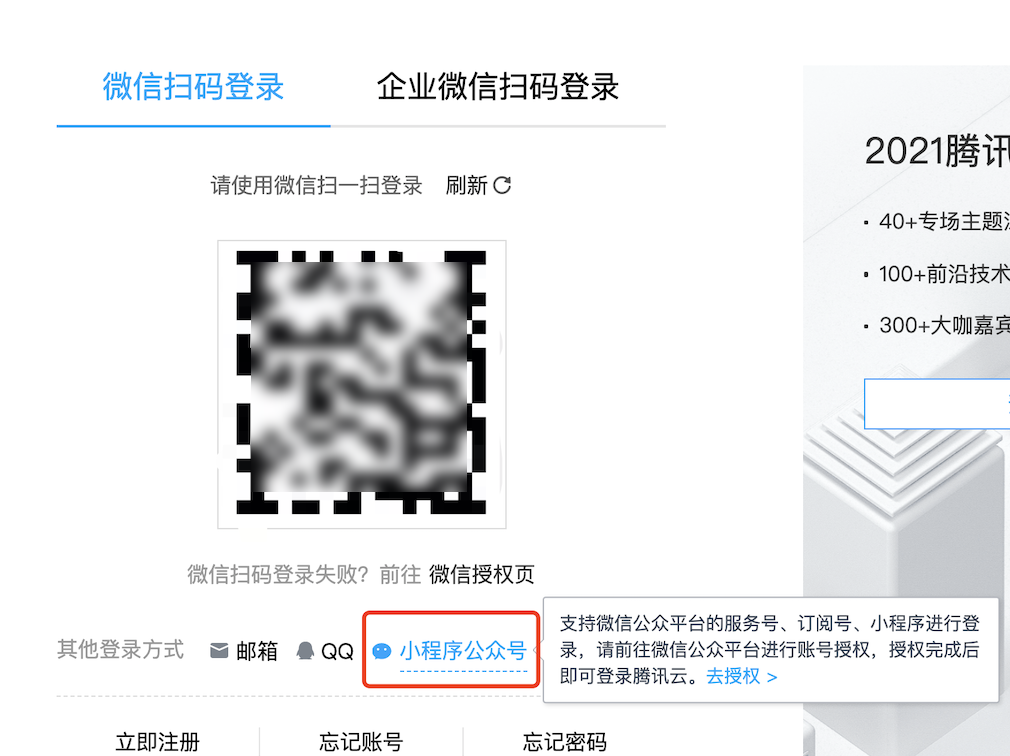
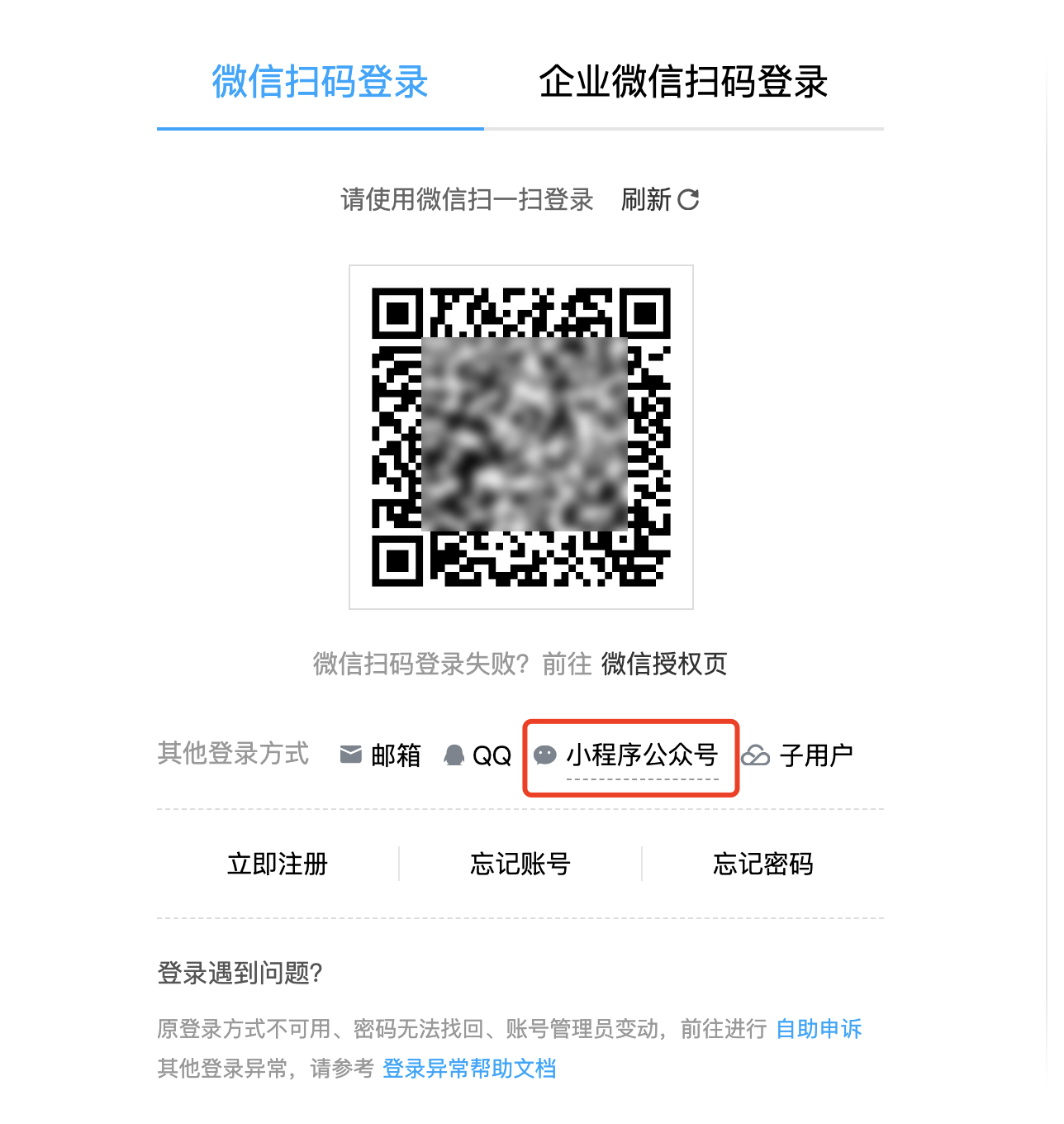
If you have enabled cloud development in the WeChat Developer Tools, and later want to receive product information, account, and bill-related information from Tencent Cloud, you can log in on the Tencent Cloud login page by scanning the QR code with the mini program official account.


Can a Tencent Cloud Account Only Bind One Mini Program At a Time?

Yes. However, you can use the Shared environment capability in the WeChat Developer Tools to authorize the cloud development resources of a mini program to be used by other mini programs or official accounts under the same entity. Using the shared environment capability, you can achieve resource sharing in cloud development, including Serverless Cloud Function and cloud database sharing.

Will Canceling a Mini Program Also Cancel the Tencent Cloud Account?

No. Tencent Cloud and mini program accounts are not the same account system, so cancellation will not be associated. However, if you only associate a WeChat official account, it may cause the Tencent Cloud account to be inaccessible. You need to first go to the Tencent Cloud Account Center to associate other login methods, such as WeChat, mailbox, phone, etc.

I Enabled the TCB Environment In the WeChat Developer Tool (IDE). Why Can'T I See My Environment When Logging Into Tencent Cloud Cloud Development?

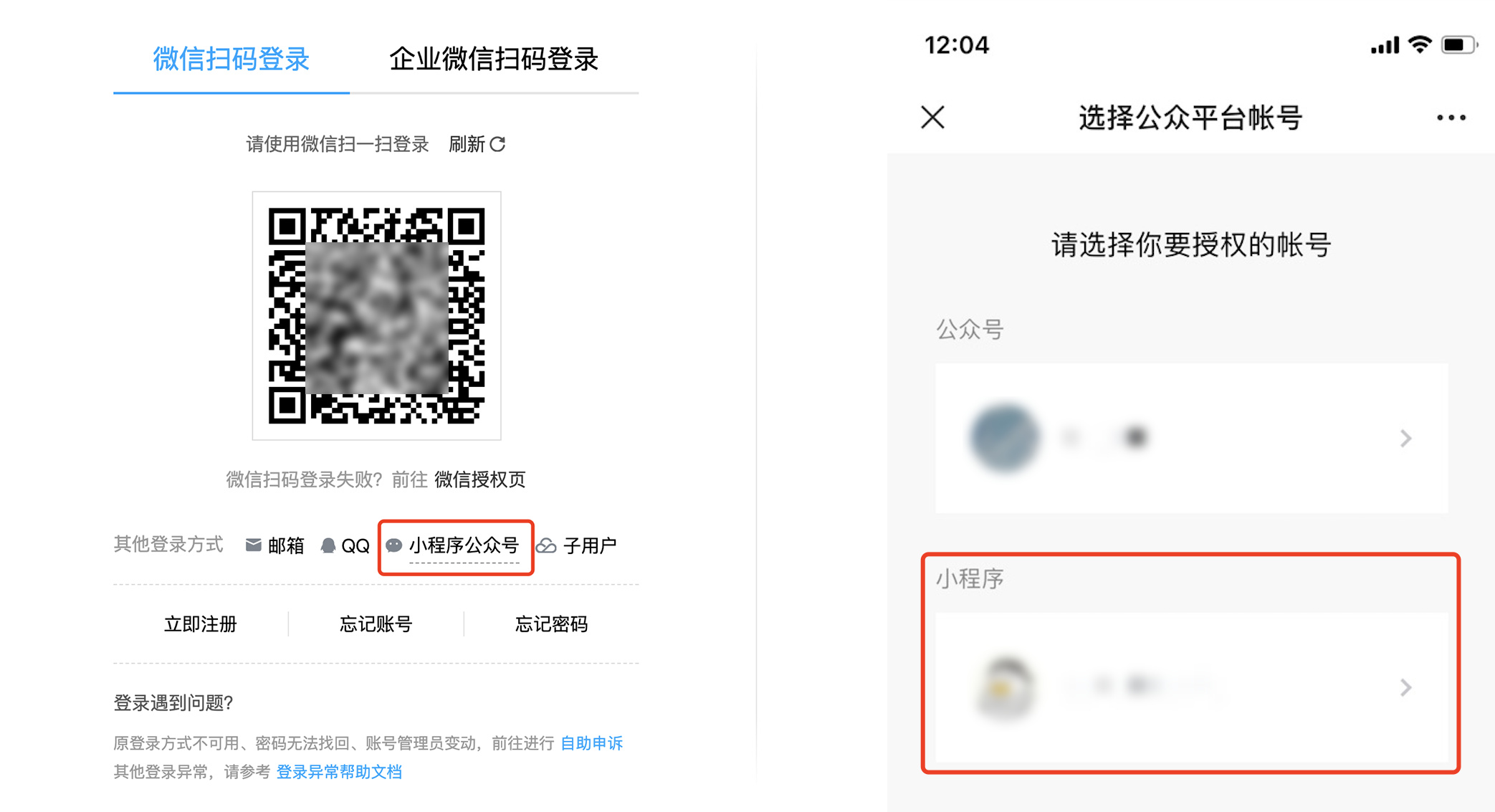
When enabling cloud development in the WeChat Developer Tools (IDE), a new Tencent Cloud account will be created. You need to log in to the Tencent Cloud Cloud Development Console using the mini program official account login method by scanning the QR code, and select the corresponding mini program to see the cloud development environment created in the WeChat Developer Tools (IDE).

Enabling Cloud Development Automatically Created a New Tencent Cloud Account. How Can I Rebind It To My Existing Tencent Cloud Account?

Note:
All the following steps must be completed under the root account. Neither sub-accounts nor collaborator accounts can perform these operations.

Tencent cloud account registration method via wechat public platform

If you have only used Tencent Cloud services (cloud development) in the WeChat Developer Tools (IDE), you can unbind after submitting the appropriate materials.
1. Mini program admin scan code to log in to Tencent Cloud.
Log in to the Cloud Development Console, click mini program official account, and scan the QR code to log in. Select the mini program you need to unbind and click Authorize Login.


2. Terminate the environment created by cloud development.
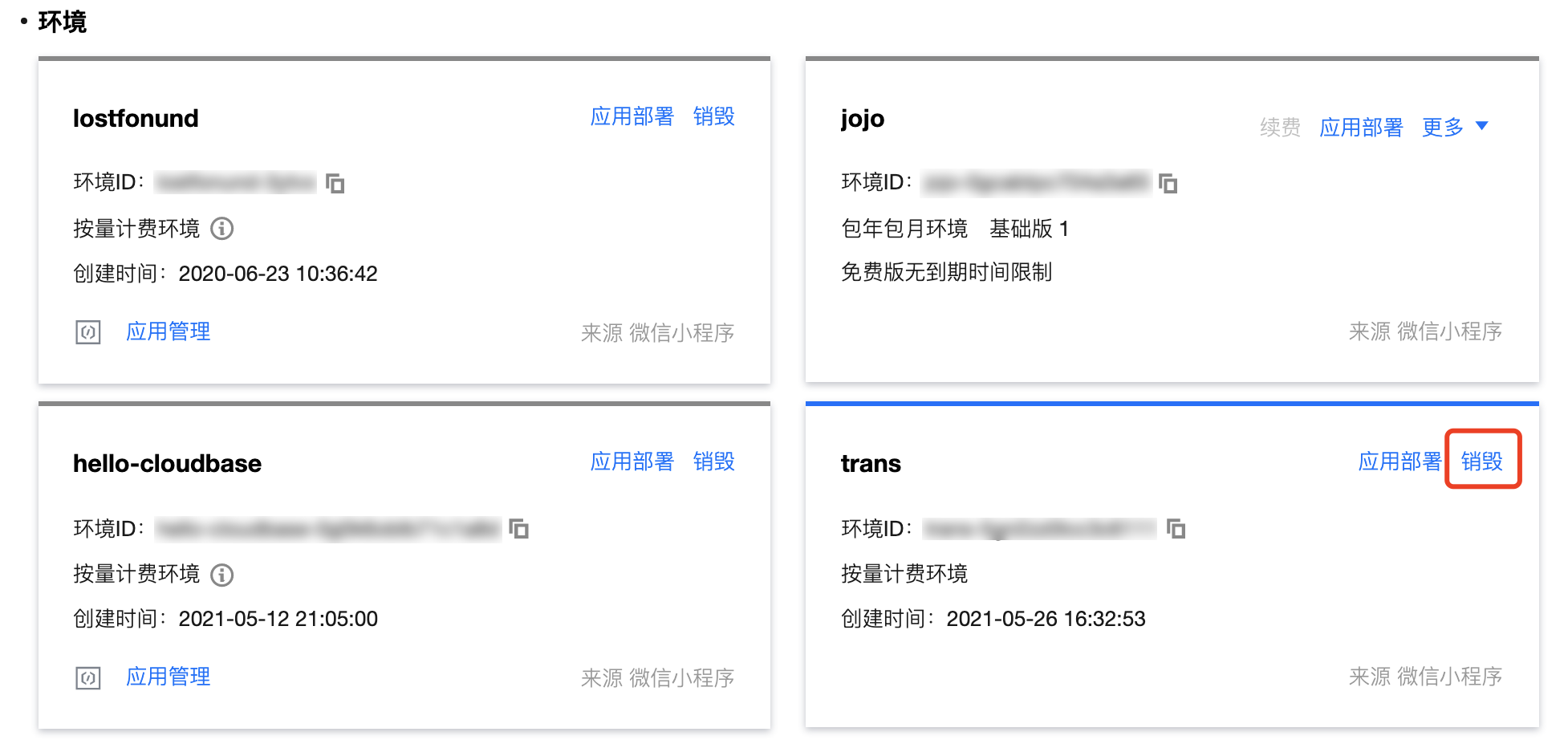
To unbind a mini program, you need to terminate the cloud development environment first, otherwise, an error will occur. Go to the Cloud Development Console Home, click Terminate, and clear the files in the environment to complete the environment termination.


Note:
If the number of deletions has reached the cap, you can contact Customer Service to increase the deletion quota.
3. Go to unbind.
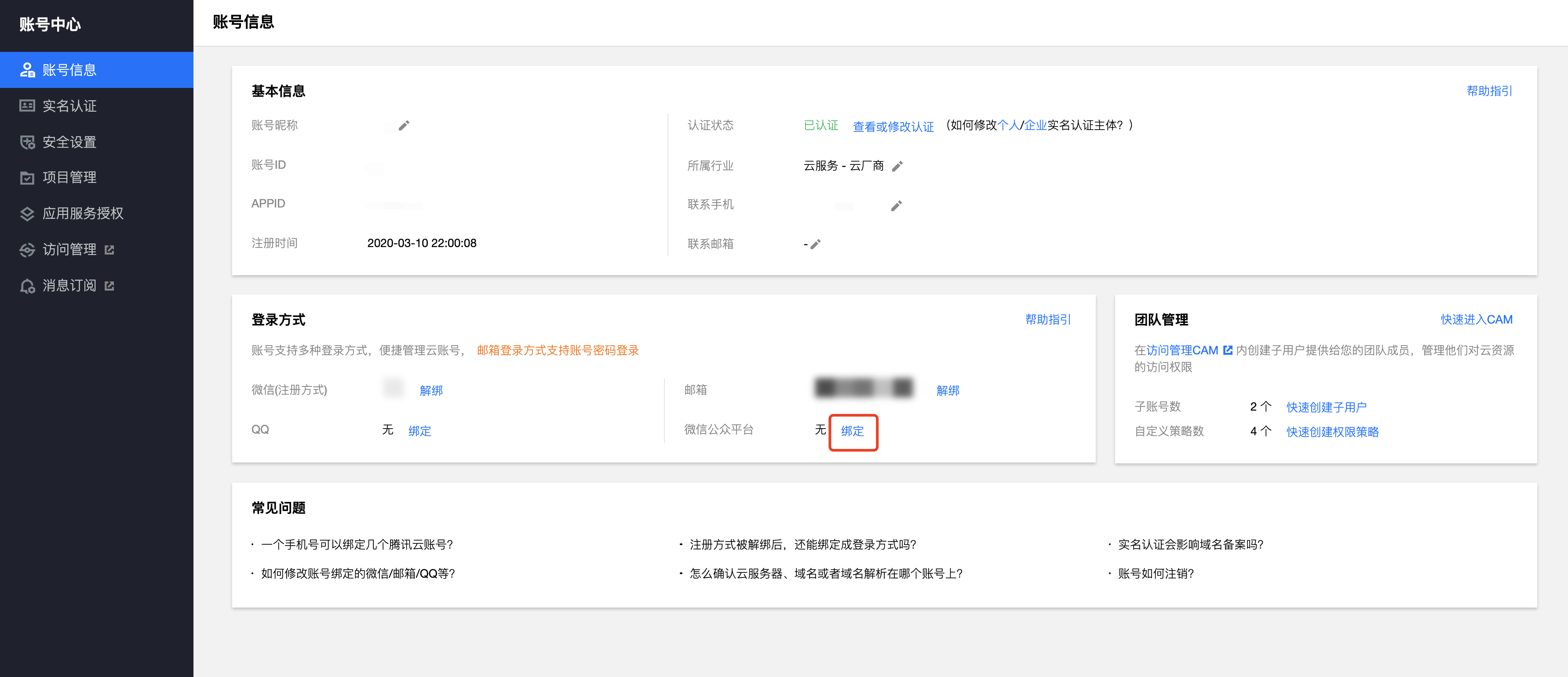
Enter the Account Center, view the Log in Method in the account information, and proceed to unbind.


4. Unbind submit material.
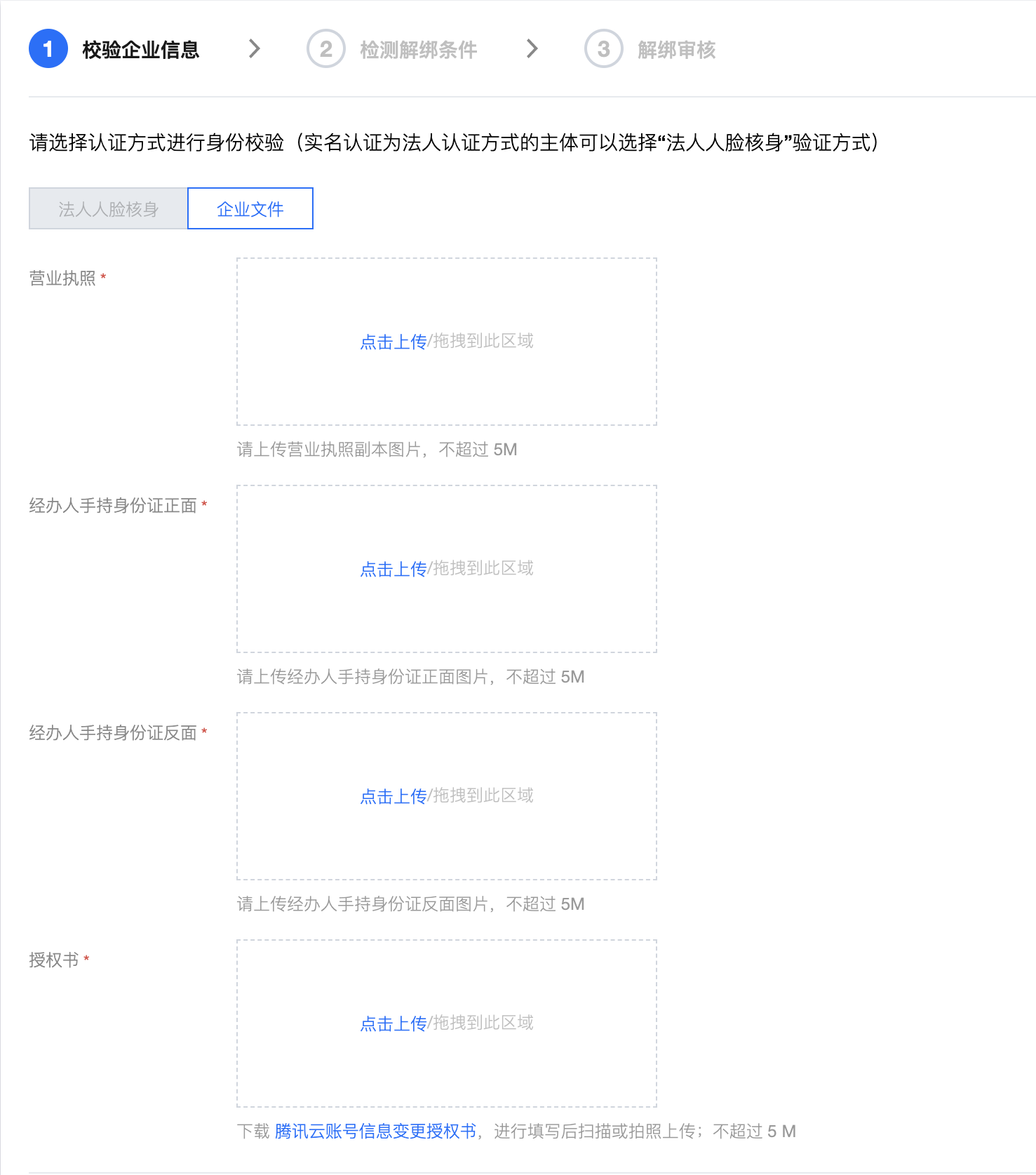
For an individual account, you need to scan the code to complete identity verification.
For an enterprise user, you need to submit a business license and other materials to unbind.


The second step is to check if there are other login methods. You need to bind at least one other login method to avoid being unable to log in after unbinding.

Rebind a new account

1. Mini program admin scan code to log in to Tencent Cloud (if already logged in, you can ignore this).
Log in to the Cloud Development Console, click mini program official account, and scan the QR code to log in. Select the mini program you need to unbind and click Authorize Login.


2. Go to bind the mini program.
Enter the Account Center, view the Log in Method in the account information, and click Bind at the WeChat public platform. Use a WeChat account with mini program administrator permission to scan the QR code for authorization.


Note:
If you have never used Mini Program Cloud Development before, please proceed with the following steps to activate it using your existing Tencent Cloud account.
3. Mini program IDE download and installation.
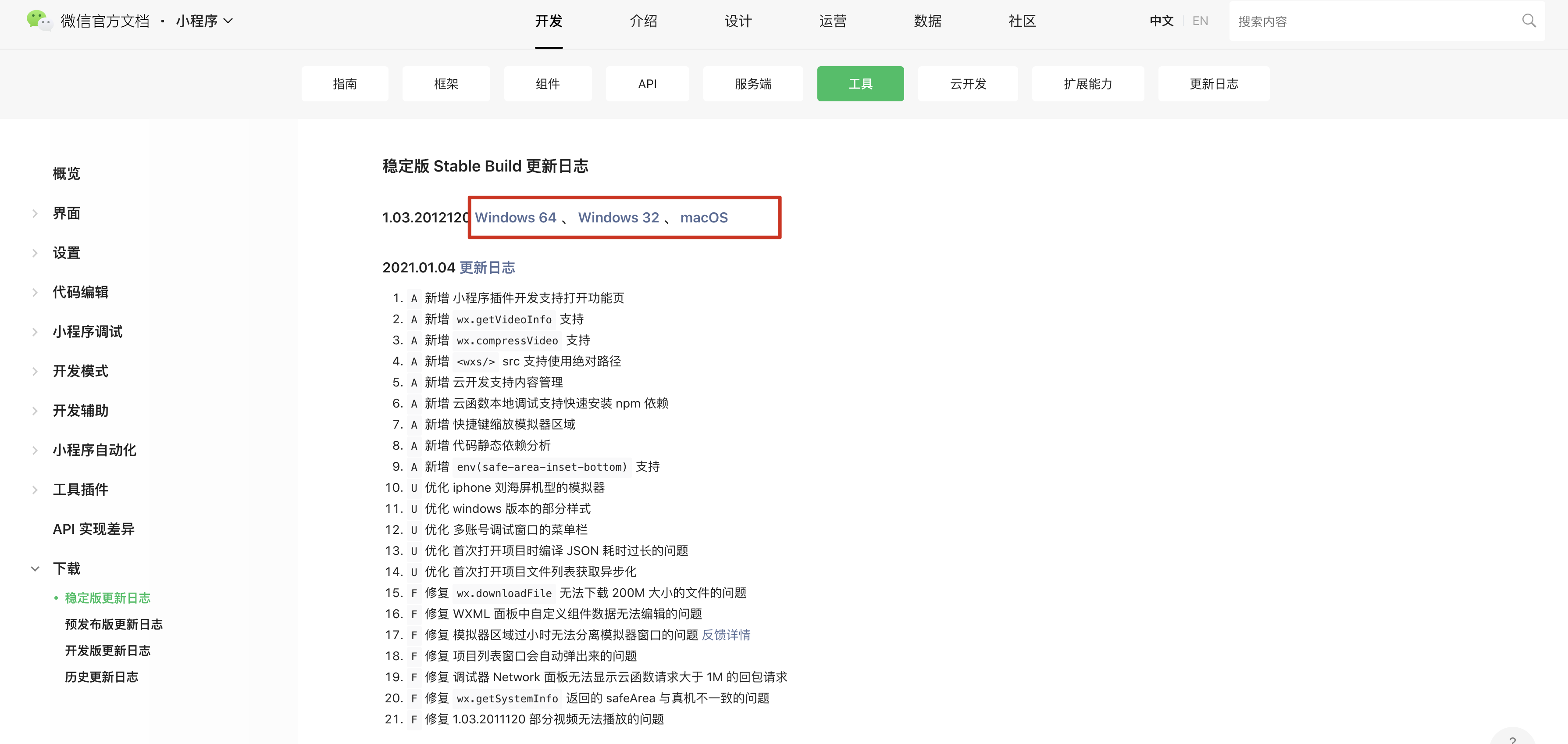
Click to download the WeChat Developer Tools (mini program IDE), and select the version corresponding to your computer system for installation.


4. Create a mini program.
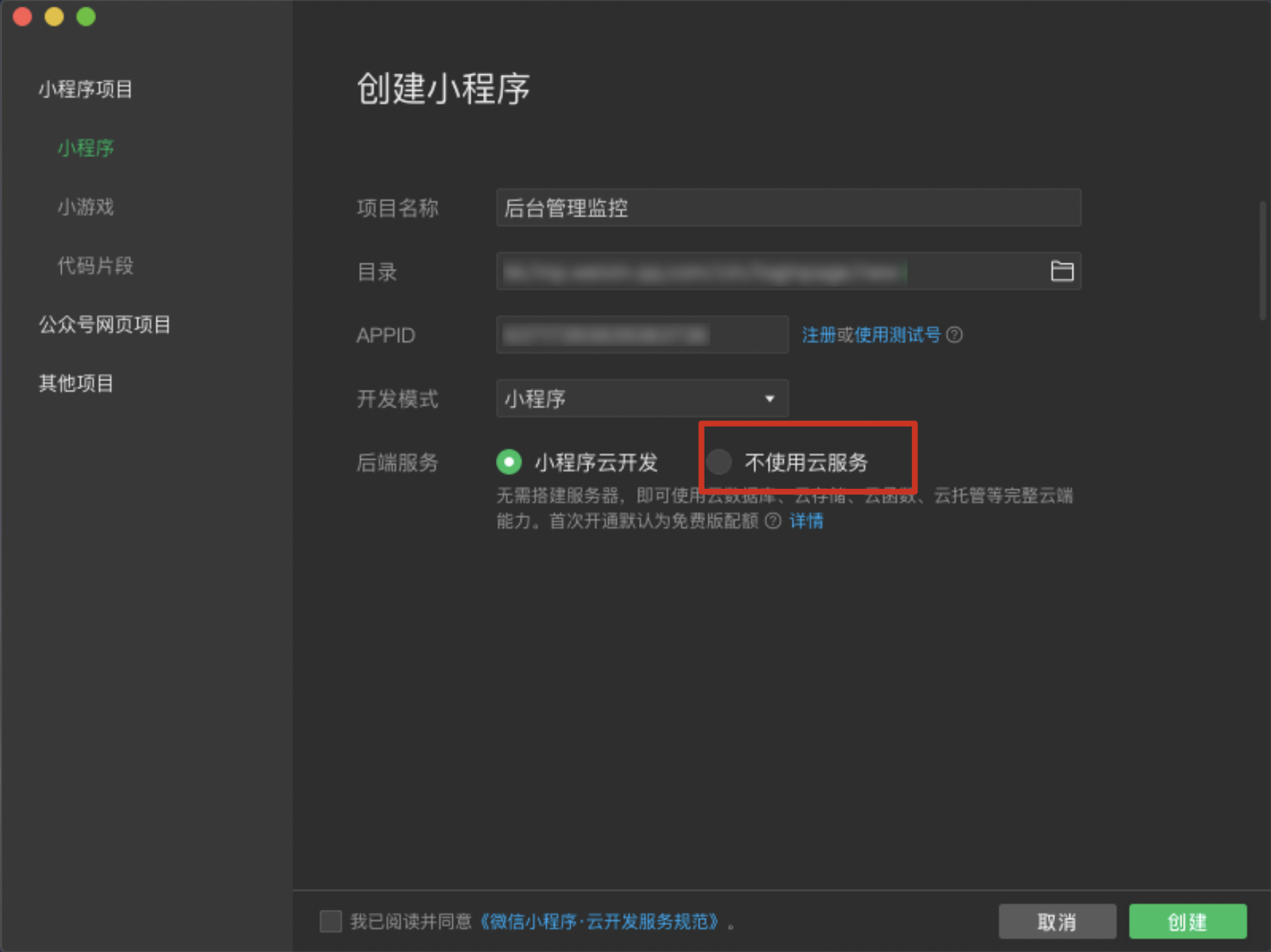
Enter the WeChat Developer Tools, create a mini program, and make sure to check Do not use cloud services, otherwise, a new Tencent Cloud account will be created.


5. Open the cloud development console.
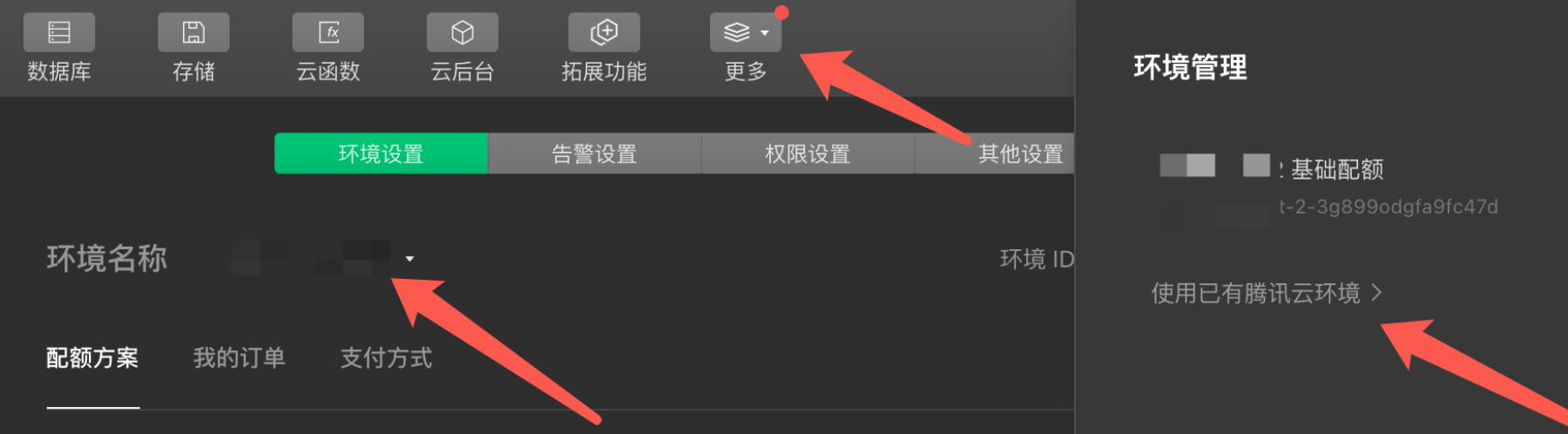
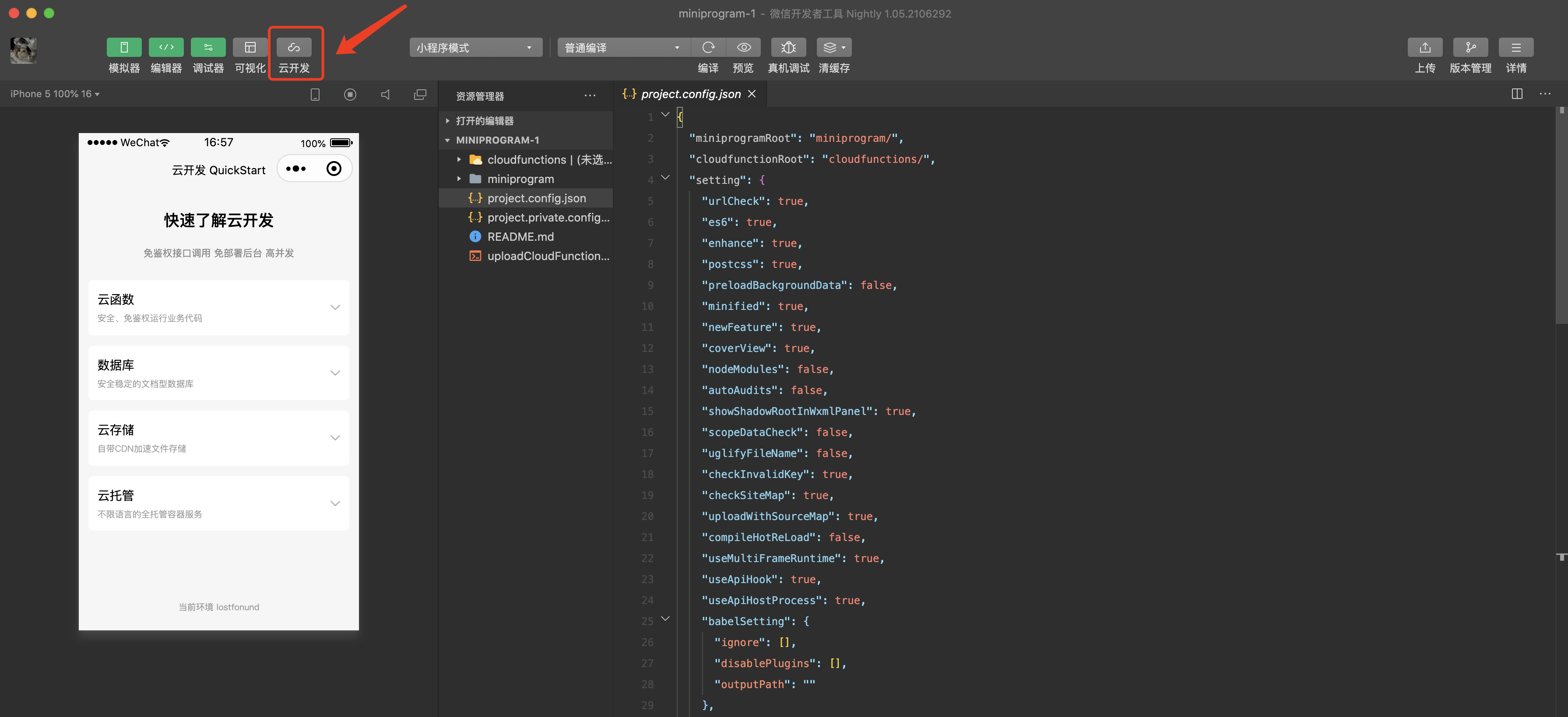
Click Cloud Development to enter the Cloud Development console.


6. Obtain authorization.
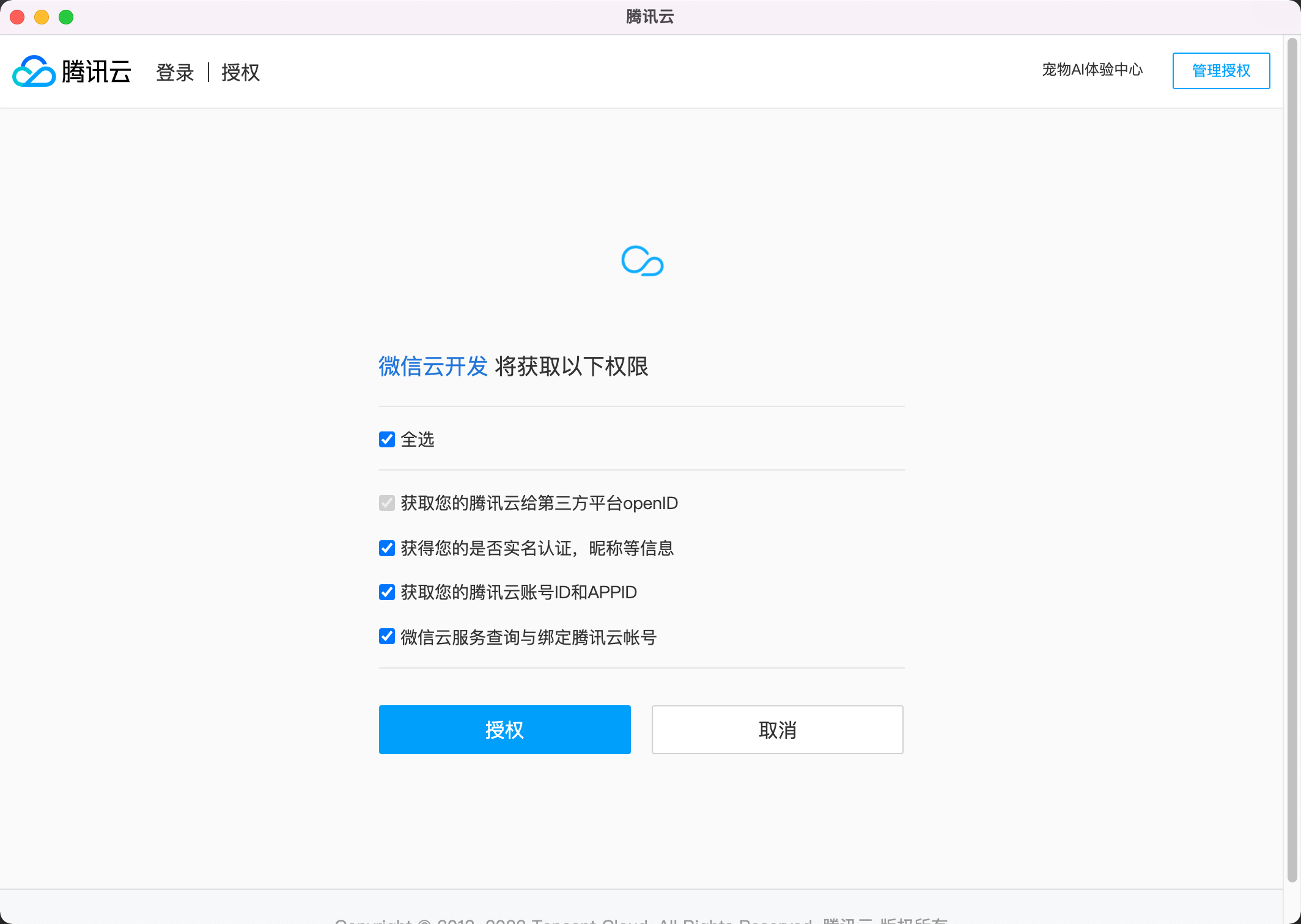
Log in with the Tencent Cloud root account and click Authorize to authorize the Tencent Cloud account.


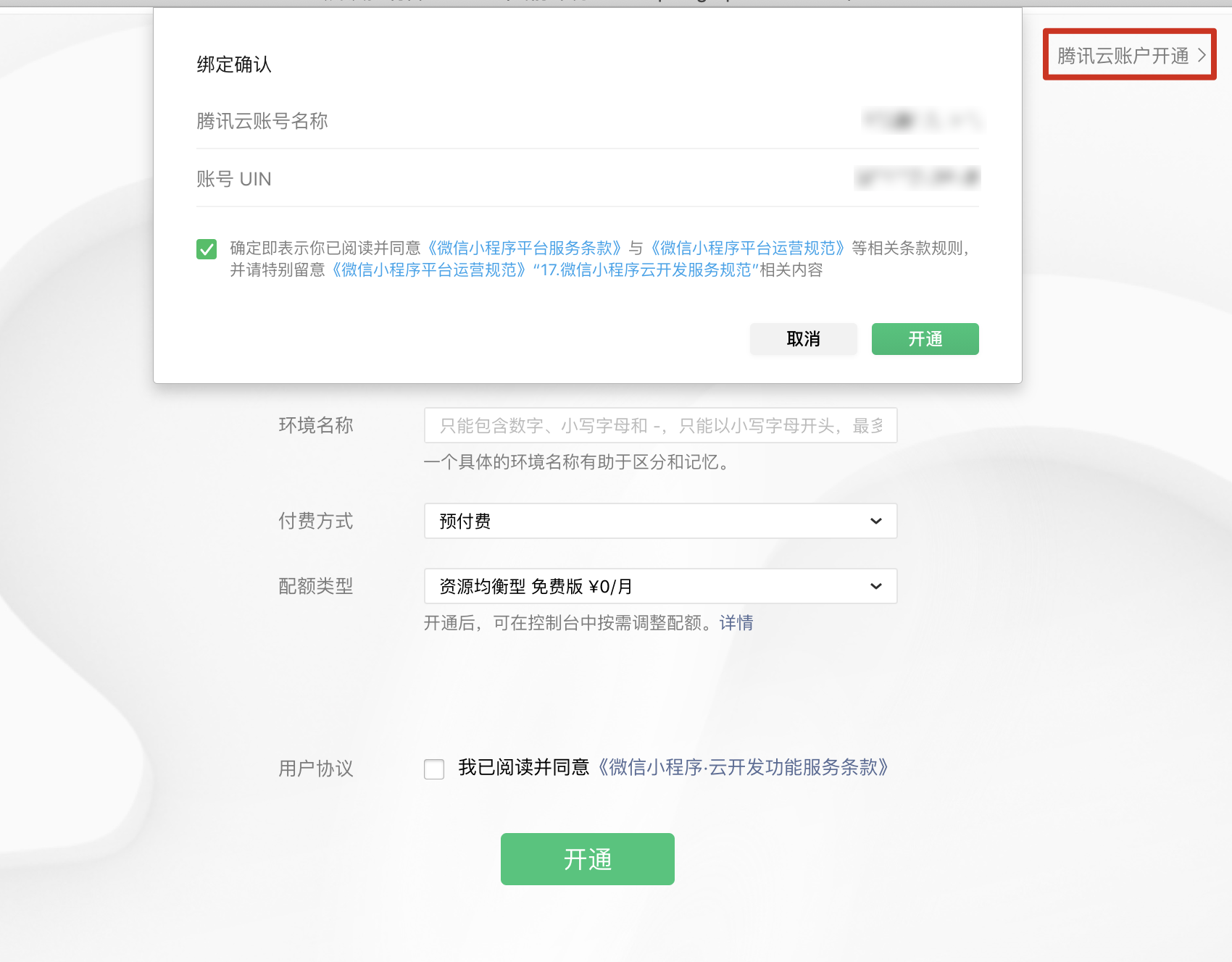
7. Activate a Tencent Cloud account.
In this step, the Tencent Cloud account bound to the mini program will be retrieved. Click OK to enable Cloud Development services and create a TCB environment. You can choose the payment method as needed.