Introduction
Initiating document transcoding, real-time recording, and other operations may take some time to complete. You can register a callback address. When events such as changes in document transcoding progress or the start of real-time recording occur in the interactive whiteboard, the App can be notified promptly through the callback interface. For detailed documentation on callback events and authentication configuration, please refer to Overview of Event Notification.
Operations
1. Log in to the Interactive Whiteboard Console, click Application Management in the left navigation bar to enter the Interactive Whiteboard application list.
2. Click Application Configuration to enter the application configuration details page.
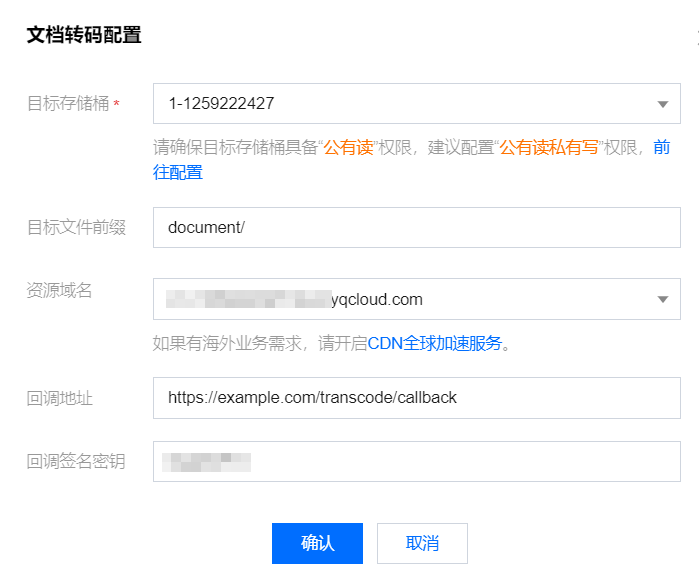
3. On the Application Configuration details page, select Document Transcoding Settings or Real-time Recording Configuration at the top right corner to open the Modify Application Configuration dialog box.
Callback Address: When the progress of Document Transcoding changes, or Real-time recording starts, Interactive Whiteboard will send an HTTP POST request to this address.
Callback Signature Key: Your backend can verify the legality of the signature upon receiving real-time recording/document transcoding callbacks to confirm if the callback message is truly from Tencent Cloud. The signature algorithm is md5(key + expiration), see Event Notification Overview for details.

4. After adding the configuration, click Confirm to see that the callback configuration has been successfully added.