The content of this page has been automatically translated by AI. If you encounter any problems while reading, you can view the corresponding content in Chinese.

Playing Video Files

Last updated: 2024-12-20 11:20:59

Summary of Features

This article mainly introduces how to play video files in an interactive whiteboard.

Supported Platforms

iOS
Android
Windows
Mac OS
Web
WeChat Mini Program
×

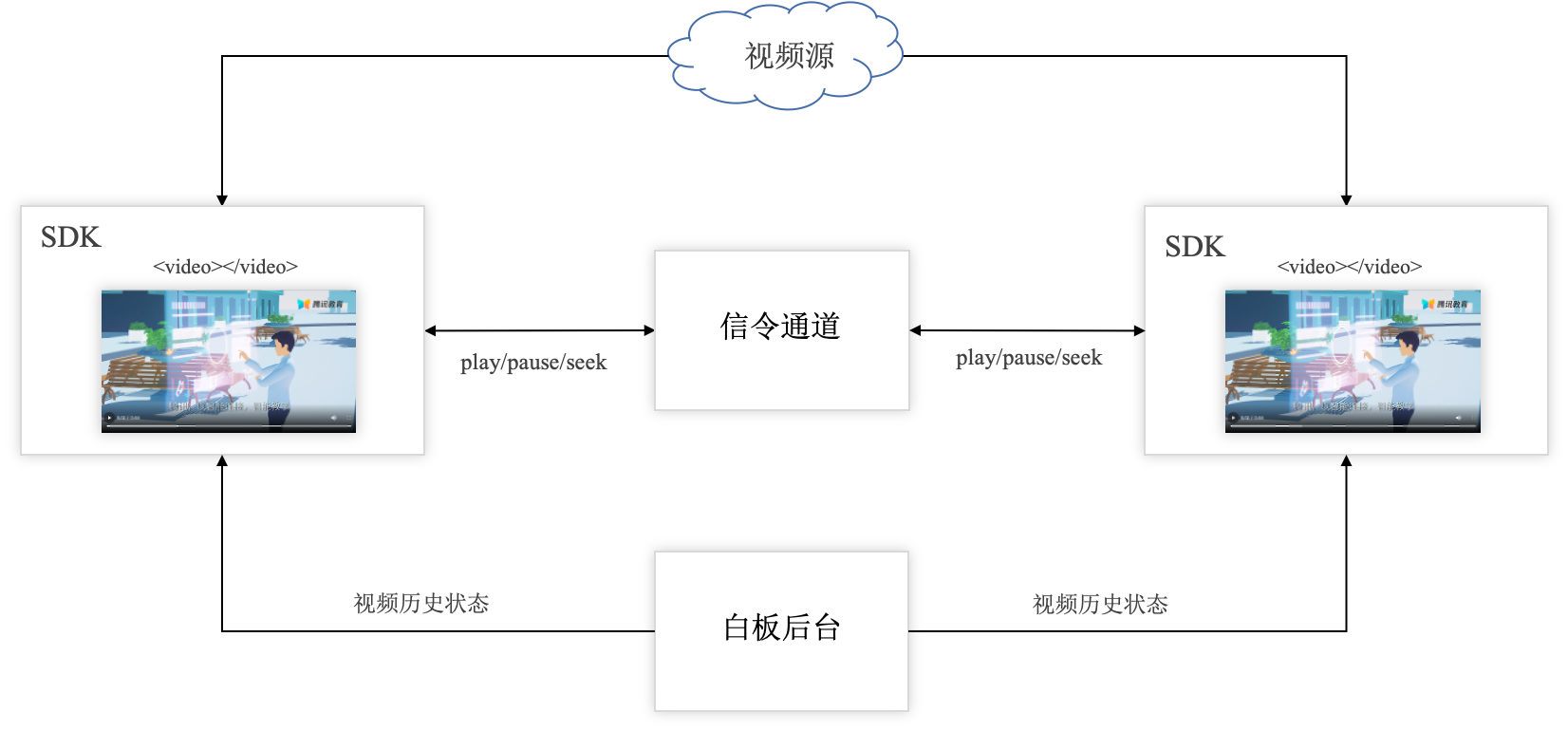
Basic Principles


Basic Interfaces

Adding Files

addVideoFile
Parameters
Type
Default Value
url
String
Null
Note:
Supports mp4/m3u8.
Triggers onTEBVideoStatusChanged() callback.
onTEBVideoStatusChanged parameter description
Parameters
Type
Description
fileId
String
File ID
status
TEduBoardVideoStatus
File status
progress
float
Current progress (seconds), only mp4 format is supported.
duration
float
Total duration in seconds, only mp4 format supported
TEduBoardVideoStatus status description
State
Status Value
Description
TEDU_BOARD_VIDEO_STATUS_ERROR
1
Playback error
TEDU_BOARD_VIDEO_STATUS_LOADING
2
Video loading
TEDU_BOARD_VIDEO_STATUS_LOADED
3
Video load completion
TEDU_BOARD_VIDEO_STATUS_PLAYED
4
Video start playback
TEDU_BOARD_VIDEO_STATUS_TIMEUPDATE
5
Playback progress update
TEDU_BOARD_VIDEO_STATUS_PAUSED
6
Video Paused
TEDU_BOARD_VIDEO_STATUS_SEEKED
7
Video Progress Jump
TEDU_BOARD_VIDEO_STATUS_ENDED
8
Video Playback End

Hiding the Control Bar

showVideoControl
Parameters
Type
Default Value
show
bool
false
Note:
Global control items, effective for all video files.
Note: The video player displays the built-in system control bar by default, with different interface styles on different platforms.
Note: If you need a custom control bar interface, set it to false and call the playVideo, pauseVideo, and seekVideo interfaces.
Note: Generally, teachers set it to true, and students set it to false.

Managing Sync Permissions

setSyncVideoStatusEnable
Parameters
Type
Default Value
enable
bool
true
Note:
Global control items, effective for all video files.
If true, the playVideo, pauseVideo, seekVideo interfaces and control bar events will affect the remote.
Note: Generally, teachers set it to true, and students set it to false.
Global control items, valid for all video files.
If true, the playVideo, pauseVideo, seekVideo interfaces and control bar events will affect the remote.
Generally, the teacher is set to true, and the student is set to false.

Video Status Monitoring

FAQs

Video playback lagged?

The interactive whiteboard uses the HTML video tag to play video files. The loading and buffering of the video depend on the current network environment, machine load, and the outbound bandwidth of the video original station. Please check these factors in sequence.

Android playback progress inaccurate?

In the TBS environment, due to the limitations of the X5 kernel and the I frame interval of video resources, precise synchronization is not possible on the Android platform. For example, for a 10-second video with an I frame interval of 5 seconds, seeking to the 4-second position will start playback from 0 seconds on TBS.

Why can't some MP4 files play normally on Chrome?

Due to patent issues with encoding, Chrome only supports H264 encoded MP4 files. Other encoded MP4 files will have a black screen with sound.
Note:
You can use the Tencent Cloud Video on Demand Transcoding Service to transcode the video files, ensuring the MP4 file's encoding format is H264.