The content of this page has been automatically translated by AI. If you encounter any problems while reading, you can view the corresponding content in Chinese.

Policy Management

Last updated: 2024-10-18 17:18:30

Creating a Custom Policy

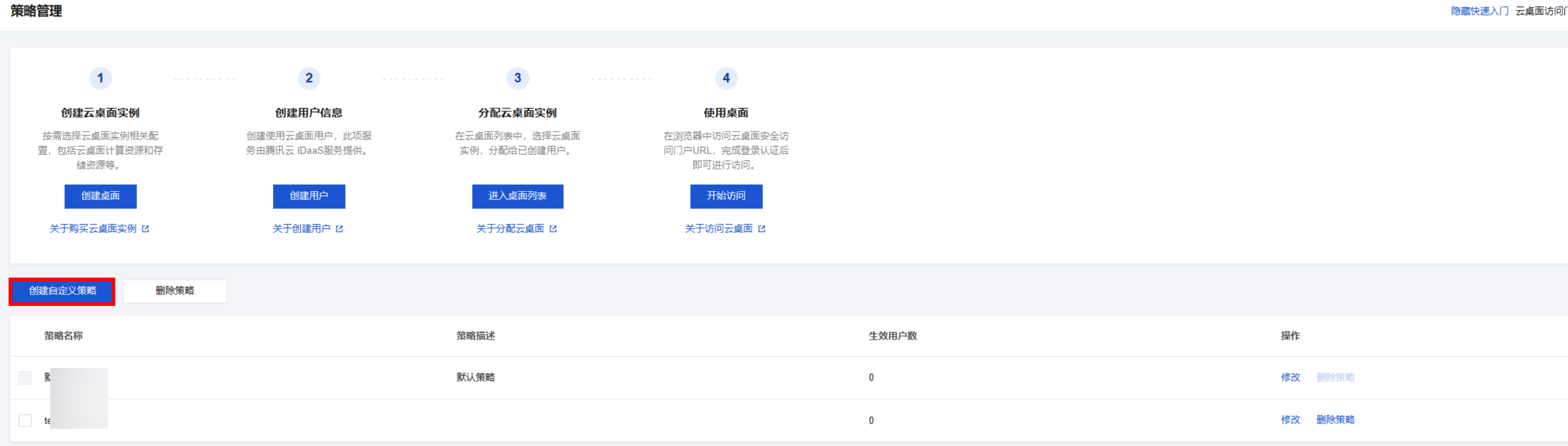
1. Enter the CVD Console, go to the Policy Management page, and click Create Custom Definition Policy.
Search for the required CAM policy as needed, and click to complete policy association.

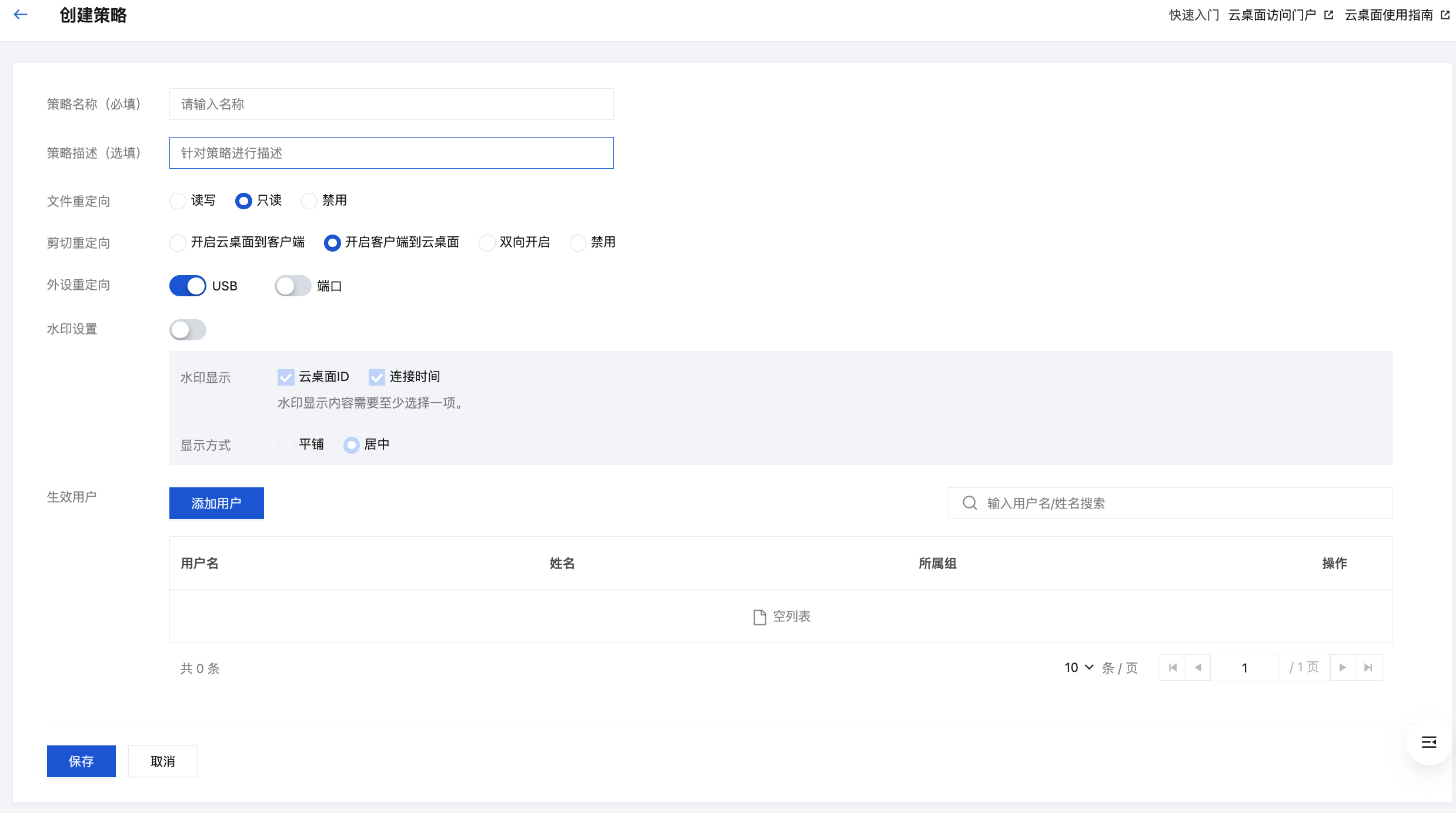
2. Configure the following information as prompted by the page:
Search for the required CAM policy as needed, and click to complete policy association.

Configuration Item
Description
Policy name
Used to distinguish CVD usage policies.
Policy Description
Optional, you can use descriptions to help further differentiate policies.
File Redirect
Set CVD's permissions for accessing local terminal files.
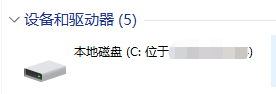
Under the client access method, the local terminal's disk will be mapped to CVD :
Search for the required CAM policy as needed, and click to complete policy association.

In browser access mode, transfer files between the local terminal and CVD through Upload and Download:
Search for the required CAM policy as needed, and click to complete policy association.

Read/Write: Allows reading and modifying files within the mapped disk, adding and deleting files within the mapped disk, and allows Upload and Download in browser access mode.
Read-Only: Allows reading files within the mapped disk and Upload in browser access mode.
Disable: Disables disk mapping and prohibits Upload and Download.
Cut Redirection
Set bidirectional or unidirectional copy permissions between CVD and the local system.
Through the clipboard, text, files, images, etc., can be copied. The clipboard capabilities vary with different access methods. For example, files can be copied when accessing CVD through the Windows client, but not in browser mode.
Enable CVD to Client: Allows copying content from CVD to the local terminal.
Enable Client to CVD: Allows copying content from the local terminal to CVD.
Enable Bidirectional: Allows bidirectional copying of content between the local terminal and CVD.
Disable: Disables the ability to copy via the clipboard.
Peripheral Redirection
Set whether to enable the peripheral redirection feature. Once enabled, USB storage devices and COM port peripheral devices connected to the local terminal can be used on the CVD.
Watermark Settings
Specifies the watermark display settings under this policy. You can set the watermark content and display mode.
Effective Users
When creating a Custom Policy, you can specify the effective users for the policy. The policy will be applied to all CVD instances of these users.
3. After confirming the information is correct, click Save. The policy will take effect the next time the end user logs in.

Deleting Policy

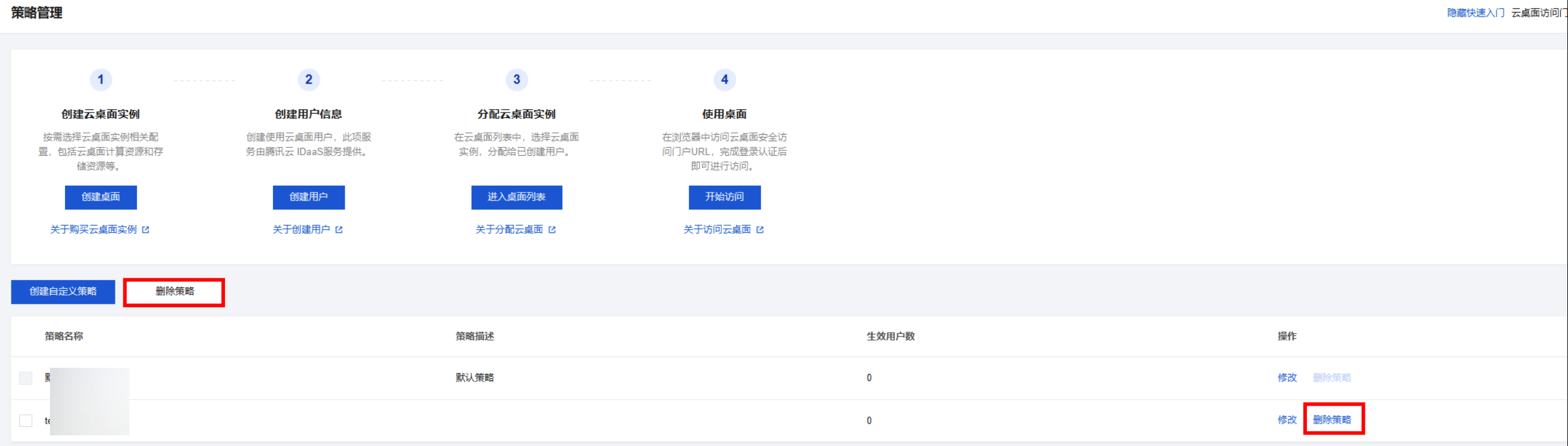
1. Enter the CVD Console, select the policy you need to operate on the Policy Management Page, and then click Delete Policy on the right or top operation bar.
Search for the required CAM policy as needed, and click to complete policy association.

2. You can delete it after second confirmation.

Modifying policy

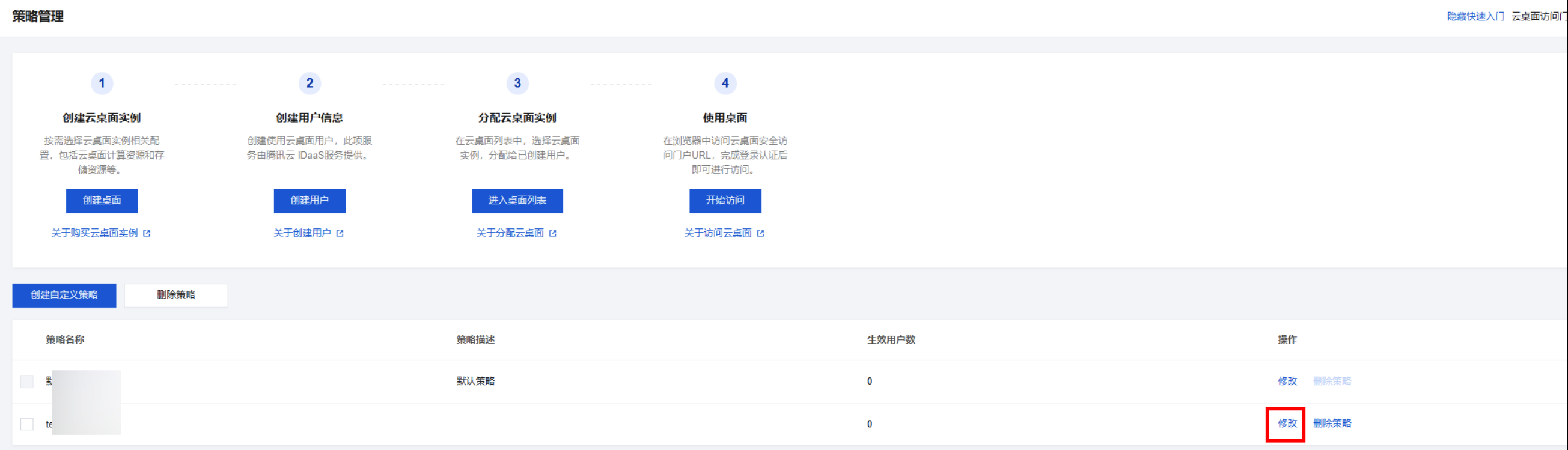
Enter the CVD Console, select the policy you need to operate on the Policy Management Page, and then click Modify on the right operation bar to edit it.
Search for the required CAM policy as needed, and click to complete policy association.