The content of this page has been automatically translated by AI. If you encounter any problems while reading, you can view the corresponding content in Chinese.

Group Organization Construction

Last updated: 2024-08-01 16:07:17

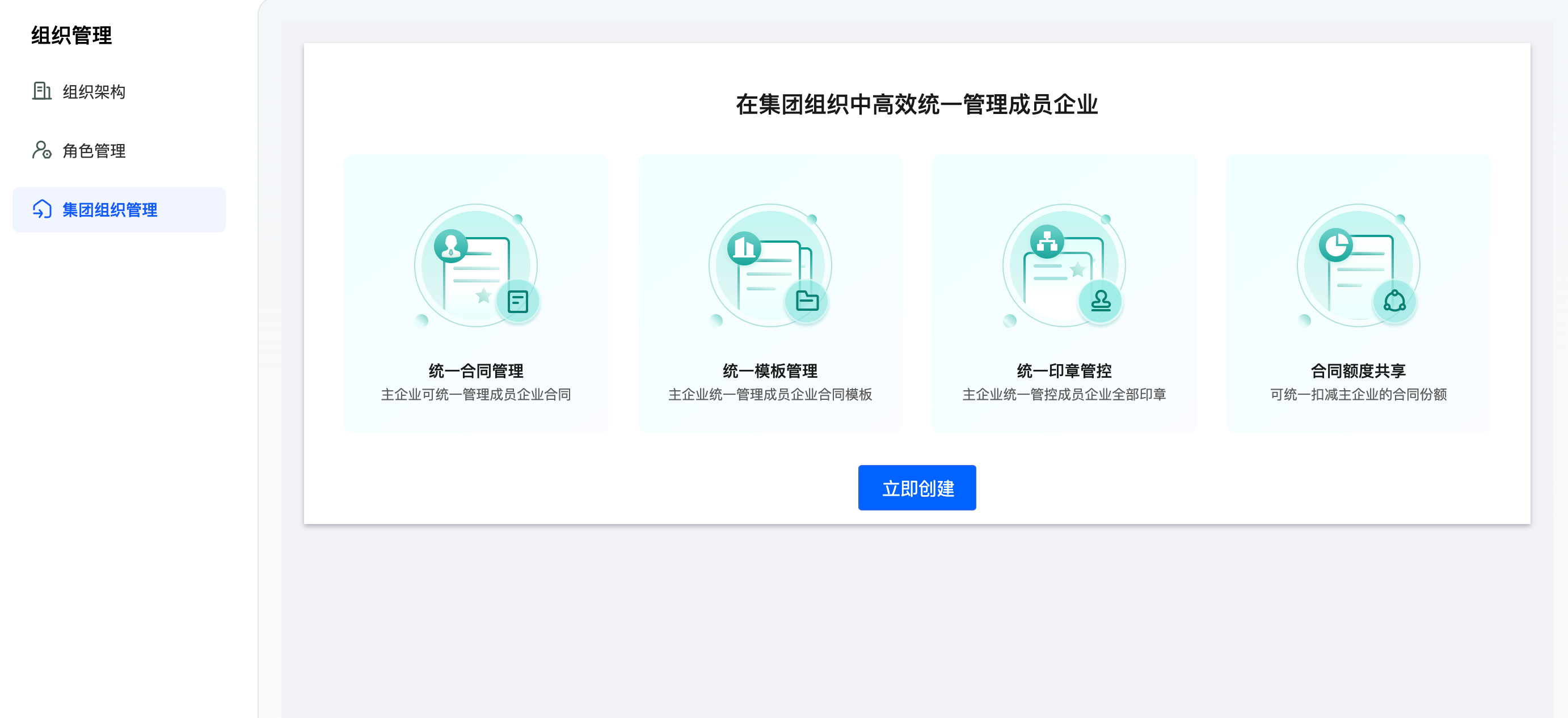
Creating an organization

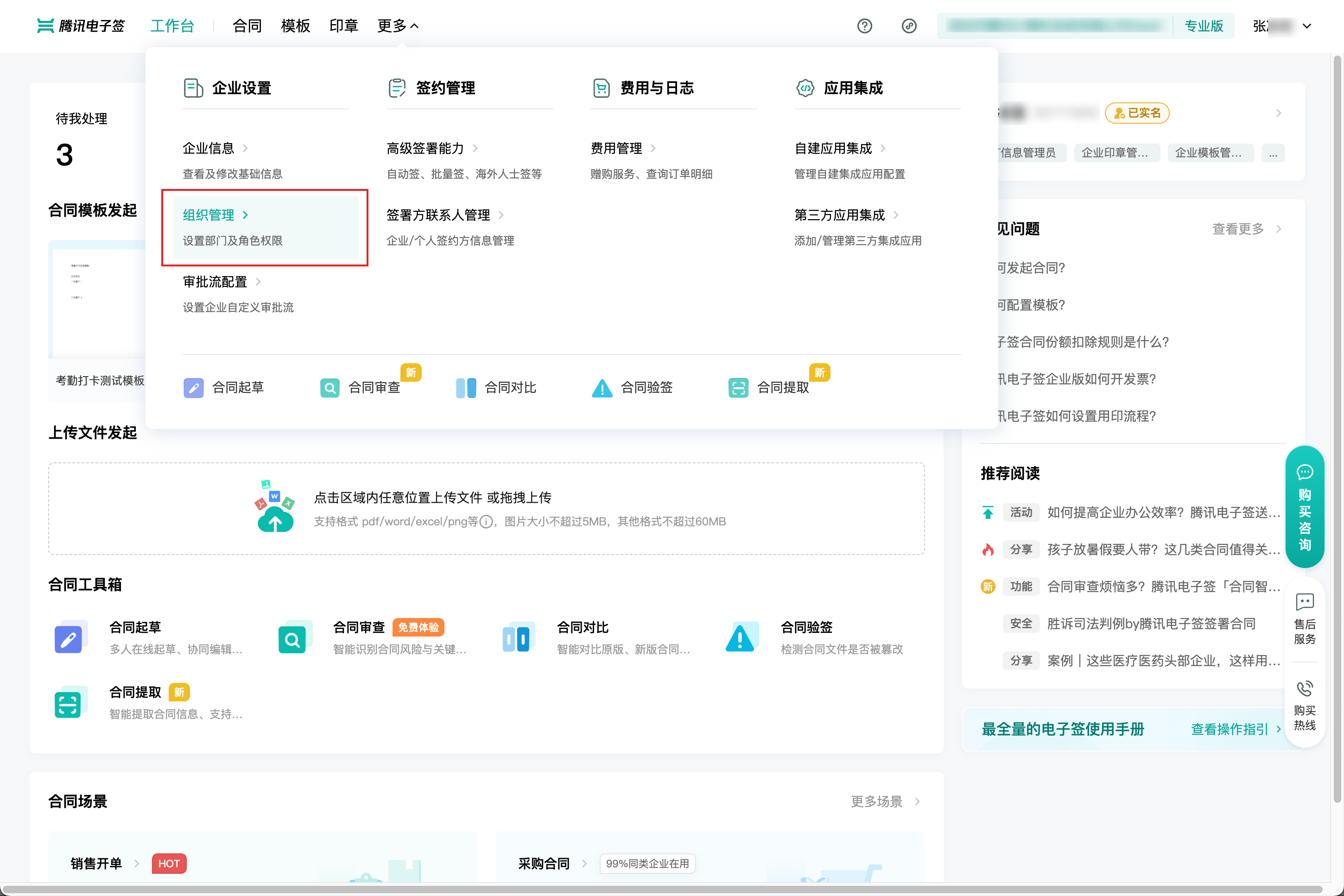
Any authenticated enterprise can see the Organization Management > Group Organization Management menu. Enterprises that purchase the Professional Version or higher can create a group organization.
Note:
Already a member enterprise of the group, unable to create a group organization.
Operable Persons: Legal Representative, Super Administrator, and those with Group Organization Management Permissions.

Next, after entering the organization name and submitting, the group organization is successfully created, and the parent enterprise automatically joins as a member enterprise.

Note:
The group organization name can be edited and changed.
The group parent company automatically joins as a member enterprise by default, with a parent enterprise identifier.

The parent enterprise invites other enterprises

1. click Add Member Enterprises on the page.

Note:
Permissions opened by the parent enterprise: This period only supports the sharing of contract quotas. When the sub-enterprises' quotas are used up, the contract quota of the group parent enterprise can be deducted.
Authorization scope of member enterprises to the parent enterprise: As shown on the page, all operational permissions are selected by default. The parent enterprise can also customize and select the required authorization scope for the sub-enterprises.
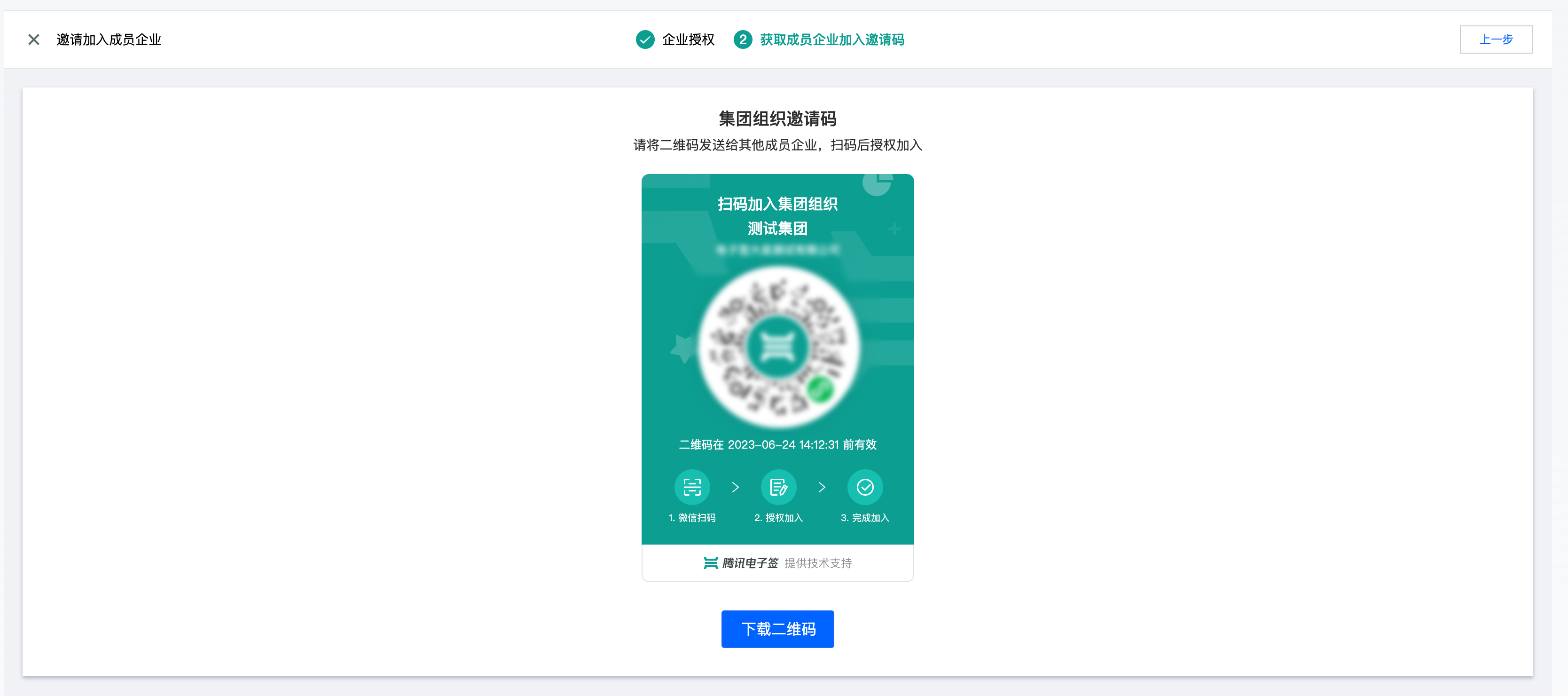
2. click Generate Invitation Code to download the QR code, and share it with enterprises that need to join.

Note:
Supports sending QR code screenshots or downloads to WeChat Groups for other enterprises to scan and join.

Member sub-companies scan code to join

1. Member sub-companies can join by scanning the QR code or opening a WeChat Invitation Card.

Note:
Enterprise accounts with Super Administrator or Legal Representative roles can perform authorization operations.
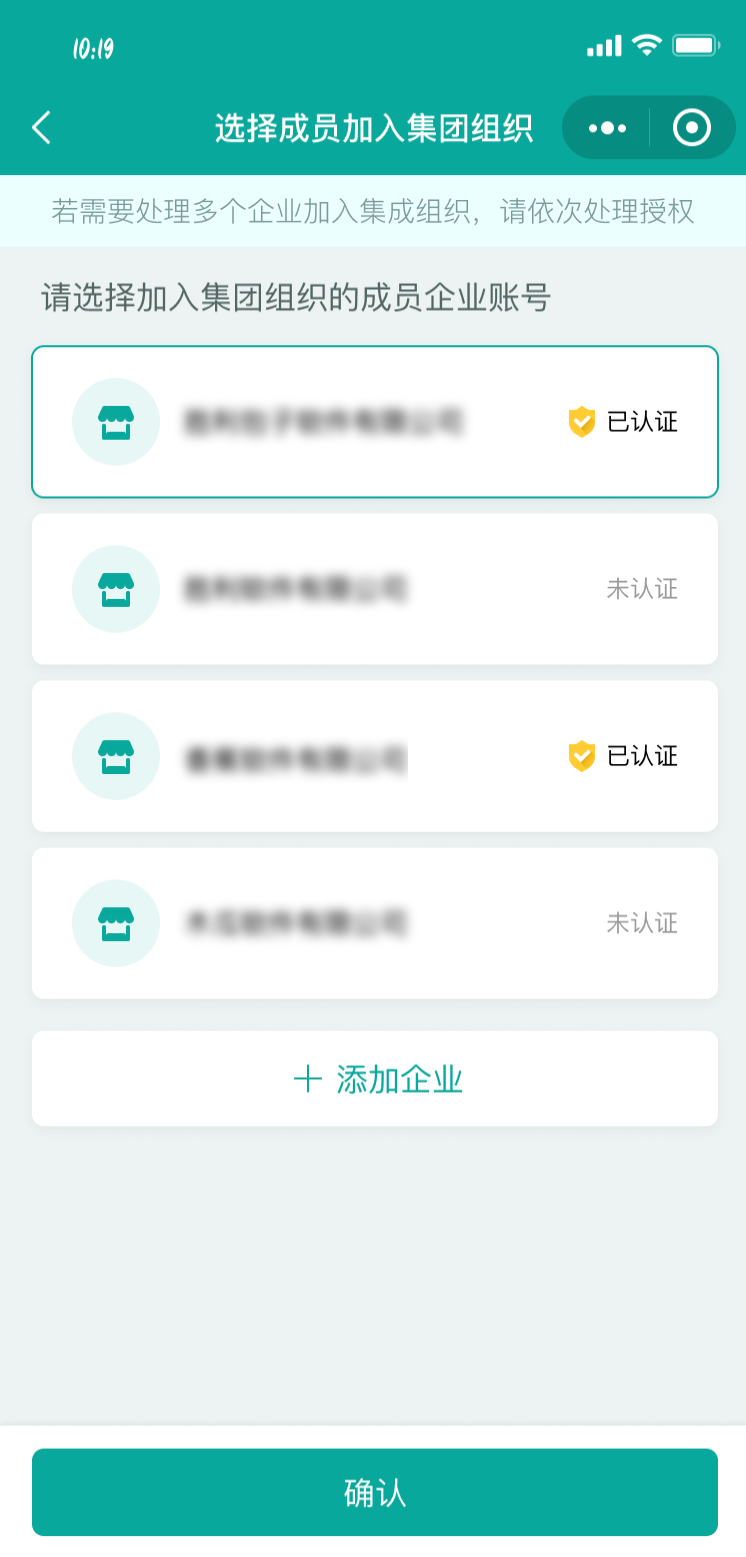
2. The Super Administrator or Legal Representative of a member sub-company selects the enterprise to authorize joining.

Note:
You can authorize verified, pending verification, and pending review enterprises. If the enterprise is pending verification or review, it will first guide the completion of enterprise certification.
It supports adding new enterprises for authorization.
If the member sub-company uses the Enterprise WeChat Service, only the subject associated with the Enterprise WeChat can be authorized.
3. Member sub-companies perform authorization.
If the current operator is the enterprise's Legal Representative or Super Administrator, they can complete the authorization directly online.


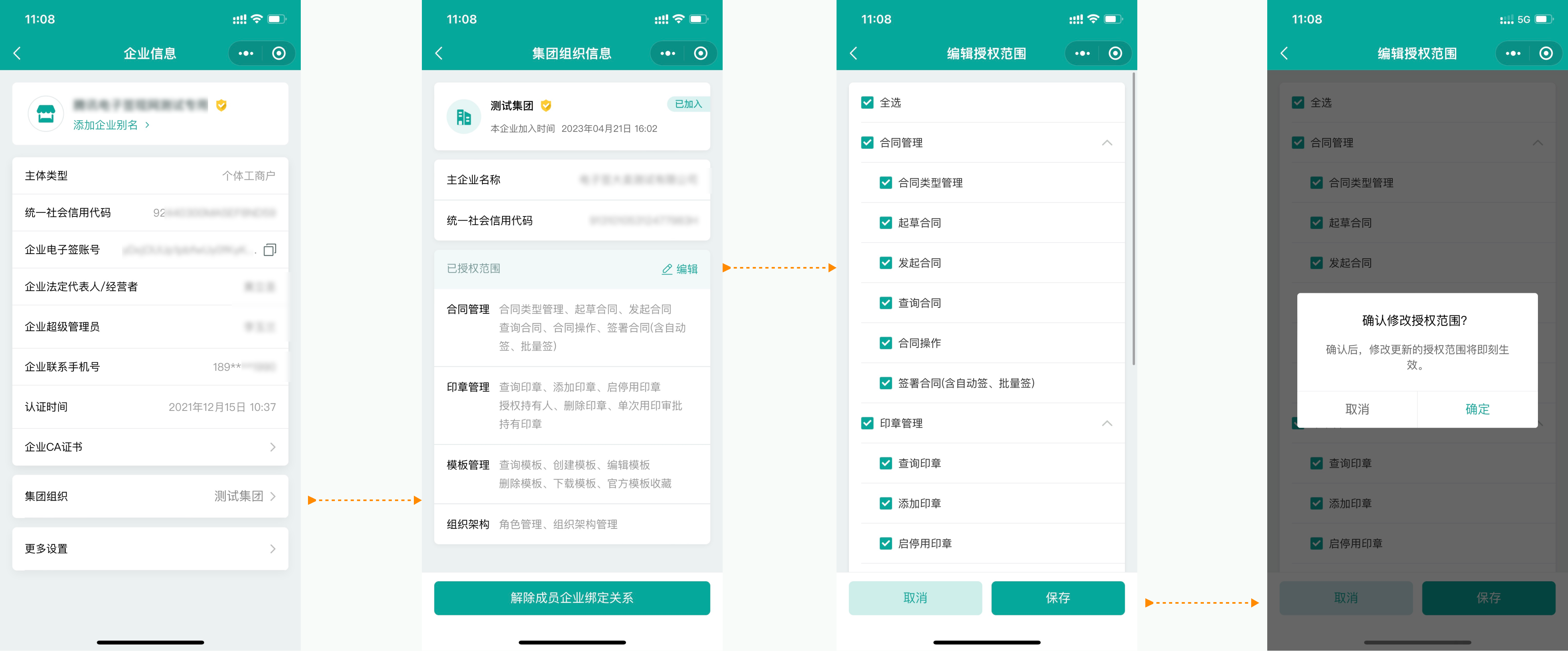
4. Member sub-companies can view and modify authorization information.
If the current operator is the enterprise's Legal Representative or Super Administrator, they can directly enter the Group Organization in the enterprise information to view and flexibly modify authorization information.


Group Member Enterprise Management

1. The main enterprise of the group can view and manage member enterprises in Group Organization Management capabilities.

Description of the various statuses of member enterprises.
Member enterprise status list
Status timing
Operations corresponding to status
Pending Authorization
After the invited enterprise selects an enterprise, it enters the Authorization Confirmation Page.
Parent Enterprise: None
Authorization Rejected
After the invited enterprise selects an enterprise, it enters the Authorization Page to perform authorization rejection.
Parent Enterprise: Delete
Authorized, Pending Activation
After the invited enterprise selects an enterprise and completes authorization, the parent enterprise needs to activate the License. For the Enterprise Edition parent enterprise: member sub-companies are automatically activated as joined immediately upon authorization.
Parent Enterprise: View, Edit, Activate, Remove Member
Joined
After the invited enterprise selects an enterprise and completes authorization, the parent enterprise has activated the License. Only in this status can the parent enterprise perform Business Management.
Parent Enterprise: View, Edit, Remove Member
Unbound
Authorized member sub-enterprises are removed. The parent enterprise performs the removal.
Parent Enterprise: View, Delete
Note:
As long as there is group organization management authority or super admin, the legal representative can activate, edit, or remove members.
2. Member sub-company activation.
Note:
If the number of Customer Professional Version - Group Licenses > 0 or it's the Flagship Version, member sub-accounts are automatically activated (License deducted) after authorization, marked as Joined. At this point, the main company can manage the business of this member sub-company (based on the authorization scope).
If the number of Customer Professional Version - Group Licenses = 0, member sub-accounts, after completing authorization, are marked as Authorized Pending Activation. The main company needs to purchase Licenses (clicking Activate will guide the customer to purchase) before they can manually activate.
3. Remove member sub-company.
Note:
After removing a member sub-company, the parent enterprise can no longer view or operate the business of the member sub-company, including all data assets from historical operations (e.g., contracts, templates)
Scenarios where unbinding cannot be performed: within the current member sub-company, there are contracts involving employees from the main company that haven't been signed. Unbinding can only proceed after these contracts are signed or terminated.

Organization cancellation

On the group organization management page, you can click Deregister Group Organization for deregistration.
Note:
1. Cancellation conditions:
In the organization list, if there are businesses marked as Authorized Pending Activation, Joined and the only enterprise is the main company, group organization deregistration is supported.
Group Organization related roles do not have authorized personnel.
2. After cancellation, the parent enterprise can create a new Group Organization or join another organization.