The content of this page has been automatically translated by AI. If you encounter any problems while reading, you can view the corresponding content in Chinese.
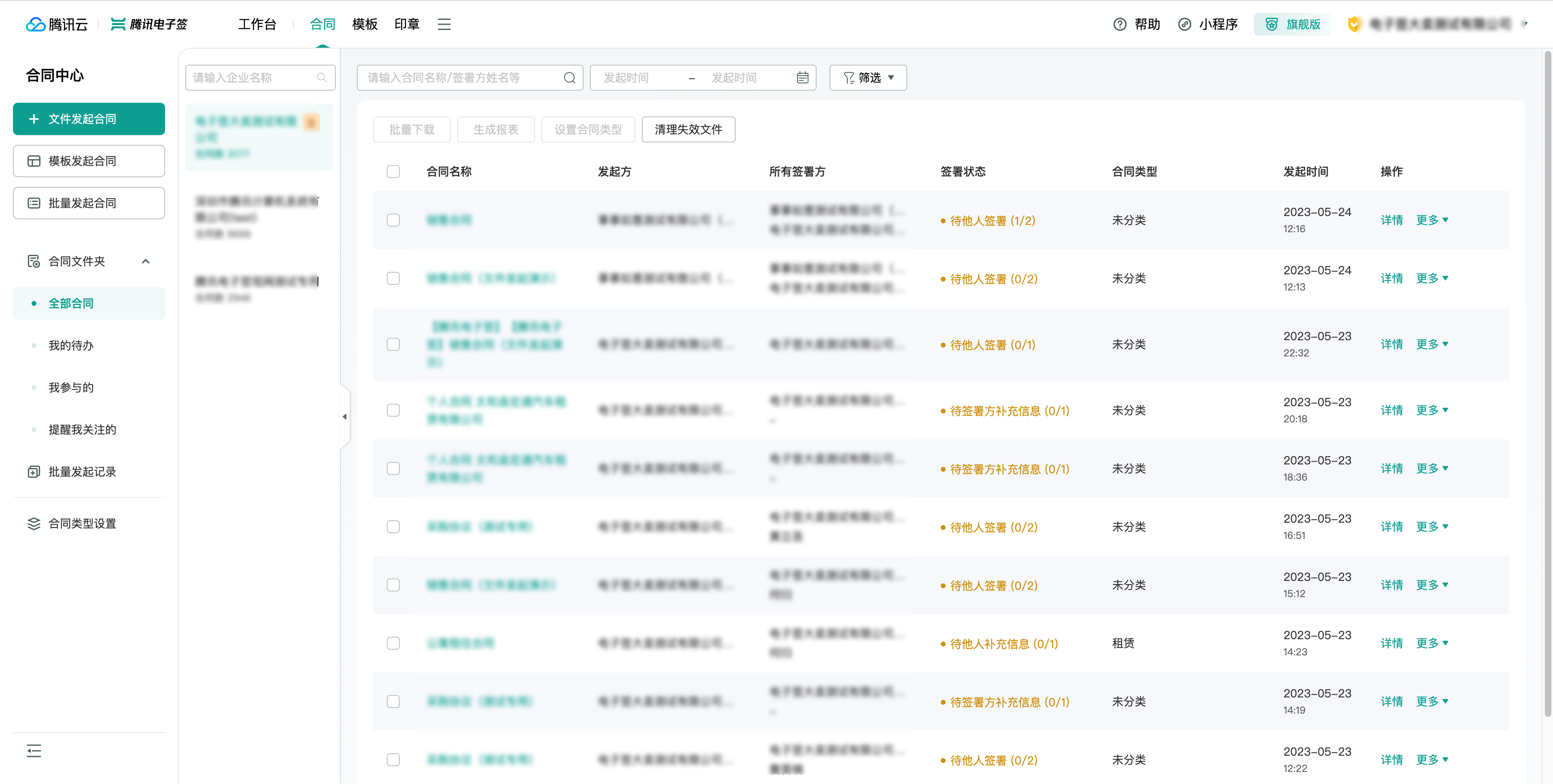
Employees of the primary enterprise with group contract management roles and group salespersons can see the Group Contract Management Menu Entrance under the current primary enterprise account they log in to.
Note:
On the left side, a list of member enterprises with group contract query permissions for the current primary enterprise handler is displayed, with the primary enterprise selected by default.
The filters and contracts on the right side are displayed based on the current employee's role and the selected member enterprise.
Group Contract Administrator: All contracts of the selected member enterprise.
Group Salesperson: Displays all contracts that the group salesperson (themselves) participates in and follows under the selected member enterprise.
Operational capabilities (the primary enterprise supports all, and the operational scope for other member enterprises is as follows).
All supported interactions are consistent with the operations of an ordinary enterprise.
Operational Capabilities
Supported
Initiate from Template
Yes
File initiation
Yes
Batch initiation
Yes
Batch operations - download
Yes
Batch operations - generate reports
Yes
Batch operations - set contract type
Yes
Batch operations - clean up invalid contracts
Yes
View details
Yes
Fill/Sign
Yes
More - Revoke
Yes
More - Refusal
Yes
More - Forward to others for processing
Yes
Mobile Version
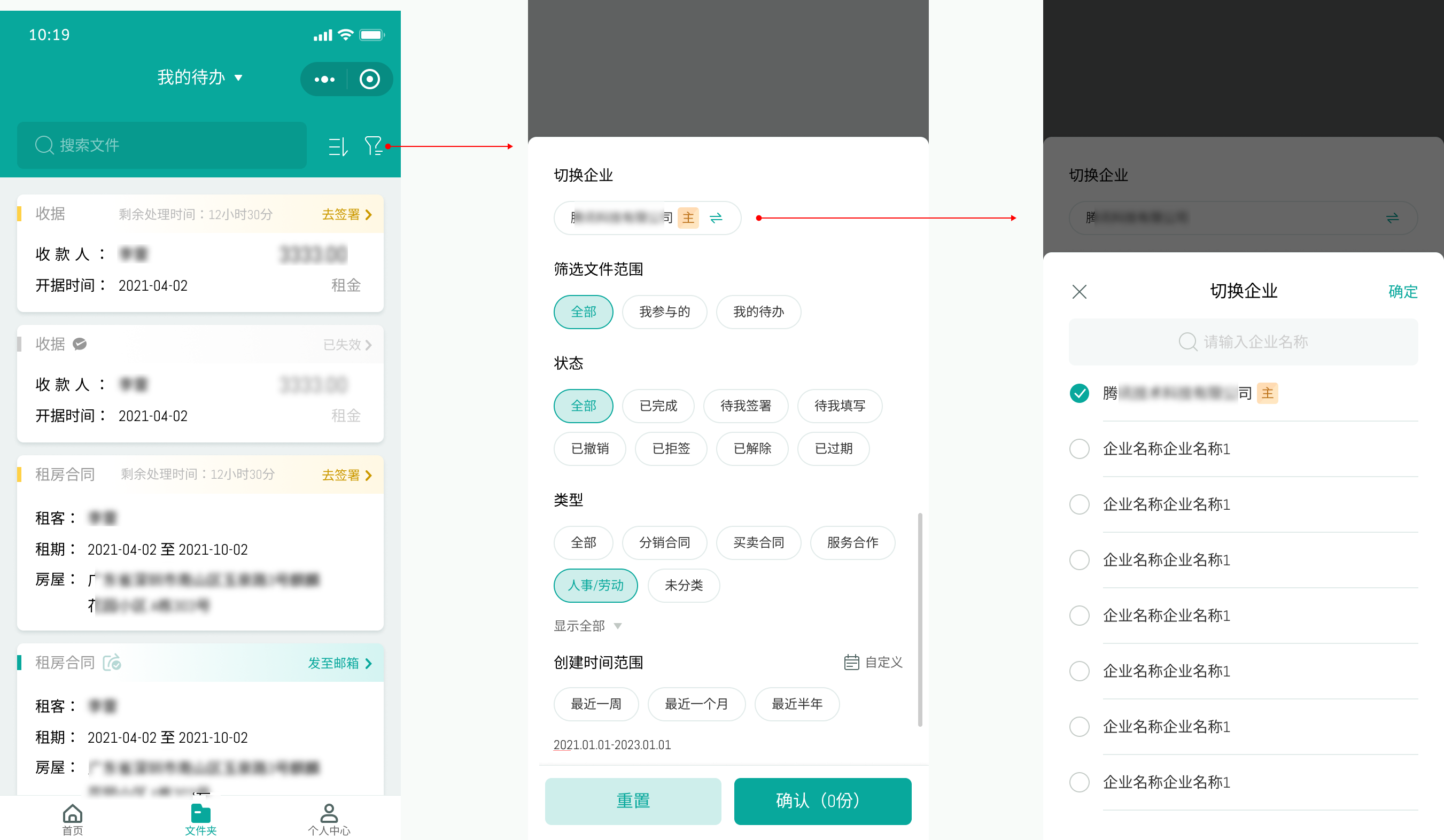
Main Enterprise employees with group contract management and group salesperson roles can see the ability to switch enterprises in the folder search under the current primary enterprise account they log in to.
Note:
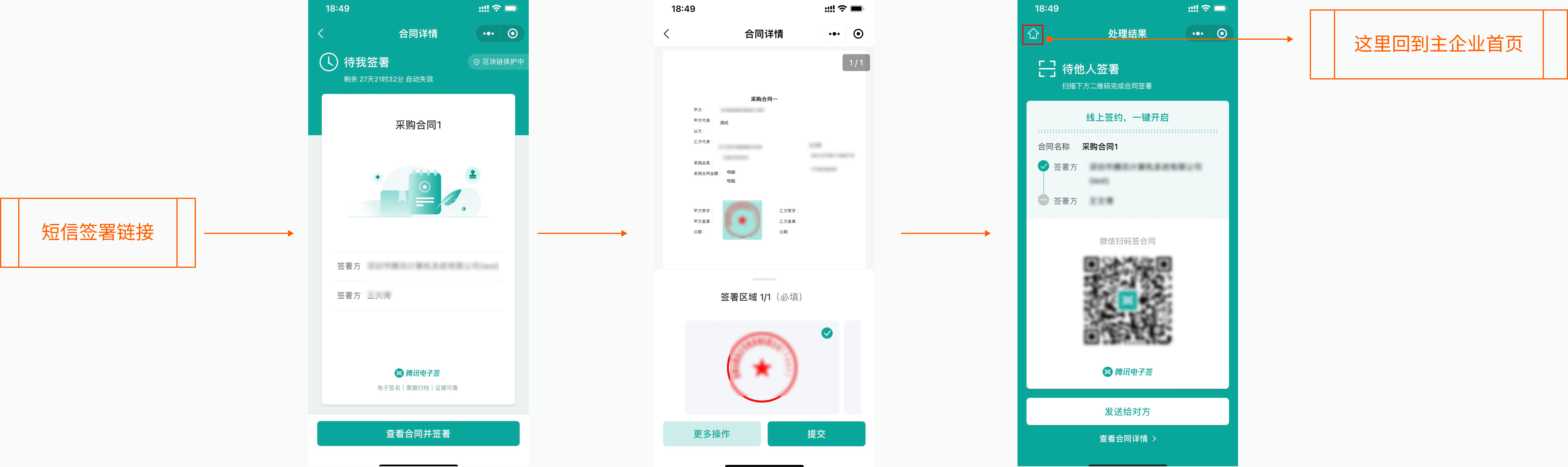
The sign operation interaction is consistent with the contract signing initiated by an ordinary enterprise.
All returns to the main enterprise on the Mini Program Platform return to the homepage of the current primary enterprise.