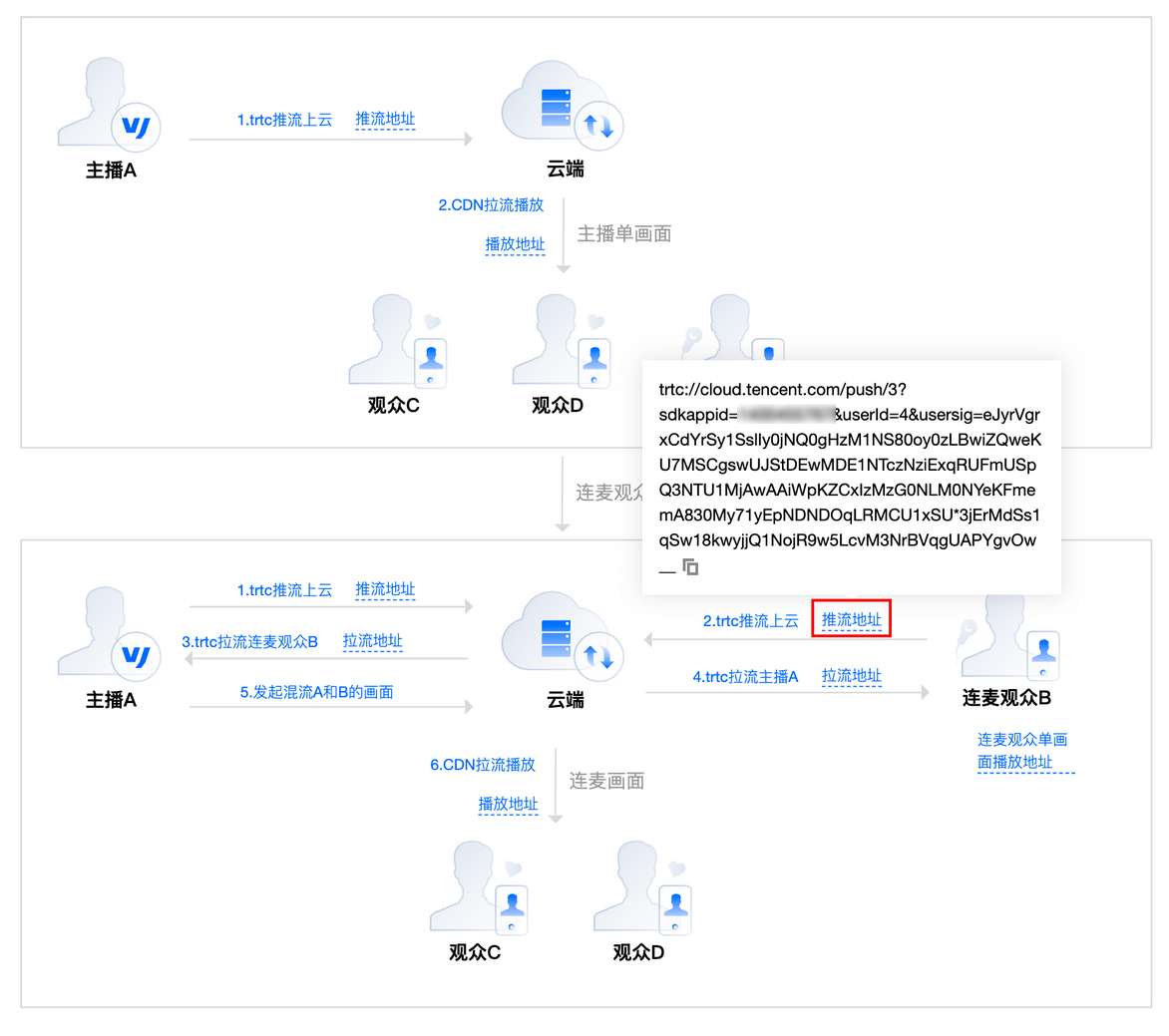
音视频终端 SDK(腾讯云视立方)将新版连麦管理方案的多个功能集成至 腾讯云视立方控制台 > 连麦管理,便于用户快捷使用,具体分为快速上手、连麦应用、用量统计和地址生成器四个功能页面。更多连麦功能说明,请参见 新版连麦方案。
音视频终端 SDK(腾讯云视立方)提供快速生成可用于新版连麦方案的 TRTC 推/拉流地址和 CDN 播放地址的工具。
注意事项
已开通 腾讯云直播服务。
已开通 实时音视频服务。
配置参数说明
配置参数 | 说明 |
连麦应用 | 连麦方案需要使用1个 TRTC 应用资源 |
Stream ID | 自定义的流名称,每路直播流的唯一标识符,仅支持填写英文字母、数字和符号 观众连麦:包括主播和连麦观众两种 Stream ID 主播 PK:包括主播 A 和主播 B 两种 Stream ID |
User ID | 自定义的用户名称,用于互相推拉流时的用户标识,仅支持填写英文字母、数字和符号 观众连麦:包括主播和连麦观众两种 User ID 主播 PK:包括主播 A 和主播 B 两种 User ID |
App Name | 连麦的应用名称,默认为 live。仅支持填写英文字母、数字和符号 |
播放域名 | 可选择已配置、启用的播放域名 |
有效时间 | 观众连麦:为播放地址的有效时间,设置时间即为过期时间点 主播 PK:播放地址过期时间为设置时间戳加播放鉴权设置的有效时间 |
生成地址
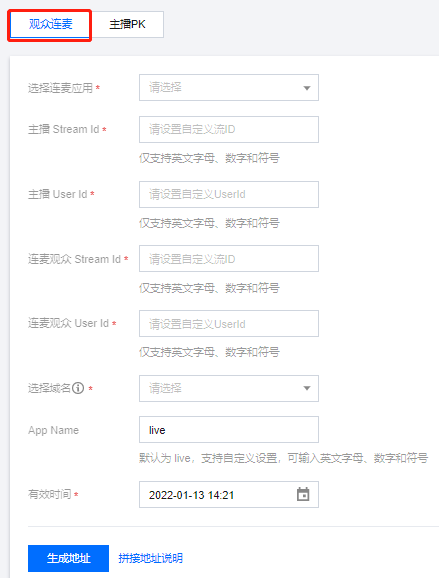
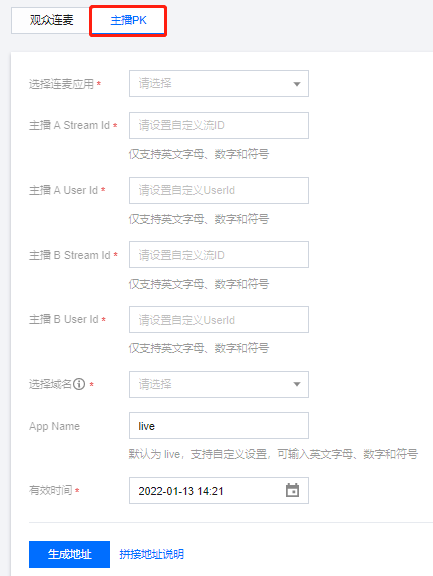
1. 登录 腾讯云视立方控制台 > 连麦管理 > 地址生成器,根据您的场景需求选择观众连麦/主播PK。
2. 下拉选择 1 个用于连麦的 TRTC 应用。
3. 填写自定义 Stream ID 和 User ID,分为主播和连麦观众两类。
观众连麦:包括主播和连麦观众两种 Stream ID 和 User ID。
主播 PK:包括主播 A 和主播 B 两种 Stream ID 和 User ID。
4. 选择已配置、启用的播放域名。
5. 填写AppName,默认值为:
live 。6. 选择地址有效时间,例如:
2021-01-10 14:20:26 。观众连麦:为播放地址的有效时间,设置时间即为过期时间点。
主播 PK:播放地址过期时间为设置时间戳加播放鉴权设置的有效时间。
7. 单击生成地址 即可。
观众连麦 | 主播 PK |
 |  |
生成结果说明
播放地址
可用于观众连麦/主播 PK 的 TRTC 推流/拉流地址和 CDN 播放地址。您可查看并快速复制地址用于您的 SDK 集成。
观众连麦: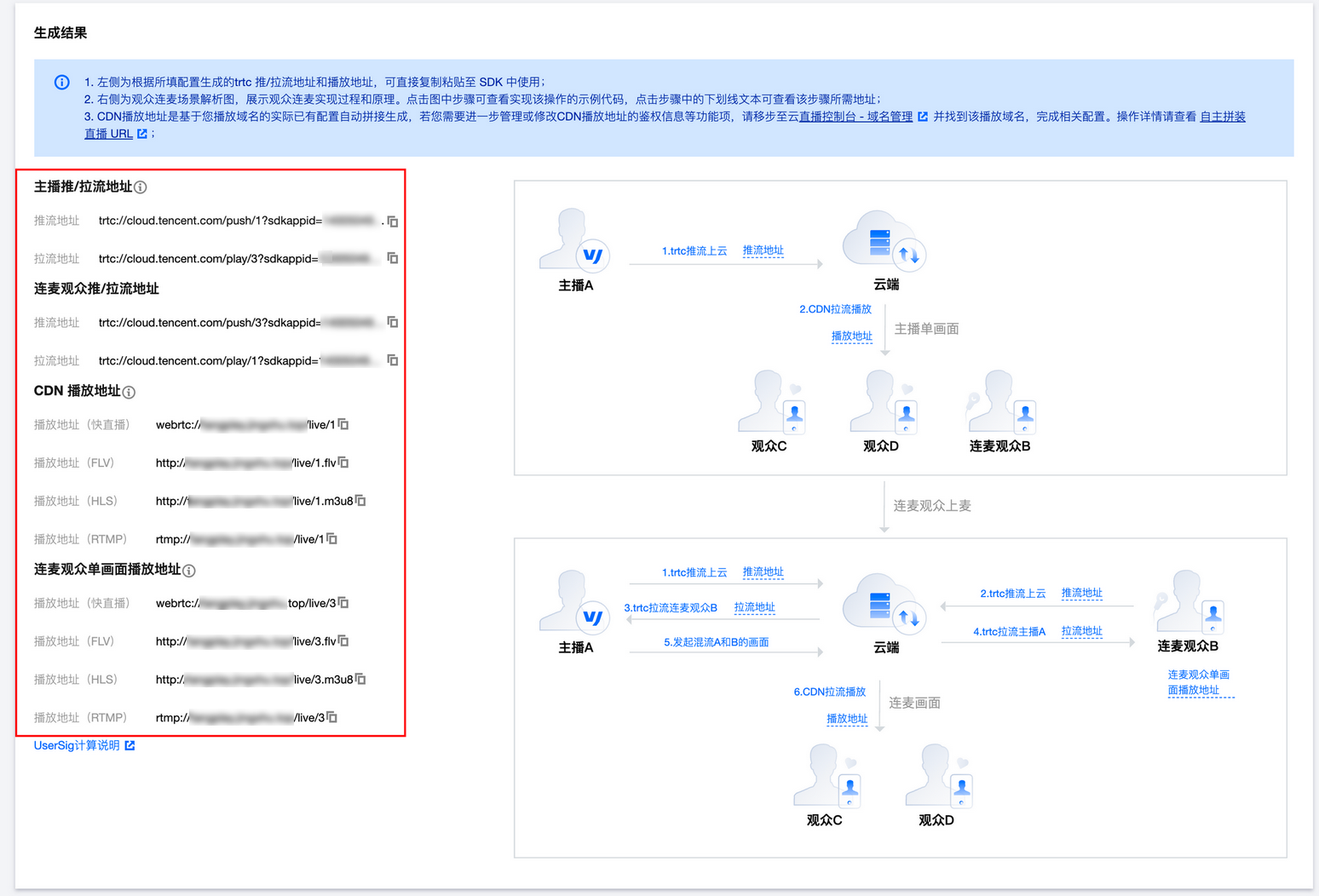
主播 PK: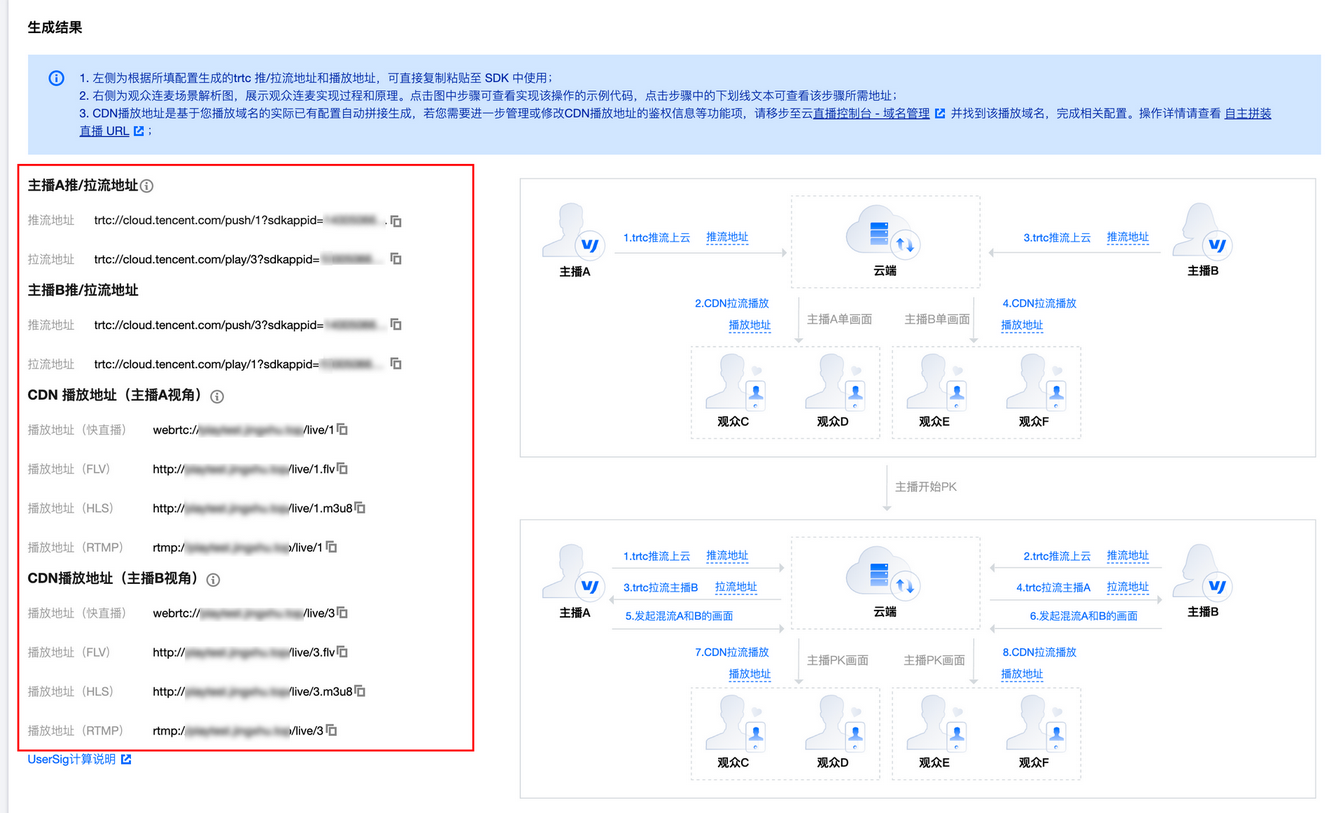
场景解析图
1. 在观众连麦的场景解析图中,可单击图中的步骤查看实现该步骤的示例代码和说明:
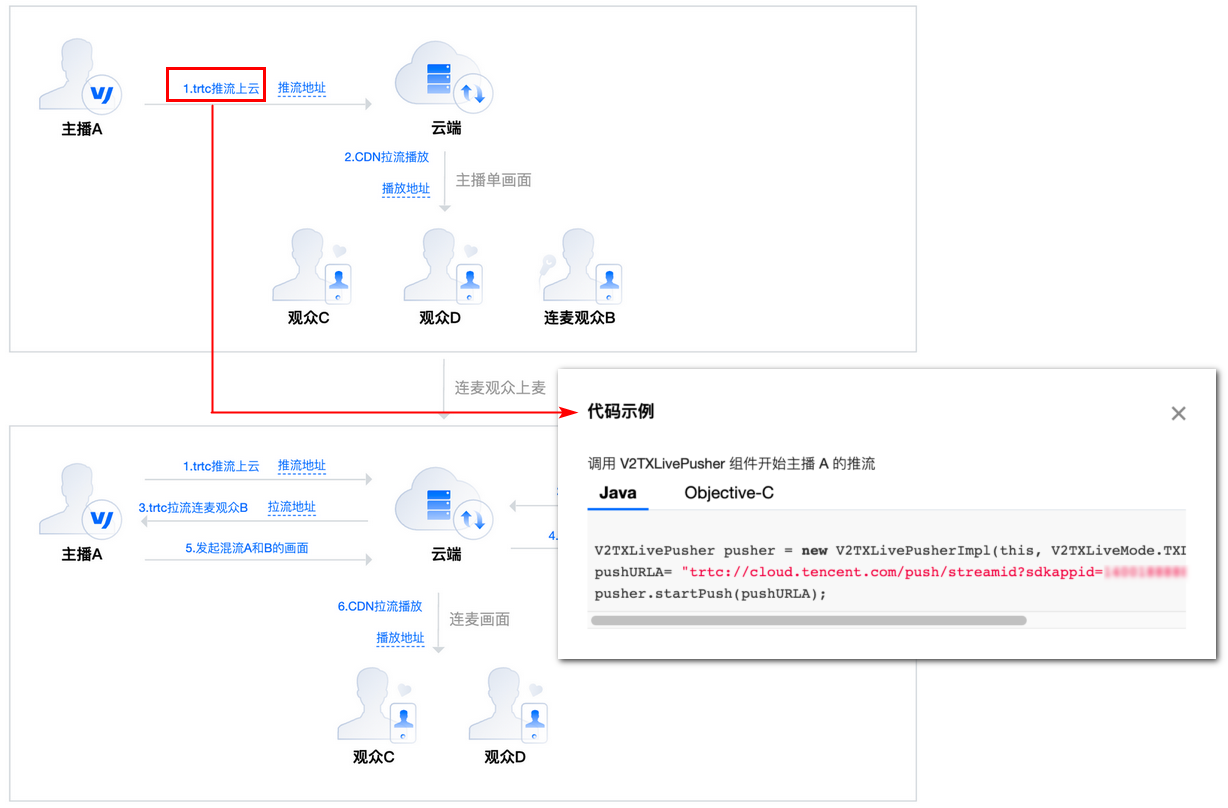
2. 单击步骤中的下划线文本查看该步骤所需地址。