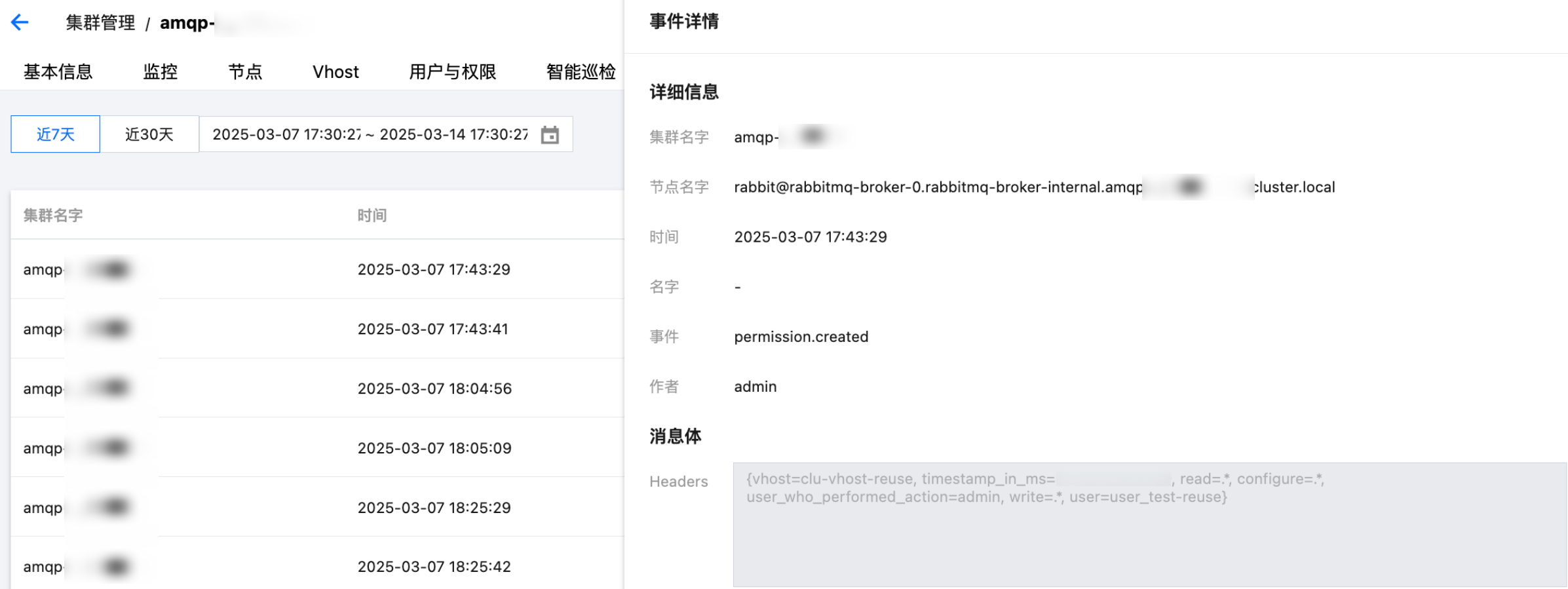
Change Records manage, store, analyze, and display the Change Event Data generated by TDMQ RabbitMQ Edition in a unified manner, making it convenient for you to view and analyze. You can view details in the Change Record module.
This article introduces how to view Change Record details on the TDMQ RabbitMQ Edition console.
View Change Record
1. Log in to RabbitMQ Console.
2. In the left navigation bar, select Cluster Management, choose the region, click the "ID" of the cluster you want to view, and enter the cluster details page.
3. At the top of the cluster details page, select the Change Record tab to enter the Change Record page.
4. Set the time range (supporting the last 7 days, last 30 days, and custom time range) to view change events within the specified period.

5. Click View Details in the operation column to view the event details in the right sidebar.