Overview
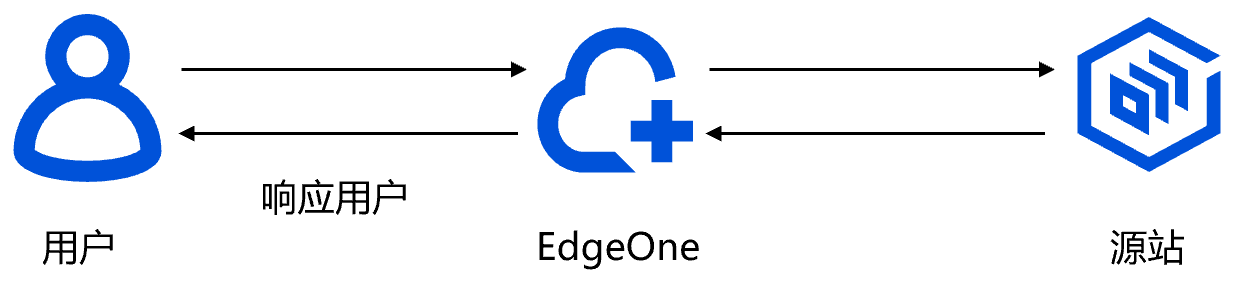
By default, EdgeOne transparently transmits the origin's response headers to the client, unless the client has custom configurations for adding, deleting, or modifying HTTP headers. The following sections will introduce the response headers defined by EdgeOne, which are sent to the client by default.

Default HTTP response headers
EdgeOne adds the following default HTTP response headers to responses to the client.
EO-Cache-Status
EO-Cache-Status is used to indicate whether the current client-initiated request has hit the cache. This header has two response statuses:EO-Cache-Status: HIT: The request hit the cached resource on the EdgeOne node and the node directly responds to the request.EO-Cache-Status: MISS: The request does not hit the cached resource on the EdgeOne node and the resource must be fetched from the origin.Server
This header identifies the server name. The header value depends on the service upon which the Web Server is built. By default, if the origin's HTTP response headers include this header, it is passed through to the client. If the origin does not respond with this header, then the EdgeOne node will add it, with the value
Server: TencentEdgeOne. For more details, please refer to Server.Values of
Server header for different origin types:When the origin is Tencent Cloud Object Storage (COS):
Server: tencent-cos.When the origin is a Cloud Virtual Machine (CVM):
Server: nginx, Server: Apache, Server: tomcat, or Server: Microsoft-IIS.Cloud Load Balancer (CLB) origin:
Server: openresty.Date
Date is used to indicate the most recent time the EdgeOne node updated the file from the origin. By default, if the origin's HTTP response header includes this header, it is passed through to the client. If the origin does not respond with this header, the EdgeOne node will add it, with the value set to the current time of the node server. For more details, please refer to Date.For instance, if EdgeOne requests the origin and the origin responds with
Date: Sat, 07 Jan 2023 14:15:52 GMT, and if the resource is set to cache for 1 hour on the CDN, then the client accessing this resource within 1 hour will receive the Date header value as: Date: Sat, 07 Jan 2023 14:15:52 GMT.Connection
This header is used to indicate how persistent connections are managed during communication between the client and the server. By default, if the origin's HTTP response headers include this header, it is passed through to the client. If the origin does not respond with this header, EdgeOne will add it based on the following conditions:
HTTP/2 and QUIC requests: This header is not added.
If the current request uses HTTP1.0 and keepalive is not enabled, the header is set to:
Connection:close.If the origin's response headers do not include
content-length and are associated with the transfer-encoding header, then the header is set to: Connection:close.In other scenarios, the header is set to
Connection:keepalive.Alt-Svc
Alt-Svc, short for "Alternative-Service", lists alternative access methods for the current site. It is generally used for backward compatibility while supporting new access protocols such as QUIC. If the domain enables HTTP/3 (QUIC) access, EdgeOne will add this header to the HTTP response by default. For more information, please refer to Alt-Svc.EO-LOG-UUID
The
EO-LOG-UUID header carries the unique identifier of the request. When an access exception occurs, the header is used for troubleshooting based on the full-linkage logs of user requests.
Example:
EO-LOG-UUID: 4105283880544427145.