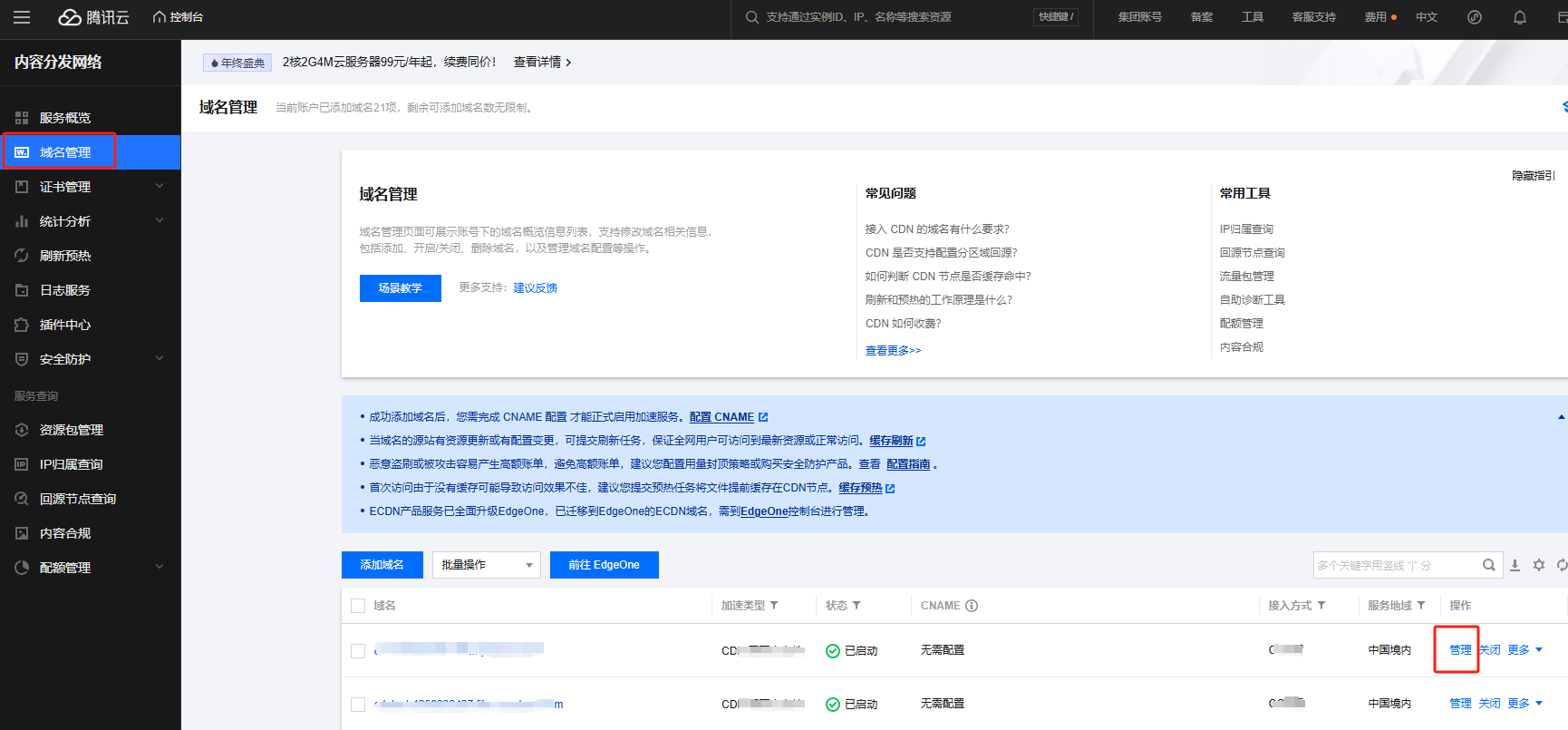
Log in to the CDN Console, select Domain Management from the left menu, and click Management on the right side of the domain you want to edit. For details, see Range GETs Configuration.
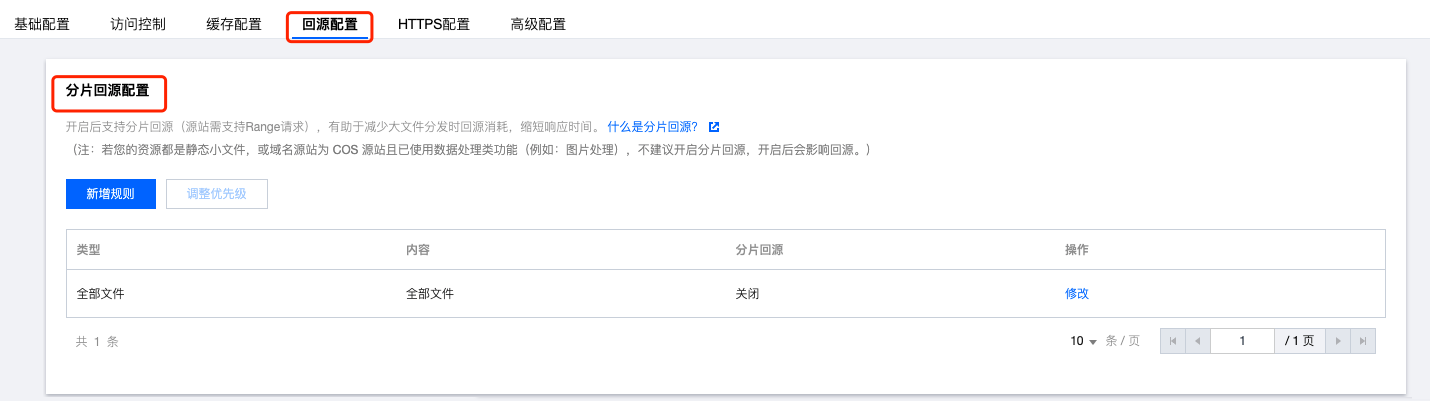
Click Origin-pull Configuration, and you can see the Range GETs module.
If most of your distributed files are large files (larger than 4M), it is recommended to enable Range GETs Configuration.
Reasons Why CDN Cannot Completely Hide IP
1. The IP has already been exposed before using CDN.
2. After using CDN, it may still be detected through technical measures.
3. If there are multiple websites on the server and other domains do not use CDN, they may also be exposed.
The Role of a Hot Backup Origin Server
If your primary origin server is a self-owned origin server, you can add a hot backup origin server. All origin-pull requests will be forwarded to the primary origin server first. If a 4XX or 5XX error code is returned or an exception such as connection timeout or protocol incompatibility occurs, requests will be forwarded to the hot backup origin server to pull resources, ensuring high availability of origin-pull.
Can CDN Origin Go Through Intranet
Hello, currently CDN origin only supports public network.
Does CDN Support Configuring Different Origin Servers Based on Different Client Requests
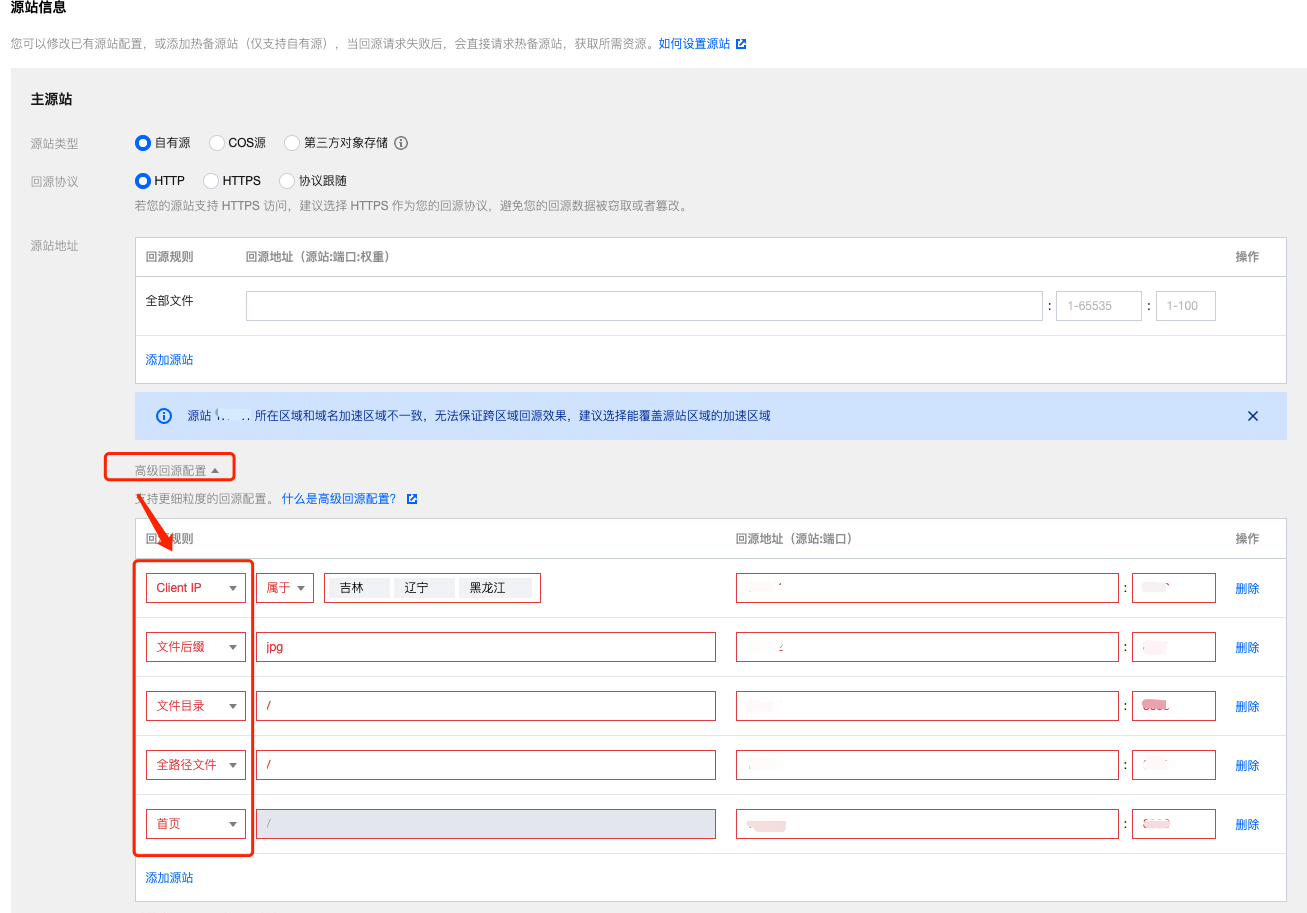
Yes, after adding a domain, you can click Advanced Origin Configuration in the origin server information to configure more granular origin settings. Currently, it supports configuring different origin servers based on Client IP, file suffix, file directory, full path file, and homepage origin request. ECDN acceleration does not support this feature yet, please wait for future updates.
How to Configure Origin HTTP Request Headers and Obtain the Real Client IP Address When the Origin Server Includes CLB Load Balancer
When your origin link includes a CLB load balancer (including Tencent Cloud CLB or other vendors' CLB load balancer products) or other Nginx proxies, for example, Tencent Cloud CLB load balancer product, CLB will use the X-Real-IP header by default to obtain the peer IP address (i.e., the previous hop address). If you configure this header in the origin HTTP request header, it will be overwritten when forwarding to CLB, and the configuration will not take effect. Other load balancers or proxy servers may have the same issue. Therefore, if your origin server configuration includes a CLB load balancer product or other Nginx proxies, it is not recommended to configure this origin HTTP request header.
If you need to obtain the real client IP address, we recommend using X-Forwarded-For to get the real client IP. It is already configured by default in CDN, so no additional configuration is needed. For details on how to configure it on CLB load balancer, refer to: Obtaining Real Client IPs in IPv4 CLB Scenarios.
If you use this header for other scenarios, it is recommended to replace with other header names to avoid the issue of header invalidation after origin.