Step 1: Add Domain Names

Last updated: 2025-01-02 10:33:29
1. Log in to the CDN console, click Domain Management on the left sidebar to enter the domain management page, and click Add Domain.


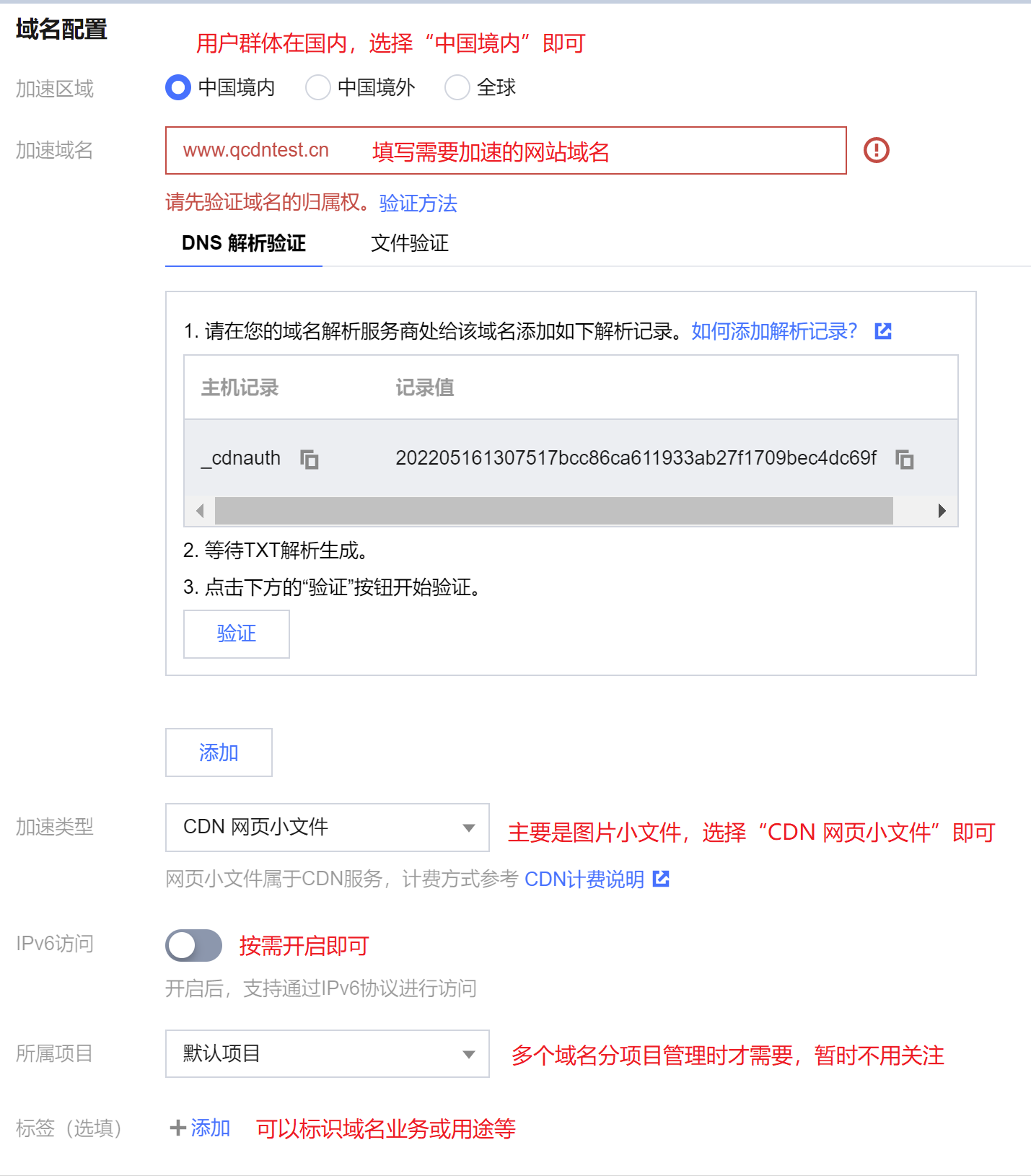
2. Domain name configuration Configure your website as below:


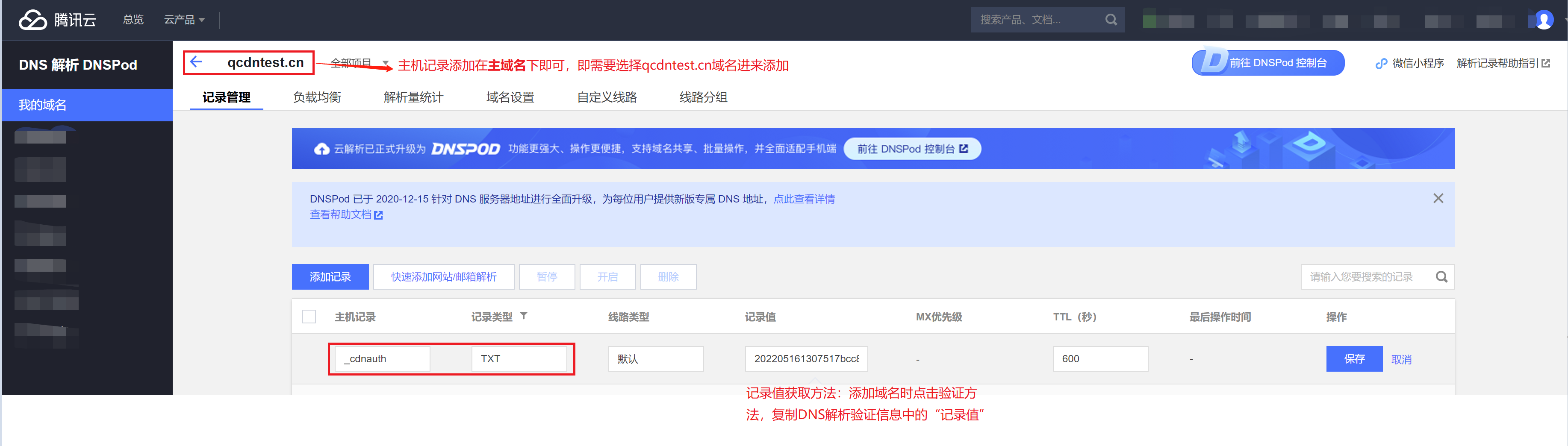
As shown in the figure above, when adding a wildcard domain, a domain already added by other users, or a new domain for the first time, it is necessary to verify the domain ownership. If your domain registrar is Tencent Cloud, you can configure a TXT record for the primary domain as shown in the figure below to complete the verification and add the domain. For more details, please see Domain Name Ownership Verification.
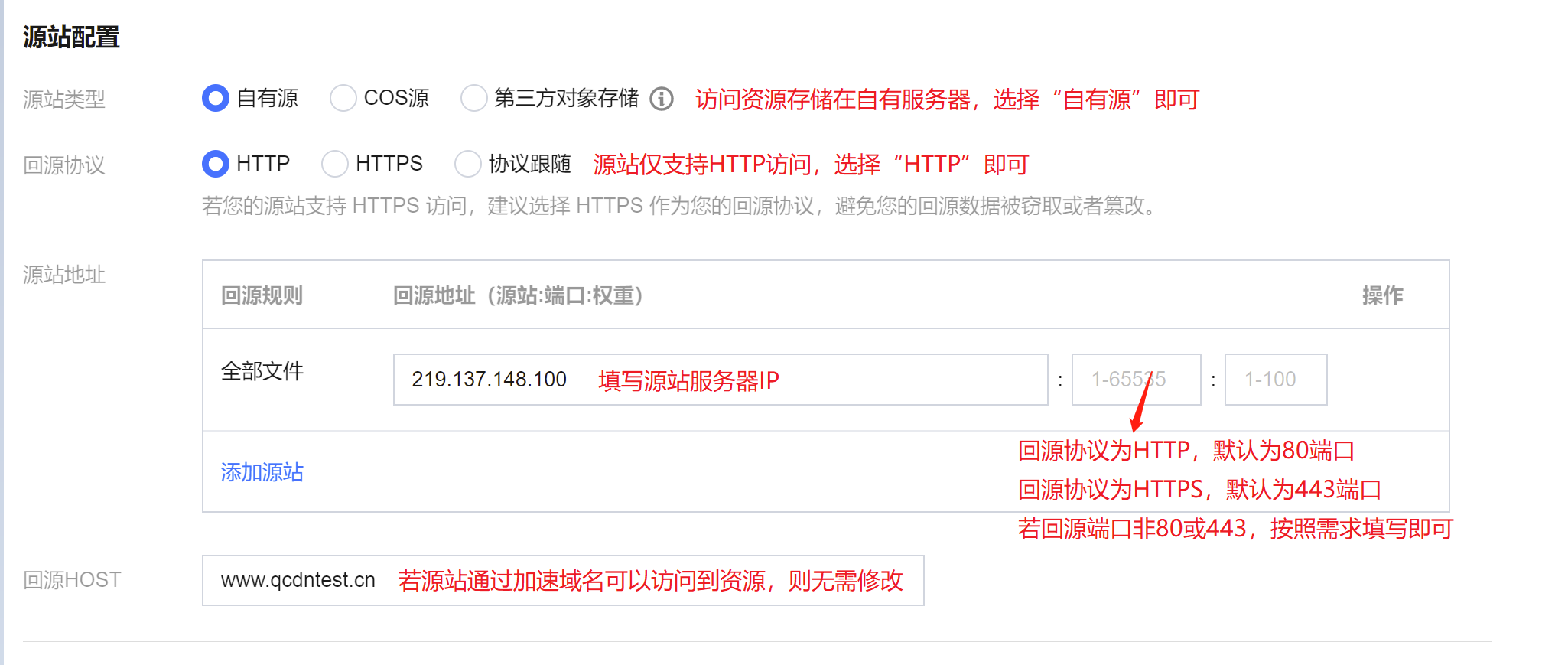
3. Origin Server Configuration Purpose of the Origin Server: The origin server stores website resources. When the resources requested by users are not cached on CDN nodes, the nodes will read the origin server information configured for the domain name, fetch resources from the origin, and cache them on the nodes. Therefore, the origin server information must be filled in accurately to ensure that the CDN can fetch the corresponding resources from the origin server. Configure as follows based on your origin server information.


Configuration Item
Description
Origin server type
If the website's origin server is a self-owned server for stable business operations, select "Private Source".
Origin-pull Protocol
Only HTTP origin-pull is supported. Select "HTTP" for the origin-pull protocol. Choose the origin-pull protocol based on the actual protocol supported by the origin server to ensure compatibility.
Origin server address
Enter the server IP of the origin server.
Multiple IPs can be configured as origin servers, and origin-pull will be performed in a round-robin manner.
You can add a port (0 - 65535) and a weight (1 - 100) in the format of Origin server address:Port:Weight or Origin server address::Weight. Currently, the HTTPS protocol only supports port 443.
A domain name can be configured as the origin server, but it must be different from the business acceleration domain.
Host Header
Definition: This configuration item refers to the domain name accessed on the origin server by a CDN node during origin-pull. The default is the acceleration domain name.
Differences between Origin address and Origin Domain: The IP address or domain name that is configured on the origin server allows a CDN node to find the corresponding origin server during origin-pull. If multiple websites run on the origin server, the value of Origin Domain specifies the website where the resources are stored. Configure according to actual business scenarios.
Configuration instruction: If the resources can be obtained by using the acceleration domain name during origin-pull, you do not need to modify the value. If the resources can be obtained by using another domain name rather than the acceleration domain name during origin-pull, you need to enter the corresponding domain name.
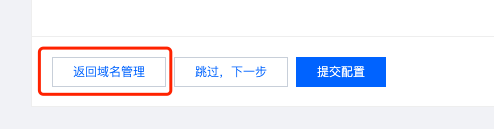
4. Click Confirm to Add to complete adding the domain. Tencent Cloud CDN provides recommended configurations for the domain based on your acceleration type. You can refer to the Recommended Configuration for setup, or click Return to Domain Management to complete the domain addition.