Operation scenarios
Maintenance period is a very important concept for TencentDB for SQL Server. To ensure the stability of your TencentDB for SQL Server instance, the backend system performs maintenance operations on the instance during the maintenance period from time to time. To minimize the potential impact on your business, we recommend that you set an acceptable maintenance period for your business instance, usually during off-peak hours.
In addition, we recommend that you perform operations involving data migration during the maintenance time, such as instance specification adjustment, instance version upgrade, and instance kernel upgrade. Currently, the maintenance period is supported by primary and read-only instances.
Taking database instance specification upgrade as an example, if the specification upgrade involves data migration, there will be a second-level database connection flash break upon completion of the upgrade. When initiating the upgrade, select Switch Time as Maintenance Time. The instance specification switch will be initiated in the next Maintenance Time after the instance upgrade is completed. It should be noted that if you select Maintenance Time as the switch time, the database specification upgrade will not switch immediately upon completion. It will remain synchronous until the switch is initiated during the instance's Maintenance Time, which may extend the total upgrade time for the instance.
Note:
Before maintenance is carried out for TencentDB for SQL Server, notifications will be sent to the contacts configured in your Tencent Cloud account by SMS and email.
Instance switch is accompanied by a disconnection from the database lasting for just seconds. Make sure that your business has a reconnection mechanism.
Operation step
Setting Maintenance Time
1. log in to SQL Server console. In the instance list, click the instance ID or Operation column's Manage to enter the instance details page.
2. On the instance details page, click the edit icon at Maintenance Window.

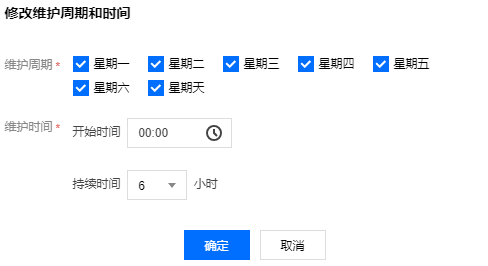
3. In the pop-up dialog, select the desired Maintenance Window and Maintenance Time, then click OK.

Note:
Select at least one maintenance window; otherwise, the change cannot be submitted.
Switching now
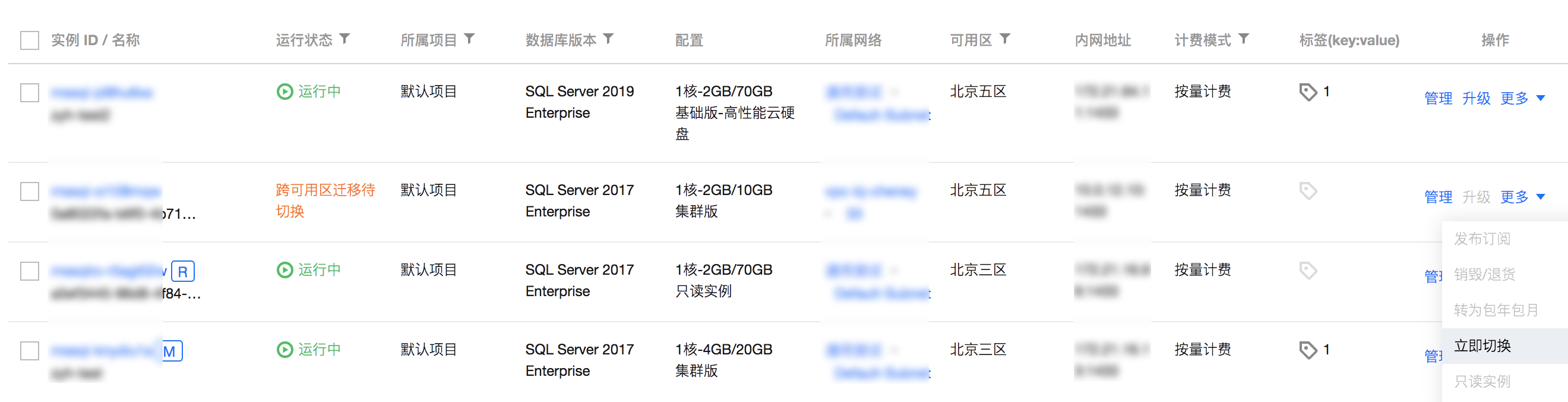
If a task is configured to be switched during the maintenance window, but you need to switch it under special circumstances, click Switch Now in the Operation column in the SQL Server Console.
Note:
Immediate switch is applicable to operations involving data migration such as instance specification adjustment, instance version upgrade, instance kernel upgrade, and cross-AZ migration.
Related APIs
API | Description |
The interface (DescribeMaintenanceSpan) queries the maintainable time window of the instance based on the instance ID. | |
The interface (ModifyMaintenanceSpan) is used to modify the instance's maintainable time window. |