Creating Designated Account

Last updated: 2024-09-06 18:09:13

This document describes how to create a designated account for a TencentDB for SQL Server instance in the console.

Explanation of Special Privilege Accounts

TencentDB for SQL Server instances, whether in single-node (formerly Basic Edition) or dual-node (formerly High-Availability Edition/Cluster Edition) architecture, support creating one or more special privilege accounts. Please note the following two points for special privilege accounts:
A designated account can be authorized to multiple databases, but a database can be authorized to only one designated account. This means that a designated account can have the owner permissions of multiple databases, but a database with owner permission granted to a designated account cannot be authorized to other designated accounts.
A special privilege account can be authorized to multiple databases, but a database can be authorized to only one special privilege account. This means a special privilege account can hold owner permissions for multiple databases, but once a database is authorized to one special privilege account as an owner, it cannot be authorized to other special privilege accounts.

Operation step

1. Log in to SQL Server Console, click Instance ID or Operation in the Operation column, and then click Manage to access the instance management page.
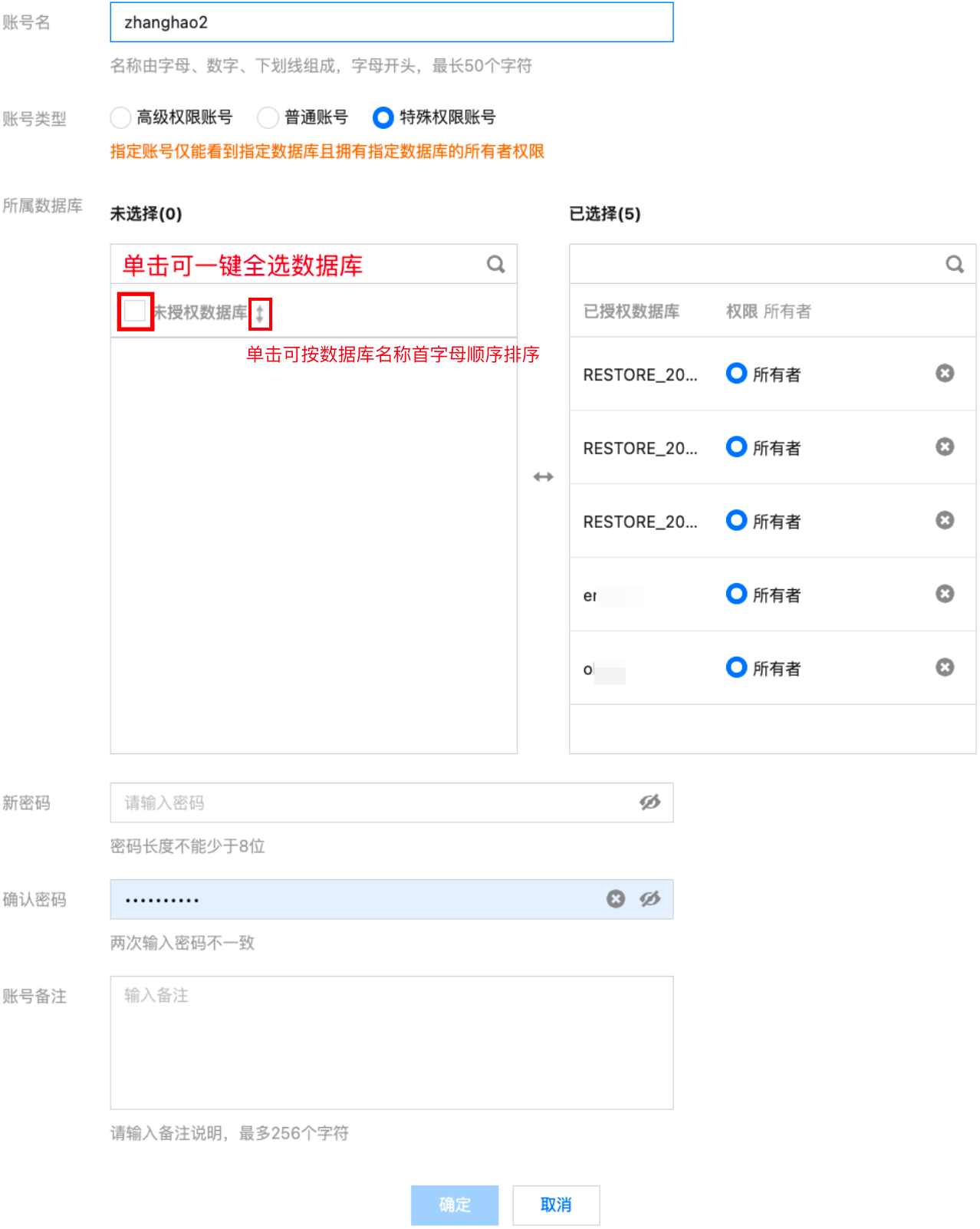
2. On the instance management page, select Account Management > Create Account and fill in the relevant information in the pop-up dialog box. After confirming it is correct, click OK.


Parameter
Description
Account Name
Account Name: It can contain 1–50 letters, digits, or underscores and must start with a letter.
Reserved keywords that cannot be included in the account name are: master, mssql, monitor, sys, dbo, dba, sysadmin, tencent_admin, public, securityadmin, serveradmin, setupadmin, processadmin, diskadmin, dbcreator, bulkadmin, administrator (case-insensitive) , guest (case-insensitive) .
Sensitive characters that cannot be included in the account name are: . | ## | ( | ) | [ | ] | , | ` | ; | ' | " | \ | -- | xp_cmdshell | sp_addsrvrolemember.
Account Types
Select special privilege account.
Note:
The designated account can only see the specified database and hold the owner permissions of the specified database.
Associated Database
In the unauthorized databases list, select the target database. The right-side authorized databases list shows the selected databases and permissions, supporting deletion of selected databases.
New Password
The password must contain 8–32 characters in at least two of the following types: letters, digits, and symbols `_+-&=!@#$%^*()[]`.
Confirm Password
Enter the password again.
Account remarks
Optional, you can enter remarks for description, up to 256 characters.

Related APIs

API
Description
The interface (CreateAccount) is used to create an instance account.