TencentDB for Redis® allows you to switch from pay-as-you-go billing mode to monthly or yearly subscription billing mode, making it convenient for you to adjust your billing method according to your business needs and save on costs.
Background Information
TencentDB for Redis® supports billing mode conversion, currently allowing you to switch from pay-as-you-go to monthly or yearly subscription. You can perform the billing mode conversion through the Redis Console, and ensure to promptly pay the renewal order to guarantee a successful conversion.
Switching rules
Pay-as-you-go billing settlement instructions:
When purchasing TencentDB for Redis®, one hour's worth of fees will be frozen in your cloud account. Settlement occurs every hour on the hour (Beijing time), with billing time granularity accurate to seconds. The fees incurred before switching from pay-as-you-go to a monthly or yearly subscription will be automatically deducted from your Tencent Cloud account, with any time less than an hour calculated in seconds.
Monthly and yearly subscription billing instructions:
When switching a pay-as-you-go instance to a monthly or yearly subscription, a renewal order will be generated. You must complete the payment process for this order for the billing mode change to take effect. If the payment is not made or is unsuccessful, an incomplete order will appear on your Order Management page.
After changing the billing mode, the instance fees will immediately be deducted according to the monthly or yearly subscription. For specific information on the unit price and calculation formula, see Product Pricing.
Auto-renewal notes
When switching from pay-as-you-go to a monthly or yearly subscription, you can enable auto-renewal, which automatically deducts fees for whole months from your Tencent Cloud account upon expiration. Additionally, you can cancel the auto-renewal feature at any time according to your business needs. For detailed instructions, see Renewal Instructions.
If you do not enable auto-renewal when switching from pay-as-you-go to a monthly or yearly subscription, you can enable it after the conversion. Otherwise, please pay attention to the instance validity and renew the instance promptly to avoid any impact on your business.
Billing mode conversion instructions
TencentDB for Redis® supports switching from pay-as-you-go billing to monthly or yearly subscription billing, but it does not support switching from monthly or yearly subscription billing to pay-as-you-go billing.
After switching from pay-as-you-go to monthly or yearly subscription, you cannot revert back to the pay-as-you-go billing mode.
Impact on business:
During the billing mode switch from pay-as-you-go to monthly or yearly subscription, your business will not be affected.
Preparations
The TencentDB for Redis® instance is running normally.
The current instance billing mode is pay-as-you-go.
Instructions
1. Log in to the TencentDB for Redis® console.
2. Above the Instance List on the right, select the region.
3. In the instance list, locate the pay-as-you-go instance that you want to switch to monthly or yearly subscription.
4. In the Operation column, select Pay-as-You-Go to Monthly Subscription from the More dropdown list.
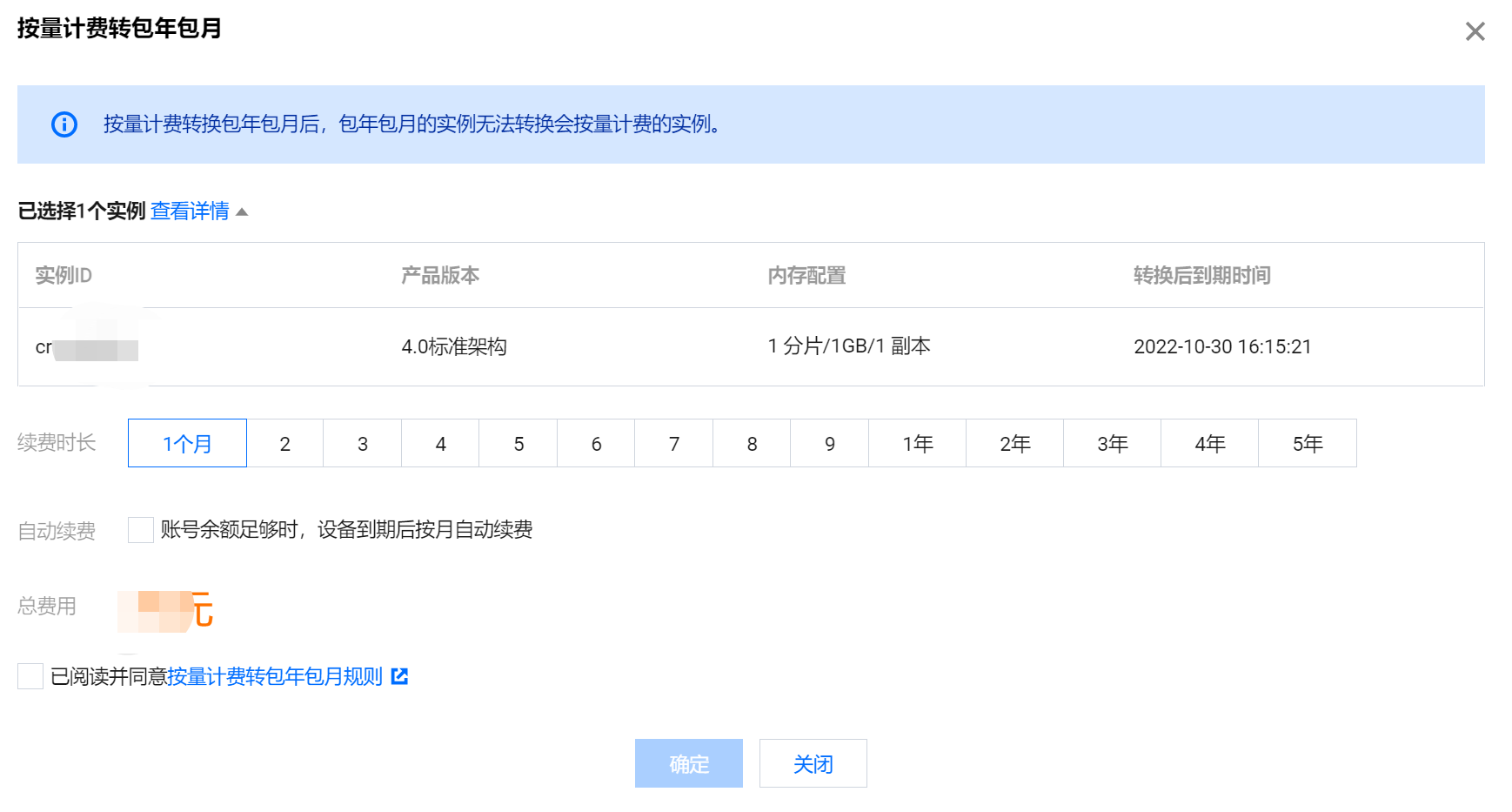
5. In the Pay-as-You-Go to Monthly Subscription pop-up window, confirm the instance information for billing mode switching.
Confirm the information, including ID, version, memory configuration, and the validity of the instance after the switching.
Select the specific renewal duration under Renewal Period and choose whether to enable Auto-Renewal.

6. Confirm the Total Fees, learn the rules for switching from pay-as-you-go to monthly or yearly subscription, check the I have read and agreed to box, and click OK.
7. On the Confirm Product Information page, verify the Product List and Review Order. Click Submit Order and, after a successful payment, return to the instance list.
8. The instance is in the Switching billing mode status. After the status changes to Running, the instance can be used normally.