1. Access the Auto Scaling Console, and select Scaling Group from the navigation menu on the left.
2. Select the scaling group you wish to modify, and click on the scaling group ID to enter the basic information page for that group, as illustrated below:

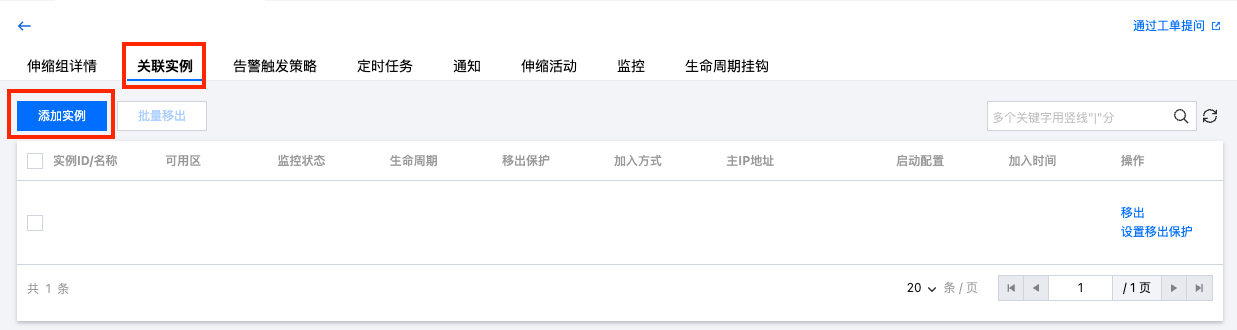
3. On the Scaling Group details page, select the Bind with Instances tab to view the list of instances associated with this scaling group, as depicted below:

To manually add CVM instances to the scaling group, select Add Instance, make your selection in the pop-up window (hold Shift for multiple selections), and click Confirm.
To unbind a particular instance, click on Remove located on the right side of the instance's row.
Note:
Machines generated automatically will be destroyed upon removal.
Machines added manually will not be destroyed upon removal. They will only be removed from the scaling group and unbound from the load balancer.