How the configuration adjustment works
After clicking Adjust Configuration in the console, the cloud operation and maintenance management system typically performs the following steps:
1. Assign a new instance (the "new instance") based on the required configuration.
2. Sync the data and configuration of the instance to be adjusted (the "old instance") to the new instance.
3. After the sync is completed, switch the route in the Tencent Cloud gateway to the new instance for continued use.
Changing instance specifications
Note
You can still use the old instance as usual during the adjustment, such as importing or exporting data.
The name, access IP, and access port of the instance remain unchanged after the adjustment.
When the adjustment is completed, the database will be disconnected for several seconds. We recommend that you implement an automatic reconnection feature in your program.
During the adjustment, try avoiding operations such as modifying global parameters, instance name, or user password of the database.
1. Log in to the TencentDB for MariaDB console. In the instance list, select More > Adjust Configuration in the Operation column.
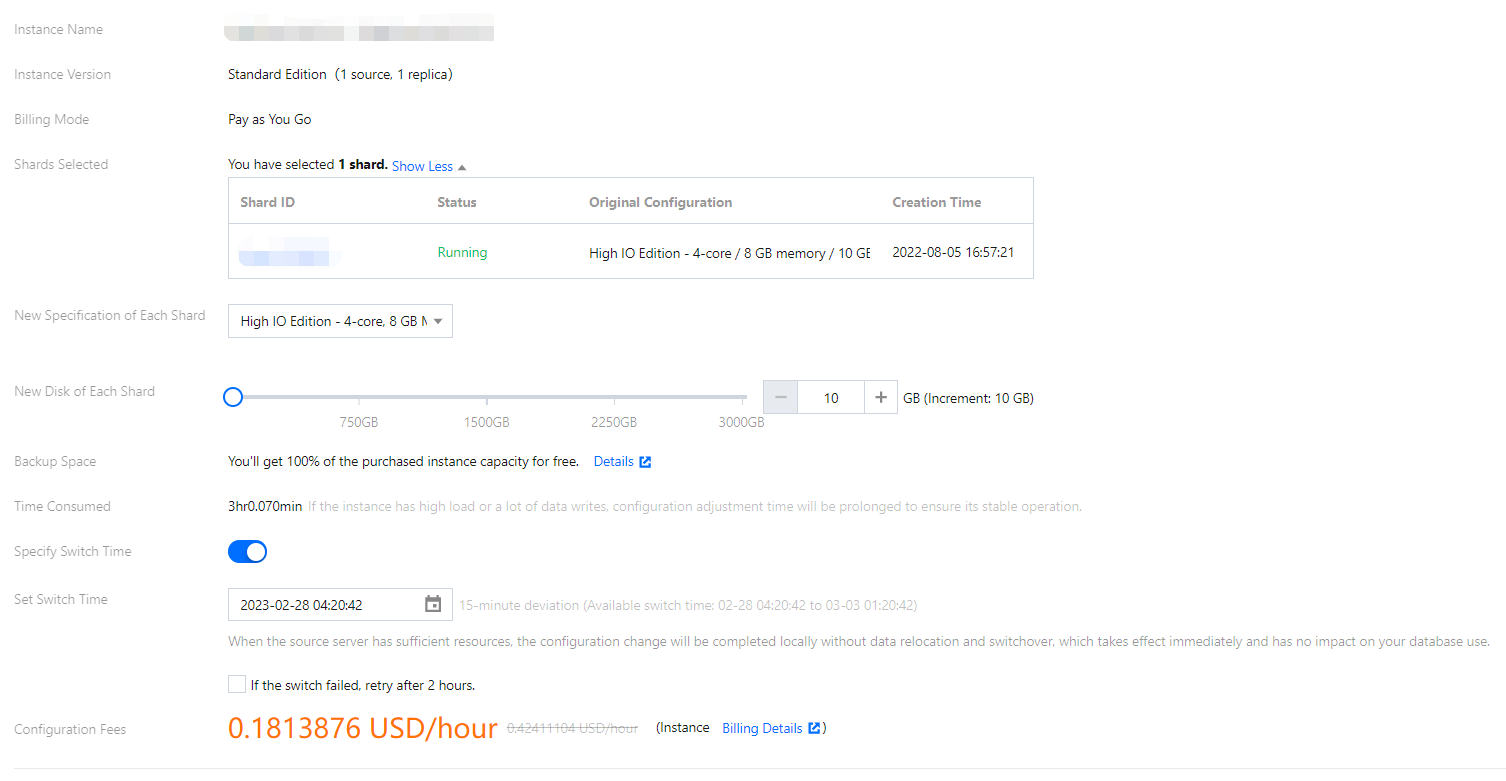
2. On the instance configuration adjustment page, select the desired specification, disk capacity, and switch time, then click Adjust Configuration.
TencentDB for MariaDB offers scheduled configuration switching, allowing you to switch the database to the new configuration at a specified time (usually during off-peak hours).
Note
Scheduled Switch
You can schedule the database switch to the new configuration at a specified time (usually during off-peak hours) within a 72-hour window.
Generally, the switch time has a deviation of about 15 minutes, as there may be high amounts of write requests to large transactions, which will affect the data sync progress. In this case, the system will first guarantee sync between the new and old instances instead of performing the scheduled switch.
To ensure a successful switch, you can select the option for retry upon failure, and the system will try switching again two hours after a switch failure.

Configuration adjustment fees
When users upgrade their database instances, the system calculates the price difference between the instance specifications and deducts it from the user's account. If the account balance is insufficient, a recharge is required. After the upgrade, billing will be based on the new instance specifications.