Maintenance time is crucial for TencentDB for PostgreSQL. To ensure the stability of your TencentDB for PostgreSQL instance, the backend system periodically performs maintenance operations during the maintenance time. We recommend that you set an acceptable maintenance time for your business instance, typically during off-peak hours, to minimize the impact on your business.
In addition, we also recommend you perform operations involving data migration during the maintenance time, such as instance specification adjustment. Currently, the maintenance time is supported by primary and read-only instances.
Taking the database instance specification upgrade as an example, if data migration is involved, a momentary disconnection from the database may occur after the upgrade is completed. By selecting the switch time as during maintenance time, the instance specification switch will be initiated within the next maintenance time after the upgrade is completed. It is important to note that when choosing the switch time as during maintenance time, the database specification upgrade will not switch immediately upon completion, but will maintain synchronization until the instance's maintenance time initiates the switch, which may extend the overall time required for the instance upgrade.
Note
Before maintenance is carried out for TencentDB for PostgreSQL, notifications will be sent to the contacts configured in your Tencent Cloud account through SMS and email.
Instance switch will cause a flash disconnection from the database. Please make sure that your business has a reconnection mechanism.
Instructions
Setting maintenance time
1. Log in to the TencentDB for PostgreSQL console. In the instance list, click an instance ID or Manage in the Operation column to enter the instance details page.
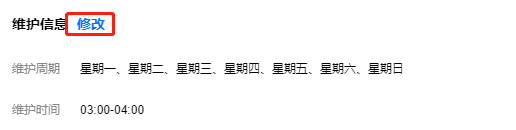
2. In the Maintenance Information section on the details page, click Modify.
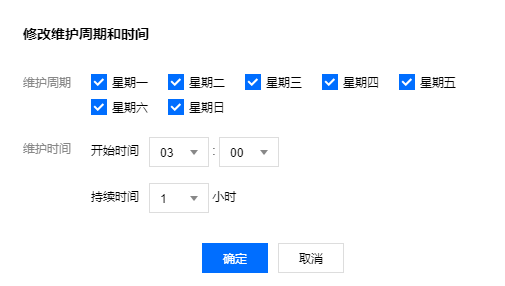
3. In the pop-up window, select the desired Maintenance Window and Maintenance Time, then click Confirm.
Immediate switch
If a task is set to switch during the maintenance time, but due to special circumstances, the switch needs to be performed before the maintenance time, you can click Immediate Switch in the Operation column.
Note
Switching now is applicable to operations involving data migration such as instance specification upgrade.