The content of this page has been automatically translated by AI. If you encounter any problems while reading, you can view the corresponding content in Chinese.

Step 5: Configuring a Routing Table

Last updated: 2024-09-20 16:03:00

By Step 4, we have successfully configured a VPN channel, but we still need to configure a routing policy to route the traffic from Subnet A to the VPN Gateway, enabling communication between the network segment in Subnet A and the network segment in the IDC.
1. Log in to the VPC console.
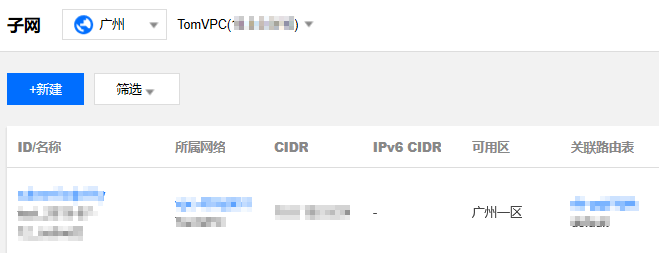
2. In the left-side directory, click Subnet, select the corresponding region and VPC, such as Guangzhou and TomVPC as in the example, and click the route table ID associated with Subnet A to enter the details page.

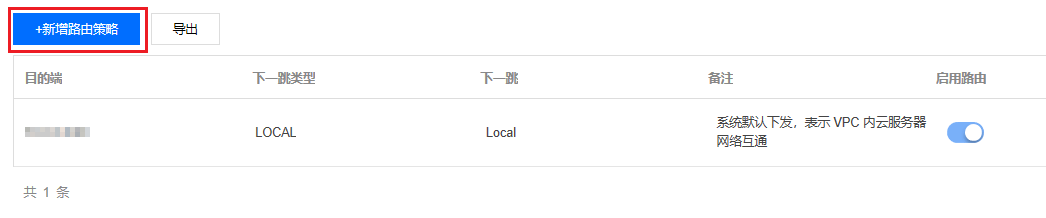
3. Click +Add Routing Policy.

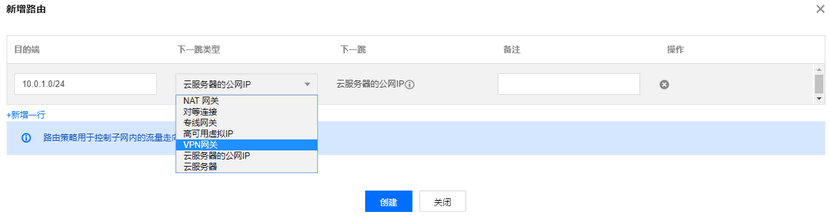
4. In the pop-up box, enter the destination network segment (10.0.1.0/24), select VPN Gateway as the next hop type, choose the newly created VPN Gateway TomVPNGw as the next hop, and click create.