The content of this page has been automatically translated by AI. If you encounter any problems while reading, you can view the corresponding content in Chinese.

Getting Started

Last updated: 2024-09-20 16:03:41

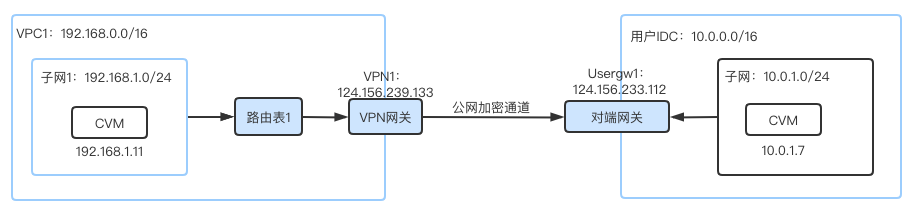
This document describes how to quickly create a VPN connection and configure routing and forwarding policies with a route table to ensure the secure communication between VPC and IDC.

Step-by-Step Instructions

Below is the flowchart of activating a VPN connection:


Example

With an IPsec VPN connection, you can connect the subnet 192.168.1.0/24 in your VPC in Tokyo to the subnet 10.0.1.0/24 in your local IDC.