Starting from January 29, 2021, SCF has been fully integrated with Tencent Cloud Log Service CLS. Function call logs created after this date will be delivered to CLS by default and support real-time output. If your function was created before January 29, 2021, and you need to perform log retrieval and delivery, please refer to this document to use this feature.
Overview
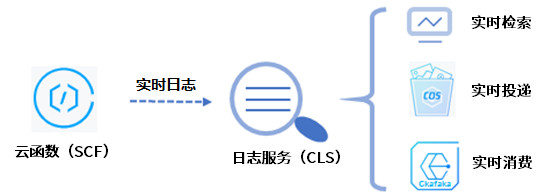
When using SCF for function computing, a large number of function operation logs will be generated. If you need to persistently store, deliver, or consume logs, and monitor and alert on log content, you can deliver logs to the Tencent Cloud Log Service (CLS) platform. As shown in the following figure:
Prerequisites
Before using the SCF real-time log service, you need to activate CLS first.
Description
For understanding the related limitations of the log service, please refer to the Specifications. Exceeding these limitations may result in log loss.
For the logset region, please select the region where the SCF service is located. Cross-region log push is not supported currently.
Configuring CLS
1. Log in to the Serverless console and select Function Service from the left sidebar.
2. Select the SCF region and namespace at the top of the page and click the function name in the list for which to collect logs in real time.
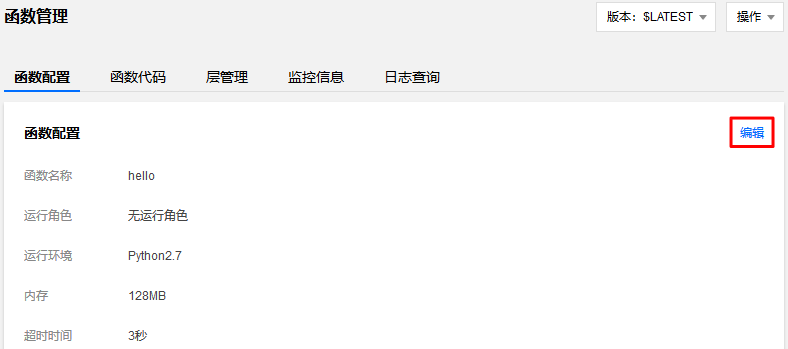
3. On the "Function Configuration" page, click Edit in the upper right corner. As shown below:
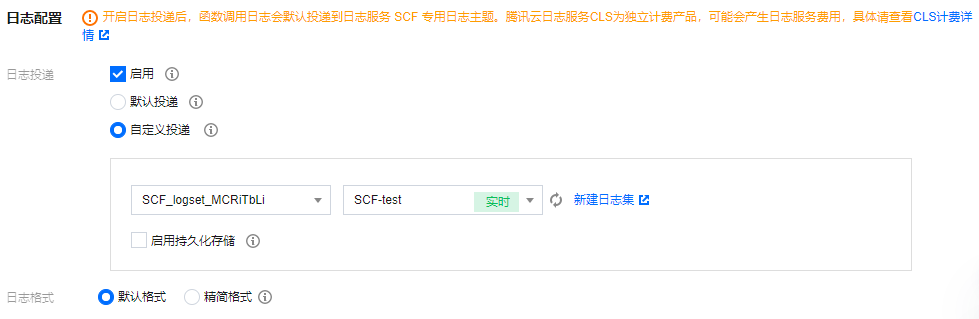
4. In "Log Delivery", check "Enable" and select the logset and log topic that have been created for this function. In this example, we use SCF-test. As shown below:
5. Click Save to successfully connect to the log service platform.
Enabling index
Log retrieval depends on the index configuration of the log topic. After the function is associated with the log topic, SCF automatically configures the index for the log topic. If an index anomaly still causes log retrieval to fail, please refer to this step to adjust the index configuration.
1. Log in to the log service console and select Log Topic from the left navigation bar.
2. Click on the ID of the created log topic to enter the "Basic Information" page.
3. Select Manage on the right side of the row where the log topic is located to enter the "Basic Information" page of the log topic.
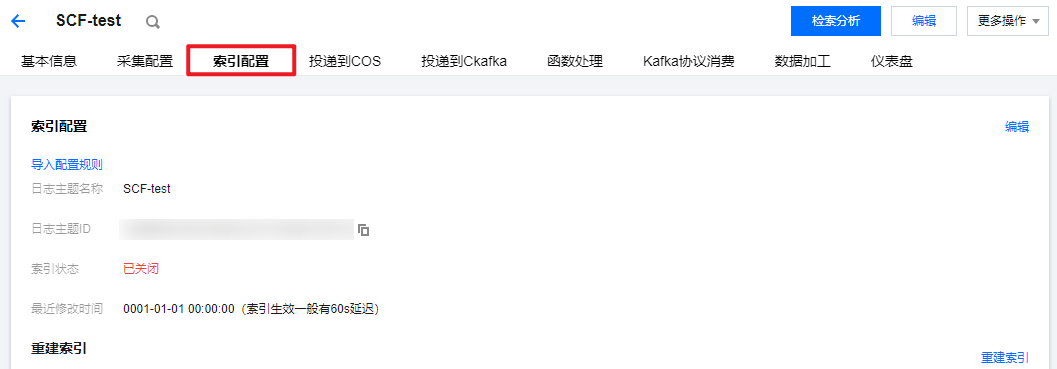
4. On the "Basic Information" page of the log topic, click Index Configuration. As shown below:
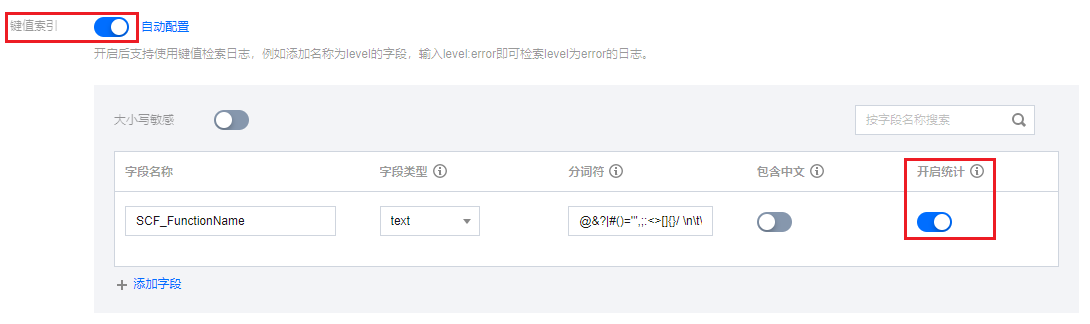
5. Click Edit in the upper right corner, turn on "Key-Value Index" and add "Field Name" and "Field Type" according to the table below.
Description
For functions configured with log service, to ensure the display effect of logs in the SCF console, please enable the "Open Statistics" capability for fields in the Key-Value Index configuration. As shown below:
Field
Field Type
Description
SCF_FunctionName
text
Function name.
SCF_Namespace
text
Function namespace.
SCF_StartTime
long
Invocation start time.
SCF_LogTime
long
Log generation time.
SCF_RequestId
text
Request ID.
SCF_Duration
long
Function execution duration.
SCF_Alias
text
Alias.
SCF_Qualifier
text
Version.
SCF_MemUsage
double
Function runtime memory.
SCF_Level
text
Log4J log level. Default value: INFO.
SCF_Message
text
Log content.
SCF_Type
text
Log type. Platform: platform log, Custom: user log.
For more information on other features such as real-time log search, delivery, and consumption, please see the CLS documentation. These features can be used in the CLS console directly.