flume使用教程_三阶魔方初级入门教程详细图解

flume使用教程_三阶魔方初级入门教程详细图解

全栈程序员站长
发布于 2022-11-18 11:17:15
发布于 2022-11-18 11:17:15
大家好,又见面了,我是你们的朋友全栈君。
1. Flume 概述
1.1 Flume 定义
Flume 是 Cloudera 提供的一种高可用、高可靠、分布式的海量日志采集、聚合和传输的系统。Flume 基于流式架构,灵活简单。 Flume 最主要的作用是,实时读取服务器本地磁盘的数据,将数据写到 HDFS。

1.2 Flume 基础架构

1.2.1 Agent
Agent 是一个 JVM 进程,它以事件的形式将数据从源头送至目的。 Agent 主要有三个组成部分,Source、Channel、Sink。
1.2.2 Source
Source 是负责接收数据到 Flume Agent 的组件。Source 组件可以处理各种类型、各种格式的日志数据,包括 avro、thrif、exec、jms、spooling directory、netcat、sequence generator、syslog、http、legacy。
1.2.3 Sink
Sink 不断地轮询 Channel 中的事件且批量移除它们,并将这些事件批量写入到存储或索引系统、或者被发送到另一个 Flume Agent。 Sink 组件的目的地包括 hdfs、logger、avro、thrif、file、HBase、solr、自定义。
1.2.4 Channel
Channel 是位于 Source 和 Sink 之间的缓冲区。因此,Channel 允许 Source 和 Sink 运作在不同的速率上。Channel 是线程安全的,可以同时处理几个 Source 的写入操作和几个 Sink 的读取操作。 Flume 常用的 Channel:Memory Channel 和 File Channel。
1.2.5 Event
Flume 数据传输的基本单元,以 Event 的形式将数据从源头送至目的地。Event 由 Header 和 Body 两个部分组成。Header 用来存放该 Event 的一些属性,为 K-V 结构;Body 用来存放该条数据,形式为字节数组。
2. Flume 的安装
2.1 安装地址
Flume 官网
Flume 1.9.0 官方文档
2.2 安装流程
- 将安装包 apache-flume-1.9.0-bin.tar.gz 上传到 Linux 系统上。
- 解压安装包到指定目录下
tar -zxvf apache-flume-1.9.0-bin.tar.gz -C /opt/moudule/- 重命名
mv apache-flume-1.9.0-bin flume- 将 flume/conf 目录下的 flume-env.sh.template 文件修改为 flume-env.sh。
mv flume-env.sh.template flume-env.sh- 配置 flume-env.sh 文件,将 LInux 系统的 jdk 的路径写到其中。
export JAVA_HOME=/usr/local/java/jdk1.8.0_1513. Flume 入门案例
3.1 监控端口数据
3.1.1 需求
使用 Flume 监听一个端口,收集该端口数据,并打印到控制台。
3.1.2 分析

3.1.3 实现流程
- 安装 netcat 工具。
yum install -y nc- 创建 FLume Agent 的配置文件 flume-netcat-logger.conf 。
(1)在 flume 目录下创建 job 文件夹并进入 job 文件夹。
mkdir job
cd job/
(2)在 job 文件夹下创建 FLume Agent 的配置文件 flume-netcat-logger.conf 。
vim flume-netcat-logger.conf(3)在该配置文件中添加如下内容:
# example.conf: A single-node Flume configuration
# Name the components on this agent
a1.sources = r1
a1.sinks = k1
a1.channels = c1

# Describe/configure the source
a1.sources.r1.type = netcat
a1.sources.r1.bind = localhost
a1.sources.r1.port = 44444

# Describe the sink
a1.sinks.k1.type = logger

# Use a channel which buffers events in memory
a1.channels.c1.type = memory
a1.channels.c1.capacity = 1000
a1.channels.c1.transactionCapacity = 100

# Bind the source and sink to the channel
a1.sources.r1.channels = c1
a1.sinks.k1.channel = c1
注:a1 为 agent 的名称。
- 开启 Flume 监听窗口
写法一:
bin/flume-ng agent --conf conf --conf-file job/flume-netcat-logger.conf --name a1 -Dflume.root.logger=INFO,console写法二:
bin/flume-ng agent -c conf -f job/flume-netcat-logger.conf -n a1 -Dflume.root.logger=INFO,console- 使用 netcat 工具向本机 44444端口发送内容
nc localhost 44444
5. 在 FLume 监听页面观察接收数据情况

3.2 监控单个追加文件
3.2.1 需求
- 实时监控 Hive 日志,输出到控制台。
- 实时监控 Hive 日志,输出到 HDFS 上。
3.2.2 分析

注: 要想读 Linux 系统中的文件,就得按照 Linux 命令的规则执行命令 。由于 Hive 日志在 Linux 系统中,所以读取文件的类型为:exec(execute)。表示执行 Linux 命令来读取文件。
3.2.3 实现流程
(一)输出到控制台
- 创建 flume-file-logger.conf 文件。
vim flume-file-logger.conf- 配置该文件内容。
# Name the components on this agent
a2.sources = r2
a2.sinks = k2
a2.channels = c2

# Describe/configure the source
a2.sources.r2.type = exec
a2.sources.r2.command = tail -F /hadoop/hive-2.3.6/logs/hive.log


# Describe the sink
a2.sinks.k2.type = logger

# Use a channel which buffers events in memory
a2.channels.c2.type = memory
a2.channels.c2.capacity = 1000
a2.channels.c2.transactionCapacity = 100

# Bind the source and sink to the channel
a2.sources.r2.channels = c2
a2.sinks.k2.channel = c2- 运行 Flume。
bin/flume-ng agent -c conf/ -f job/flume-file-logger.conf -n a2 -Dflume.root.logger=INFO,console- 开启 Hadoop 的 Hive,并操作 Hive 产生日志。(比如:show databases;)

- 在控制台查看数据。

(二)输出到 HDFS 上
- 创建 flume-file-hdfs.conf 文件。
vim flume-file-hdfs.conf- 配置该文件。
# Name the components on this agent
a2.sources = r2
a2.sinks = k2
a2.channels = c2
# Describe/configure the source
a2.sources.r2.type = exec
a2.sources.r2.command = tail -F /hadoop/hive-2.3.6/logs/hive.log
# Describe the sink
a2.sinks.k2.type = hdfs
a2.sinks.k2.hdfs.path = hdfs://master:9000/flume/%Y%m%d/%H
#上传文件的前缀
a2.sinks.k2.hdfs.filePrefix = logs-
#是否按照时间滚动文件夹
a2.sinks.k2.hdfs.round = true
#多少时间单位创建一个新的文件夹
a2.sinks.k2.hdfs.roundValue = 1
#重新定义时间单位
a2.sinks.k2.hdfs.roundUnit = hour
#是否使用本地时间戳
a2.sinks.k2.hdfs.useLocalTimeStamp = true
#积攒多少个 Event 才 flush 到 HDFS 一次
a2.sinks.k2.hdfs.batchSize = 10
#设置文件类型,可支持压缩
a2.sinks.k2.hdfs.fileType = DataStream
#多久生成一个新的文件
a2.sinks.k2.hdfs.rollInterval = 30
#设置每个文件的滚动大小
a2.sinks.k2.hdfs.rollSize = 134217700
#文件的滚动与 Event 数量无关
a2.sinks.k2.hdfs.rollCount = 0
# Use a channel which buffers events in memory
a2.channels.c2.type = memory
a2.channels.c2.capacity = 1000
a2.channels.c2.transactionCapacity = 100
# Bind the source and sink to the channel
a2.sources.r2.channels = c2
a2.sinks.k2.channel = c2- 运行 Flume。
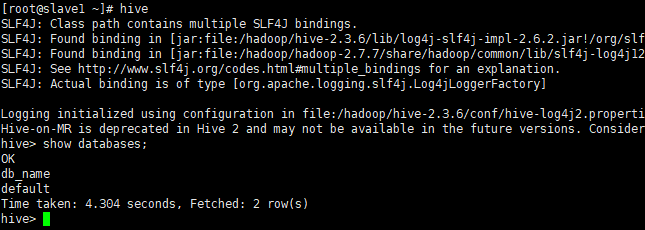
bin/flume-ng agent -c conf/ -f job/flume-file-hdfs.conf -n a2- 开启 Hadoop 的 Hive,并操作 Hive 产生日志。(比如:show databases;)
- 在 HDFS 上查看文件。

3.3 监控目录下多个新文件
3.3.1 需求
使用 Flume 监听整个目录的文件,并上传到 HDFS 上。
3.3.2 分析

3.3.3 实现流程
- 创建配置文件 flume-dir-hdfs.conf。
vim flume-dir-hdfs.conf- 配置该文件内容。
# Name the components on this agent
a3.sources = r3
a3.sinks = k3
a3.channels = c3
# Describe/configure the source
a3.sources.r3.type = spooldir
a3.sources.r3.spoolDir = /opt/module/flume/upload
a3.sources.r3.fileSuffix = .COMPLETED
a3.sources.r3.fileHeader = true
#忽略所有以.tmp 结尾的文件,不上传
a3.sources.r3.ignorePattern = ([^ ]*\.tmp)
# Describe the sink
a3.sinks.k3.type = hdfs
a3.sinks.k3.hdfs.path =  hdfs://master:9000/flume/%Y%m%d/%H
#上传文件的前缀
a3.sinks.k3.hdfs.filePrefix = upload-
#是否按照时间滚动文件夹
a3.sinks.k3.hdfs.round = true
#多少时间单位创建一个新的文件夹
a3.sinks.k3.hdfs.roundValue = 1
#重新定义时间单位
a3.sinks.k3.hdfs.roundUnit = hour
#是否使用本地时间戳
a3.sinks.k3.hdfs.useLocalTimeStamp = true
#积攒多少个 Event 才 flush 到 HDFS 一次
a3.sinks.k3.hdfs.batchSize = 10
#设置文件类型,可支持压缩
a3.sinks.k3.hdfs.fileType = DataStream
#多久生成一个新的文件
a3.sinks.k3.hdfs.rollInterval = 60
#设置每个文件的滚动大小大概是 128M
a3.sinks.k3.hdfs.rollSize = 134217700
#文件的滚动与 Event 数量无关
a3.sinks.k3.hdfs.rollCount = 0
# Use a channel which buffers events in memory
a3.channels.c3.type = memory
a3.channels.c3.capacity = 1000
a3.channels.c3.transactionCapacity = 100
# Bind the source and sink to the channel
a3.sources.r3.channels = c3
a3.sinks.k3.channel = c3- 启动监控文件夹命令。
bin/flume-ng agent -c conf -f job/flume-dir-hdfs.conf -n a3- 向 upload 文件夹中添加文件。
(1)在 /opt/module/flume/ 下创建文件夹 upload
mkdir upload(2)向 upload 文件夹中添加文件。
touch 1.txt
touch 2.txt
touch 3.txt- 查看 HDFS 上的数据。

- 再次查看 upload 文件夹。

3.4 监控目录下的多个追加文件
Exec Source 适用于监控一个实时追加的文件,但不能保证数据不丢失;Spooldir Source 能够保证数据不丢失,且能实现断点续传,但延迟较高,不能实时监控;而 Taildir Source 既能实现断点续传,又可以保证数据不丢失,还能够进行实时监控。
3.4.1 需求
使用 Flume 监听整个目录的实时追加的文件,并上传至 HDFS。
3.4.2 分析

3.4.3 实现流程
- 创建配置文件 flume-taildir-hdfs.conf。
vim flume-taildir-hdfs.conf- 配置该文件。
# Name the components on this agent
a4.sources = r4
a4.sinks = k4
a4.channels = c4
# Describe/configure the source
a4.sources.r4.type = TAILDIR
a4.sources.r4.positionFile = /opt/module/flume/postion/position.json
a4.sources.r4.filegroups = f1 f2
a4.sources.r4.filegroups.f1 = /opt/module/flume/files/file1.txt
a4.sources.r4.filegroups.f2 = /opt/module/flume/files/file2.txt
# Describe the sink
a4.sinks.k4.type = hdfs
a4.sinks.k4.hdfs.path = hdfs://master:9000/flume/%Y%m%d/%H
#上传文件的前缀
a4.sinks.k4.hdfs.filePrefix = upload-
#是否按照时间滚动文件夹
a4.sinks.k4.hdfs.round = true
#多少时间单位创建一个新的文件夹
a4.sinks.k4.hdfs.roundValue = 1
#重新定义时间单位
a4.sinks.k4.hdfs.roundUnit = hour
#是否使用本地时间戳
a4.sinks.k4.hdfs.useLocalTimeStamp = true
#积攒多少个 Event 才 flush 到 HDFS 一次
a4.sinks.k4.hdfs.batchSize = 10
#设置文件类型,可支持压缩
a4.sinks.k4.hdfs.fileType = DataStream
#多久生成一个新的文件
a4.sinks.k4.hdfs.rollInterval = 60
#设置每个文件的滚动大小大概是 128M
a4.sinks.k4.hdfs.rollSize = 134217700
#文件的滚动与 Event 数量无关
a4.sinks.k4.hdfs.rollCount = 0
# Use a channel which buffers events in memory
a4.channels.c4.type = memory
a4.channels.c4.capacity = 1000
a4.channels.c4.transactionCapacity = 100
# Bind the source and sink to the channel
a4.sources.r4.channels = c4
a4.sinks.k4.channel = c4- 启动监控文件夹命令。
bin/flume-ng agent -c conf/ -f job/flume-taildir-hdfs.conf -n a4- 向 files 文件夹中追加内容。
(1)在 /opt/module/flume 目录下创建 files 文件夹。
mkdir files(2)向 files 文件夹中追加内容。
echo hello >> file1.txt
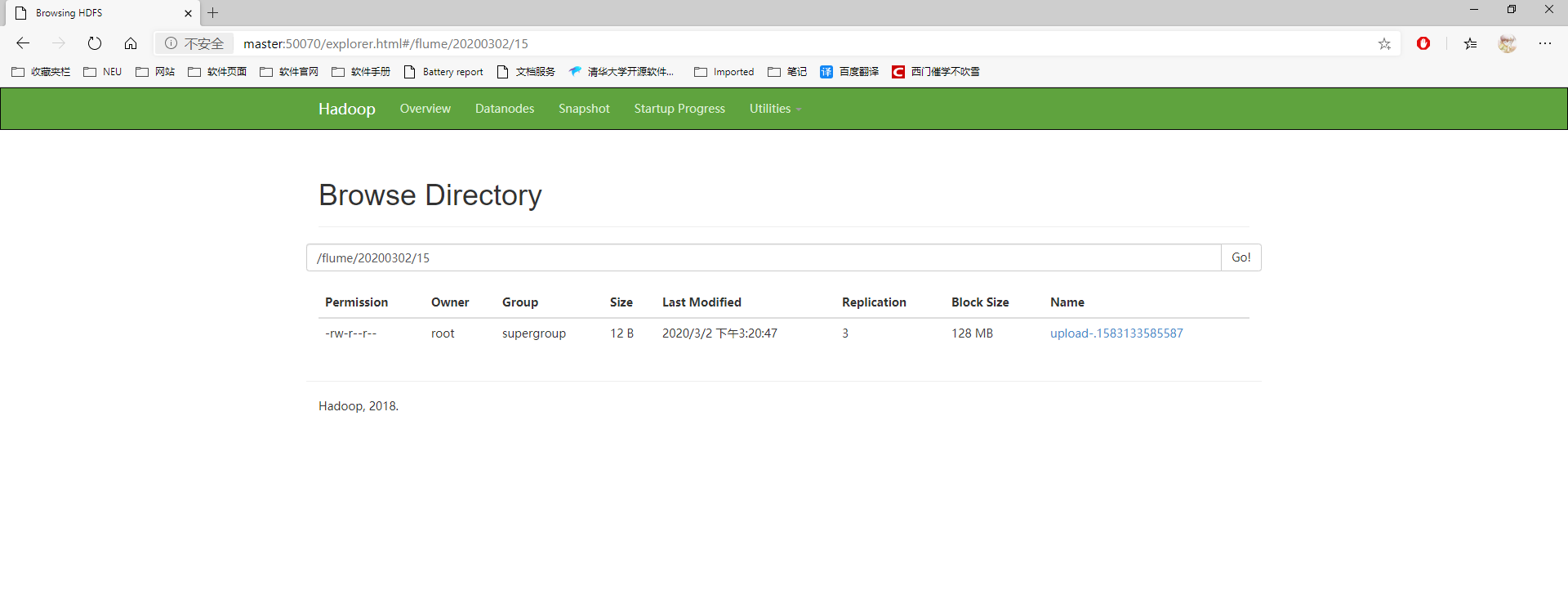
echo hello >> file2.txt- 查看 HDFS 上的数据。
4. Flume 进阶
4.1 Flume 事务

4.2 Flume Agent 内部原理

重要组件:
- ChannelSelector ChannelSelector 的作用就是选出 Event 将要被发往哪个 Channel。其共有两种类型,分别是 Replicatng 和 Multiplexing。 Replicatng 会将同一个 Event 发往所有的 Channel,Multiplexing 会根据相应的原则,将不同的 Event 发往不同的 Channel。
- SinkProcessor SinkProcessor 共有三种类型,分别是 DefaultSinkProcessor、LoadBalancingSinkProcessor 和 FailoverSinkProcessor。 DefaultSinkProcessor 对应的是单个 Sink;LoadBalancingSinkProcessor 和 FailoverSinkProcessor 对应的是 SInk Group。LoadBalancingSinkProcessor 可以实现负载均衡的功能,FailoverSinkProcessor 可以实现故障转移的功能。
4.3 Flume 拓扑结构
4.3.1 简单串联

4.3.2 复制和多路复用

4.3.3 负载均衡和故障转移

4.3.4 聚合

5. Flume 企业开发案例
5.1 复制和多路复用
5.1.1 需求
使用 Flume-1 监控文件变动,Flume-1 将文件变动内容传递给 Flume-2,Flume-2 负责存储到 HDFS。同时 Flume-1 将变动内容传递给 Flume-3,Flume-3 负责输出到 Local FileSystem。
5.1.2 分析

5.1.3 实现流程
- 准备工作 在 /opt/module/flume/job 目录下创建 group1 文件夹,在 /opt/module/datas/ 目录下创建 flume3 文件夹。
- 创建 flume1.conf 配置 1 个接收日志文件的 Source 和 两个 Channel、两个 Sink,分别输送给 flume2,flume3。
# Name the components on this agent
a1.sources = r1
a1.sinks = k1 k2
a1.channels = c1 c2
# 将数据流复制给所有 channel
a1.sources.r1.selector.type = replicating
# Describe/configure the source
a1.sources.r1.type = TAILDIR
a1.sources.r1.positionFile = /opt/module/flume/postion/position1.json
a1.sources.r1.filegroups = f1
a1.sources.r1.filegroups.f1 = /hadoop/hive-2.3.6/logs/hive.log
# Describe the sink
# sink 端的 avro 是一个数据发送者
a1.sinks.k1.type = avro
a1.sinks.k1.hostname = slave1
a1.sinks.k1.port = 4141
a1.sinks.k2.type = avro
a1.sinks.k2.hostname = slave1
a1.sinks.k2.port = 4142
# Describe the channel
a1.channels.c1.type = memory
a1.channels.c1.capacity = 1000
a1.channels.c1.transactionCapacity = 100
a1.channels.c2.type = memory
a1.channels.c2.capacity = 1000
a1.channels.c2.transactionCapacity = 100
# Bind the source and sink to the channel
a1.sources.r1.channels = c1 c2
a1.sinks.k1.channel = c1
a1.sinks.k2.channel = c2- 创建 flume2.conf。 配置上级 Flume 的 Source,输出是 HDFS 的 Sink。
# Name the components on this agent
a2.sources = r1
a2.sinks = k1
a2.channels = c1
# Describe/configure the source
# source 端的 avro 是一个数据接收服务
a2.sources.r1.type = avro
a2.sources.r1.bind = slave1
a2.sources.r1.port = 4141
# Describe the sink
a2.sinks.k1.type = hdfs
a2.sinks.k1.hdfs.path = hdfs://master:9000/flume2/%Y%m%d/%H
#上传文件的前缀
a2.sinks.k1.hdfs.filePrefix = flume2-
#是否按照时间滚动文件夹
a2.sinks.k1.hdfs.round = true
#多少时间单位创建一个新的文件夹
a2.sinks.k1.hdfs.roundValue = 1
#重新定义时间单位
a2.sinks.k1.hdfs.roundUnit = hour
#是否使用本地时间戳
a2.sinks.k1.hdfs.useLocalTimeStamp = true
#积攒多少个 Event 才 flush 到 HDFS 一次
a2.sinks.k1.hdfs.batchSize = 10
#设置文件类型,可支持压缩
a2.sinks.k1.hdfs.fileType = DataStream
#多久生成一个新的文件
a2.sinks.k1.hdfs.rollInterval = 600
#设置每个文件的滚动大小大概是 128M
a2.sinks.k1.hdfs.rollSize = 134217700
#文件的滚动与 Event 数量无关
a2.sinks.k1.hdfs.rollCount = 0
# Describe the channel
a2.channels.c1.type = memory
a2.channels.c1.capacity = 1000
a2.channels.c1.transactionCapacity = 100
# Bind the source and sink to the channel
a2.sources.r1.channels = c1
a2.sinks.k1.channel = c1- 创建 flume3.conf。 配置上级 Flume 输出的 Source ,输出是本地目录 Sink。
# Name the components on this agent
a3.sources = r1
a3.sinks = k1
a3.channels = c2
# Describe/configure the source
a3.sources.r1.type = avro
a3.sources.r1.bind = slave1
a3.sources.r1.port = 4142
# Describe the sink
a3.sinks.k1.type = file_roll
a3.sinks.k1.sink.directory = /opt/module/datas/flume3
# Describe the channel
a3.channels.c2.type = memory
a3.channels.c2.capacity = 1000
a3.channels.c2.transactionCapacity = 100
# Bind the source and sink to the channel
a3.sources.r1.channels = c2
a3.sinks.k1.channel = c2- 执行配置文件。
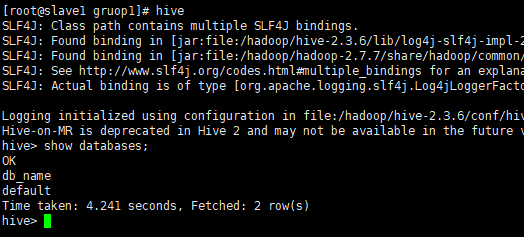
bin/flume-ng agent -c conf -f job/gruop1/flume1.conf -n a1bin/flume-ng agent -c conf -f job/gruop1/flume2.conf -n a2bin/flume-ng agent -c conf -f job/gruop1/flume3.conf -n a3- 启动 Hadoop 的 Hive。
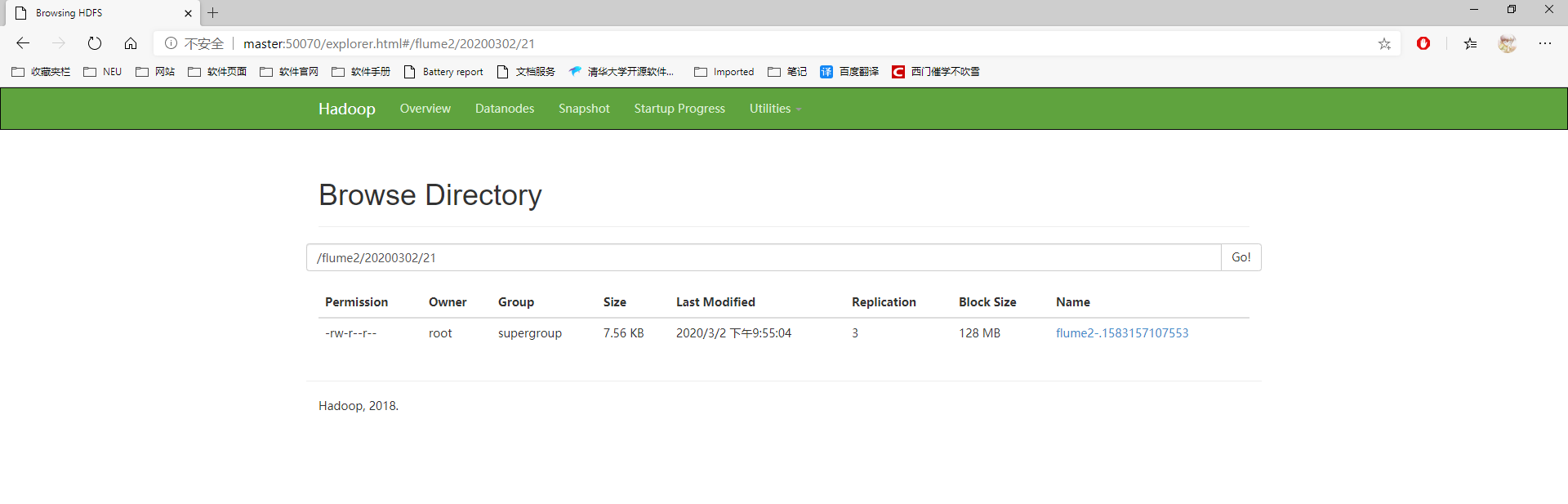
- 查看 HDFS 上数据。
- 查看 /opt/module/datas/flume3 目录中数据。

5.2 负载均衡和故障转移
5.2.1 需求
使用 Flume1 监控一个端口,其中 Sink 组中 Sink 分别对接 Flume2 和 Flume3,采用 FailoverSinkProcessor 时实现故障转移,使用 LoadBalancingSinkProcessor 时实现负载均衡。
5.2.2 分析

5.2.3 实现流程
(一)故障转移
- 准备工作。 在 /opt/module/flume/job 目录下创建 group2 文件夹
- 创建 flume1.conf。 配置 1 个 netcat Source 和 1 个 channel 、1 个 Sink Group(2 个 Sink),分别输送给 flume2 和 flume3。
# Name the components on this agent
a1.sources = r1
a1.channels = c1
a1.sinkgroups = g1
a1.sinks = k1 k2
# Describe/configure the source
a1.sources.r1.type = netcat
a1.sources.r1.bind = localhost
a1.sources.r1.port = 44444
# Describe the sink
a1.sinks.k1.type = avro
a1.sinks.k1.hostname = slave1
a1.sinks.k1.port = 4141
a1.sinks.k2.type = avro
a1.sinks.k2.hostname = slave1
a1.sinks.k2.port = 4142
# Sink Group
a1.sinkgroups.g1.processor.type = failover
a1.sinkgroups.g1.processor.priority.k1 = 5
a1.sinkgroups.g1.processor.priority.k2 = 10
a1.sinkgroups.g1.processor.maxpenalty = 10000
# Describe the channel
a1.channels.c1.type = memory
a1.channels.c1.capacity = 1000
a1.channels.c1.transactionCapacity = 100
# Bind the source and sink to the channel
a1.sources.r1.channels = c1
a1.sinkgroups.g1.sinks = k1 k2
a1.sinks.k1.channel = c1
a1.sinks.k2.channel = c1- 创建 flume2.conf。 配置上级 Flume 输出的 Source,输出是到本地控制台。
# Name the components on this agent
a2.sources = r1
a2.sinks = k1
a2.channels = c1
# Describe/configure the source
a2.sources.r1.type = avro
a2.sources.r1.bind = slave1
a2.sources.r1.port = 4141
# Describe the sink
a2.sinks.k1.type = logger
# Describe the channel
a2.channels.c1.type = memory
a2.channels.c1.capacity = 1000
a2.channels.c1.transactionCapacity = 100
# Bind the source and sink to the channel
a2.sources.r1.channels = c1
a2.sinks.k1.channel = c1- 创建 flume3.conf。 配置上级 Flume 输出的 Source,输出是到本地控制台。
# Name the components on this agent
a3.sources = r1
a3.sinks = k1
a3.channels = c1
# Describe/configure the source
a3.sources.r1.type = avro
a3.sources.r1.bind = slave1
a3.sources.r1.port = 4142
# Describe the sink
a3.sinks.k1.type = logger
# Describe the channel
a3.channels.c1.type = memory
a3.channels.c1.capacity = 1000
a3.channels.c1.transactionCapacity = 100
# Bind the source and sink to the channel
a3.sources.r1.channels = c1
a3.sinks.k1.channel = c1- 执行配置文件。
bin/flume-ng agent -c conf -f job/group2/flume1.conf -n a1bin/flume-ng agent -c conf -f job/group2/flume2.conf -n a2 -Dflume.root.logger=INFO,consolebin/flume-ng agent -c conf -f job/group2/flume3.conf -n a3 -Dflume.root.logger=INFO,console- 使用 netcat 工具向本机 44444 端口发送内容。
nc localhost 44444- 查看 Flume2 及 Flume3 的控制台打印日志。
- 将 Flume2 kill 掉,观察 Flume3 的控制台打印情况。
(二)负载均衡
和上面故障转移实现流程一样,只需更改 flume1.conf 中 Sink Group 配置,其余一模一样。
# Sink Group
a1.sinkgroups.g1.sinks = k1 k2
a1.sinkgroups.g1.processor.type = load_balance
a1.sinkgroups.g1.processor.backoff = true
a1.sinkgroups.g1.processor.selector = random
5.3 聚合
5.3.1 需求
slave1 上的 Flume-1 监控文件 /opt/module/datas/group.log,slave2 上的 Flume-2 监控某一端口数据流,Flume-1 与 Flume-2 将数据发送给 master 上的 Flume3,Flume3 将最终数据打印到控制台。
5.3.2 分析

5.3.3 实现流程
- 准备工作。 在 master、slave1 以及 slave2 的 /opt/module/flume/job 目录下创建一个 group4 文件夹。在 salve1 /opt/module/flume/datas 目录下创建 group.log 文件。
- 在 slave1 上创建 flume1.conf。 配置 Source 用于监控 group.log 文件,配置 Sink 输出数据到下一级 Flume。
# Name the components on this agent
a1.sources = r1
a1.sinks = k1
a1.channels = c1
# Describe/configure the source
a1.sources.r1.type = TAILDIR
a1.sources.r1.positionFile = /opt/module/flume/postion/position2.json
a1.sources.r1.filegroups = f1
a1.sources.r1.filegroups.f1 = /opt/module/flume/datas/group.log
# Describe the sink
a1.sinks.k1.type = avro
a1.sinks.k1.hostname = master
a1.sinks.k1.port = 4141
# Describe the channel
a1.channels.c1.type = memory
a1.channels.c1.capacity = 1000
a1.channels.c1.transactionCapacity = 100
# Bind the source and sink to the channel
a1.sources.r1.channels = c1
a1.sinks.k1.channel = c1- 在 salve2 上创建 flume2.conf。 配置 Source 监控端口 44444 数据流,配置 Sink 输出数据到下一级 Flume。
# Name the components on this agent
a2.sources = r1
a2.sinks = k1
a2.channels = c1
# Describe/configure the source
a2.sources.r1.type = netcat
a2.sources.r1.bind = localhost
a2.sources.r1.port = 44444
# Describe the sink
a2.sinks.k1.type = avro
a2.sinks.k1.hostname = master
a2.sinks.k1.port = 4141
# Use a channel which buffers events in memory
a2.channels.c1.type = memory
a2.channels.c1.capacity = 1000
a2.channels.c1.transactionCapacity = 100
# Bind the source and sink to the channel
a2.sources.r1.channels = c1
a2.sinks.k1.channel = c1- 在 master 上创建 flume3.conf 配置 Source 用于接收 flume1 与 flume2 发送过来的数据,最终合并后 Sink 输出数据到控制台。
# Name the components on this agent
a3.sources = r1
a3.sinks = k1
a3.channels = c1
# Describe/configure the source
a3.sources.r1.type = avro
a3.sources.r1.bind = master
a3.sources.r1.port = 4141
# Describe the sink
a3.sinks.k1.type = logger
# Describe the channel
a3.channels.c1.type = memory
a3.channels.c1.capacity = 1000
a3.channels.c1.transactionCapacity = 100
# Bind the source and sink to the channel
a3.sources.r1.channels = c1
a3.sinks.k1.channel = c1- 在三台机器上分别执行配置文件。
bin/flume-ng agent -c conf/ -f job/group4/flume3.conf -n a3 -Dflume.root.logger=INFO,consolebin/flume-ng agent -c conf -f job/group4/flume2.conf -n a2bin/flume-ng agent -c conf -f job/group4/flume1.conf -n a1- 在 slave1 上向 /opt/module/flume/datas 目录下的 group.log 追加内容。
echo hello >> group.log- 在 slave2 向 44444 端口发送数据。
nc localhost 44444
- 检查 master 上的数据。

6. 自定义 Flume 组件
6.1 自定义拦截器(Interceptor)
6.1.1 需求
使用 Flume 采集服务器本地日志,需要按照日志类型的不同,将不同种类的日志发往不同的分析系统。
6.1.2 分析
此时会用到 Flume 拓扑结构中的 Multioplexing 结构,Multiplexing 的原理是,根据 event 中的 Header 的某个 key 的值,将不同的 event 发送到不同的 Channel 中,所以需要自定义一个 Interceptor,为不同类型的 event 的 Header 中的 key 值赋予不同的值。 在该案例中,我们以端口数据模拟日志,以包含 hello 和不包含 hello 模拟不同类型的日志。

6.1.3 实现流程
- 创建一个 Maven 项目,并引入以下依赖。
<dependency>
<groupId>org.apache.flume</groupId>
<artifactId>flume-ng-core</artifactId>
<version>1.9.0</version>
</dependency>- 定义 CustomInterceptor 类并实现 Interceptor 接口。之后将 Maven 项目打成 jar 包上传到 /opt/module/flume/lib 目录下。
package com.neu.interceptor;
import org.apache.flume.Context;
import org.apache.flume.Event;
import org.apache.flume.interceptor.Interceptor;
import java.util.ArrayList;
import java.util.List;
import java.util.Map;
public class CustomInterceptor implements Interceptor {

// 声明一个存放事件的集合
private List<Event> addHeaderEvents;
public void initialize() {

addHeaderEvents = new ArrayList<Event>();
}
// 单个事件拦截
public Event intercept(Event event) {

// 1.获取事件中的头信息
Map<String, String> headers = event.getHeaders();
// 2.获取事件中的body信息
String body = new String(event.getBody());
// 3.根据body中是否有“hello”来决定添加怎样的头信息
if (body.contains("hello")) {

headers.put("type", "neu");
} else {

headers.put("type", "others");
}
return event;
}
// 批量事件拦截
public List<Event> intercept(List<Event> events) {

// 1.清空集合
addHeaderEvents.clear();
// 2.遍历events
for (Event event : events) {

// 3.为每个事件添加头信息
addHeaderEvents.add(intercept(event));
}
return addHeaderEvents;
}
public void close() {

}
public static class Builder implements Interceptor.Builder {

public Interceptor build() {

return new CustomInterceptor();
}
public void configure(Context context) {

}
}
}- 在 slave1 上创建 flume1.conf。 配置一个 Netcat Source,一个 Sink Group(2 个 Avro Sink),并配置相应 ChannelSelector 和 Interceptor。
# Name the components on this agent
a1.sources = r1
a1.sinks = k1 k2
a1.channels = c1 c2
# Interceptor
a1.sources.r1.interceptors = i1
a1.sources.r1.interceptors.i1.type = com.neu.interceptor.CustomInterceptor$Builder
# Channel Selector
a1.sources.r1.selector.type = multiplexing
a1.sources.r1.selector.header = type
a1.sources.r1.selector.mapping.neu = c1
a1.sources.r1.selector.mapping.others = c2
# Describe/configure the source
a1.sources.r1.type = netcat
a1.sources.r1.bind = localhost
a1.sources.r1.port = 44444
# Describe the sink
# sink 端的 avro 是一个数据发送者
a1.sinks.k1.type = avro
a1.sinks.k1.hostname = master
a1.sinks.k1.port = 4141
a1.sinks.k2.type = avro
a1.sinks.k2.hostname = slave2
a1.sinks.k2.port = 4142
# Describe the channel
a1.channels.c1.type = memory
a1.channels.c1.capacity = 1000
a1.channels.c1.transactionCapacity = 100
a1.channels.c2.type = memory
a1.channels.c2.capacity = 1000
a1.channels.c2.transactionCapacity = 100
# Bind the source and sink to the channel
a1.sources.r1.channels = c1 c2
a1.sinks.k1.channel = c1
a1.sinks.k2.channel = c2- 在 slave2 上创建 flume2.conf。 配置一个 Avro Source 和 logger Sink。
# Name the components on this agent
a2.sources = r1
a2.sinks = k1
a2.channels = c1
# Describe/configure the source
a2.sources.r1.type = avro
a2.sources.r1.bind = slave2
a2.sources.r1.port = 4142
# Describe the sink
a2.sinks.k1.type = logger
# Describe the channel
a2.channels.c1.type = memory
a2.channels.c1.capacity = 1000
a2.channels.c1.transactionCapacity = 100
# Bind the source and sink to the channel
a2.sources.r1.channels = c1
a2.sinks.k1.channel = c1- 在 master 上创建 flume3.conf。 配置一个 Avro Source 和 logger Sink。
# Name the components on this agent
a3.sources = r1
a3.sinks = k1
a3.channels = c1
# Describe/configure the source
a3.sources.r1.type = avro
a3.sources.r1.bind = master
a3.sources.r1.port = 4141
# Describe the sink
a3.sinks.k1.type = logger
# Describe the channel
a3.channels.c1.type = memory
a3.channels.c1.capacity = 1000
a3.channels.c1.transactionCapacity = 100
# Bind the source and sink to the channel
a3.sources.r1.channels = c1
a3.sinks.k1.channel = c1- 分别在 salve1,slave2 和 slave3 上启动 flume 进程。
bin/flume-ng agent -c conf/ -f job/interceptor/flume3.conf -n a3 -Dflume.root.logger=INFO,consolebin/flume-ng agent -c conf -f job/interceptor/flume2.conf -n a2 -Dflume.root.logger=INFO,consolebin/flume-ng agent -c conf -f job/interceptor/flume1.conf -n a1- 在 slave1 上使用 netcat 向 44444 端口发送数据。
nc localhost 44444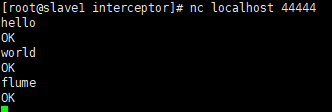
- 观察 slave2 和 master 的打印日志。

6.2 自定义 Source
6.2.1 需求
使用 flume 接收数据,并给每条数据添加前缀,输出到控制台。前缀可以从 flume 配置文件中配置。
6.2.2 分析

说明: 官方提供的 Source 类型已经很多,但是有时候并不能满足实际开发的需求,此时我们就需要根据实际需求自定义 Source。官方说明自定义 MySource 需要继承 AbstractSource 类并实现 Configurable 和 PollableSource 接口。
6.2.3 实现流程
- 定义 MySource 类,继承 AbstractSource 类并实现 Configurable 和 PollableSource 接口。之后将 Maven 项目打成 jar 包上传到 /opt/module/flume/lib 目录下。
package com.neu.interceptor.source;
import org.apache.flume.Context;
import org.apache.flume.EventDeliveryException;
import org.apache.flume.PollableSource;
import org.apache.flume.conf.Configurable;
import org.apache.flume.event.SimpleEvent;
import org.apache.flume.source.AbstractSource;
public class MySource extends AbstractSource implements Configurable, PollableSource {

// 定义全局的前缀和后缀
private String prefix;
private String suffix;
/** * 1.接收数据(for循环造数据) * 2.封装为事件 * 3.将事件传给channel * * @return * @throws EventDeliveryException */
@Override
public Status process() throws EventDeliveryException {

Status status = null;
try {

// 1.接收数据
for (int i = 0; i < 5; i++) {

// 2.构造事件对象
SimpleEvent event = new SimpleEvent();
// 3.给事件设置值
event.setBody((prefix + "--" + i + "--" + suffix).getBytes());
// 4.将事件传给channel
getChannelProcessor().processEvent(event);
status = Status.READY;
}
} catch (Exception e) {

e.printStackTrace();
status = Status.BACKOFF;
}
try {

Thread.sleep(2000);
} catch (InterruptedException e) {

e.printStackTrace();
}
return status;
}
@Override
public long getBackOffSleepIncrement() {

return 0;
}
@Override
public long getMaxBackOffSleepInterval() {

return 0;
}
/** * 或取配置文件(XX.conf)中的配置信息 * * @param context */
@Override
public void configure(Context context) {

// 读取配置信息给前后缀
prefix = context.getString("prefix");
suffix = context.getString("suffix", "neu");
}
}- 创建配置文件 mySource.conf。
# Name the components on this agent
a1.sources = r1
a1.sinks = k1
a1.channels = c1
# Describe/configure the source
a1.sources.r1.type = com.neu.source.MySource
a1.sources.r1.prefix = feiji
a1.sources.r1.suffix = xiaxain
# Describe the sink
a1.sinks.k1.type = logger
# Use a channel which buffers events in memory
a1.channels.c1.type = memory
a1.channels.c1.capacity = 1000
a1.channels.c1.transactionCapacity = 100
# Bind the source and sink to the channel
a1.sources.r1.channels = c1
a1.sinks.k1.channel = c1- 开启任务。
bin/flume-ng agent -c conf -f job/mySource.conf -n a1 -Dflume.root.logger=INFO,console- 在控制台查看结果。

6.3 自定义 Sink
6.3.1 需求
使用 Flume 接收数据,并在 Sink 端给每条数据添加前缀和后缀,输出到控制台。前后缀可在 Flume 配置文件中配置。
6.3.2 分析

说明: 官方提供的 Sink 类型已经很多,但是有时候并不能满足实际开发的需求,此时我们就需要根据实际需求自定义 Sink。官方说明自定义 MySink 需要继承 AbstractSink 类并实现 Configurable 。
6.3.3 实现流程
- 定义 MySink 类,继承 AbstractSink 类并实现 Configurable 接口。之后将 Maven 项目打成 jar 包上传到 /opt/module/flume/lib 目录下。
package com.neu.sink;
import org.apache.flume.*;
import org.apache.flume.conf.Configurable;
import org.apache.flume.sink.AbstractSink;
import org.slf4j.Logger;
import org.slf4j.LoggerFactory;
public class MySink extends AbstractSink implements Configurable {

// 获取Logger对象
private Logger logger = LoggerFactory.getLogger(MySink.class);
// 定义两个属性,前后缀
private String prefix;
private String suffix;
/** * 1.获取 Channel * 2.从 Channel获取事务和数据 * 3.发送数据 * * @return * @throws EventDeliveryException */
@Override
public Status process() throws EventDeliveryException {

// 1.定义返回值
Status status = null;
// 2.获取 Channel
Channel channel = getChannel();
// 3.从Channel获取事务
Transaction transaction = channel.getTransaction();
// 4.开启事务
transaction.begin();
try {

// 5.从Channel获取数据
Event event = channel.take();
// 6.处理事件
if (event != null) {

String body = new String(event.getBody());
logger.info(prefix+body+suffix);
}
// 7.提交事务
transaction.commit();
// 8.成功提交,修改状态信息
status = Status.READY;
} catch (ChannelException e) {

e.printStackTrace();
// 9.提交事务失败
transaction.rollback();
// 10.修改状态
status = Status.BACKOFF;
} finally {

// 11.最终关闭事务
if (transaction != null) {

transaction.close();
}
}
// 12.返回状态信息
return status;
}
@Override
public void configure(Context context) {

// 读取配置文件,为前后缀赋值
prefix = context.getString("prefix");
suffix = context.getString("suffix", "neu");
}
}- 创建配置文件 mySink.conf。
# Name the components on this agent
a1.sources = r1
a1.sinks = k1
a1.channels = c1
# Describe/configure the source
a1.sources.r1.type = netcat
a1.sources.r1.bind = localhost
a1.sources.r1.port = 44444
# Describe the sink
a1.sinks.k1.type = com.neu.sink.MySink
a1.sinks.k1.prefix = hello--
a1.sinks.k1.suffix = --hello
# Use a channel which buffers events in memory
a1.channels.c1.type = memory
a1.channels.c1.capacity = 1000
a1.channels.c1.transactionCapacity = 100
# Bind the source and sink to the channel
a1.sources.r1.channels = c1
a1.sinks.k1.channel = c1- 开启任务。
bin/flume-ng agent -c conf -f job/mySink.conf -n a1 -Dflume.root.logger=INFO,console- 使用 netcat 工具向本机 44444端口发送内容。
nc localhost 44444
- 在控制台查看结果。

7. Flume 数据流监控
7.1 Ganglia 的安装部署
- 安装 httpd 服务与 php
yum -y install httpd php- 安装其他依赖
yum -y install rrdtool perl-rrdtool rrdtool-develyum -y install apr-devel- 安装 ganglia
yum install -y epel-release yum -y install ganglia-gmetadyum -y install ganglia-webyum -y install ganglia-gmondGanglia 由 gmond、gmetad 和 gweb 三部分组成。 gmond(Ganglia Monitoring Daemon)是一种轻量级服务,安装在每台需要收集指标数据的节点主机上。使用 gmond,可以收集很多系统指标数据,如 CPU、内存、磁盘、网络和活跃进程数据等。 gmetad(Ganglia Meta Daemon)整合所有信息,并将其以 RDD 格式存储至磁盘的服务。 gweb(Ganglia Web)是 Ganglia 可视化工具,gweb 是一种利用浏览器显示 gmetad 所存储的数据的 PHP 前端。在 Web 页面中以图表的方式展现集群的运行状态下收集的多种不同指标数据。
- 修改配置文件 /etc/httpd/conf.d/ganglia.conf
vim /etc/httpd/conf.d/ganglia.conf#
# Ganglia monitoring system php web frontend
#
Alias /ganglia /usr/share/ganglia
<Location /ganglia>
Require all granted
#Require local
# Require ip 10.1.2.3
# Require host example.org
</Location>- 修改配置文件 /etc/ganglia/gmetad.conf
vim /etc/ganglia/gmetad.conf修改内容:
data_source "slave1" localhost- 修改配置文件 /etc/ganglia/gmond.conf
vim /etc/ganglia/gmond.conf修改内容:
cluster {

name = "slave1"
owner = "unspecified"
latlong = "unspecified"
url = "unspecified"
}
udp_send_channel {

#bind_hostname = yes # Highly recommended, soon to be default.
# This option tells gmond to use a source
address
# that resolves to the machine's hostname.
Without
# this, the metrics may appear to come from any
# interface and the DNS names associated with
# those IPs will be used to create the RRDs.
# mcast_join = 239.2.11.71
host = slave1
port = 8649
ttl = 1
}
udp_recv_channel {

# mcast_join = 239.2.11.71
port = 8649
bind = slave1
retry_bind = true
# Size of the UDP buffer. If you are handling lots of metrics you
really
# should bump it up to e.g. 10MB or even higher.
# buffer = 10485760
}- 修改配置文件 /etc/selinux/config
vim /etc/selinux/config修改内容:
SELINUX=disabled说明:selinux 本次生效关闭必须重启,如果此时不想重启,可以临时生效之:
setenforce 0- 启动 Ganglia
systemctl start gmond.servicesystemctl start gmetad.servicesystemctl start httpd.service- 打开网页浏览 Ganglia 页面 http://slave1/ganglia
说明:如果完成以上操作依然出现权限不足错误,需修改/var/lib/ganglia 目录的权限:
chmod -R 777 /var/lib/ganglia7.2 操作 Flume 测试监控
- 修改 /opt/module/flume/conf 目录下的 flume-env.sh 配置
JAVA_OPTS="-Dflume.monitoring.type=ganglia -Dflume.monitoring.hosts=slave1:8649 -Xms100m -Xmx200m"- 启动 Flume 任务
bin/flume-ng agent -c conf -f job/flume-netcat-logger.conf -n a1 \
-Dflume.root.logger==INFO,console \
-Dflume.monitoring.type=ganglia \
-Dflume.monitoring.hosts=slave1:8649- 发送数据观察 Ganglia 监测图
nc localhost 44444

字段 | 字段含义 | 字段 | 字段含义 |
|---|---|---|---|
ChannelCapacity | channel 的容量 | ChannelFillPercentage | channel 占用的百分比 |
ChannelSize | 目前 channel 中事件的总数量 | EventPutAttemptCount | source 尝试写入 channel 的事件总数量 |
EventPutSuccessCount | 成功写入 channel 且提交的事件总数量 | EventTakeAttemptCount | sink 尝试从 channel 拉取事件的总数量。 |
EventTakeSuccessCount | sink 成功读取的事件的总数量 | StartTime | channel 启动的时间(毫秒) |
StopTime | channel 停止的时间(毫秒) |
版权声明:本文内容由互联网用户自发贡献,该文观点仅代表作者本人。本站仅提供信息存储空间服务,不拥有所有权,不承担相关法律责任。如发现本站有涉嫌侵权/违法违规的内容, 请发送邮件至 举报,一经查实,本站将立刻删除。
发布者:全栈程序员栈长,转载请注明出处:https://javaforall.cn/207768.html原文链接:https://javaforall.cn
本文参与 腾讯云自媒体同步曝光计划,分享自作者个人站点/博客。
原始发表:2022年10月24日,如有侵权请联系 cloudcommunity@tencent.com 删除
评论
登录后参与评论
推荐阅读
目录
腾讯云开发者

Copyright © 2013 - 2026 Tencent Cloud. All Rights Reserved. 腾讯云 版权所有
深圳市腾讯计算机系统有限公司 ICP备案/许可证号:粤B2-20090059  粤公网安备44030502008569号
腾讯云计算(北京)有限责任公司 京ICP证150476号 | 京ICP备11018762号