image-conversion


失之毫厘,差之千里。——佚名
分享一个js图像库:
https://github.com/WangYuLue/image-conversion

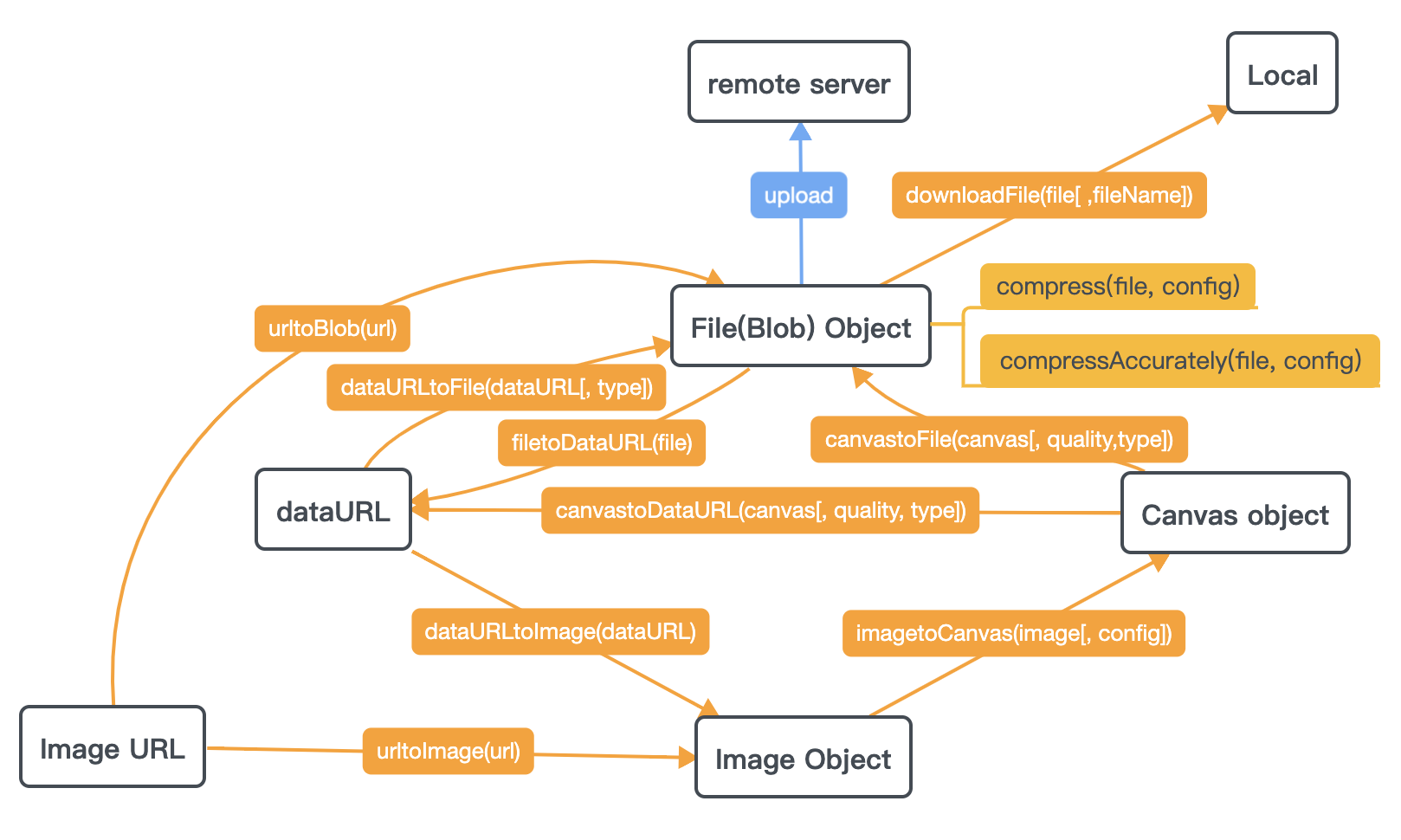
Include the library
in browser:
<script src="https://cdn.jsdelivr.net/gh/WangYuLue/image-conversion/build/conversion.js"></script>in CommonJS:
const imageConversion = require("image-conversion");in ES6:
import * as imageConversion from 'image-conversion';or
import {compress, compressAccurately} from 'image-conversion';Use examples
<input id="demo" type="file" onchange="view()">- Compress image to 200kb:
 function view(){
  const file = document.getElementById('demo').files[0];
  console.log(file);
  imageConversion.compressAccurately(file,200).then(res=>{
    //The res in the promise is a compressed Blob type (which can be treated as a File type) file;
    console.log(res);
  })
}

// or use an async function
async function view() {
  const file = document.getElementById('demo').files[0];
  console.log(file);
  const res = await imageConversion.compressAccurately(file,200)
  console.log(res);
}- Compress images at a quality of 0.9
 function view(){
  const file = document.getElementById('demo').files[0];
  console.log(file);
  imageConversion.compress(file,0.9).then(res=>{
    console.log(res);
  })
}
本文参与 腾讯云自媒体同步曝光计划,分享自作者个人站点/博客。
原始发表:2023-06-07,如有侵权请联系 cloudcommunity@tencent.com 删除
目录
腾讯云开发者

Copyright © 2013 - 2026 Tencent Cloud. All Rights Reserved. 腾讯云 版权所有
深圳市腾讯计算机系统有限公司 ICP备案/许可证号:粤B2-20090059  粤公网安备44030502008569号
腾讯云计算(北京)有限责任公司 京ICP证150476号 | 京ICP备11018762号