【UI】修改滚动条样式

【UI】修改滚动条样式

fruge365
发布于 2025-12-15 09:54:02
发布于 2025-12-15 09:54:02
将下面代码放入项目文件public/index.html的style中即可
修改后样式
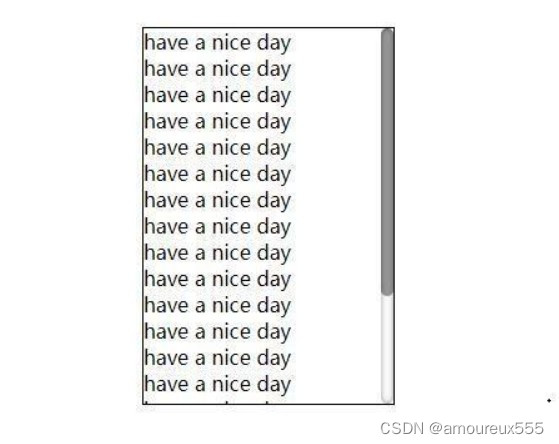
在这里插入图片描述
将下列代码放入html的style中即可
    body::-webkit-scrollbar {
      width: 10px;
      height: 10px;
    }

    /*正常情况下滑块的样式*/
    body::-webkit-scrollbar-thumb {
      background-color: rgba(0, 0, 0, 0.05);
      border-radius: 10px;
      -webkit-box-shadow: inset1px1px0rgba(0, 0, 0, 0.1);
    }

    /*鼠标悬浮在该类指向的控件上时滑块的样式*/
    body:hover::-webkit-scrollbar-thumb {
      background-color: rgba(0, 0, 0, 0.2);
      border-radius: 10px;
      -webkit-box-shadow: inset1px1px0rgba(0, 0, 0, 0.1);
    }

    /*鼠标悬浮在滑块上时滑块的样式*/
    body::-webkit-scrollbar-thumb:hover {
      background-color: rgba(0, 0, 0, 0.4);
      -webkit-box-shadow: inset1px1px0rgba(0, 0, 0, 0.1);
    }

    /*正常时候的主干部分*/
    body::-webkit-scrollbar-track {
      border-radius: 10px;
      -webkit-box-shadow: inset006pxrgba(0, 0, 0, 0);
      background-color: white;
    }

    /*鼠标悬浮在滚动条上的主干部分*/
    body::-webkit-scrollbar-track:hover {
      -webkit-box-shadow: inset006pxrgba(0, 0, 0, 0.4);
      background-color: rgba(0, 0, 0, 0.01);
    }
本文参与 腾讯云自媒体同步曝光计划,分享自作者个人站点/博客。
原始发表:2023-03-18,如有侵权请联系 cloudcommunity@tencent.com 删除
腾讯云开发者

Copyright © 2013 - 2026 Tencent Cloud. All Rights Reserved. 腾讯云 版权所有
深圳市腾讯计算机系统有限公司 ICP备案/许可证号:粤B2-20090059  粤公网安备44030502008569号
腾讯云计算(北京)有限责任公司 京ICP证150476号 | 京ICP备11018762号