
html2canvas无法在Safari浏览器中工作:使用屏幕截图
html2canvas无法在Safari浏览器中工作:使用屏幕截图
提问于 2022-01-21 10:49:10
我只想截图任何HTML元素(在我的例子中是“容器”div )。它在Chrome和Firefox浏览器中运行得很好,但在Safari中却不行。
以下是我是如何做到的:
<!doctype HTML>
<HTML>
<head>
    <script type="text/javascript" src="assets/HTML_canvas/html2canvas.js"></script>
</head>
<body>
<h1>Take screenshot of webpage with html2canvas</h1>
<div class="container" id='container' >
    <div style="background-color: blue; height: 50px; width: 50px;">DIV 1</div>
    <div style="background-color: red; height: 50px; width: 50px;">DIV 2</div>
    <div style="background-color: green; height: 50px; width: 50px;">DIV 3</div>
</div>

<input type='button' id='but_screenshot' value='Take screenshot' onclick='screenshot();'><br/>

<!-- Script -->
<script type='text/javascript'>
    function screenshot(){
        html2canvas(document.getElementById('container')).then(function(canvas) {
            document.body.appendChild(canvas);
        });
    }
</script>

</body>
</html>
它显示了Safari浏览器中的以下错误:
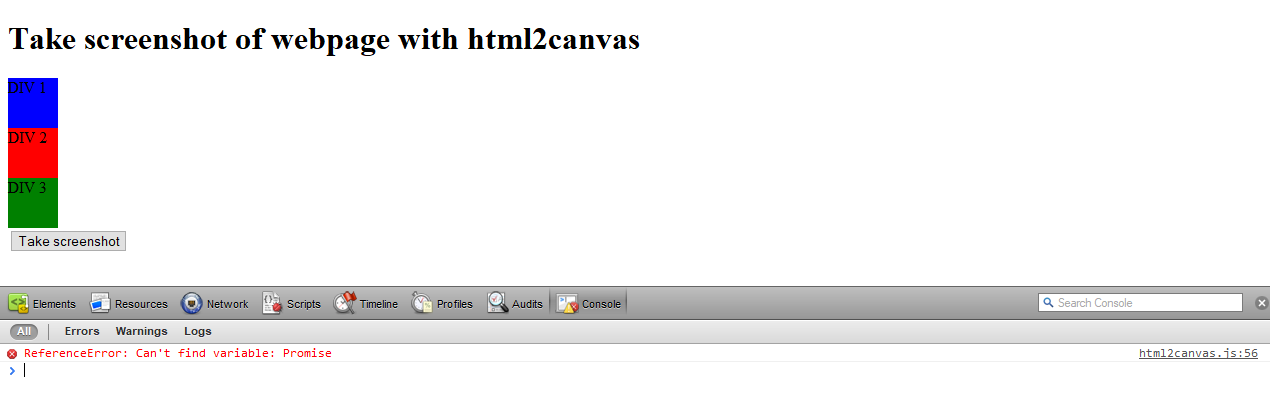
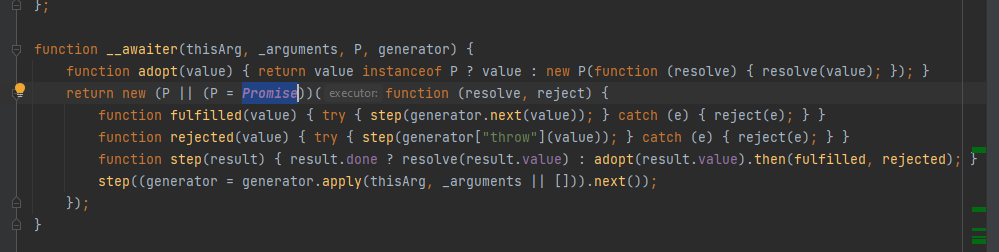
下面是html2canvas.js代码的具体部分(默认情况下,它是我刚才使用的文件)。
回答 1
Stack Overflow用户
回答已采纳
发布于 2022-01-24 13:20:17
我们只需要在safari浏览器上启用CORS。因此,我们将修改我们的函数screenshot(),如下所示:
function screenshot(){
    html2canvas(document.getElementById('id-screenshot'),{
        allowTaint: true,
        useCORS : true,
    }).then(function(canvas) {
        console.log("canvas: " + canvas);
        document.getElementById('test-s').appendChild(canvas);
    });
}页面原文内容由Stack Overflow提供。腾讯云小微IT领域专用引擎提供翻译支持
原文链接:
https://stackoverflow.com/questions/70800095
复制相关文章
相似问题
腾讯云开发者

Copyright © 2013 - 2026 Tencent Cloud. All Rights Reserved. 腾讯云 版权所有
深圳市腾讯计算机系统有限公司 ICP备案/许可证号:粤B2-20090059  粤公网安备44030502008569号
腾讯云计算(北京)有限责任公司 京ICP证150476号 | 京ICP备11018762号