
如何在没有DOM的JS上对变量进行样式化
我即将将"newResult“的样式设置为绿色(如果通过)和红色(如果失败)。由于"newResult“不是DOM,我很困惑如何对它们进行样式设计。
@param {string} idIn

function checkId(idIn) {
  let isIDin = false;
  let regexID = /^n|N[0-9]{8}$/i;

  if (regexID.test(idIn)) {
      isIDin = true;
  }
   return isIDin;
}

function test__checkId(valueIn, expected){
   let result = checkId(valueIn);
   var newResult;

//Print out value we are testing, and result of the function, and our expectation.
   if (result){
    newResult="==PASSED==";
   } else {
    newResult="XXFAILEDXX";
   }

let msg = "Value tested: " + valueIn + " | Expected result: " + expected + " " + newResult + "<br />";

 document.getElementById("data").innerHTML+=msg;
}

//TIME TO RUN OUR UNIT TEST FUNCTION ON OUR checkHumberID FUNCTION...
test__checkId("n99999999",true); //boundary testing
test__checkId("n00000000",true); //boundary testing
test__checkId("ASFASDF",true); //boundary testing回答 3
Stack Overflow用户
发布于 2022-05-19 19:16:58
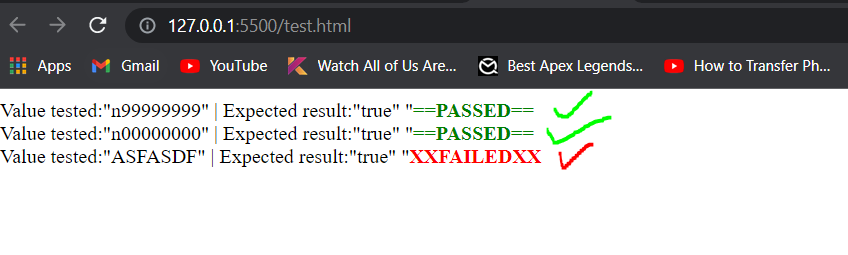
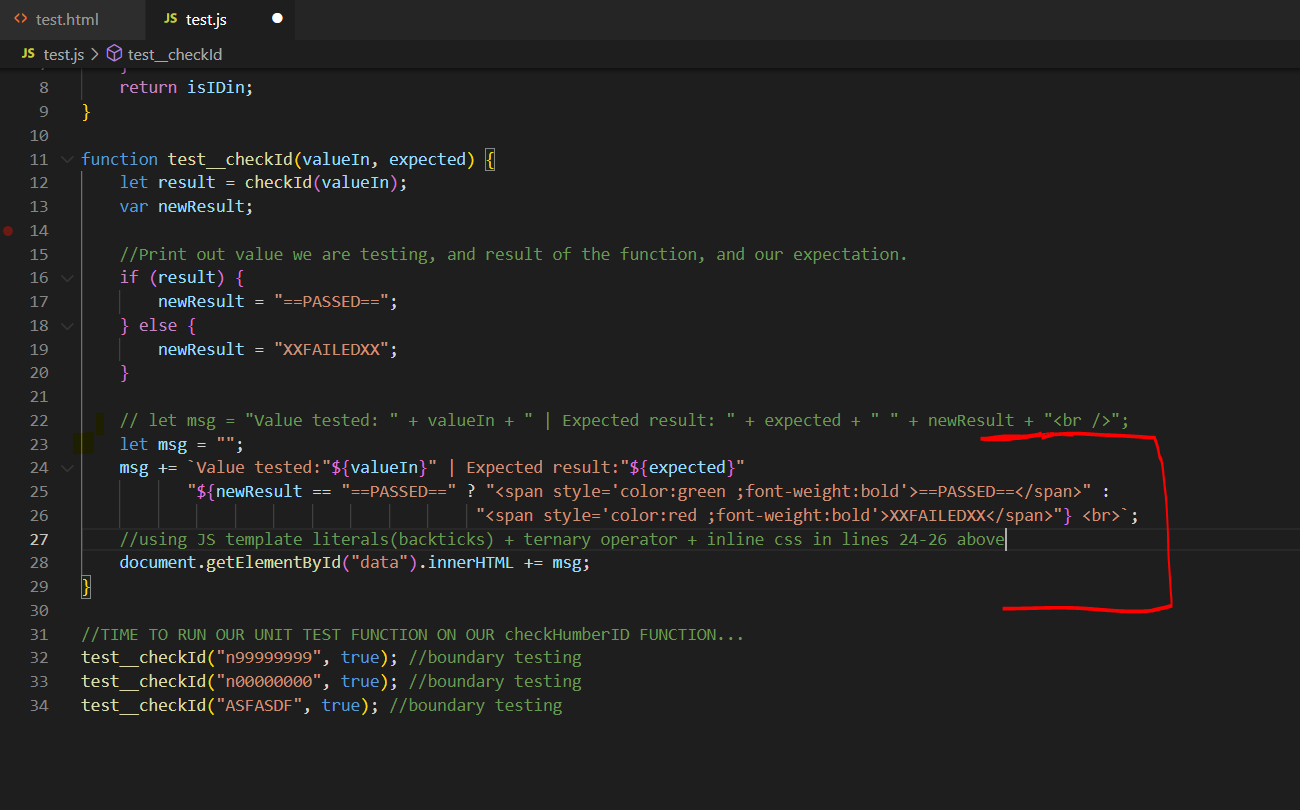
您可以使用JavaScript模板文字、三元/条件运算符和内联CSS来完成您想要的任务。
语法乍看上去可能令人困惑,但它确实起了作用。
let msg = "" ;
msg+=`Value tested:"${valueIn}" | Expected result:"${expected}" "${newResult == "==PASSED==" ? "<span style='color:green ;font-weight:bold'>==PASSED==</span>":"<span style='color:red ;font-weight:bold'>XXFAILEDXX</span>"} <br>` ;

document.getElementById("data").innerHTML+=msg;
Stack Overflow用户
发布于 2022-05-19 17:39:22
您正在构建一个HTML,因此它非常简单,可以用类将newResult包装在span中,从而使用CSS设置其颜色。
let msg = "Value tested: " + valueIn + " | Expected result: " + expected + " <span class='" + (result ? "pass" : "fail") + "'>" + newResult + "</span><br />";
// −−−−−−−−−−−−−−−−−−−−−−−−−−−−−−−−−−−−−−−−−−−−−−−−−−−−−−−−−−−−−−−−−−−−−−−−−−^^^^^^^^^^^^^^^^^^^^^^^^^^^^^^^^^^^^^^^^^^^^^^^^^−−−−−−−−−−−−−−−−^^^^^^^^然后将.pass和.fail的样式添加到CSS中。
Stack Overflow用户
发布于 2022-05-19 17:43:06
DOM表示内存中的HTML文档。MDN的DOM简介澄清:
DOM不是JavaScript语言的一部分,而是用于构建网站的Web。JavaScript也可以在其他上下文中使用。例如,Node.js在计算机上运行JavaScript程序,但是提供了一组不同的API,而DOM不是Node.js运行时的核心部分。
DOM被放入浏览器,而外接程序包则可用于nodejs。
一旦获得了DOM,就只需在内存中创建您想要的任何元素,比如document.createElement("div");,然后只要您想使用.appendChild之类的方法,就可以将它们添加到HTLM文档中。
https://stackoverflow.com/questions/72308848
复制相似问题
腾讯云开发者

Copyright © 2013 - 2026 Tencent Cloud. All Rights Reserved. 腾讯云 版权所有
深圳市腾讯计算机系统有限公司 ICP备案/许可证号:粤B2-20090059  粤公网安备44030502008569号
腾讯云计算(北京)有限责任公司 京ICP证150476号 | 京ICP备11018762号