
编辑VSCode文件时出现.tsx错误
编辑VSCode文件时出现.tsx错误
提问于 2022-08-16 10:48:12
在用.tsx编辑VSCode文件时,我一直存在错误。这些错误只影响编辑器,代码编译良好,编译器不会抱怨任何事情。
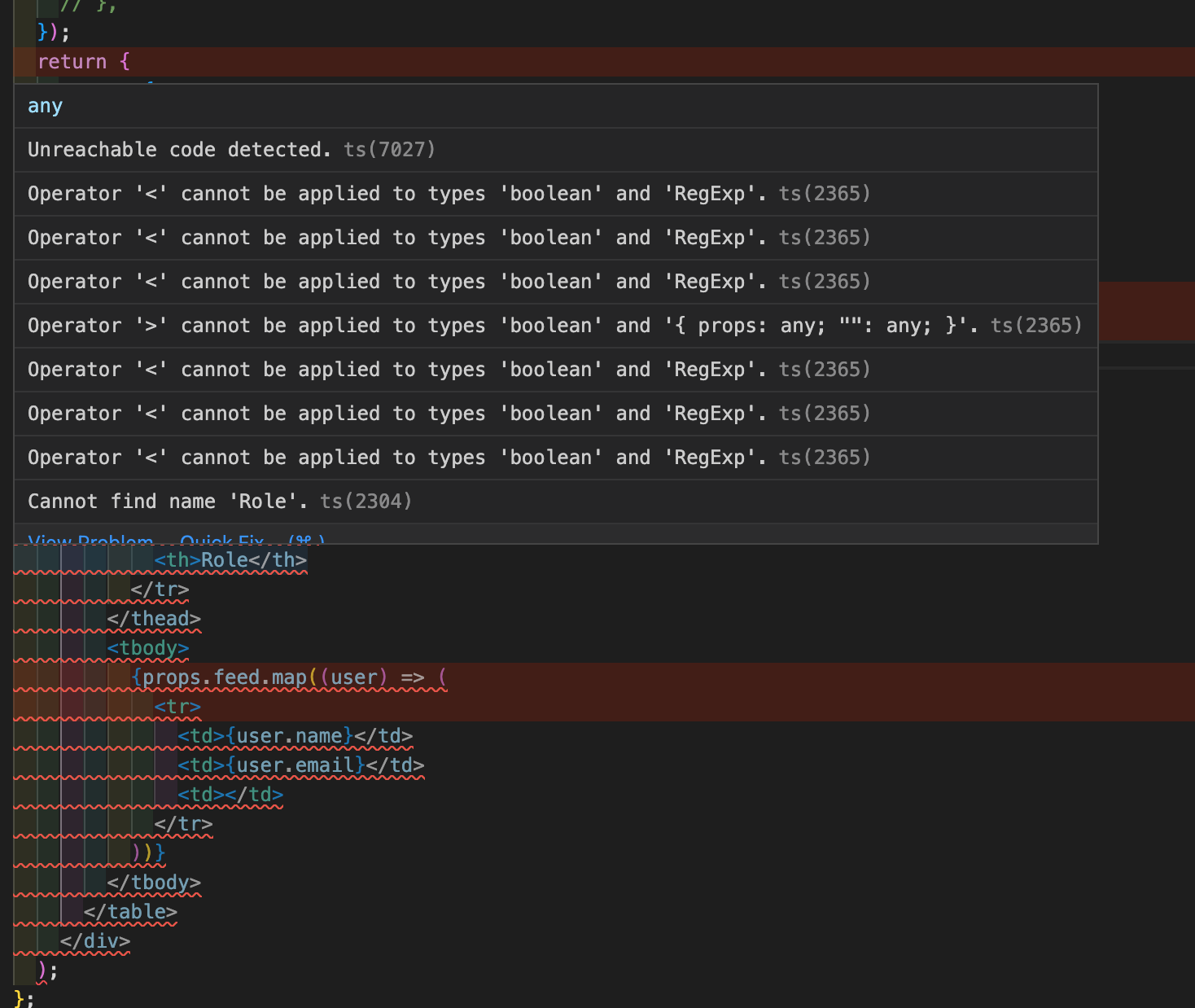
如何删除这些错误和警告?
这是我的tsconfig.json
{
    "compilerOptions": {
        "lib": ["dom", "dom.iterable", "esnext"],
        "module": "esnext",
        "moduleResolution": "node",
        "resolveJsonModule": true,
        "removeComments": true,
        "preserveConstEnums": true,
        "strict": true,
        "alwaysStrict": true,
        "strictNullChecks": true,
        "noUncheckedIndexedAccess": true,

        "noImplicitAny": true,
        "noImplicitReturns": true,
        "noImplicitThis": true,
        "noUnusedLocals": true,
        "noUnusedParameters": true,
        "allowUnreachableCode": false,
        "noFallthroughCasesInSwitch": true,

        "target": "es5",
        "outDir": "out",
        "declaration": true,
        "sourceMap": true,

        "esModuleInterop": true,
        "allowSyntheticDefaultImports": true,
        "allowJs": false,
        "skipLibCheck": true,
        "forceConsistentCasingInFileNames": true,

        "jsx": "preserve",
        "noEmit": true,
        "isolatedModules": true,
        "incremental": true,

        "baseUrl": ".",
        "paths": {
            "@/*": ["./src/*"],
            "@/public/*": ["./public/*"]
        }
    },
    "exclude": ["./out/**/*", "./node_modules/**/*", "**/*.cy.ts"],
    "include": ["next-env.d.ts", "**/*.ts", "**/*.tsx"]
}回答 1
Stack Overflow用户
发布于 2022-08-16 17:58:14
另一个(首选)选项是解决问题:)
错误告诉您检测到不可访问的代码,因此使代码可访问,或者删除它/临时注释它,因为它没有做任何事情。
const add = (a: number, b: number) => {
  return a + b;
  // code never gets here since a value is already returned from the function
  const otherValue = a + 5; // unreachable code detected
}const add = (a: number, b: number) => {
throw new Error("Something went wrong");
return a + b; // same here
}页面原文内容由Stack Overflow提供。腾讯云小微IT领域专用引擎提供翻译支持
原文链接:
https://stackoverflow.com/questions/73372774
复制相关文章
相似问题
腾讯云开发者

Copyright © 2013 - 2026 Tencent Cloud. All Rights Reserved. 腾讯云 版权所有
深圳市腾讯计算机系统有限公司 ICP备案/许可证号:粤B2-20090059  粤公网安备44030502008569号
腾讯云计算(北京)有限责任公司 京ICP证150476号 | 京ICP备11018762号