
Oracle数据库SQLPLUS:如何输入密码有字符@?
Oracle数据库SQLPLUS:如何输入密码有字符@?
提问于 2022-08-25 03:12:32
Windows 11上的Oracle数据库21c快速版本。
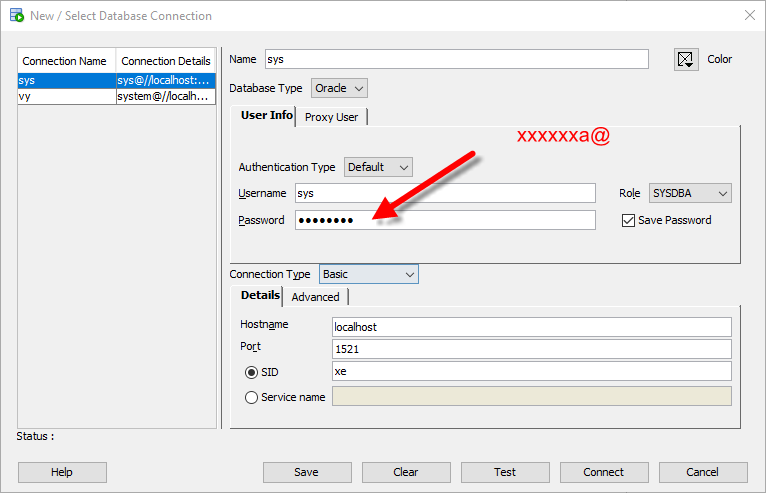
我的错误
ORA-12154: TNS:could not resolve the connect identifier specified

我的密码是xxxxxa@。我看到https://stackoverflow.com/a/67141887/3728901怎么输入密码?
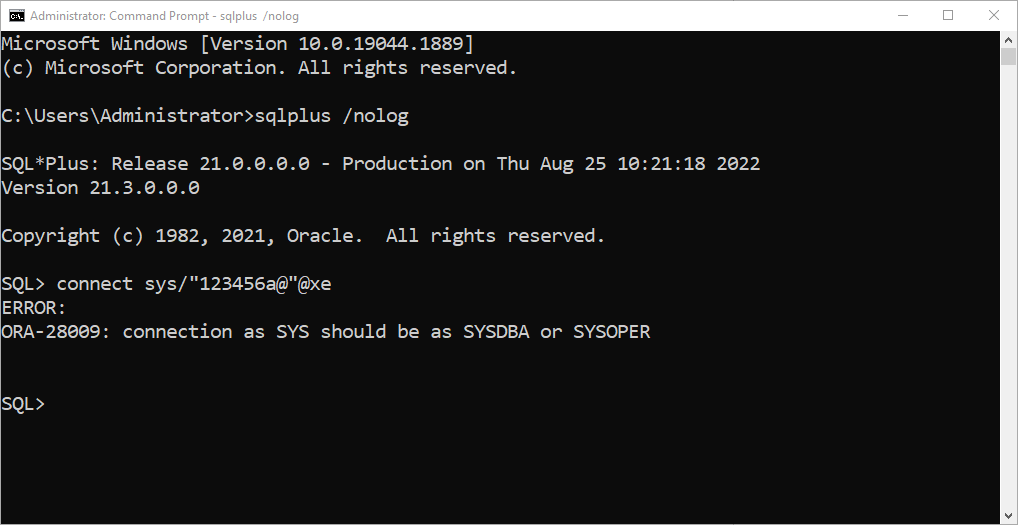
更新:谢谢康纳的回答。我抓到
Microsoft Windows [Version 10.0.19044.1889]
(c) Microsoft Corporation. All rights reserved.

C:\Users\Administrator>sqlplus /nolog

SQL*Plus: Release 21.0.0.0.0 - Production on Thu Aug 25 10:21:18 2022
Version 21.3.0.0.0

Copyright (c) 1982, 2021, Oracle.  All rights reserved.

SQL> connect sys/"123456a@"@xe
ERROR:
ORA-28009: connection as SYS should be as SYSDBA or SYSOPER


SQL>
回答 2
Stack Overflow用户
回答已采纳
发布于 2022-08-25 03:19:39
双引号是你的朋友
SQL> create user XXX identified by 123@456;
create user XXX identified by 123@456
                                 *
ERROR at line 1:
ORA-00922: missing or invalid option


SQL> create user XXX identified by "123@456";

User created.

SQL> grant create session to xxx;

Grant succeeded.

SQL> connect xxx/123@456@db19_pdb1
ERROR:
ORA-12154: TNS:could not resolve the connect identifier specified


Warning: You are no longer connected to ORACLE.
SQL> connect xxx/"123@456"@db19_pdb1 as sysdba
Connected.Stack Overflow用户
发布于 2022-08-25 03:51:11
sqlplus /nolog
connect sys/"123456a@"@xe as sysdba

SQL> alter session set "_ORACLE_SCRIPT"=true;
SQL> create user donhuvy identified by "123456a@";
SQL> grant create session to donhuvy;
SQL> connect donhuvy/"123456a@"@xe页面原文内容由Stack Overflow提供。腾讯云小微IT领域专用引擎提供翻译支持
原文链接:
https://stackoverflow.com/questions/73481467
复制相关文章
相似问题
腾讯云开发者

Copyright © 2013 - 2026 Tencent Cloud. All Rights Reserved. 腾讯云 版权所有
深圳市腾讯计算机系统有限公司 ICP备案/许可证号:粤B2-20090059  粤公网安备44030502008569号
腾讯云计算(北京)有限责任公司 京ICP证150476号 | 京ICP备11018762号