
天蓝色地形中的site_config构型
例如,我看到了.NET应用程序部署到azure中,人们提到了site_config参数,但是这似乎没有很好地解释在官方文件里,只是它是可选的。所以,我猜到了,看到蔚蓝的界面,这可能是运行时环境?:
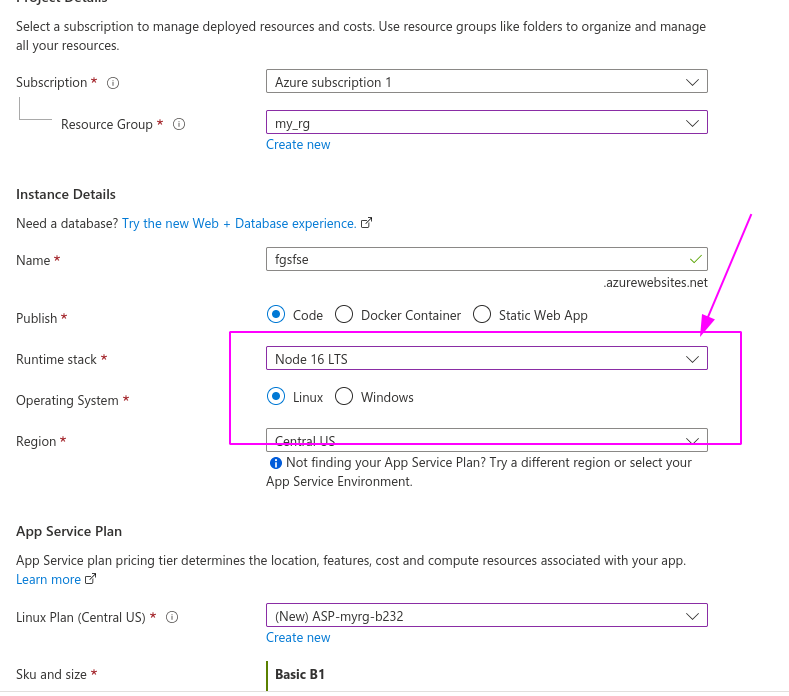
我发现的大多数例子都包含这样的内容:
resource "azurerm_app_service" "appService" {
  app_service_plan_id = azurerm_app_service_plan.appPlan.id
  location = azurerm_resource_group.rg.location
  name = "nestjs"
  resource_group_name = azurerm_resource_group.rg.name

  site_config {
    dotnet_framework_version = "v4.0"
    remote_debugging_enabled = true
  }
} 除了对于这个线程之外,我在nodejs上没有找到什么,但是,azure没有这些版本,所以有点困惑:
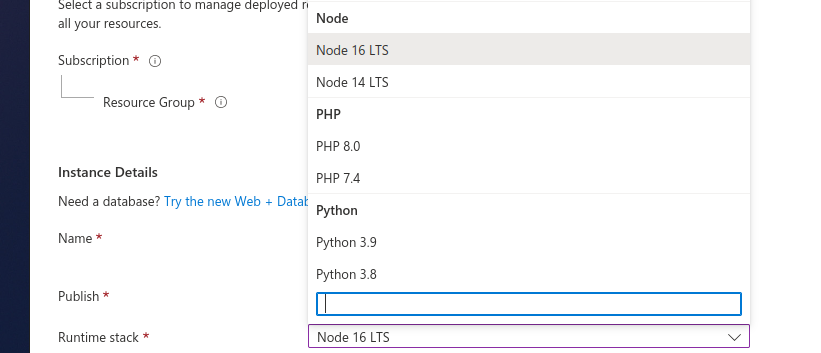
site_config到底是什么?它是否指定了我们的应用程序将要使用的Run Time Environment?如果是,那为什么是可选的呢?如果没有,则如何指定RTE?
回答 1
Stack Overflow用户
发布于 2022-09-20 12:53:54
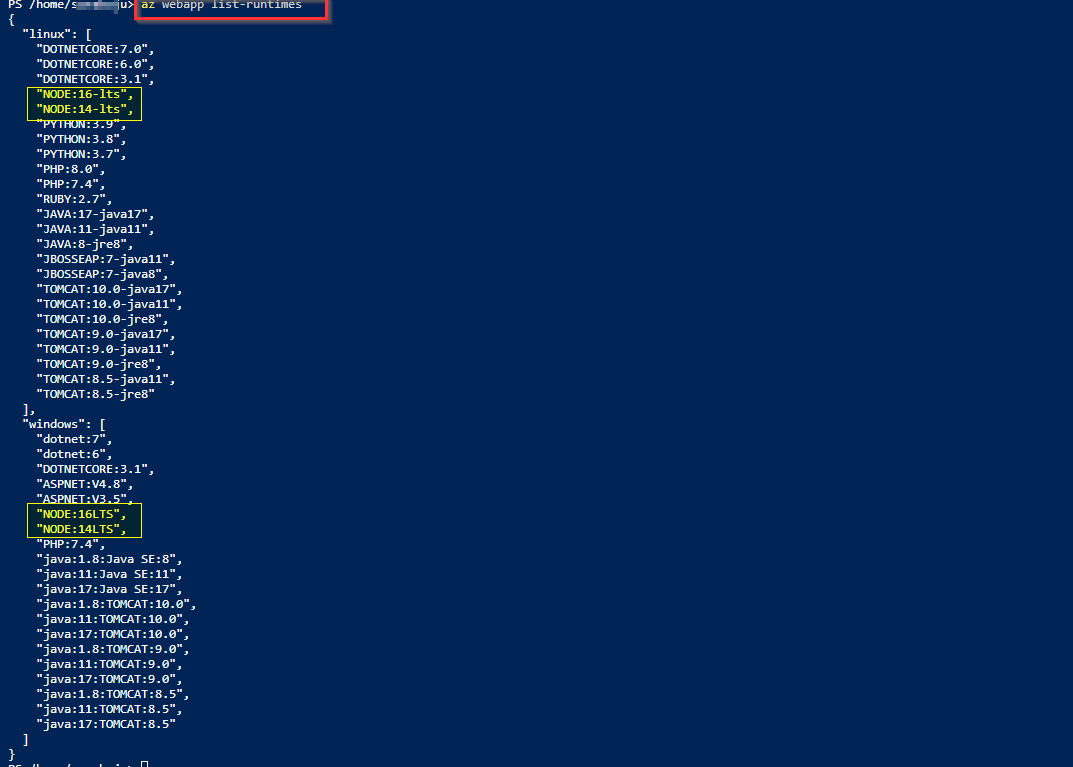
您可以先检查要设置的可用节点版本。
az webapp list-runtimes
- azurerm_app_service资源已在3.0版本中被废弃。如果是windows操作系统,请使用资源"
azurerm_windows_web_app“,在linux情况下使用azurerm_linux_web_app。 application_stack是site_config块支持的参数之一,其中application_stack有一个current_stack选项,我们可以在其中设置runtime version或应用程序堆栈设置。- site_config块支持以下可选参数: always_on、api_management_api_id、app_command_line、
application_stack、…,cors http2_enabled,ip_restriction,remote_debugging_version等application_stack
我在我的环境中尝试过,application_stack有current_stack,这是Windows的应用程序堆栈。可能的值是dotnet、dotnetcore、node、python、php和java。
备注从:堆栈
虽然此属性是可选的省略,但它可能会导致意外行为,特别是在Azure门户中显示设置。
当current_stack设置为节点时,可以使用node_version设置其版本,可以设置为14-lts和16-lts(这是可用的)。
注意:来自
10.x versions are deprecated:的,可能不适用于新的资源。
provider "azurerm" {

  features {

resource_group {
  prevent_deletion_if_contains_resources = false
  }

}
}


resource "azurerm_resource_group" "example" {
  name     = "myrg"
 location = "westus2"
}


resource "azurerm_service_plan" "example" {
  name                = "kaexampleplan"
  resource_group_name = azurerm_resource_group.example.name
  location            = azurerm_resource_group.example.location
  sku_name            = "P1v2"
  os_type             = "Windows"
}

resource "azurerm_windows_web_app" "example" {
  name                = "kaexamplewebapp"
  resource_group_name = azurerm_resource_group.example.name
  location            = azurerm_service_plan.example.location
  service_plan_id     = azurerm_service_plan.example.id


  site_config {
    always_on                 = true
    application_stack {
      current_stack  = "node"
      #node_version = "16-LTS"

    }

  }

  app_settings = {
    WEBSITE_NODE_DEFAULT_VERSION ="16-LTS"
  }
}我尝试通过应用程序设置创建'WEBSITE_NODE_DEFAULT_VERSION‘,因为即使使用门户创建应用服务时,节点版本也可以在该参数中看到。
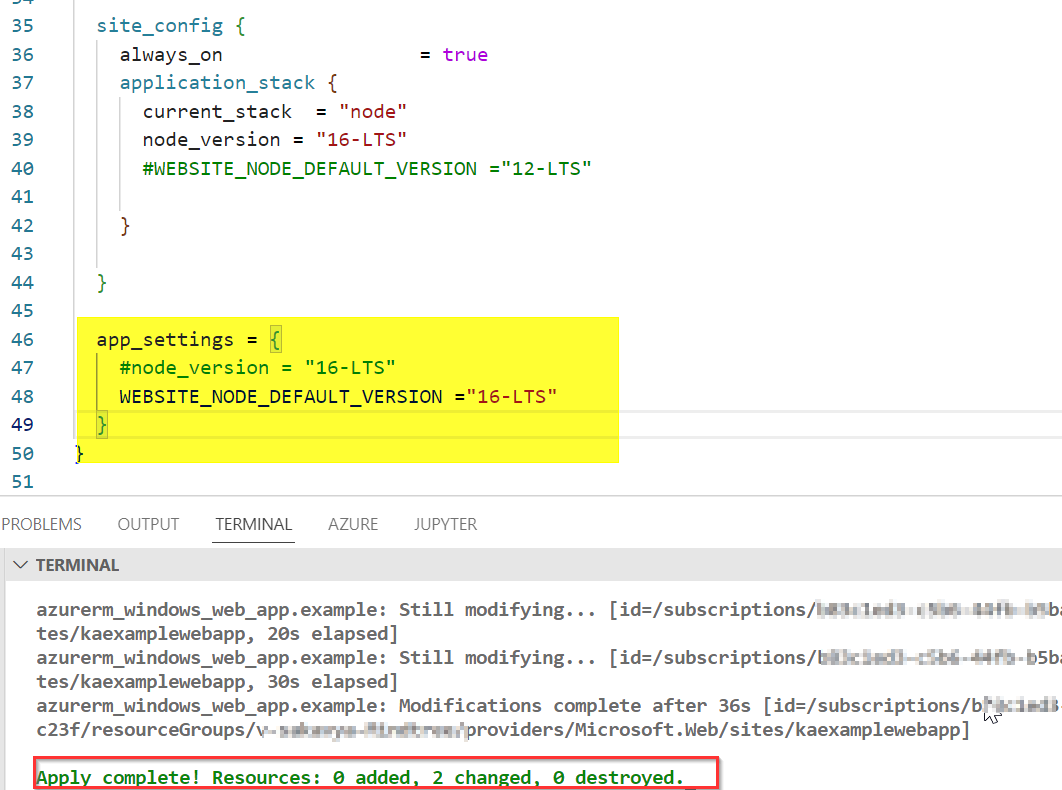
用Windows创建的应用程序服务

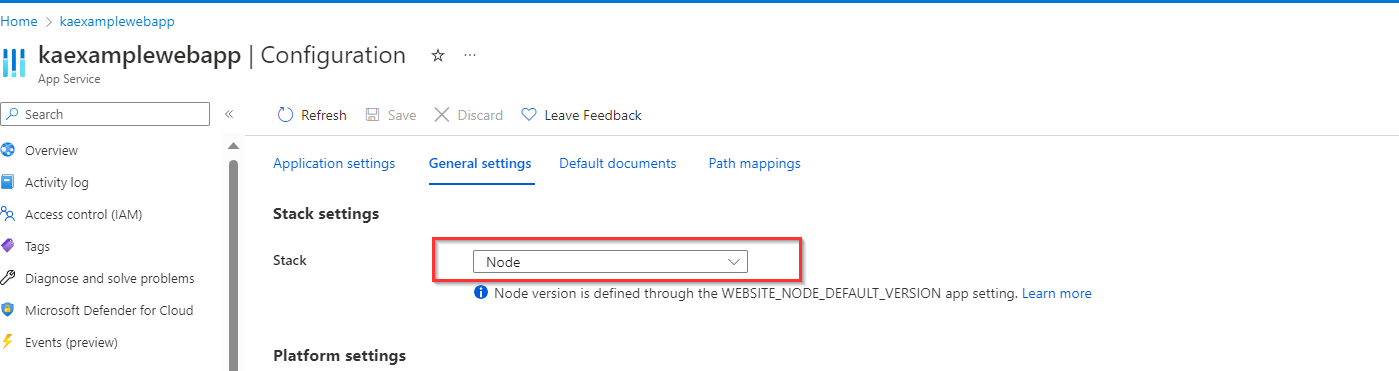
- 然后可以使用以下cli命令检查版本:
az webapp config appsettings list --name <webappname>--resource-group v-sakavya-Mindtree --query "[?name=='WEBSITE_NODE_DEFAULT_VERSION'].value"
- 或者将云地狱中支持的Node.js版本设置为设置WEBSITE_NODE_DEFAULT_VERSION
az webapp config appsettings set --name <app-name> --resource-group <resource-group-name> --settings WEBSITE_NODE_DEFAULT_VERSION="~16"
https://stackoverflow.com/questions/73663600
复制相似问题
腾讯云开发者

Copyright © 2013 - 2026 Tencent Cloud. All Rights Reserved. 腾讯云 版权所有
深圳市腾讯计算机系统有限公司 ICP备案/许可证号:粤B2-20090059  粤公网安备44030502008569号
腾讯云计算(北京)有限责任公司 京ICP证150476号 | 京ICP备11018762号