
无法在Windows上使用make命令编译Makefile
问题摘要
我正在尝试安装一个名为TACS的开源并行有限元代码,并可在这个github存储库上使用。为了遵守指定的先决条件,我遵循了这个github存储库的说明,它允许我使用预编译的BLAS/LAPACK在Windows上安装SuiteSparse和梅蒂斯。对于MPI,我通过Cygwin安装了Intel MPI库和Open。最后一步应该是编译运行的make,但是这个命令在Windows10中是不可用的。因此,我探索了这个问题中建议的选项,不幸的是没有成功。我感到死路一条,任何帮助都将不胜感激。
我试过的
请看下面我的尝试。我主要是一个Windows用户,我不太懂用Makefile编译程序。我目前的理解是,我试图编译的Makefile是为Linux编写的,而且由于所需的语法不同,我所使用的任何用于Windows的GNU编译器都无法工作。如果我错了,请纠正我。我无法理解的是,当我尝试用10编译(下面列表的最后一次尝试)时,为什么也会出现错误。
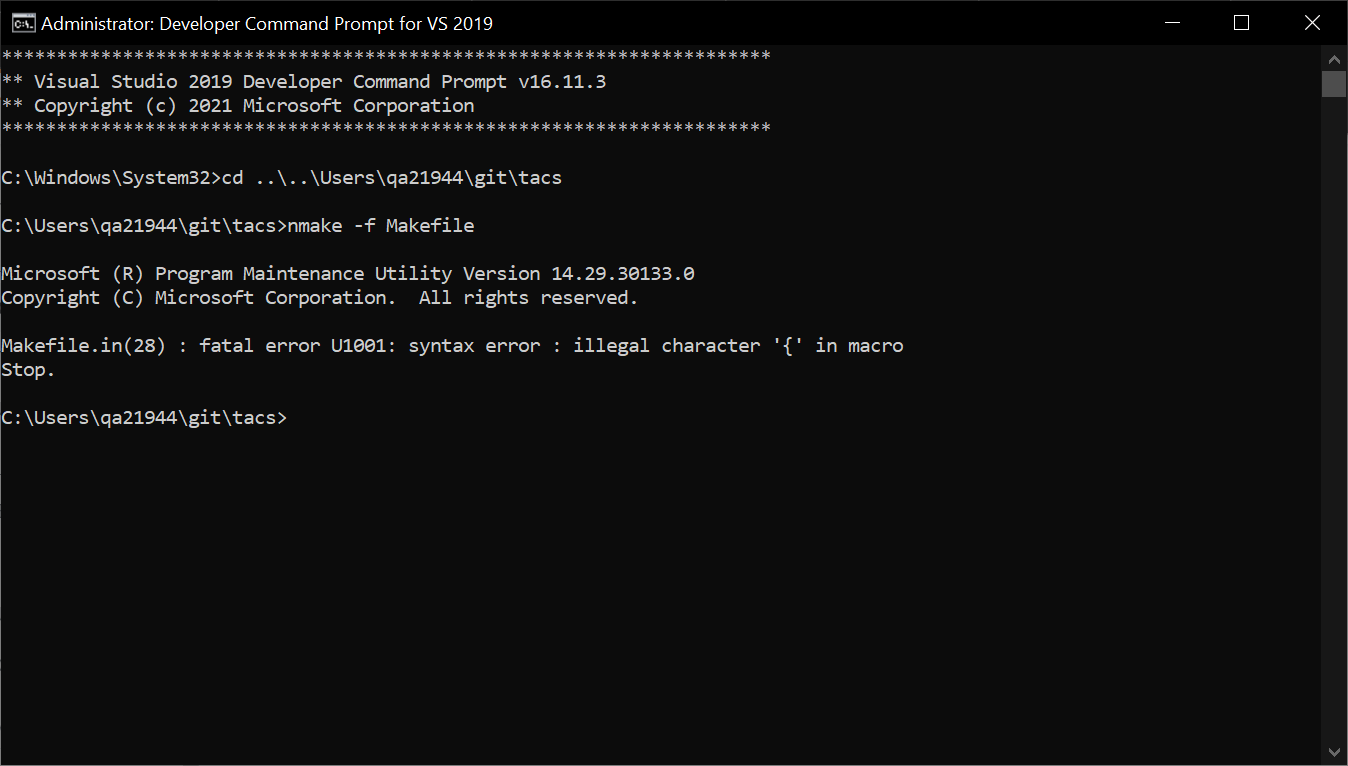
Visual nmake
以管理员身份运行VS 2019年的Developer命令提示符,我在TACS的基本目录中键入nmake -f Makefile,得到Makefile.in(28) : fatal error U1001: syntax error : illegal character '{' in macro Stop.
巧克力make
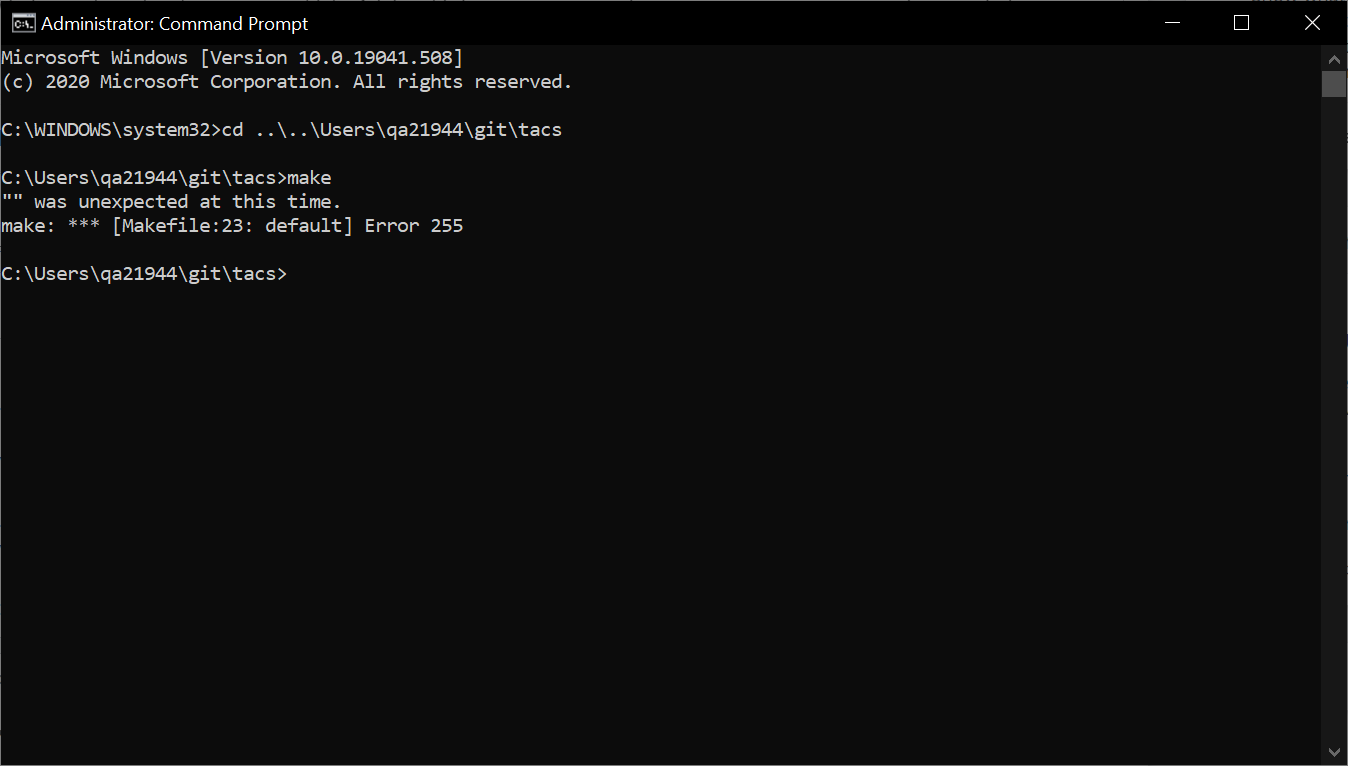
以管理员身份运行Windows提示符,C:\ProgramData\chocolatey\bin位于PATH环境变量的顶部,我在TACS的基本目录中输入了make,得到了
"" was unexpected at this time.
make: *** [Makefile:23: default] Error 255
Cygwin make
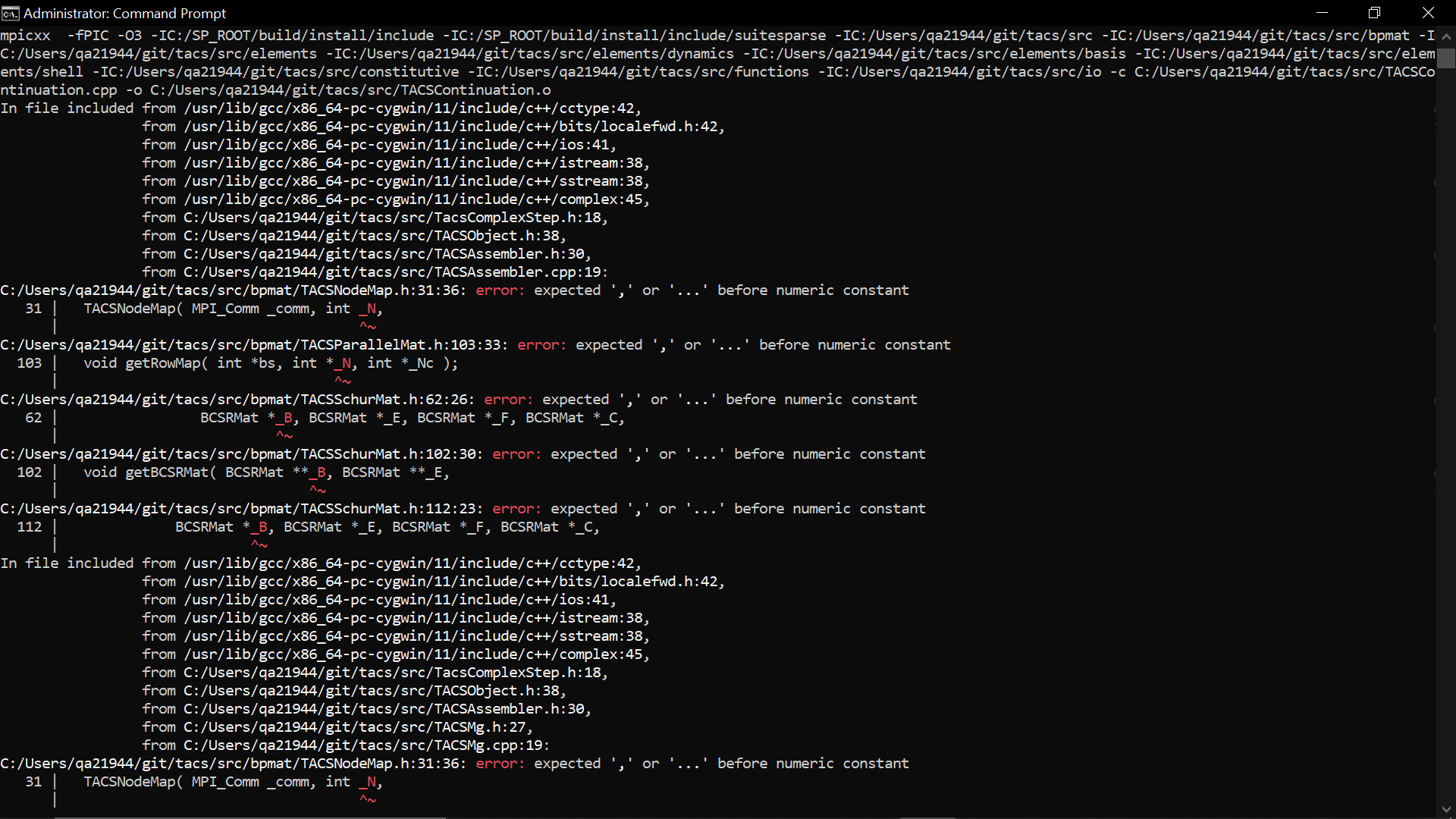
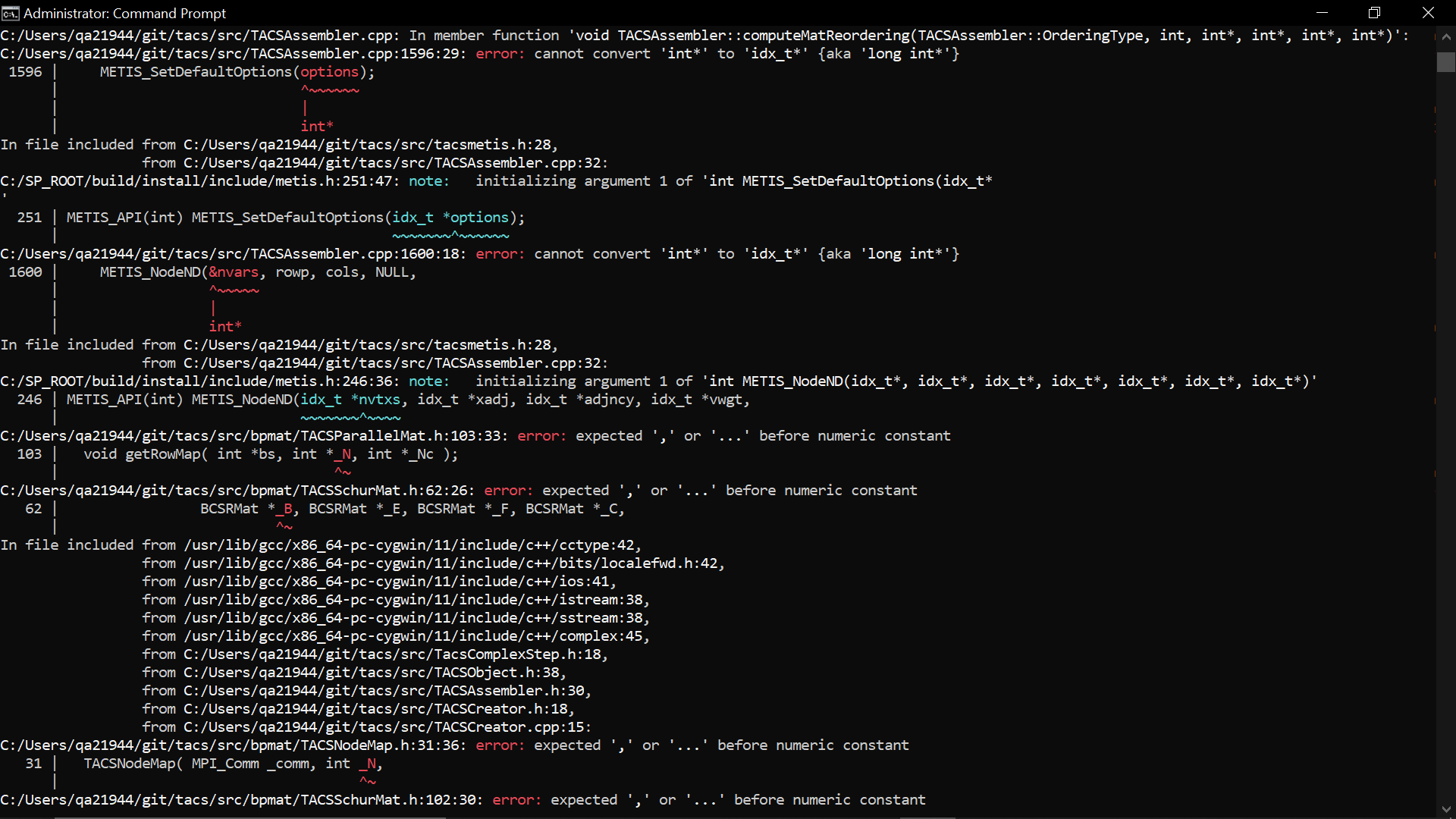
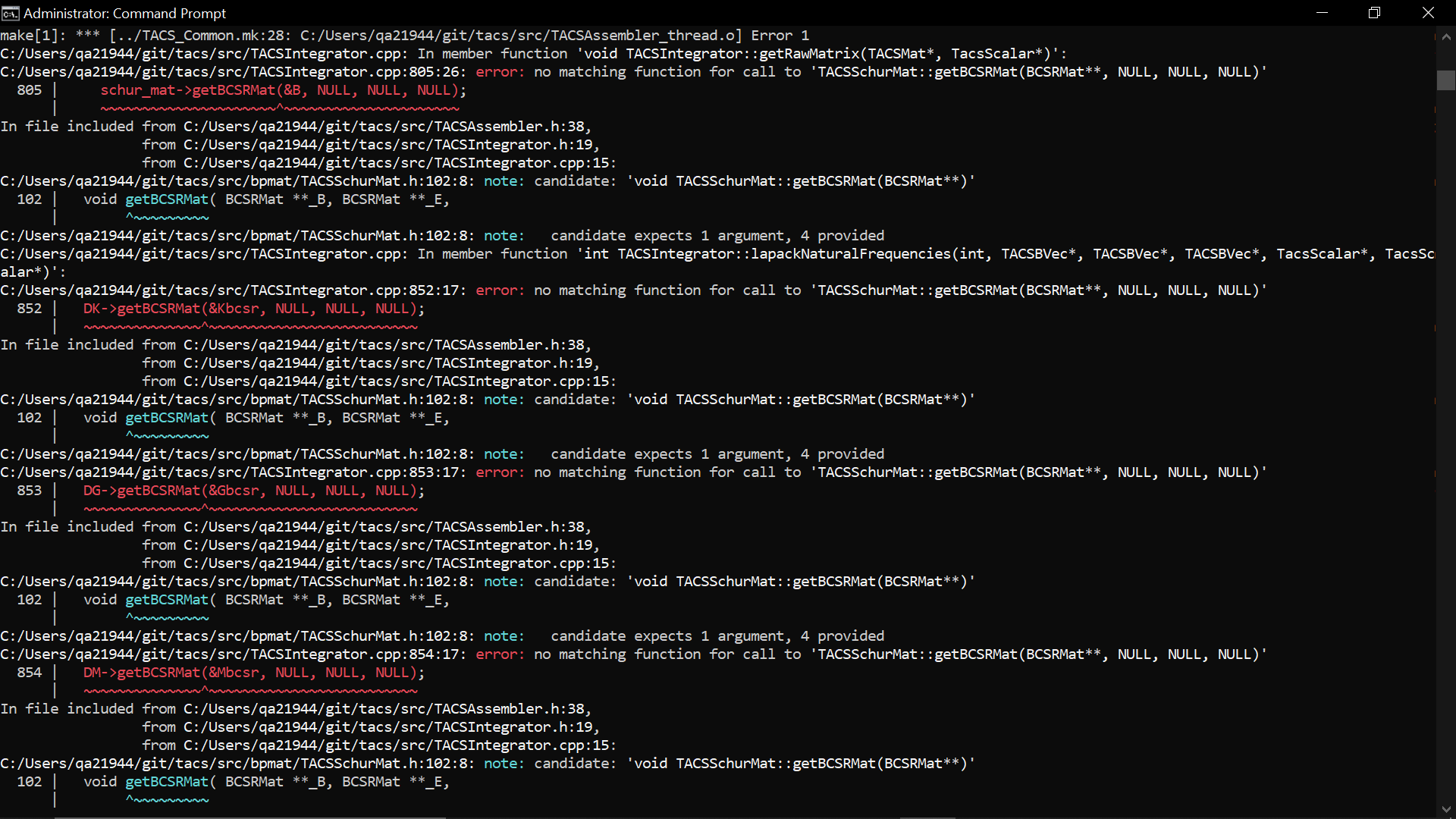
以管理员身份运行Windows提示符,C:\cygwin64\bin位于PATH环境变量的顶部,我在TACS基本目录中键入了make,并得到了三种类型的错误:
error: expected ',' or '...' before numeric constant
error: cannot convert 'int*' to 'idx_t*' {aka 'long int*'}
error: no matching function for call to 'TACSSchurMat::getBCSRMat(BCSRMat**, NULL, NULL, NULL)'我试图在受影响的脚本中更改一些变量名(比如N_代替_N),并且消除了第一种和第三种类型的错误,但没有消除第二种错误。
GnuWin make
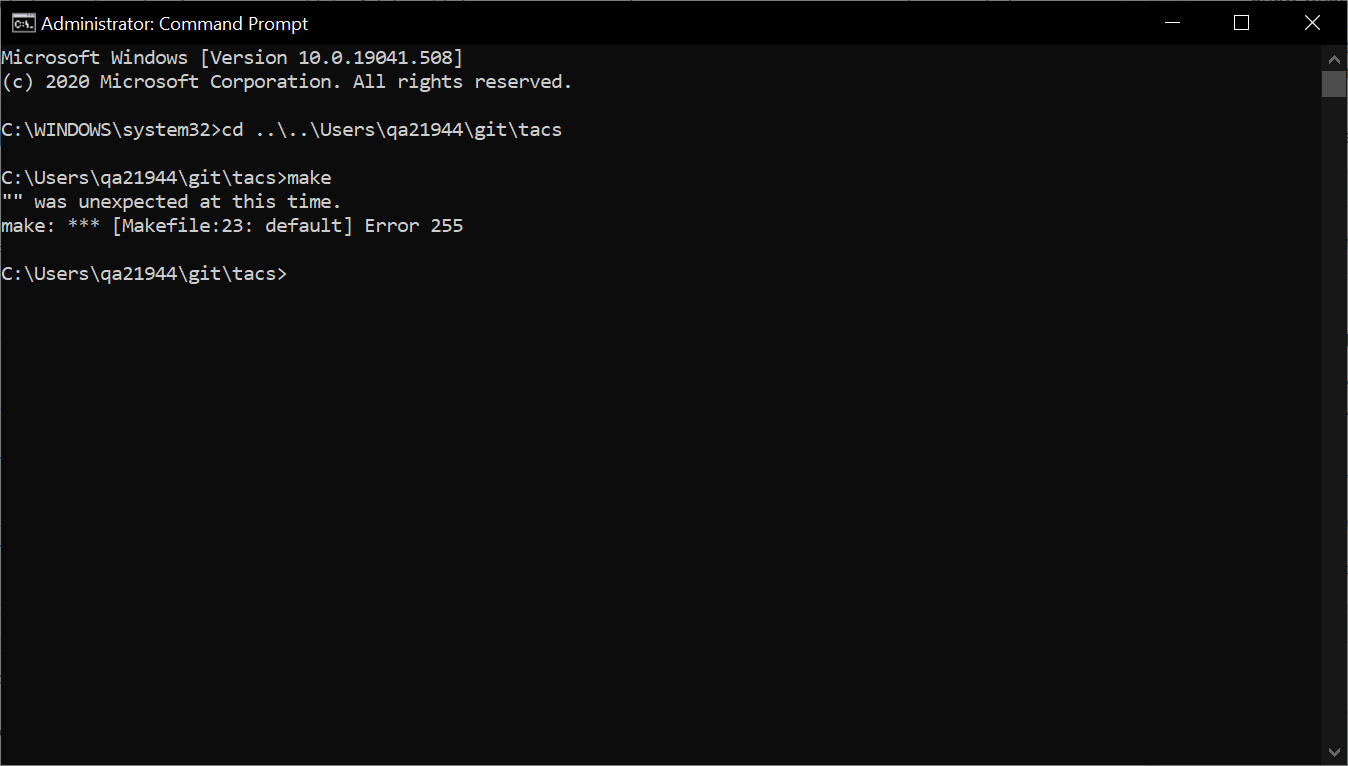
以管理员身份运行Windows提示符,C:\Program Files (x86)\GnuWin32\bin位于PATH环境变量的顶部,我在TACS基本目录中键入了make,并得到了
"" was unexpected at this time.
make: *** [Makefile:23: default] Error 255
MinGW mingw32-make
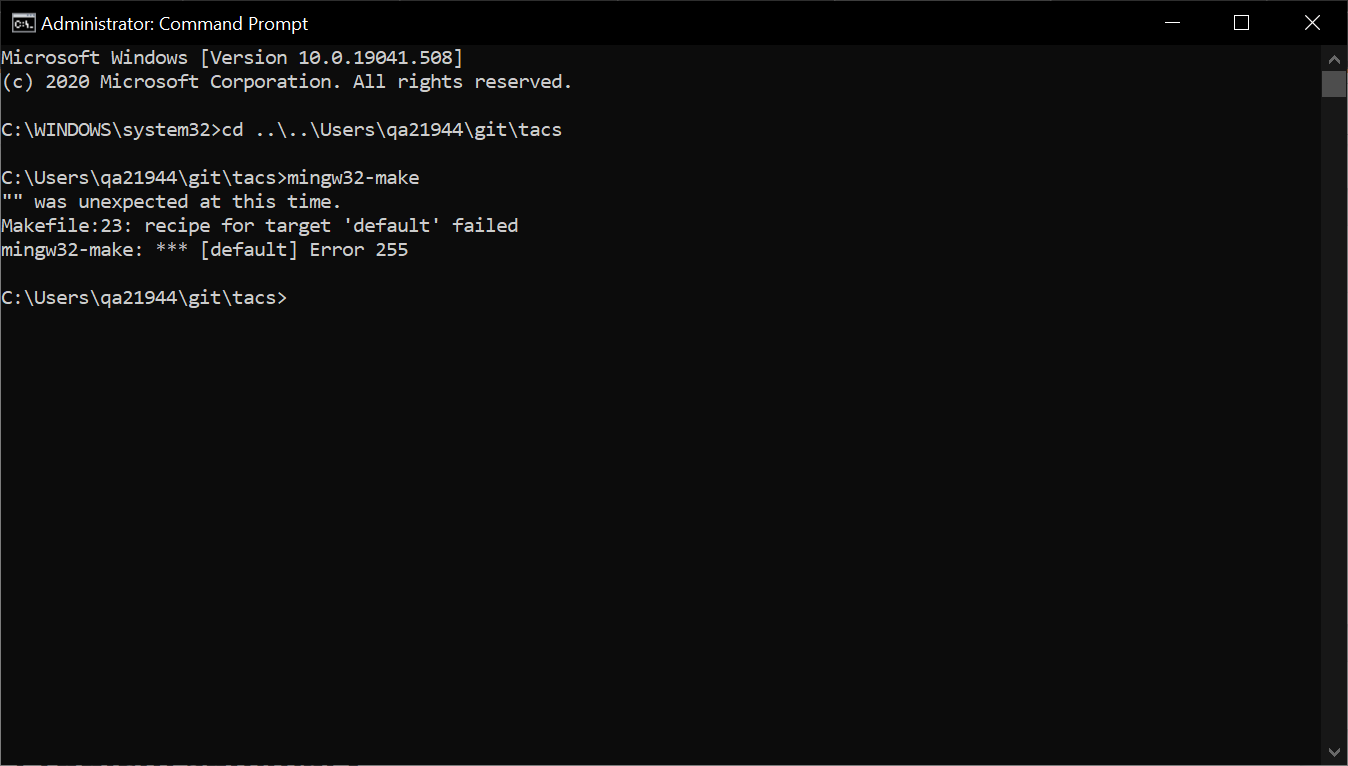
以管理员身份运行Windows提示符,C:\MinGW\bin位于PATH环境变量的顶部,我在TACS基本目录中键入了mingw32-make,并得到了
"" was unexpected at this time.
Makefile:23: recipe for target 'default' failed
mingw32-make: *** [default] Error 255
MSYS MinGW 64位make
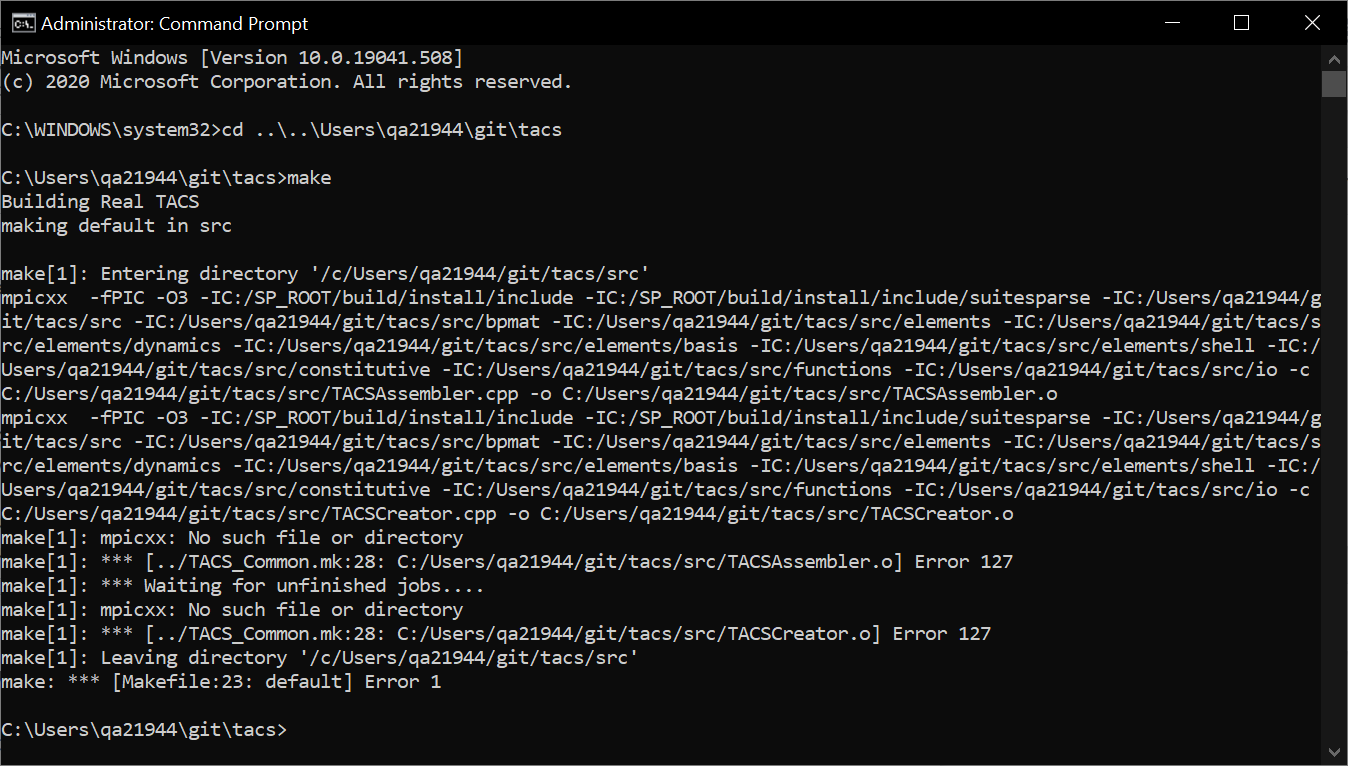
以管理员身份运行Windows提示符,C:\msys64\usr\bin位于PATH环境变量的顶部,我在TACS基本目录中键入了make,并得到了
make[1]: mpicxx: No such file or directory
make[1]: *** [../TACS_Common.mk:28: C:/Users/qa21944/git/tacs/src/TACSAssembler.o] Error 127
make[1]: *** Waiting for unfinished jobs....
make[1]: mpicxx: No such file or directory
make[1]: *** [../TACS_Common.mk:28: C:/Users/qa21944/git/tacs/src/TACSCreator.o] Error 127
make[1]: Leaving directory '/c/Users/qa21944/git/tacs/src'
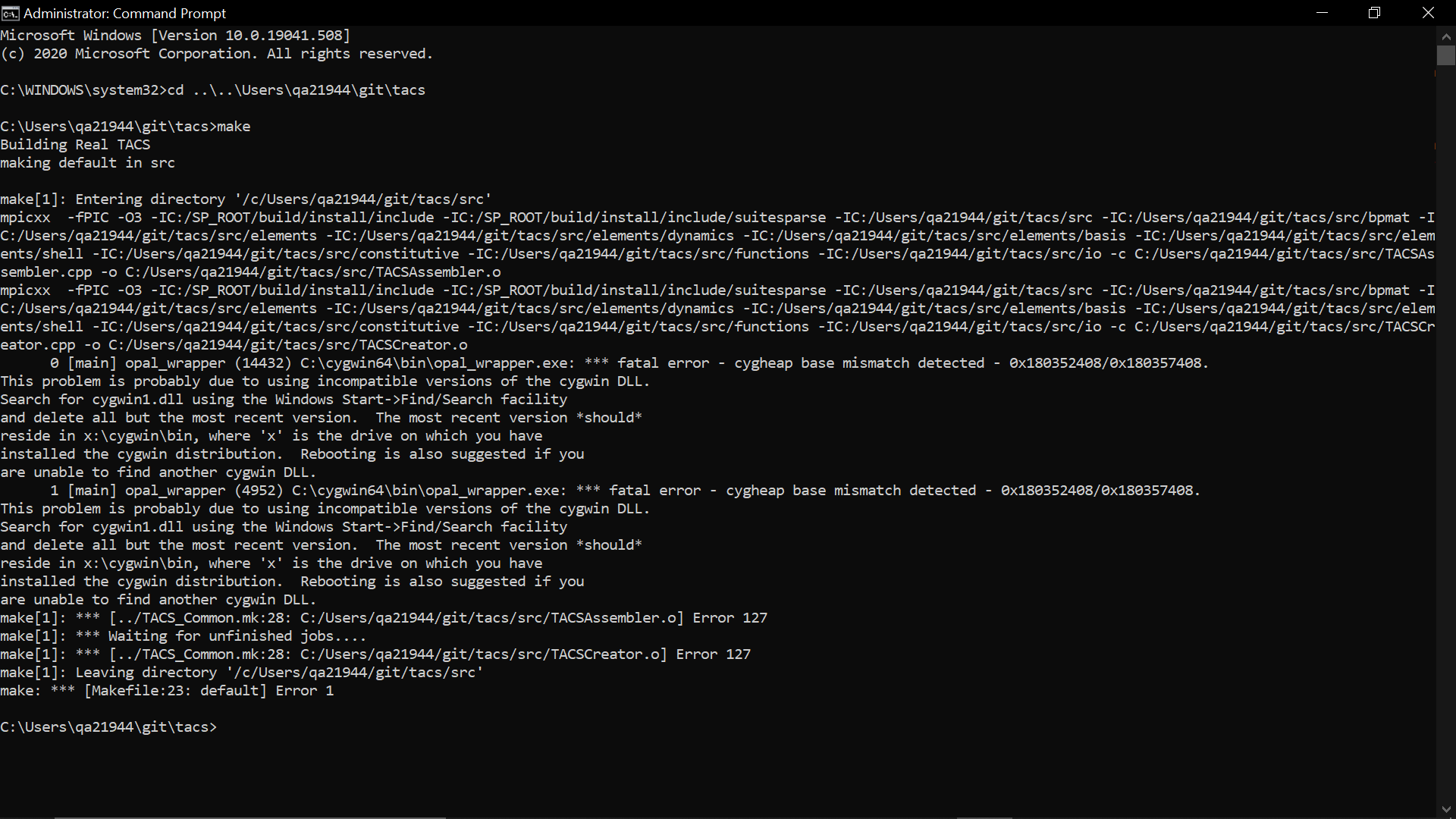
make: *** [Makefile:23: default] Error 1我很难理解这一点,因为mpicxx文件是C:\Program Files (x86)\Intel\oneAPI\mpi\latest\bin,而后者又位于PATH环境变量中。当我试图将C:\cygwin64\bin添加到PATH (在C:\msys64\usr\bin下面)并重新运行make时,我得到了
      0 [main] opal_wrapper (14432) C:\cygwin64\bin\opal_wrapper.exe: *** fatal error - cygheap base mismatch detected - 0x180352408/0x180357408.
This problem is probably due to using incompatible versions of the cygwin DLL.
Search for cygwin1.dll using the Windows Start->Find/Search facility
and delete all but the most recent version.  The most recent version *should*
reside in x:\cygwin\bin, where 'x' is the drive on which you have
installed the cygwin distribution.  Rebooting is also suggested if you
are unable to find another cygwin DLL.
我试着遵循这些指令,然后重新启动我的电脑,但是没有什么改变。
Ubuntu for Windows 10 make
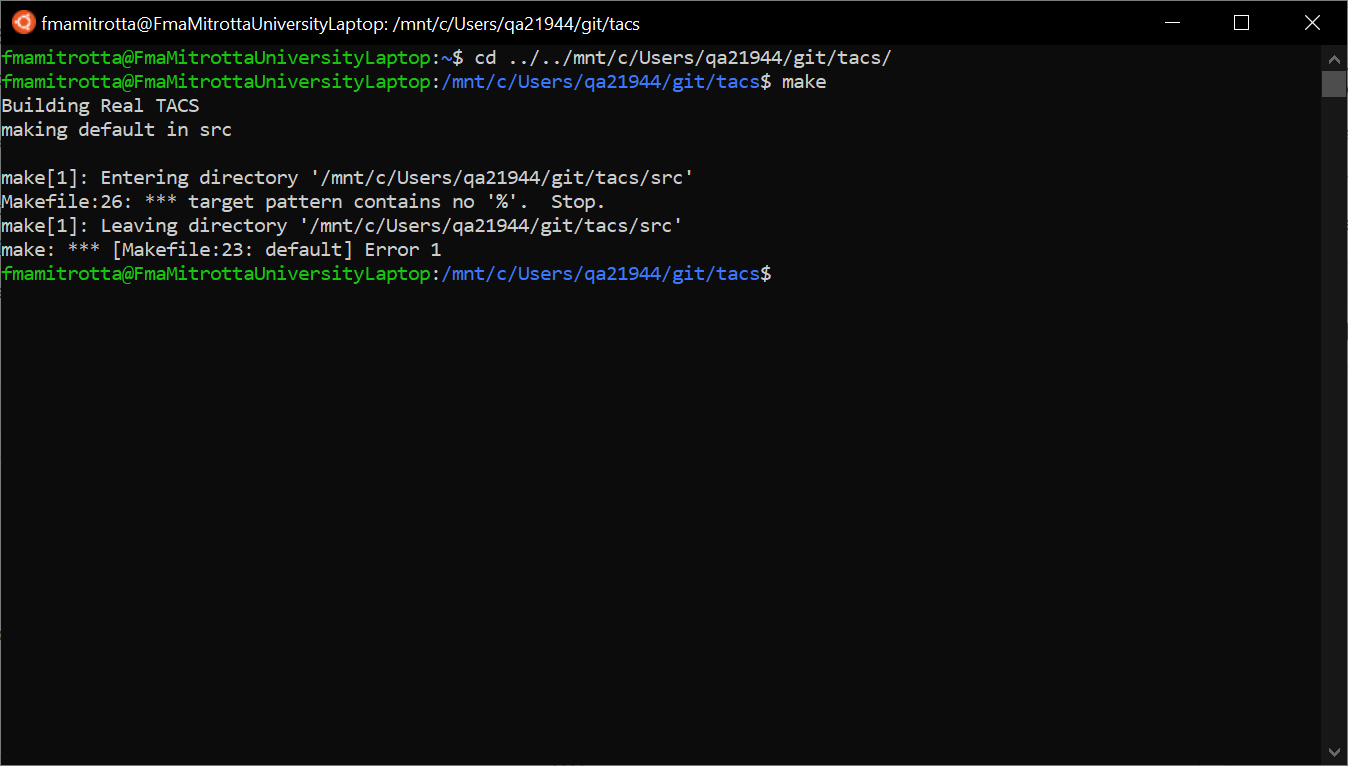
这一尝试是受这个答案的启发。我从Microsoft下载了Ubuntu并安装了make。在Ubuntu中,我在TACS基本目录中输入了make,并得到了
make[1]: Entering directory '/mnt/c/Users/qa21944/git/tacs/src'
Makefile:26: *** target pattern contains no '%'.  Stop.
make[1]: Leaving directory '/mnt/c/Users/qa21944/git/tacs/src'
make: *** [Makefile:23: default] Error 1
我不明白我为什么要犯这个错误。我还确保所有行都以制表符而不是空格开头,但是没有什么变化。
代码
下面您可以找到我正在使用的Makefile.in和Makefile。
Makefile.in
# Do not modify this file. Copy this file to Makefile.in and then modify it.

# In order to get TACS to compile, you'll need to fill in the
# following path information. Some of the items below are required
# only if you're going to use the python interface.

# the full path to the root TACS directory
TACS_DIR = C:/Users/qa21944/git/tacs
CXX = mpicxx
RM = rm -f
PYTHON = python
PYTHON_CONFIG = python-config

# Set up for parallel make
MAKE = make -j 8

# Set the ar flags
AR_FLAGS = rcs

# Flags for debugging and regular compilation versions
EXTRA_DEBUG_CC_FLAGS = -fPIC -g
EXTRA_CC_FLAGS = -fPIC -O3

# Use this if you have problems with mpich
# TACS_DEF = -DMPICH_IGNORE_CXX_SEEK

# Defines whether to use static or dynamic linking
# TACS_LD_CMD=${TACS_DIR}/lib/libtacs.a
TACS_LD_CMD=-L${TACS_DIR}/lib/ -Wl,-rpath,${TACS_DIR}/lib -ltacs

# For linux systems, use the following settings:
SO_EXT=so
SO_LINK_FLAGS=-fPIC -shared

# For MAC OS X, use the following settings:
# SO_EXT=so
# SO_LINK_FLAGS=-fPIC -dynamiclib

# This uses the default installation of LAPACK.
# Use an optimized version of LAPACK if available.
# You may also have to include -lblas as well.

LAPACK_LIBS = -LC:/SP_ROOT/lapack_windows/x64 -llapack -lpthread -lblas

# For MAC OSX use the accelerate framework
# LAPACK_LIBS=-framework accelerate

# METIS is handy for partitioning graphs, but can be problematic for
# compilation.  If you compile METIS using a C++ compiler you must add
# -DTACS_CPLUSPLUS_METIS to the TACS_DEF arguments below. If you
# compile METIS using a C compiler, there should be no issues.

METIS_INCLUDE = -IC:/SP_ROOT/build/install/include
METIS_LIB = -LC:/SP_ROOT/build/install/lib -lmetis

# AMD is a set of routines for ordering matrices. It is not required by default.

AMD_INCLUDE = -IC:/SP_ROOT/build/install/include/suitesparse
AMD_LIBS = -LC:/SP_ROOT/build/install/lib -llibamd
Makefile
# ============================================
#
# Make file for TACS_DIR/
#
# ============================================

include Makefile.in
include TACS_Common.mk

TACS_SUBDIRS = src \
    src/bpmat \
    src/elements \
    src/elements/dynamics \
    src/elements/basis \
    src/elements/shell \
    src/constitutive \
    src/functions \
    src/io

TACS_OBJS := $(addsuffix /*.o, ${TACS_SUBDIRS})

default:
    @if [ "${TACS_IS_COMPLEX}" = "true" ]; then \
       echo "Building Complex TACS"; \
       for subdir in $(TACS_SUBDIRS) ; do \
          echo "making $@ in $$subdir"; \
          echo; (cd $$subdir && $(MAKE) TACS_DIR=${TACS_DIR} TACS_DEF="${TACS_DEF} -DTACS_USE_COMPLEX") || exit 1; \
            done \
    else \
       echo "Building Real TACS"; \
       for subdir in $(TACS_SUBDIRS) ; do \
          echo "making $@ in $$subdir"; \
          echo; (cd $$subdir && $(MAKE) TACS_DIR=${TACS_DIR}) || exit 1; \
            done \
    fi
    ${CXX} ${SO_LINK_FLAGS} ${TACS_OBJS} ${TACS_EXTERN_LIBS} -o ${TACS_DIR}/lib/libtacs.${SO_EXT}
    @if [ "${TACS_IS_COMPLEX}" = "true" ]; then \
        echo "ctypedef complex TacsScalar" > tacs/TacsTypedefs.pxi; \
        echo "TACS_NPY_SCALAR = np.NPY_CDOUBLE" > tacs/TacsDefs.pxi; \
        echo "dtype = complex" >> tacs/TacsDefs.pxi; \
    else \
        echo "ctypedef double TacsScalar" > tacs/TacsTypedefs.pxi; \
        echo "TACS_NPY_SCALAR = np.NPY_DOUBLE" > tacs/TacsDefs.pxi; \
        echo "dtype = np.double" >> tacs/TacsDefs.pxi; \
    fi

debug:
    @if [ "${TACS_IS_COMPLEX}" = "true" ]; then \
       echo "Building Complex TACS"; \
       for subdir in $(TACS_SUBDIRS) ; do \
          echo "making $@ in $$subdir"; \
          echo; (cd $$subdir && $(MAKE) debug TACS_DIR=${TACS_DIR} TACS_DEF="${TACS_DEF} -DTACS_USE_COMPLEX") || exit 1; \
            done \
    else \
       echo "Building Real TACS"; \
       for subdir in $(TACS_SUBDIRS) ; do \
          echo "making $@ in $$subdir"; \
          echo; (cd $$subdir && $(MAKE) debug TACS_DIR=${TACS_DIR}) || exit 1; \
            done \
    fi
    ${CXX} ${SO_LINK_FLAGS} ${TACS_OBJS} ${TACS_EXTERN_LIBS} -o ${TACS_DIR}/lib/libtacs.${SO_EXT}
    @if [ "${TACS_IS_COMPLEX}" = "true" ]; then \
        echo "ctypedef complex TacsScalar" > tacs/TacsTypedefs.pxi; \
        echo "TACS_NPY_SCALAR = np.NPY_CDOUBLE" > tacs/TacsDefs.pxi; \
        echo "dtype = complex" >> tacs/TacsDefs.pxi; \
    else \
        echo "ctypedef double TacsScalar" > tacs/TacsTypedefs.pxi; \
        echo "TACS_NPY_SCALAR = np.NPY_DOUBLE" > tacs/TacsDefs.pxi; \
        echo "dtype = np.double" >> tacs/TacsDefs.pxi; \
    fi

interface:
    ${PYTHON} setup.py build_ext --inplace

complex_interface:
    ${PYTHON} setup.py build_ext --inplace --define TACS_USE_COMPLEX

complex: TACS_IS_COMPLEX=true
complex: default

complex_debug: TACS_IS_COMPLEX=true
complex_debug: debug

clean:
    ${RM} lib/libtacs.a lib/libtacs.so
    ${RM} tacs/*.so tacs/*.cpp
    @for subdir in $(TACS_SUBDIRS) ; do \
      echo "making $@ in $$subdir"; \
      echo; \
         (cd $$subdir && $(MAKE) $@ TACS_DIR=${TACS_DIR}) || exit 1; \
done编辑:,根据评论中的请求,我正在添加TACS_Common.mk的一个片段。
TACS_Common.mk
TACS_LIB = ${TACS_DIR}/lib/libtacs.a

TACS_INCLUDE = -I${TACS_DIR}/src \
    -I${TACS_DIR}/src/bpmat \
    -I${TACS_DIR}/src/elements \
    -I${TACS_DIR}/src/elements/dynamics \
    -I${TACS_DIR}/src/elements/basis \
    -I${TACS_DIR}/src/elements/shell \
    -I${TACS_DIR}/src/constitutive \
    -I${TACS_DIR}/src/functions \
    -I${TACS_DIR}/src/io

# Set the command line flags to use for compilation
TACS_OPT_CC_FLAGS = ${TACS_DEF} ${EXTRA_CC_FLAGS} ${METIS_INCLUDE} ${AMD_INCLUDE} ${TACS_INCLUDE}
TACS_DEBUG_CC_FLAGS = ${TACS_DEF} ${EXTRA_DEBUG_CC_FLAGS} ${METIS_INCLUDE} ${AMD_INCLUDE} ${TACS_INCLUDE}

# By default, use the optimized flags
TACS_CC_FLAGS = ${TACS_OPT_CC_FLAGS}

# Set the linking flags to use
TACS_EXTERN_LIBS = ${AMD_LIBS} ${METIS_LIB} ${LAPACK_LIBS}
TACS_LD_FLAGS = ${EXTRA_LD_FLAGS} ${TACS_LD_CMD} ${TACS_EXTERN_LIBS}

# This is the one rule that is used to compile all the
# source code in TACS
%.o: %.cpp
    ${CXX} ${TACS_CC_FLAGS} -c $< -o $*.o
    @echo
    @echo "        --- Compiled $*.cpp successfully ---"
@echoStack Overflow用户
发布于 2021-10-03 14:08:30
我不能回答,但也许我可以给你定位。
第一,nmake是不制造的。它不会与任何makefile一起工作,而不是专门作为nmake编写的。而且它只能在Windows上使用。所以最好忘了它的存在。
其次,理解make工作原理是很重要的:makefile中的规则是目标/先决条件的组合,也是配方。菜谱不是在"makefile“语法中,而是一个shell脚本(批处理文件)。因此,让它与shell一起工作,以运行命令。哪个贝壳?在POSIX系统(如GNU/Linux和MacOS )上,它非常简单: POSIX shell;默认情况下是/bin/sh。
在Windows系统上,这要简单得多:有很多选择。可能是cmd.exe。可能是PowerShell。它可以是由用户安装的POSIX shell。默认情况下选择哪一个取决于您的make版本是如何编译的。这就是为什么您看到make到Windows的不同“端口”的不同行为。
因此,如果您查看正在尝试使用的makefile,您可以看到它们无疑是专门为POSIX系统编写的,并且期望使用POSIX shell和POSIX环境。任何使用调用make作为其默认外壳的cmd.exe版本的尝试都会立即失败,语法错误("“此时是意外的)。
好的,您可以找到一个调用POSIX shell的make版本,这样您就不会再得到这个错误了。
但是,您必须应对另一个不同之处:目录分隔符。在Windows中,它们使用反斜杠。在POSIX系统中,它们使用正斜杠,反斜杠是转义字符(因此它不只是在未触及的情况下通过shell )。如果要在POSIX shell中使用路径,则需要确保路径使用正斜杠,否则shell将将它们作为转义字符删除。幸运的是,大多数Windows程序都接受正斜杠和反斜杠作为目录分隔符(但不是全部:例如,cmd.exe内置工具不接受)。
然后,你必须与Windows的可憎之处作斗争,即驱动器字母。对于make来说,这是一个很大的问题,因为对于make来说,:字符在不同的地方都是特殊的。因此,当make看到像C:/foo:C:/bar这样的行时,它的解析器就会混淆,您就会得到错误。为make编译的某些版本启用了一个启发式方法,它试图查看路径看起来是否像驱动器号。有些只是假设POSIX风格的路径。它们也可能是POSIX的一个问题: Windows上的许多POSIX环境将驱动器字母映射到标准POSIX路径,因此C:\foo被编写为/c/foo或/mnt/c/foo或其他什么东西。如果要向makefile添加路径,则需要找出正确的映射(如果有的话),并使用它。
这甚至不能开始讨论POSIX和Windows之间的其他区别.有这么多。
从上面所显示的情况来看,这个项目的编写并没有考虑到Windows的任何可移植性。考虑到这一问题的复杂性,这并不奇怪:它需要大量的工作。所以你有这样的选择,我可以看到:
- 自己移植,使其与Windows兼容
- 尝试让它在cygwin中工作(cygwin打算成为运行在Windows上的POSIX风格的环境)
- 试着让它在WSL中工作
- 使用VMWare、VirtualBox等安装一个运行Linux发行版的虚拟机,并在那里构建并运行它
不幸的是,我对这些方法的利弊不太了解,所以我不能告诉你最好的课程。
很久以前,我选择的路线是完全摆脱Windows,只使用GNU/Linux。当然,这并不是每个人都能做到的:)。
https://stackoverflow.com/questions/69417970
复制相似问题
腾讯云开发者

Copyright © 2013 - 2026 Tencent Cloud. All Rights Reserved. 腾讯云 版权所有
深圳市腾讯计算机系统有限公司 ICP备案/许可证号:粤B2-20090059  粤公网安备44030502008569号
腾讯云计算(北京)有限责任公司 京ICP证150476号 | 京ICP备11018762号