
如何在mplfinance标题中更改字体大小和字体类型
如何在mplfinance标题中更改字体大小和字体类型
提问于 2021-09-16 14:54:54
我有以下代码:
from pandas_datareader import data as web
df = web.DataReader('goog','yahoo', start="2021-07-3", end="2021-09-12")
mpf.plot(df, style='charles', type = 'candle', volume=True, figratio=(12,8), title = "new title \n another title")
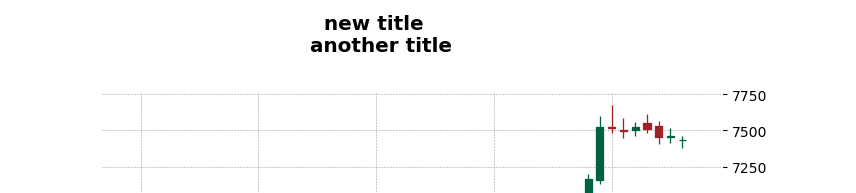
您能告诉我如何更改换行符another title的字体和大小吗?
回答 1
Stack Overflow用户
回答已采纳
发布于 2021-09-16 17:05:10
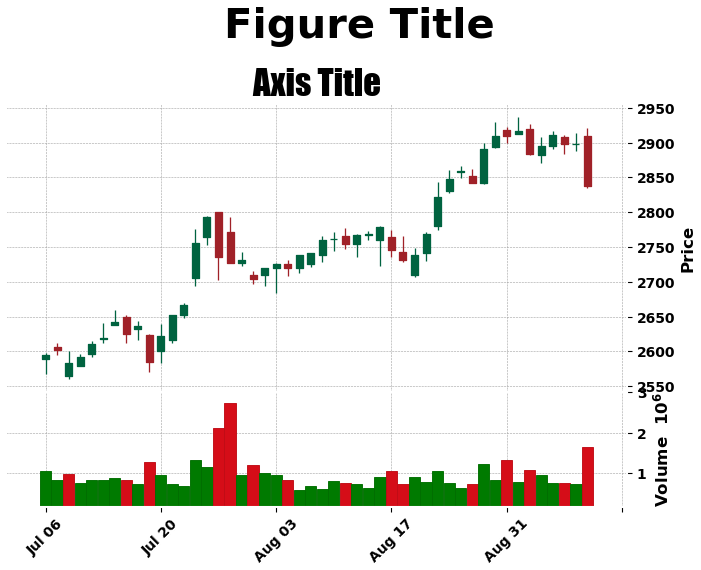
然后使用标准的style方法添加axes title和figure suptitle,因为title在mpf.plot中实际上是figure suptitle,而不是style这样的文本属性的。
df = web.DataReader('goog','yahoo', start="2021-07-3", end="2021-09-12")
fig, axlist = mpf.plot(df, style='charles', type = 'candle', volume=True, figratio=(12,8), returnfig=True)

# add a new suptitle
fig.suptitle('Figure Title', y=1.05, fontsize=30, x=0.59)

# add a title the the correct axes
axlist[0].set_title('Axis Title', fontsize=25, style='italic', fontfamily='fantasy', loc='center')

# save the figure
fig.savefig('test.jpg', bbox_inches='tight')
页面原文内容由Stack Overflow提供。腾讯云小微IT领域专用引擎提供翻译支持
原文链接:
https://stackoverflow.com/questions/69210734
复制相关文章
相似问题
腾讯云开发者

Copyright © 2013 - 2026 Tencent Cloud. All Rights Reserved. 腾讯云 版权所有
深圳市腾讯计算机系统有限公司 ICP备案/许可证号:粤B2-20090059  粤公网安备44030502008569号
腾讯云计算(北京)有限责任公司 京ICP证150476号 | 京ICP备11018762号