
Azure IotHubException是因为另一个AMQP客户端在尝试接收消息时打开了一个接收链接而关闭了连接。
我正在尝试接收Azure设备客户端消息,如下所示
public async Task<List<string>> RecieveMessage(string correlationId)
        {
            var response = new List<string>();
            InitializeDeviceClient("AMQP");
            var flag = true;
            while (flag)
            {
                Microsoft.Azure.Devices.Client.Message receivedMessage = await deviceClient.ReceiveAsync(TimeSpan.FromSeconds(120));

                if (receivedMessage == null)
                {
                    await Task.Delay(100).ConfigureAwait(false);
                    continue;
                }

                Trace.WriteLine(receivedMessage.CorrelationId.ToString());
                await this.deviceClient.CompleteAsync(receivedMessage);
                if (receivedMessage.CorrelationId != correlationId)
                {
                    continue;
                }

                var content = Encoding.UTF8.GetString(receivedMessage.GetBytes());
                response.Add(content);
                flag = false;
            }
            return response;
        }
在ReceiveAsync方法中,在VSTS中运行时,我会间歇性地得到下面的异常。
Microsoft.Azure.Devices.Client.Exceptions.IotHubException: error(condition:com.microsoft:link-creation-conflict,描述:{“errorCode”:409002,"trackingId":"e22773c954504357bcd262ebcf7e6c9e-G:3-TimeStamp:01/28/2021 23:24:27,“message”:“连接被关闭,因为另一个errorCode客户端打开了一个接收链接。每个客户端标识只允许一个连接。要了解更多信息,请参见https://aka.ms/iothub409002","timestampUtc":"2021-01-28T23:24:27.2617772Z"},info:[com.microsoft:is-filtered:True]) --> Microsoft.Azure.Amqp.AmqpException:{"errorCode":409002,Microsoft.Azure.Amqp.AmqpException 23:24:27,“message”:“由于另一个Microsoft.Azure.Amqp.AmqpException客户端打开了一个接收链接而关闭了连接。每个客户端标识只允许一个连接。要了解更多信息,请参见https://aka.ms/iothub409002","timestampUtc":"2021-01-28T23:24:27.2617772Z"}
StackTrace:
at Microsoft.Azure.Amqp.AsyncResult.End[TAsyncResult](IAsyncResult result)
       at Microsoft.Azure.Amqp.AmqpObject.OpenAsyncResult.End(IAsyncResult result)
       at Microsoft.Azure.Amqp.AmqpObject.EndOpen(IAsyncResult result)
       at System.Threading.Tasks.TaskFactory`1.FromAsyncCoreLogic(IAsyncResult iar, Func`2 endFunction, Action`1 endAction, Task`1 promise, Boolean requiresSynchronization)
    --- End of stack trace from previous location where exception was thrown ---
       at Microsoft.Azure.Devices.Client.Transport.AmqpIoT.AmqpIoTSession.OpenReceivingAmqpLinkAsync(DeviceIdentity deviceIdentity, AmqpSession amqpSession, Nullable`1 senderSettleMode, Nullable`1 receiverSettleMode, String deviceTemplate, String moduleTemplate, String linkSuffix, String correlationId, TimeSpan timeout)
    --- End of inner exception stack trace ---
        at Microsoft.Azure.Devices.Client.Transport.AmqpIoT.AmqpIoTSession.OpenReceivingAmqpLinkAsync(DeviceIdentity deviceIdentity, AmqpSession amqpSession, Nullable`1 senderSettleMode, Nullable`1 receiverSettleMode, String deviceTemplate, String moduleTemplate, String linkSuffix, String correlationId, TimeSpan timeout)
       at Microsoft.Azure.Devices.Client.Transport.AmqpIoT.AmqpIoTSession.OpenMessageReceiverLinkAsync(DeviceIdentity deviceIdentity, TimeSpan timeout)
       at Microsoft.Azure.Devices.Client.Transport.AmqpIoT.AmqpUnit.EnsureMessageReceivingLinkAsync(TimeSpan timeout)
       at Microsoft.Azure.Devices.Client.Transport.AmqpIoT.AmqpUnit.ReceiveMessageAsync(TimeSpan timeout)
       at Microsoft.Azure.Devices.Client.Transport.Amqp.AmqpTransportHandler.ReceiveAsync(TimeoutHelper timeoutHelper)
       at Microsoft.Azure.Devices.Client.Transport.ErrorDelegatingHandler.ExecuteWithErrorHandlingAsync[T](Func`1 asyncOperation)
       at Microsoft.Azure.Devices.Client.Transport.RetryDelegatingHandler.<>c__DisplayClass18_0.<<ReceiveAsync>b__0>d.MoveNext()
    --- End of stack trace from previous location where exception was thrown ---
       at Microsoft.Azure.Devices.Client.Transport.RetryDelegatingHandler.ReceiveAsync(TimeoutHelper timeoutHelper)
       at Microsoft.Azure.Devices.Client.InternalClient.ReceiveAsync(TimeSpan timeout)
       at
    RecieveMessage(String correlationId) in ....file.cs:line 487
这是什么原因?
是不是InitializeDeviceClient被多次调用了?
该方法实现如下
public void InitializeDeviceClient(string connType)
        {
            bool setFlag = _fixture.UseCertificate;
            if (setFlag)
            {
                try
                {
                    var initialPath = Path.Combine(Path.GetDirectoryName(Assembly.GetExecutingAssembly().Location), Constants.PathCertPath.ToString());
                    DirectoryInfo hdDirectoryInWhichToSearch = new DirectoryInfo(initialPath);
                    FileInfo[] filesInDir = hdDirectoryInWhichToSearch.GetFiles("*");
                    var cert = new X509Certificate2(File.ReadAllBytes(Path.Combine(initialPath, filesInDir[0].ToString())),
                     "123",
                     X509KeyStorageFlags.UserKeySet);
                    var auth = new DeviceAuthenticationWithX509Certificate(Path.GetFileName(filesInDir[0].ToString().Replace(".pfx", "")), cert);
                    if (deviceClient == null)
                    {
                        switch (connType.ToUpper())
                        {
                            case ConnectionTypes.Amqp:
                                deviceClient = DeviceClient.Create(_fixture.IoTHubHostName, auth, Microsoft.Azure.Devices.Client.TransportType.Amqp_Tcp_Only);
                                break;
                            case ConnectionTypes.Mqtt:
                                deviceClient = DeviceClient.Create(_fixture.IoTHubHostName, auth, Microsoft.Azure.Devices.Client.TransportType.Mqtt);
                                break;
                            case ConnectionTypes.Https:
                                deviceClient = DeviceClient.Create(_fixture.IoTHubHostName, auth, Microsoft.Azure.Devices.Client.TransportType.Http1);
                                break;
                        }
                    }
                }
                catch (Exception ex)
                {
                    Console.WriteLine("Error in sample: {0}", ex.Message);
                }
            }
}回答 1
Stack Overflow用户
发布于 2021-02-02 08:23:22
这是因为您没有关闭已建立的连接并重新创建连接。您的错误消息显示发生了错误。
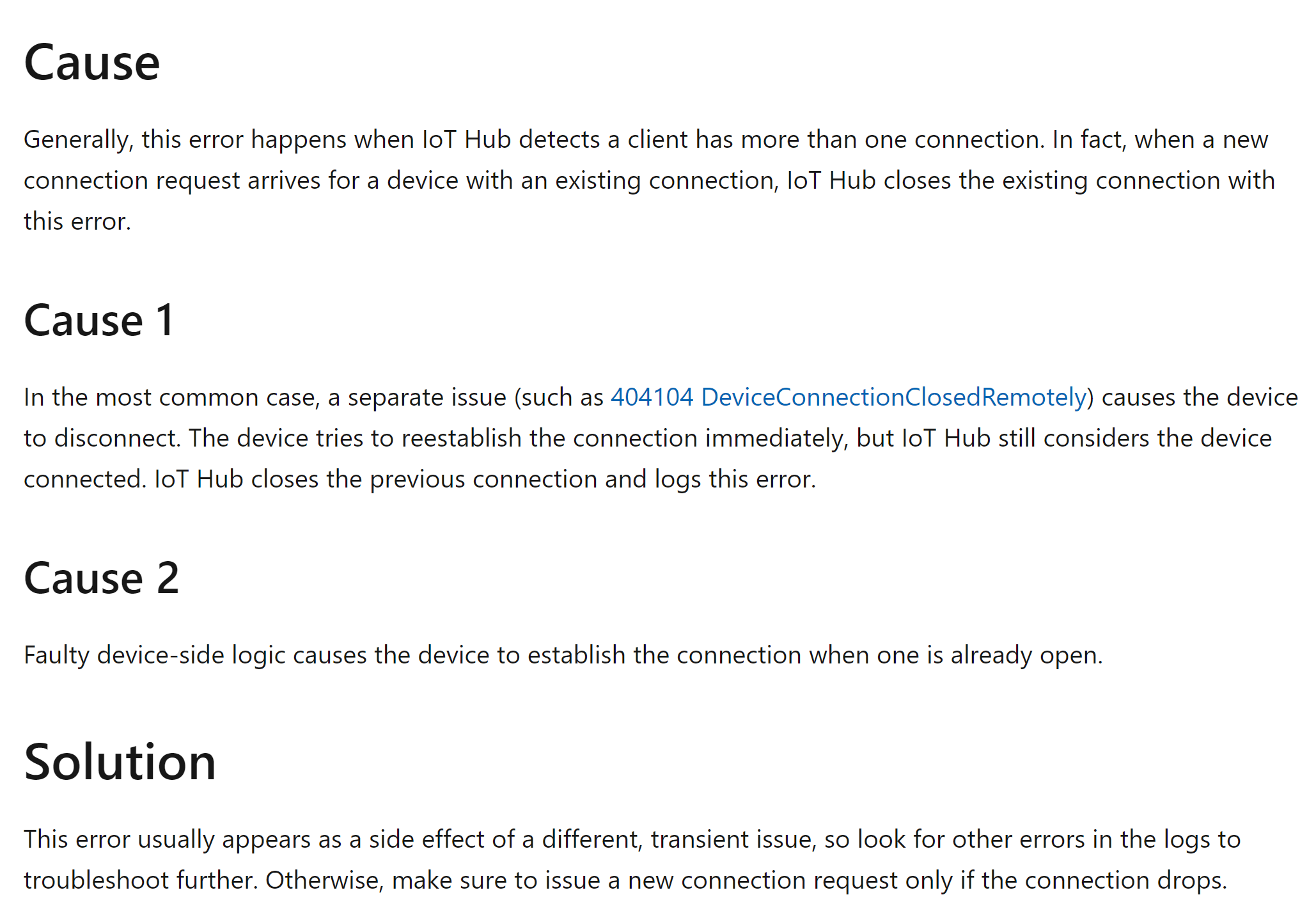
在函数中使用或await DeviceClient.CloseAsync().ConfigureAwait(false)后,可以使用await DeviceClient.CloseAsync().ConfigureAwait(false)关闭连接。
https://stackoverflow.com/questions/65951951
复制相似问题
腾讯云开发者

Copyright © 2013 - 2026 Tencent Cloud. All Rights Reserved. 腾讯云 版权所有
深圳市腾讯计算机系统有限公司 ICP备案/许可证号:粤B2-20090059  粤公网安备44030502008569号
腾讯云计算(北京)有限责任公司 京ICP证150476号 | 京ICP备11018762号