
Tkinter透明背景与(不透明)可见形状?
Tkinter透明背景与(不透明)可见形状?
提问于 2020-11-28 16:11:15
我想创造一个非可见的,透明的背景与可见的形状在该窗口内。我编写了以下代码,但是您可以看到对象也是透明的,我如何解决这个问题?
#!/usr/bin/env python3

from tkinter import *

window = Tk()
window.wait_visibility(window)
window.wm_attributes('-alpha',0.1)


def drag(event):
    event.widget.place(x=event.x_root, y=event.y_root,anchor=CENTER)

card = Canvas(window, width=74, height=97, bg='blue')
card.place(x=300, y=600,anchor=CENTER)
card.bind("<B1-Motion>", drag)

another_card = Canvas(window, width=74, height=97, bg='red')
another_card.place(x=600, y=600,anchor=CENTER)
another_card.bind("<B1-Motion>", drag)

window.mainloop()
换句话说,我不希望我的对象是透明的。我只希望屏幕是透明的。将来,我可能会在窗口中添加图片、矩形等。但我希望他们都能看到透明的背景。有什么帮助吗?
My OS: Ubuntu
注意:对于所有面临同样问题的人,我把我的库改为了WXPython。它有透明的背景,透明的窗口,不同形状的窗户等。但是如果你们能找到解决办法,我将非常感谢社会。在UBUNTU没有找到这个问题的答案。Windows和Mac拥有它,BR
Stack Overflow用户
发布于 2020-12-04 14:38:51
我有一个解决办法,它可以在windows中工作,不确定是否使用透明画布来确定ubuntu。
from tkinter import *

window = Tk()
window.lift()
window.wm_attributes("-topmost", True)
window.wm_attributes("-transparentcolor", 'gray')
window.wait_visibility()

canvas = Canvas(window, width=500, height=500)
canvas.pack()
canvas.config(cursor='tcross')
canvas.create_rectangle(0, 0, 500, 500, fill='gray', outline='gray')

def drag(event):
    event.widget.place(x=event.x_root, y=event.y_root,anchor=CENTER)

card = Canvas(window, width=74, height=97, bg='blue')
card.place(x=0, y=0,anchor=CENTER)
card.bind("<B1-Motion>", drag)

another_card = Canvas(window, width=74, height=97, bg='red')
another_card.place(x=600, y=600,anchor=CENTER)
another_card.bind("<B1-Motion>", drag)
window.mainloop()参考资料:https://stackoverflow.com/a/42880450/10849457
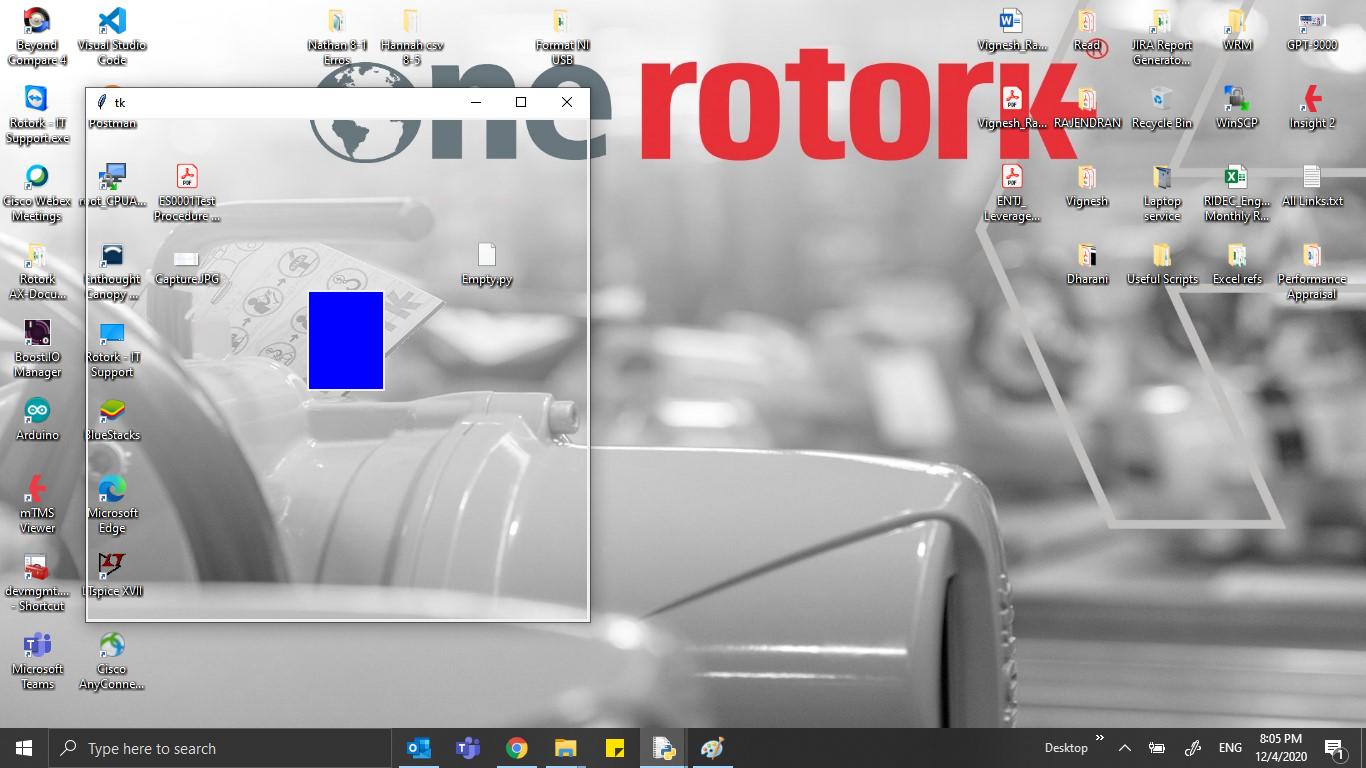
输出:
页面原文内容由Stack Overflow提供。腾讯云小微IT领域专用引擎提供翻译支持
原文链接:
https://stackoverflow.com/questions/65051696
复制相关文章
相似问题
腾讯云开发者

Copyright © 2013 - 2026 Tencent Cloud. All Rights Reserved. 腾讯云 版权所有
深圳市腾讯计算机系统有限公司 ICP备案/许可证号:粤B2-20090059  粤公网安备44030502008569号
腾讯云计算(北京)有限责任公司 京ICP证150476号 | 京ICP备11018762号