
动作布局:警告找不到视图id -1
我的问题是,我经常收到警告W/MotionLayout: WARNING could not find view id -1。正因为如此,我的MotionLayout非常滞后,几乎从expanded state跳到collapsed state。在等待了几秒钟之后,动画开始变得更好(不再有跳跃/延迟),但是警告仍然存在。
基XML
<layout xmlns:android="http://schemas.android.com/apk/res/android"
    xmlns:app="http://schemas.android.com/apk/res-auto"
    xmlns:tools="http://schemas.android.com/tools">

    <data>
        <variable
            name="product"
            type="com.example.app.framework.datasource.models.product.Product" />
    </data>

    <androidx.constraintlayout.motion.widget.MotionLayout
        android:id="@+id/shop_motion_layout"
        android:layout_width="match_parent"
        android:layout_height="match_parent"
        app:layoutDescription="@xml/shop_item_content_scene"
        app:showPaths="true"
        tools:context=".framework.ui.view.fragments.shop.ShopItemFragment">

        <com.google.android.material.appbar.MaterialToolbar
            android:id="@+id/shop_toolbar"
            android:layout_width="match_parent"
            android:layout_height="wrap_content"
            android:theme="@style/ThemeOverlay.AppCompat.Light"
            app:menu="@menu/shop_item_toolbar"
            app:layout_constraintEnd_toEndOf="parent"
            app:layout_constraintStart_toStartOf="parent"
            app:layout_constraintTop_toTopOf="parent" />

        <ImageView
            android:id="@+id/product_image"
            android:layout_width="0dp"
            android:layout_height="142dp"
            android:layout_marginStart="72dp"
            android:layout_marginTop="@dimen/standard8dpMargin"
            android:layout_marginEnd="72dp"
            android:adjustViewBounds="true"
            android:contentDescription="@null"
            android:fitsSystemWindows="true"
            app:loadImage="@{product.images[0]}"
            app:layout_constraintEnd_toEndOf="parent"
            app:layout_constraintStart_toStartOf="parent"
            app:layout_constraintTop_toBottomOf="@id/shop_toolbar" />

        <com.google.android.material.textview.MaterialTextView
            android:id="@+id/product_name"
            android:layout_width="0dp"
            android:layout_height="wrap_content"
            android:layout_marginTop="@dimen/big16dpMargin"
            android:layout_marginBottom="12dp"
            android:ellipsize="end"
            android:fontFamily="sans-serif-medium"
            android:maxLines="2"
            android:text="@{product.name}"
            android:textAlignment="textStart"
            android:textColor="@color/color_text_dark"
            android:textSize="@dimen/textHeadlineNormal1"
            app:layout_constraintBottom_toTopOf="@id/scrollview_shop"
            app:layout_constraintEnd_toEndOf="@id/barrier"
            app:layout_constraintStart_toStartOf="@id/margin_left"
            app:layout_constraintTop_toBottomOf="@+id/product_image"
            tools:text="Long text to test some stuff etc. bla bla" />

        <com.google.android.material.button.MaterialButton
            android:id="@+id/btn_shop"
            style="@style/Widget.MaterialComponents.Button.Icon"
            android:layout_width="56dp"
            android:layout_height="56dp"
            android:layout_marginEnd="16dp"
            android:backgroundTint="@color/color_btn_blue"
            android:insetLeft="0dp"
            android:insetTop="0dp"
            android:insetRight="0dp"
            android:insetBottom="0dp"
            android:padding="0dp"
            app:icon="@drawable/ic_shopping_cart_filled"
            app:iconGravity="textStart"
            app:iconPadding="0dp"
            app:layout_constraintBottom_toTopOf="@id/scrollview_shop"
            app:layout_constraintEnd_toEndOf="parent"
            app:layout_constraintTop_toTopOf="@id/scrollview_shop"
            app:shapeAppearanceOverlay="@style/ShapeAppearanceOverlay.Example.Button.Circle" />

        <!-- My scrollview -->
        <androidx.core.widget.NestedScrollView
            android:id="@+id/scrollview_shop"
            android:layout_width="0dp"
            android:layout_height="0dp"
            android:fillViewport="true"
            app:layout_constraintBottom_toBottomOf="parent"
            app:layout_constraintEnd_toEndOf="parent"
            app:layout_constraintStart_toStartOf="parent"
            app:layout_constraintTop_toBottomOf="@id/product_name">

            <androidx.constraintlayout.widget.ConstraintLayout
                android:id="@+id/someID"
                android:layout_width="match_parent"
                android:layout_height="wrap_content">

                <com.google.android.material.textview.MaterialTextView
                    android:id="@+id/product_article_number"
                    android:layout_width="wrap_content"
                    android:layout_height="wrap_content"
                    android:layout_marginTop="@dimen/standard8dpMargin"
                    android:text="FISCH"
                    android:textAlignment="textStart"
                    android:textColor="@color/color_text_gray"
                    android:textDirection="locale"
                    android:textSize="@dimen/textDescriptionNormal2"
                    android:textStyle="normal"
                    app:layout_constraintStart_toStartOf="parent"
                    app:layout_constraintTop_toTopOf="parent"
                    tools:text="A 1234567" />

                <com.google.android.material.textview.MaterialTextView
                    android:id="@+id/tv_mwst_disclaimer"
                    android:layout_width="wrap_content"
                    android:layout_height="wrap_content"
                    android:layout_marginTop="@dimen/standard8dpMargin"
                    android:text="SEIFE"
                    android:textAlignment="textStart"
                    android:textColor="@color/color_text_mwst"
                    android:textDirection="locale"
                    android:textSize="@dimen/textDescriptionNormal4"
                    android:textStyle="italic"
                    app:layout_constraintStart_toStartOf="parent"
                    app:layout_constraintTop_toBottomOf="@id/product_article_number"
                    tools:text="PREIS" />

            </androidx.constraintlayout.widget.ConstraintLayout>
        </androidx.core.widget.NestedScrollView>

        <androidx.constraintlayout.widget.Barrier
            android:id="@+id/barrier"
            android:layout_width="wrap_content"
            android:layout_height="wrap_content"
            app:barrierDirection="left"
            app:constraint_referenced_ids="btn_shop" />

        <androidx.constraintlayout.widget.Guideline
            android:id="@+id/margin_left"
            android:layout_width="wrap_content"
            android:layout_height="wrap_content"
            android:orientation="vertical"
            app:layout_constraintGuide_begin="@dimen/big16dpMargin" />

    </androidx.constraintlayout.motion.widget.MotionLayout>
</layout>
ContentScene XML
<?xml version="1.0" encoding="utf-8"?>
<MotionScene xmlns:android="http://schemas.android.com/apk/res/android"
    xmlns:app="http://schemas.android.com/apk/res-auto"
    xmlns:motion="http://schemas.android.com/tools">

    <Transition
        app:constraintSetEnd="@id/collapsed"
        app:constraintSetStart="@id/expanded">

        <OnSwipe
            motion:dragDirection="dragUp"
            app:onTouchUp="stop"
            motion:touchAnchorId="@id/scrollview_shop"
            motion:touchAnchorSide="top" />

        <KeyFrameSet>
            <KeyAttribute
                app:motionTarget="@id/product_image"
                app:framePosition="40"
                android:alpha="0.0" />
        </KeyFrameSet>
    </Transition>

    <ConstraintSet android:id="@+id/expanded" />

    <ConstraintSet android:id="@+id/collapsed">
        <Constraint
            android:id="@id/product_image"
            android:layout_height="?attr/actionBarSize"
            android:layout_marginStart="56dp"
            android:layout_marginEnd="56dp"
            android:alpha="0.0"
            app:layout_constraintEnd_toEndOf="parent"
            app:layout_constraintStart_toStartOf="parent"
            app:layout_constraintTop_toTopOf="parent" />
        <Constraint
            android:id="@id/product_name"
            android:layout_width="0dp"
            android:layout_height="wrap_content"
            android:layout_marginStart="56dp"
            android:layout_marginEnd="@dimen/standard8dpMargin"
            android:scaleX="0.925"
            android:scaleY="0.925"
            app:layout_constraintBottom_toBottomOf="@id/shop_toolbar"
            app:layout_constraintTop_toTopOf="@id/shop_toolbar"
            app:layout_constraintStart_toStartOf="parent"
            app:layout_constraintEnd_toEndOf="@id/barrier" />

        <Constraint
            android:id="@id/btn_shop"
            android:layout_marginEnd="@dimen/big16dpMargin"
            android:layout_width="56dp"
            android:layout_height="56dp"
            app:layout_constraintBottom_toBottomOf="@id/shop_toolbar"
            app:layout_constraintEnd_toEndOf="parent"
            app:layout_constraintTop_toBottomOf="@+id/product_name" />
    </ConstraintSet>

</MotionScene>
片段
class ShopItemFragment : Fragment(R.layout.fragment_shop_item) {
    private val productArgs by navArgs<ShopItemFragmentArgs>()

    override fun onCreateView(
        inflater: LayoutInflater,
        container: ViewGroup?,
        savedInstanceState: Bundle?
    ): View? = FragmentShopItemBinding.inflate(inflater, container, false).apply {
        product = productArgs.product
    }.root

    override fun onViewCreated(view: View, savedInstanceState: Bundle?) {
        super.onViewCreated(view, savedInstanceState)
        initToolbar()
    }

    private fun initToolbar() = shop_toolbar.apply {
        setupWithNavController(findNavController(), AppBarConfiguration(findNavController().graph))
    }
}
扩容
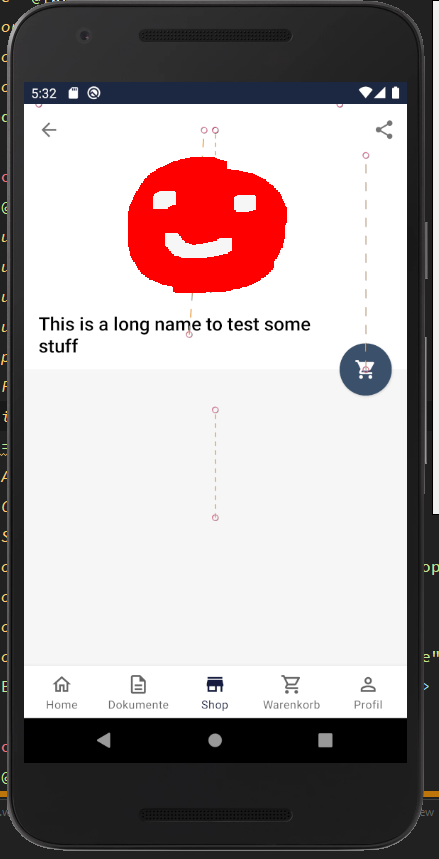
塌陷

编辑
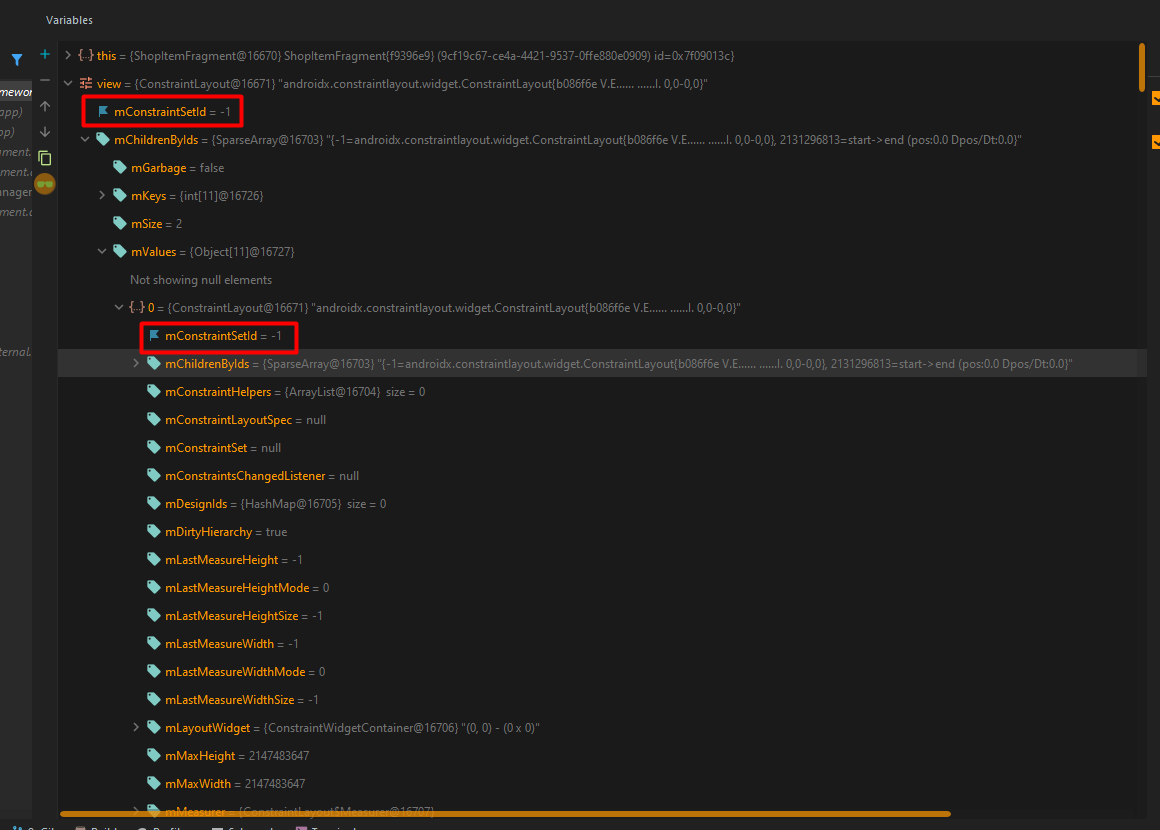
我试图尽可能好地调试我的代码,我发现如下:在我看来,mConstraintSetId具有-1值,我认为logcat正在警告我这一点。我怎样才能改变这个值或者更好地说:为什么这个值是-1?
回答 2
Stack Overflow用户
发布于 2020-12-27 19:02:05
这一问题:
您需要的主要工作是不要同时使用app和motion xml名称空间在同一个MotionScene中。
xmlns:app="http://schemas.android.com/apk/res-auto"
xmlns:motion="http://schemas.android.com/tools"你可以用任何一种,但你必须坚持一种。我更喜欢app --使我更容易在布局XML和运动场景XML之间跳转。
就目前情况而言,由于您同时使用这两种方法,MotionLayout只是获取了带有app标记的属性,而忽略了motion属性,这意味着您对OnSwipe的说明与以下内容相同:
<OnSwipe app:onTouchUp="stop" />这就是您看到WARNING could not find view id -1的原因,这可能意味着在这种情况下MotionLayout需要更好的错误消息,或者如果使用了多个名称空间,则根本不应该编译。
解决方案:
因此,假设您删除了motion命名空间,那么您所要做的就是将OnSwipe转换更新到以下内容:
        <OnSwipe
            app:dragDirection="dragUp"
            app:onTouchUp="stop"
            app:touchAnchorId="@id/scrollview_shop"
            app:touchAnchorSide="top" />
然后你的过渡应该运行得很好。
Stack Overflow用户
发布于 2020-11-03 19:18:36
在两个<Constraint ../>中都应该有相同的<ConstraintSet ../>。
请尝试更新您的场景,并添加:
<ConstraintSet android:id="@+id/expanded" >
    <Constraint
        android:id="@id/product_image"
        .... />
    <Constraint
        android:id="@id/product_name"
        .... />

    <Constraint
        android:id="@id/btn_shop"
        .... />
</ConstraintSet>https://stackoverflow.com/questions/64303458
复制相似问题
腾讯云开发者
