
SwiftUI:如何更改“警报按钮”和“NavigationLink返回”按钮的颜色?
SwiftUI:如何更改“警报按钮”和“NavigationLink返回”按钮的颜色?
提问于 2020-10-03 15:41:45
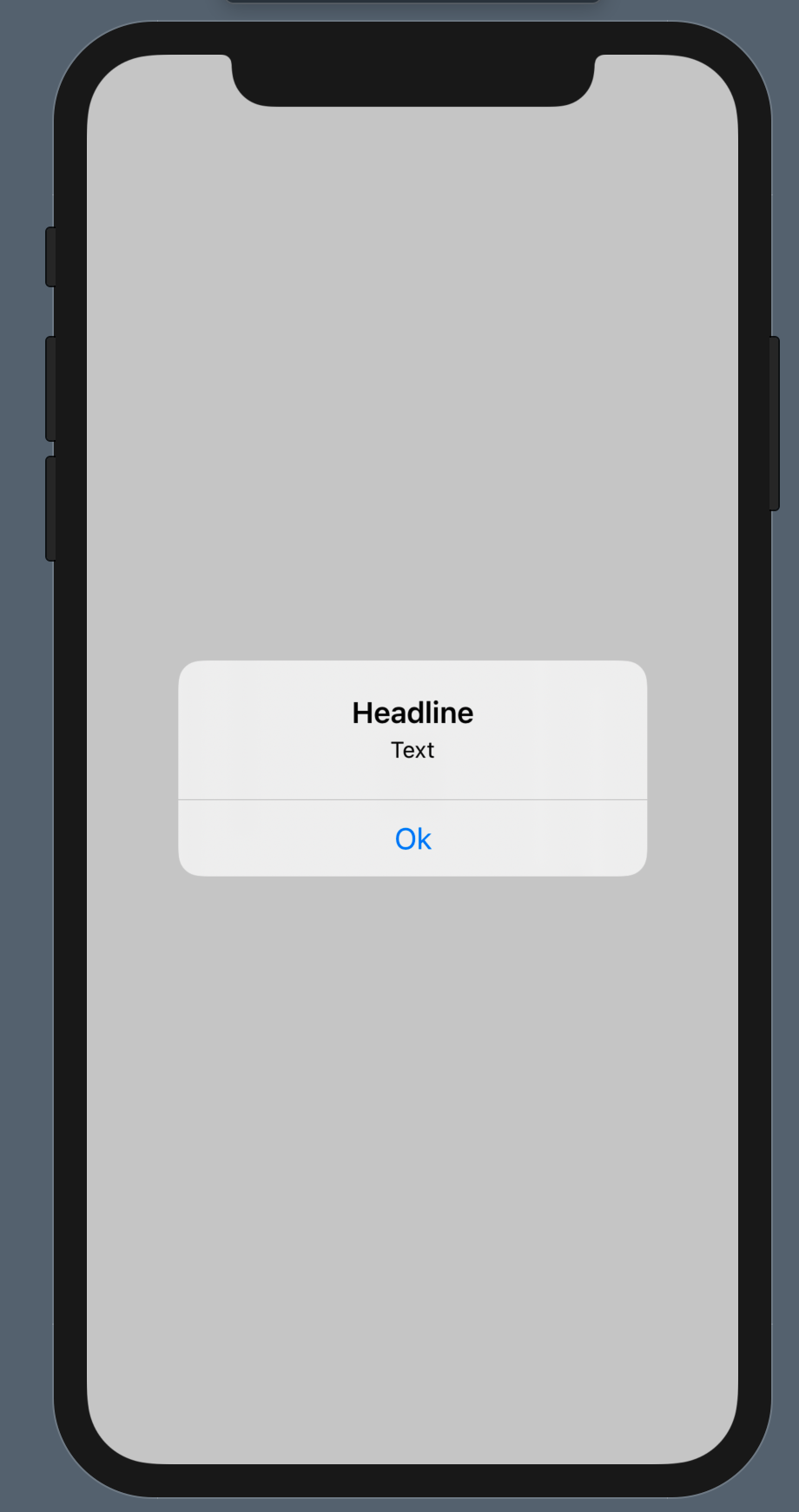
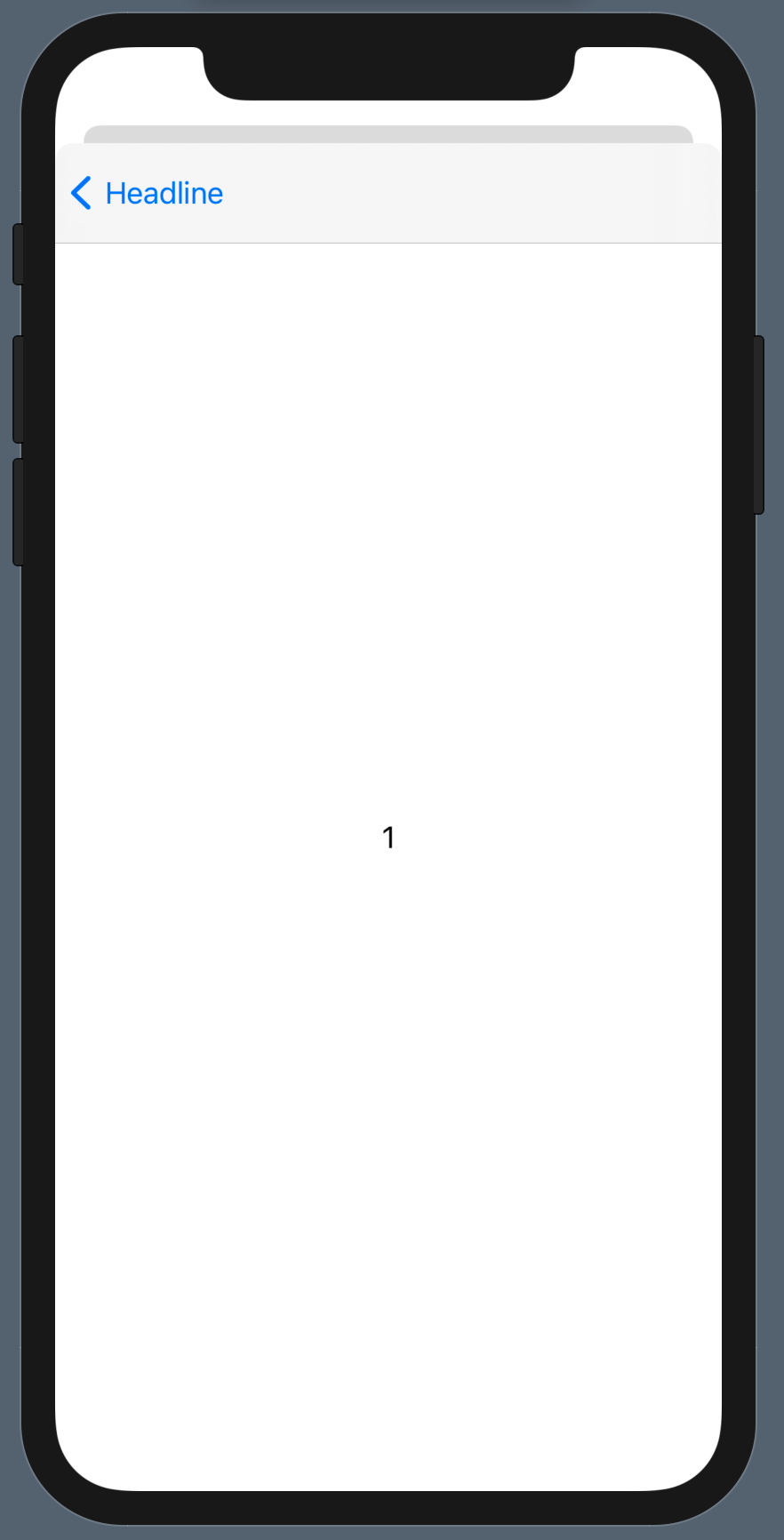
如何在警报中从按钮中更改颜色,从NavigationLink更改后退按钮?若要在警报按钮的文本之后设置.accentColor(.init("someColor")),请执行以下操作。在.accentColor(.init("someColor"))之后设置navigationLink也不起作用。我能做什么?
警报按钮:
NavigationLink的Back Button:
struct ContentView: View {

    @State var showSheet = false
    @State var alertShouldBeShown = !UserDefaults.standard.bool(forKey: "£Start")

    var body: some View {
        Button(action:  {
            self.showSheet.toggle()
        }) {
            Text("click me")
            //.accentColor(colorScheme == .dark ? Image("") : Image("Info-Icon"))
        }.sheet(isPresented: $showSheet) {
            SheetView(showSheet: self.$showSheet)
        }
        .alert(isPresented: $alertShouldBeShown, content: {

            Alert(title: Text("Headline"),
                message: Text("Text"),
                dismissButton: Alert.Button.default(
                    Text("Ok"), action: {
                    UserDefaults.standard.set(true, forKey: "Start")
                    }
                )
            )
        })
    }
}

struct SheetView: View {
    @Binding var showSheet: Bool
    var body: some View {
        NavigationView {
            DetailView()
                .navigationBarTitle(Text("Headline"), displayMode: .inline)
                .navigationBarItems(trailing: Button(action: {
                    self.showSheet = false
                }) {
                    Text("Done")
                        .bold()
            })
        }.navigationViewStyle(StackNavigationViewStyle())
    }
}

struct DetailView: View {
    var body: some View {
        List {
            HStack {
                NavigationLink(destination: DetailViewOne()) {
                                    Text("View 1")
                }
            }
            HStack {
                NavigationLink(destination: DetailViewTwo()) {
                                    Text("View 2")
                }
            }
        }
    }
}

struct DetailViewOne: View {
    var body: some View {
        Text("1")
    }
}

struct DetailViewTwo: View {
    var body: some View {
        Text("2")
    }
}Stack Overflow用户
回答已采纳
发布于 2020-10-03 21:57:40
可以通过使用NavigationBar更改accentColor重音颜色,但需要将其应用于SheetView (给定环境的根视图):
SheetView(showSheet: self.$showSheet)
.accentColor(.red)不幸的是,到目前为止,SwiftUI不允许大量Alert自定义。
但是,由于Alert构建在UIKit组件(UIAlertController)之上,这也意味着当包含在UIAlertController中时,您可以更改UIView的外观。
您可以将此代码放入@main App init或SceneDelegate中:
UIView.appearance(whenContainedInInstancesOf: [UIAlertController.self]).tintColor = .red页面原文内容由Stack Overflow提供。腾讯云小微IT领域专用引擎提供翻译支持
原文链接:
https://stackoverflow.com/questions/64186014
复制相关文章
相似问题
腾讯云开发者

Copyright © 2013 - 2026 Tencent Cloud. All Rights Reserved. 腾讯云 版权所有
深圳市腾讯计算机系统有限公司 ICP备案/许可证号:粤B2-20090059  粤公网安备44030502008569号
腾讯云计算(北京)有限责任公司 京ICP证150476号 | 京ICP备11018762号